00197496-01_UM_SiClusterMultiline_DE_EN.pdf - 第190页
Tips and Tricks Inserting the Attributes with the SIPLACE Data Mainten ance Tool 190 SIPLACE SiCluster Multiline SIPLACE SiCluster Multiline Dialog bo x: change pr ocess attributes ► You can en ter an attribut e manually…
Tips and Tricks
Inserting the Attributes with the SIPLACE Data Maintenance Tool
SIPLACE SiCluster Multiline SIPLACE SiCluster Multiline 189
► You can enter an attribute manually or select an attribute which is already present in the system from
the list, by clicking on the icon (1) .
► For more information about handling the SIPLACE Data Maintenance Tool, refer to the Online Help.
Line process capabilities
To avoid having to edit the process capabilities separately for each individual line, use the SIPLACE
Data Maintenance Tool.
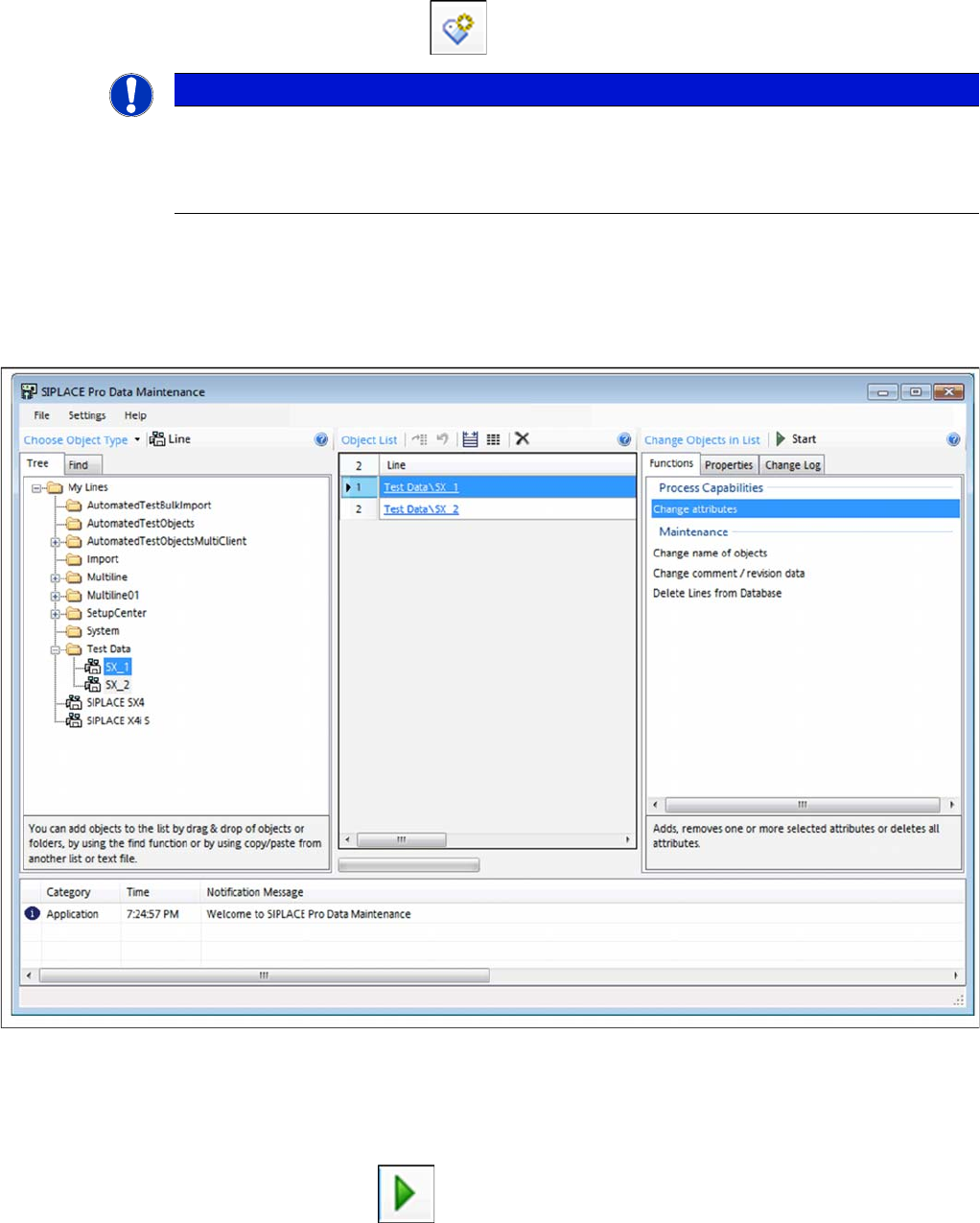
SIPLACE Data Maintenance Tool – line selected
Procedure
► Select the lines and add these to the list of objects.
► Go to Process Capabilities and select the function Change Attributes.
► Start the process with Start .
⇨ The Change Process Attributes dialog box will open.
NOTICE
Process attributes for selection already in the list
If all process attributes have already been defined in a board (see tip "10.3 Creating a Board
as Central Editor for Defining Process Requirements" [ ➙ 187]), these process attributes will
appear for selection in the list.
Tips and Tricks
Inserting the Attributes with the SIPLACE Data Maintenance Tool
190 SIPLACE SiCluster Multiline SIPLACE SiCluster Multiline
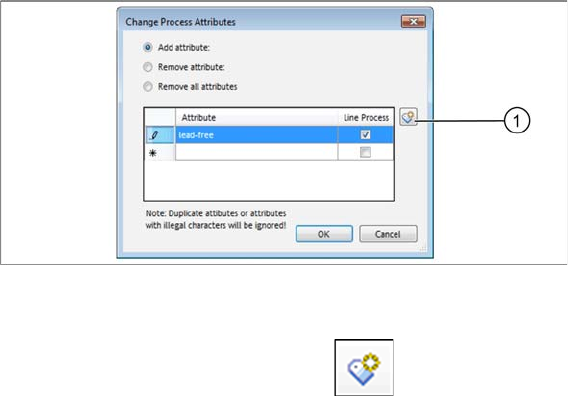
Dialog box: change process attributes
► You can enter an attribute manually or select an attribute which is already present in the system from
the list, by clicking on the icon (1) .
► For more information about handling the SIPLACE Data Maintenance Tool, refer to the Online Help.
acpage