德森印刷机说明书之操作手册-4d1321fc284ac850ac024234 - 第37页
深圳德森精密设备有限公司 Shenzhen Desen Pre cision Machine Co., Ltd. - 37 - 图 4-12 〈创建新目录〉对话框 Fig ure 4- 12 (Create ne w directory ) D ialog Box 2. 用鼠标点击滚动条,选择要存放的文件位置和文件类型。 2 . Click t he scroll b a r with mouse t o choose the l oc…
深圳德森精密设备有限公司
Shenzhen Desen Precision Machine Co., Ltd.
- 36 -
4.4.1[
4.4.1[
4.4.1[
4.4.1[
打开 ]
]
]
]
4.4.1
4.4.1
4.4.1
4.4.1
Open
Open
Open
Open
其作用是打开已保存的印刷生产数据文件,操作步骤如下:
It
is used to open the saved printing production data and files. T he operating steps are as follows :
1.
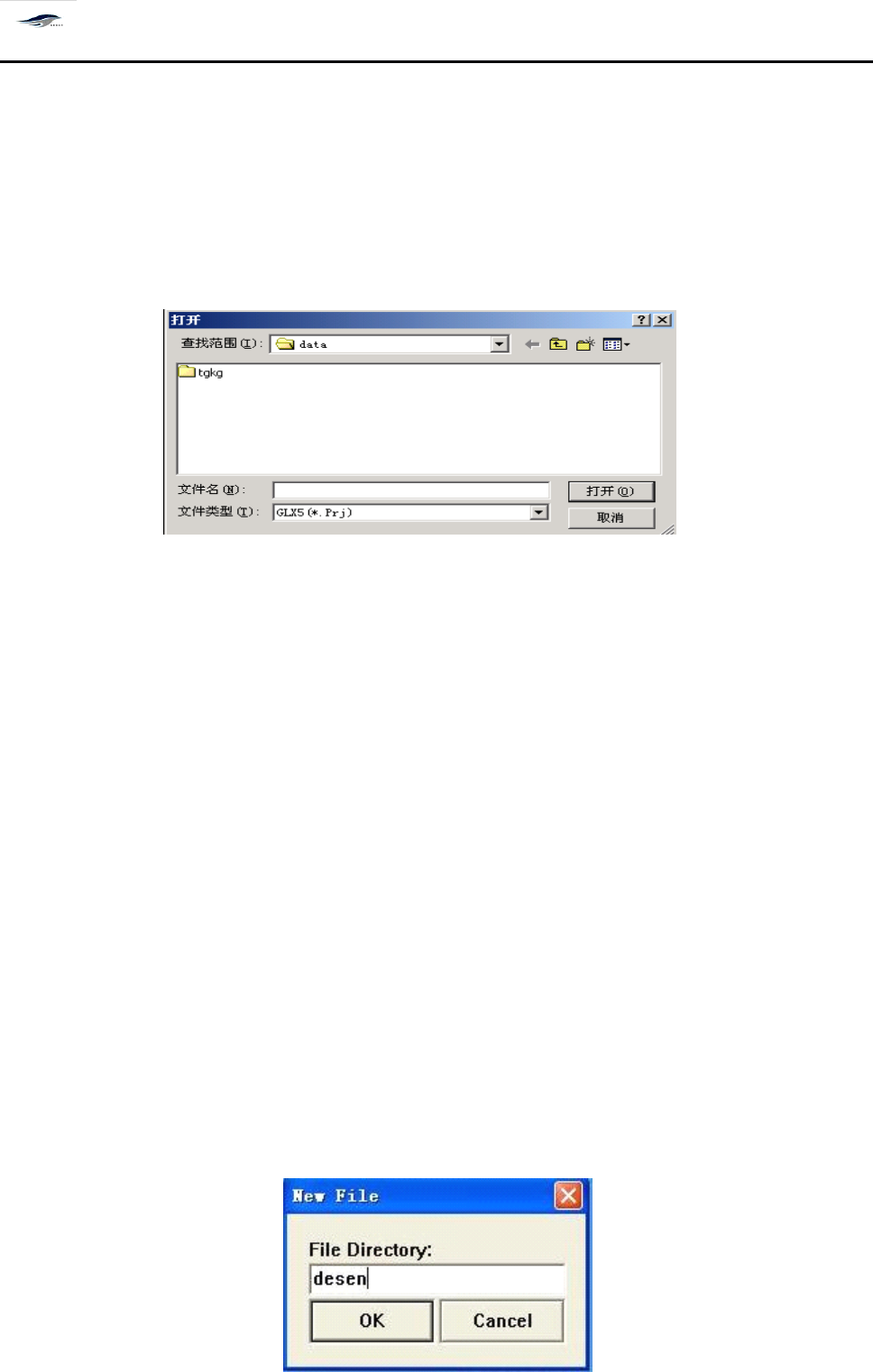
单击 [ 文件 / 打开 ] 按钮,显示 “ 打开 ” 对话框,如图 4 – 11 所示。
1. Click File/Open, then there will be an Open dialog box as shown in Figure 4-11.
图 4-11 文件〈打开〉对话框
Figure 4-11 File (Open) Dialog Box
2.
用鼠标选择所要的文件夹位置和其中的 Pri 文件类型。
2. Choose the file folder location and Pri file layout with mouse.
3.
单击对话框中的 [ 打开 ] 按钮,打开文件;单击 [ 取消 ] 按钮,退回到主窗口。
3. Clicking Open in the dialog box will open the file; and click Cancel will return to the main
interface.
4.4.2[
4.4.2[
4.4.2[
4.4.2[
保存 ]
]
]
]
4.4.2
4.4.2
4.4.2
4.4.2
Save
Save
Save
Save
其作用是保存印刷机印刷参数设置档,以便下次操作时调用。操作步骤如下:
It
is used to save the settings of printing parameters of printing machine for the call in next
operation. T he operating steps are as follows:
1.
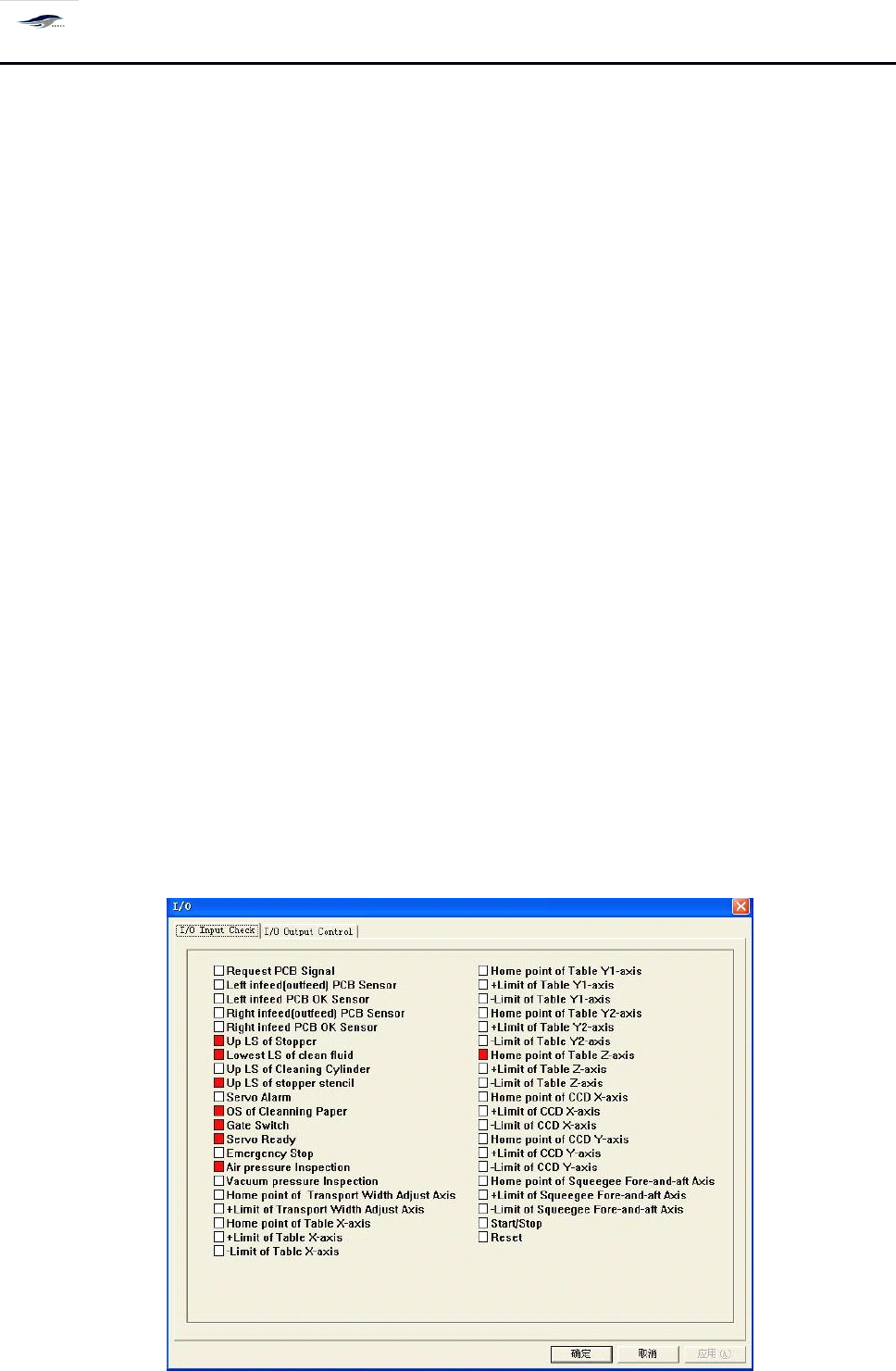
单击菜单栏上 [ 另存为 ] 按钮,显示 “ 创建新目录 ” 对话框,如图 4 – 12 所示。
1. Click Save as in the menu bar, then there will be a Create new directory dialog box as shown in
Figure 4-12.
深圳德森精密设备有限公司
Shenzhen Desen Precision Machine Co., Ltd.
- 37 -
图 4-12 〈创建新目录〉对话框
Figure 4-12 (Create new directory) Dialog Box
2.
用鼠标点击滚动条,选择要存放的文件位置和文件类型。
2. Click the scroll bar with mouse to choose the location to save the file and the file layout.
3.
在 “ 文件名 ” 栏目中键入要存放的文件名。
3. Key in the file name saved in the File Name column.
4.
单击对话框中的 [ 保存 ] 按钮,保存文件;单击 [ 取消 ] 按钮,退回到主窗口。
4. Clicking Save in the dialog box will save the file; and clicking Cancel will return to the main
interface.
4.4.
4.4.
4.4.
4.4.
3[I/O
3[I/O
3[I/O
3[I/O
检测 ]
]
]
]
4.4.3
4.4.3
4.4.3
4.4.3
I/O
I/O
I/O
I/O
test
test
test
test
作用是对所有控制系统输入点、输出点进行检测,判断工作是否正常。操作程序如下:
I
t
is used to inspect all input points and output points of the control system, in order to judge
whether the operation is normal. T he operating steps are as follows:
1.
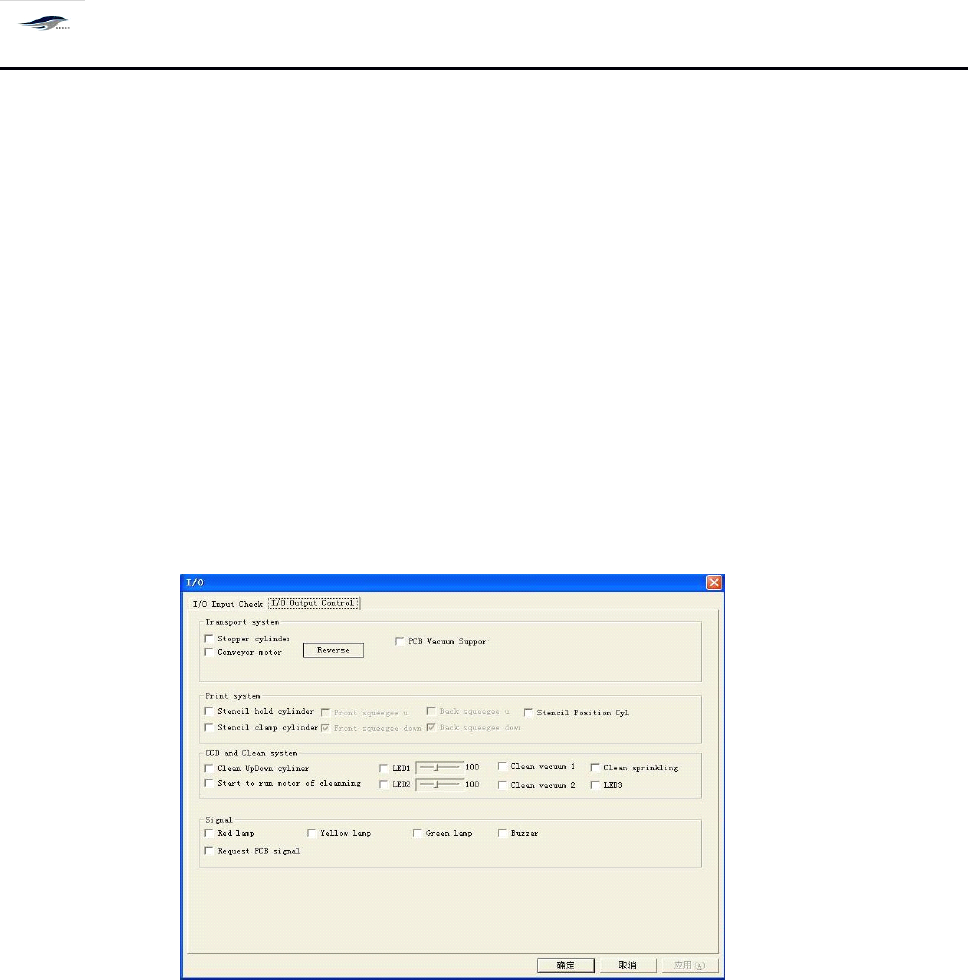
在主窗口画面单击主菜单栏中的 [ 操作 ]/ [ I/O 检测 ] ,显示 [ 检测 ] 对话框,打开 [ 检测 ] 下的
[ I/O 检测 ] 选项对话框。如图 4 – 13 所示:
1. Click Operation and I/O
Test
in the main menu bar of the main interface, then the
Test
dialog box
will emerge. O pen the I/O
Test
dialog box under
Test.
See Figure 4-13.
图 4- 13 〈 I/O 检测〉对话框
深圳德森精密设备有限公司
Shenzhen Desen Precision Machine Co., Ltd.
- 38 -
Figure 4-13 I/O
Test
Dialog Box
对话框进入方式:单击主菜单栏 [ 操作 ]/[ I/O 检测 ]
To
enter the dialog box, click Operation and I/O
Test
in the main menu bar.
2.
对话框中各项输入前的方框如显示为红色,表示当前已检测到该输入点的信号;如为 白
色,表示当前没有检测到该输入信号。单击 [ 确定 ] 或 [ 取消 ] ,回到主窗口画面。
2. In case that a box of the dialog box is red before input,
it
means that the signal of the input point
has been detected; in case that
it
is white,
it
means no signal of the input point has been detected.
C licking OK or Cancel will return to the main interface.
3.
单击 [ I/O 输出控制 ] 选项,打开 [ I/O 输出控制 ] 选项对话框,如图 4 – 14 所示:
3. Clicking I/O Output Control option will open the I/O Output Control dialog box as shown in
Figure 4-14.
图 4- 14 〈 I/O 输出控制〉对话框
Figure 4-14 I/O Output Control Dialog Box
4.
在此对话框中,逐一激活白色方框后的每一项并观察,可对运输系统、印刷系统、 CC D
与清洗系统的马达、 气缸、 电磁阀等输出控制进行检测以及对报警信号的输出进行检
测。
4. Activate each option behind the white box one by one in the dialog box for observation.
D etections can be done for the output control related to the motors, cylinders, electromagnetic
valves and other components of transport system, printing system, CCD and cleaning system as
well as for the output of alarm signal.
4.4.
4.4.
4.4.
4.4.
4[
4[
4[
4[
运动测试 ]
]
]
]
4.4.4
4.4.4
4.4.4
4.4.4
Motion
Motion
Motion
Motion
Test
Test
Test
Test
检测平台马达、 CCD 马达、刮刀马达、调宽马达是否正常工作。操作步骤如下: