德森印刷机说明书之操作手册-4d1321fc284ac850ac024234 - 第40页
深圳德森精密设备有限公司 Shenzhen Desen Pre cision Machine Co., Ltd. - 40 - follows: 1. 在主窗口画面单击 [ 操作 / 过板 ] ,出现 [ 过板 ] 对话框。如图 4 – 16 所示: 1 . Click O perate/T ransfer B oard i n the m ain interface, t he n T rans fer B oard d ia log…
深圳德森精密设备有限公司
Shenzhen Desen Precision Machine Co., Ltd.
- 39 -
It
is used to detect whether the platform motor, CCD motor, squeegee motor and width regulating
motor work normally. T he operating steps are as follows:
1.
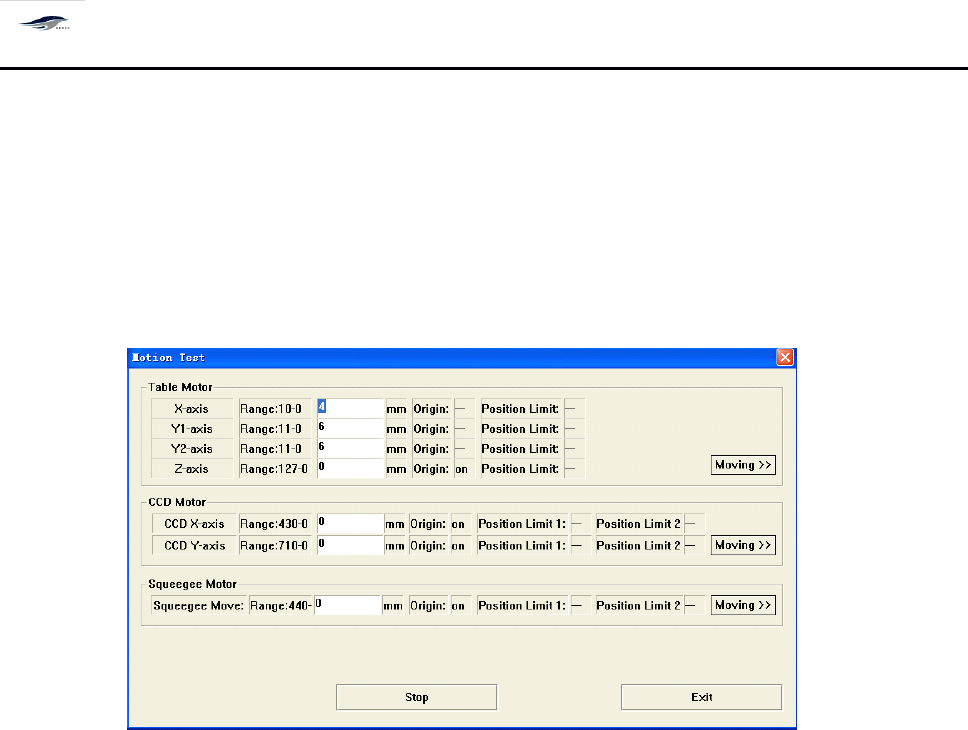
在主窗口画面单击主菜单中的 [ 操作 ] [ 移动检测 ] ,显示 [ 移动检测 ] 对话框,
如图 4 – 15 所示:
1. Click “ Operation ” and Moving Detect in the main menu of main interface, then the Moving
Detect dialog box as shown in Figure 4-15 will emerge.
图 4- 15 〈移动测试〉对话框
Figure 4-15 Moving Detect Dialog Box
2.
逐一输入马达控制轴、刮刀或导轨等的行程,单击 [ 移动 ] 按钮,使轴、刮刀、或导轨运
动。 运动到原点位置显示 “ ON
”
, 离开原点位置显示 “ 一
”
; 运动到极限位置显示 “ O N
” ,
离开极限位置显示 “ 一
”
。单击 [ 停止 ] ,停止轴、刮刀或导轨的运动;单击 [ 退回 ] 回到 主
窗口画面。
2. Input the travels of components such as motor control shaft, squeegee or guide rail one by one
and click Move to make the control shaft, squeegee or guide rail move. When the control shaft,
squeegee or guide rail move moves to the origin, the system wi ll display “ ON ” and when
it
moves
away from the origin, the system will display “ - ” ; and when
it
moves to and away from the limit
position, the system will display “ ON ” and “ - ” respectively. C licking Stop will stop the motion of
control shaft, squeegee or guide rail; and clicking Back will return to the main interface.
4.4.
4.4.
4.4.
4.4.
5
5
5
5
[
[
[
[
过板 ]
]
]
]
4.4.5
4.4.5
4.4.5
4.4.5
Transfer
Transfer
Transfer
Transfer
Board
Board
Board
Board
作用是只作过板操作,不进行印刷或检查功能。操作步骤如下:
It
is used to transfer boards only rather than to print or inspect. T he operating steps are as
深圳德森精密设备有限公司
Shenzhen Desen Precision Machine Co., Ltd.
- 40 -
follows:
1.
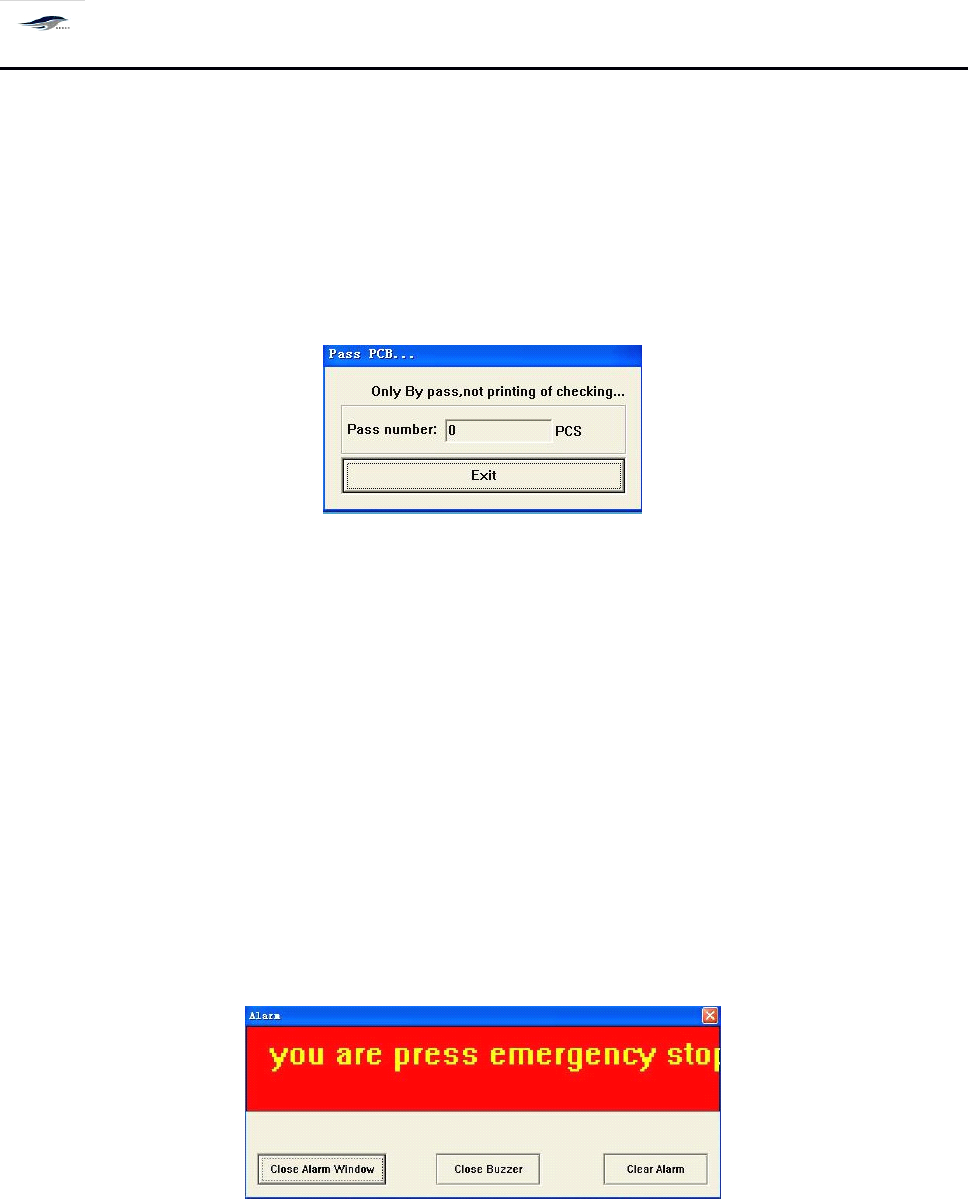
在主窗口画面单击 [ 操作 / 过板 ] ,出现 [ 过板 ] 对话框。如图 4 – 16 所示:
1. Click Operate/Transfer Board in the main interface, then Transfer Board dialog box will emerge.
See Figure 4-16.
2.
单击 [ 退出 ] 仍回到主窗口画面。
2. Clicking Back will return to the main interface.
图 4- 16 〈过板〉操作对话框
Figure 4-16 Transfer Board Dialog Box
对话框进入方式:单击操作 / 过板
To
enter the dialog box, click Operate/Transfer Board.
4.4.
4.4.
4.4.
4.4.
6[
6[
6[
6[
报警复位 ]
]
]
]
4.4.6
4.4.6
4.4.6
4.4.6
Alarm
Alarm
Alarm
Alarm
Reset
Reset
Reset
Reset
当机器出现故障或按下紧急制动器,屏幕显示 [ 报警 ] 对话框,同时蜂鸣器叫报警。如图
4 – 17 所示,此时进行以下操作:
After the printing machine suffers from fault or the Emergency Stop button is pressed, the
screen will show an Alarm dialog box and the buzzer will sound to give an alarm. S ee Figure 4-17.
The operations are as follows:
图 4- 17 [ 报警 ] 对话框
Figure 4-17 Alarm Dialog Box
1.
单击 [ 关闭蜂鸣器 ] 按钮,蜂鸣器停止鸣叫;
1. Click Close Buzzer to stop the sounding of buzzer.
2.
排除故障后,单击 [ 关闭报警窗口 ] 或 [ 清除报警 ] 按钮,回到主窗口画面。
2. After the fault is removed, click Close Alarm Window or Clear Alarm to return to the main

深圳德森精密设备有限公司
Shenzhen Desen Precision Machine Co., Ltd.
- 41 -
interface.
3.
此时,主菜单栏 [ 复位 ] 之前的各项操作按钮被关闭,单击 [ 操作 / 复位 ] 按钮,启动工 具
栏中的各项操作按钮,才能进行操作。
3. At this time, all operation buttons before operating the Reset in the main menu bar are closed.
C lick Operate/Reset button to start the operation buttons in the tool bar for operations.
注意: 如果故障原因没有排除而只是 “ 关闭报警窗口 ” 或 “ 清除报警
”
,待 “ 复位 ” 后重新
进行操作时,机器仍然会发生报警。
Caution:
Caution:
Caution:
Caution:
in case that the fault is not removed and the Close Alarm Window or Clear Alarm is
clicked, the printing machine will still give alarm when operation is practiced after resetting.
4.4.
4.4.
4.4.
4.4.
7[
7[
7[
7[
联机 ]
]
]
]
4.4.7
4.4.7
4.4.7
4.4.7
Online
Online
Online
Online
Working
Working
Working
Working
其作用是设定在线工作,连接上下位机器, 操作如下: 单击主菜单栏 [ 操作 / 联机 ] 。
I
I
I
I
t
t
t
t
is
is
is
is
used
used
used
used
to
to
to
to
set
set
set
set
the
the
the
the
online
online
online
online
working
working
working
working
and
and
and
and
to
to
to
to
connect
connect
connect
connect
the
the
the
the
upper
upper
upper
upper
computer
computer
computer
computer
and
and
and
and
lower
lower
lower
lower
computer
computer
computer
computer
.
.
.
.
T
T
T
T
he
he
he
he
operation
operation
operation
operation
is
is
is
is
clicking
clicking
clicking
clicking
Operate/Online
Operate/Online
Operate/Online
Operate/Online
Working
Working
Working
Working
in
in
in
in
the
the
the
the
main
main
main
main
menu
menu
menu
menu
bar.
bar.
bar.
bar.
4.4.
4.4.
4.4.
4.4.
8[
8[
8[
8[
产量清零 ]
]
]
]
4.4.8
4.4.8
4.4.8
4.4.8
Output
Output
Output
Output
Reset
Reset
Reset
Reset
其作用是清除产量, 操作如下: 单击主菜单栏 [ 操作 / 产量清零 ] 。
It
It
It
It
is
is
is
is
used
used
used
used
to
to
to
to
reset
reset
reset
reset
the
the
the
the
output.
output.
output.
output.
T
T
T
T
he
he
he
he
operation
operation
operation
operation
is
is
is
is
clicking
clicking
clicking
clicking
Operate/Output
Operate/Output
Operate/Output
Operate/Output
Reset
Reset
Reset
Reset
in
in
in
in
the
the
the
the
main
main
main
main
menu
menu
menu
menu
bar.
bar.
bar.
bar.
4.4.
4.4.
4.4.
4.4.
9[
9[
9[
9[
刮刀前移 ]
]
]
]
和 [
[
[
[
刮刀后移 ]
]
]
]
4.4.9
4.4.9
4.4.9
4.4.9
Squeegee
Squeegee
Squeegee
Squeegee
Forward
Forward
Forward
Forward
or
or
or
or
Squeegee
Squeegee
Squeegee
Squeegee
Back
Back
Back
Back
单击主菜单栏 [ 操作 ] 下 [ 刮刀前移或后移 ] ,分别使刮刀架前后移动。
C lick Squeegee Forward or Back under the Operate option in the main menu to make the
squeegee move forward or back.
4.4.
4.4.
4.4.
4.4.
10[
10[
10[
10[
机器参数 ]
]
]
]
4.4.10
4.4.10
4.4.10
4.4.10
Machine
Machine
Machine
Machine
Parameters
Parameters
Parameters
Parameters