NPM-D3维修手册.pdf - 第213页
NPM-D3 Service Manual 5.6 2D Inspection Head EJM6D3-MB-05SM-00( 編集中 ).DOC Page 5-85 10. Tighten the screws of the cove r of the NPM. (4 positions) NPM 本体のカバーをネジで締める。 (4 か所 ) 将 NPM 主体盖用螺丝拧紧。 ( 4 处) Screw
NPM-D3
Service Manual
5.6 2D Inspection Head
Page 5-84 EJM6D3-MB-05SM-00(
編集中
).DOC
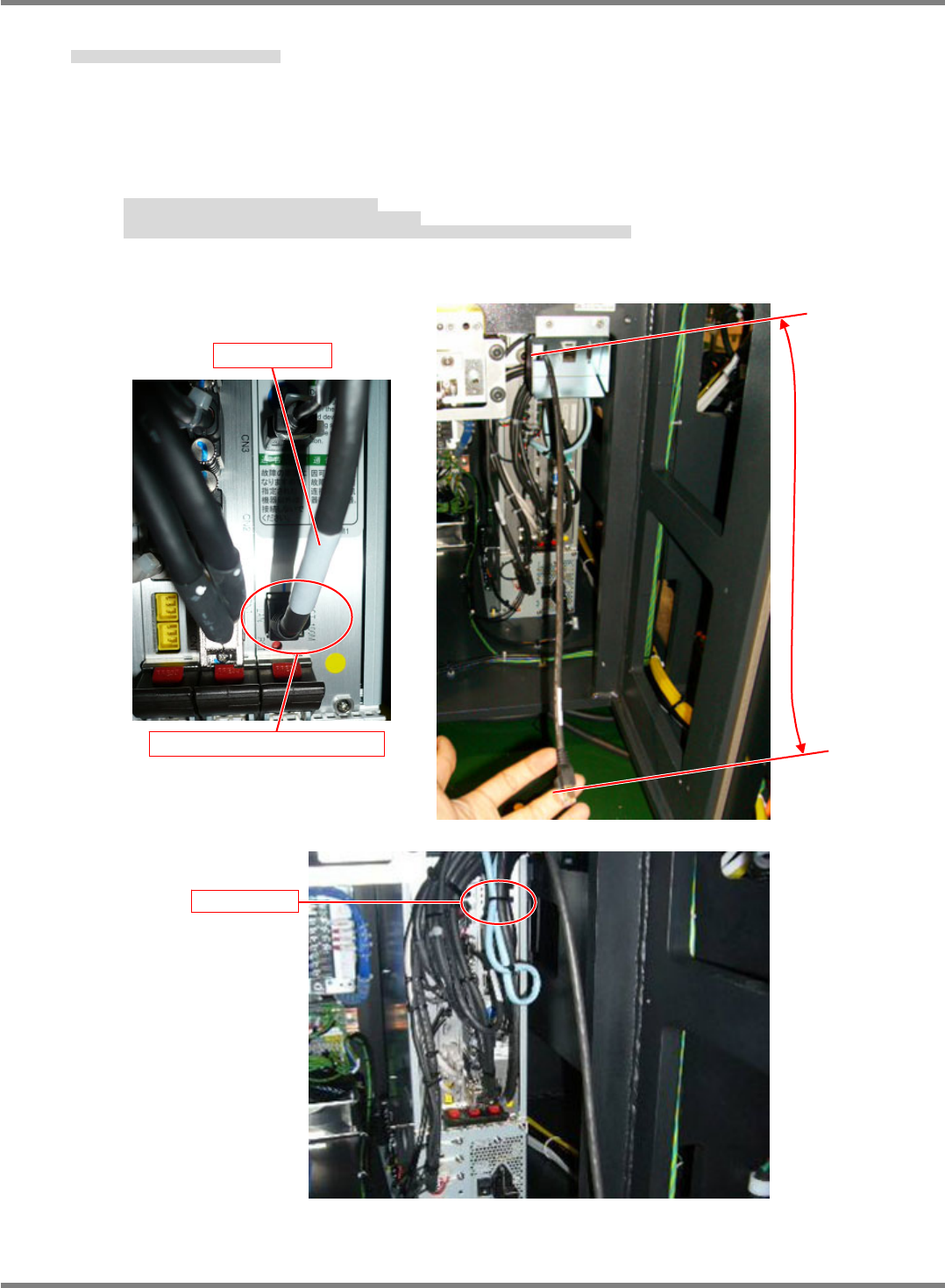
9. Connect the LAN cable to the NPM.
LAN ケーブルを NPM 本体に取り付けます。
将 LAN 电缆装到 NPM 主体上。
Run the LAN cable through the left hole of the bracket.
Connect the LAN cable to the LAN connector of the CPU board.
With the cable length adjusted to 400 mm from the bracket, secure the LAN cable with a cable tie
(100 mm).
LAN ケーブルをブラケットの左側の穴から通します。
LAN ケーブルを CPU ボードの LAN コネクタに差し込みます。
ブラケットからのケーブル長が 400mm になる状態で LAN ケーブルをインシュロック(100mm)で固定する。
使 LAN 电缆穿过托架左侧的孔。
将 LAN 电缆插入到 CPU 板的 LAN 连接器中。
用绝缘绑扎带(100 mm)固定 LAN 电缆,使得来自于托架的电缆长度为 400 mm。
400 mm
CPU board/LAN connector
LAN cable
Cable tie
NPM-D3
Service Manual
5.6 2D Inspection Head
EJM6D3-MB-05SM-00(
編集中
).DOC Page 5-85
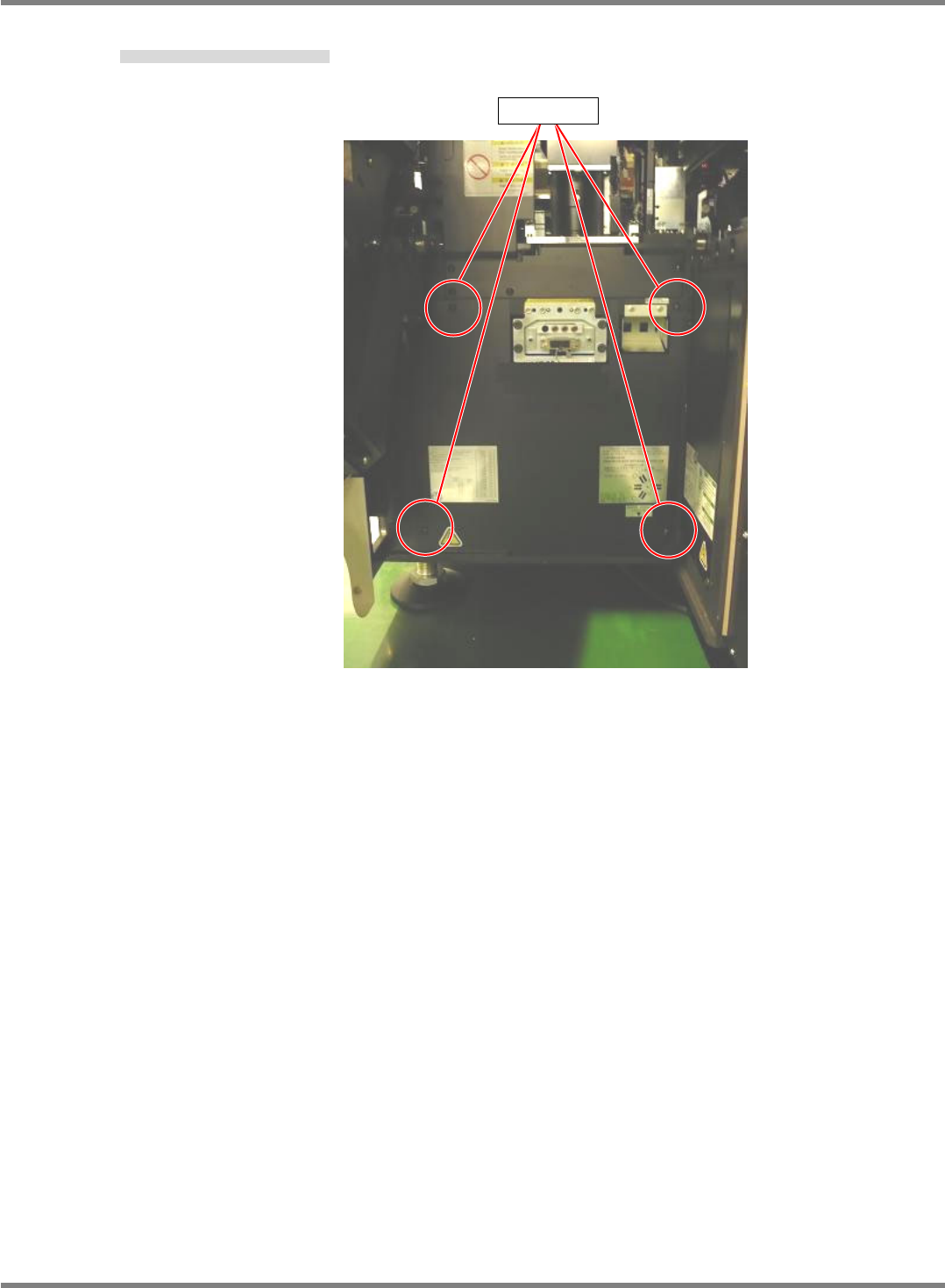
10. Tighten the screws of the cover of the NPM. (4 positions)
NPM 本体のカバーをネジで締める。(4 か所)
将 NPM 主体盖用螺丝拧紧。(4 处)
Screw
NPM-D3
Service Manual
5.6 2D Inspection Head
Page 5-86 EJM6D3-MB-05SM-00(
編集中
).DOC
5.6.7 Attaching the Safety Cover
安全カバー取り付け
安装安全盖
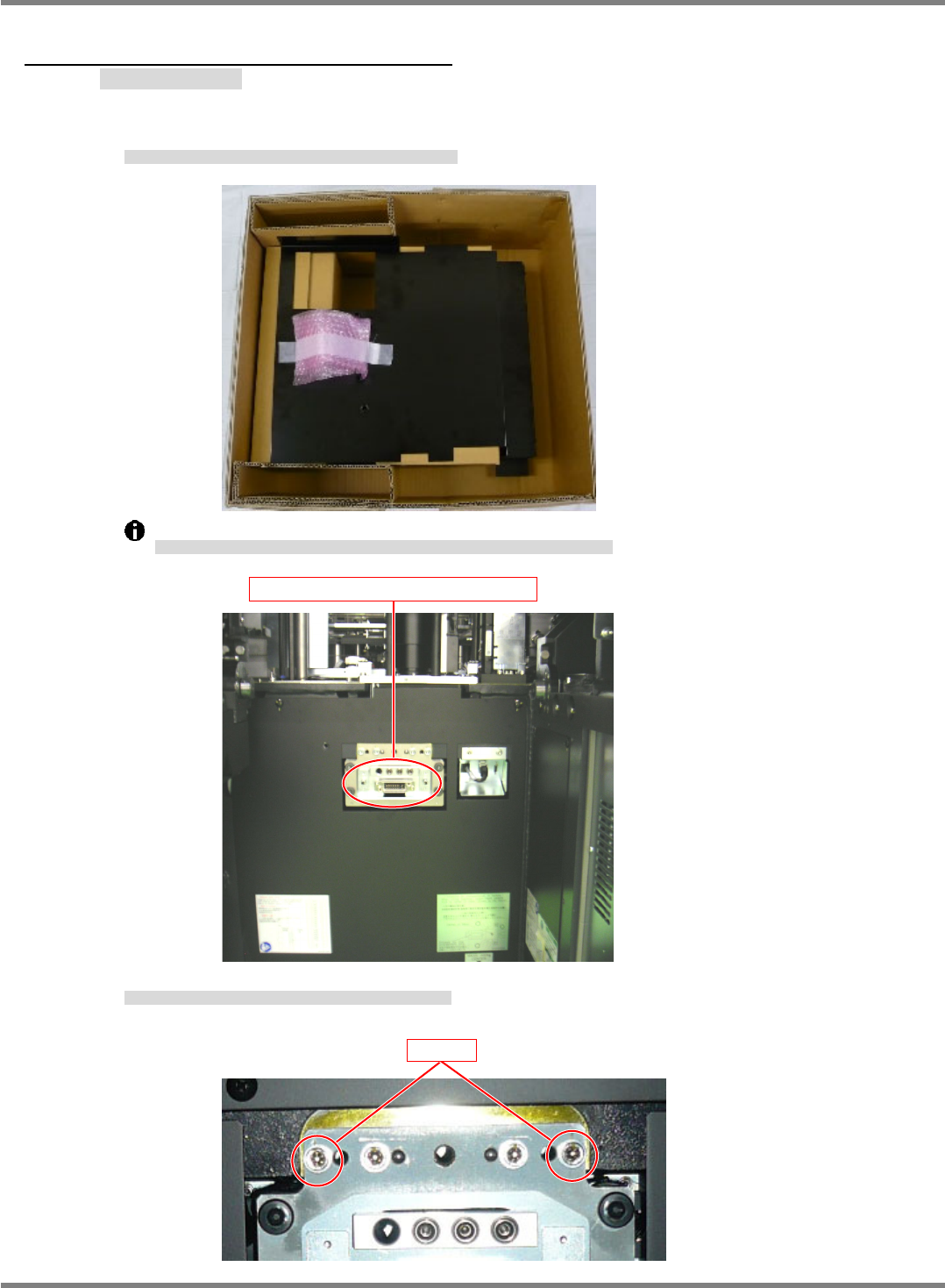
Take out the safety cover from the dedicated case B and attach it to the NPM.
安全カバーを専用ケース B から取り出し、NPM 本体に取り付けます。
将安全盖从专用盒 B 中取出,安装到 NPM 主体上。
Note that there is a connector on the back of the safety cover that is connected to the NPM.
安全カバーの背面にはコネクタがあり、NPM 本体と接続されていますので、注意してください。
安全盖的背面有连接器,是与 NPM 主体相连接的,请注意。
If the two bolts on both ends have been fitted, loosen and remove them.
両端の 2 本のボルトが取り付けられている場合は、緩めて抜きます。
在两端装有 2 根螺栓的话,请松开后拔下。
Drawer connector on the NPM-D
Bolt