NPM-D3维修手册.pdf - 第215页
NPM-D3 Service Manual 5.6 2D Inspection Head EJM6D3-MB-05SM-00( 編集中 ).DOC Page 5-87 35. 1. Attach the safety cover to the NPM carefully so that the drawer con nector on the NPM is engaged with the mating connector on the…
NPM-D3
Service Manual
5.6 2D Inspection Head
Page 5-86 EJM6D3-MB-05SM-00(
編集中
).DOC
5.6.7 Attaching the Safety Cover
安全カバー取り付け
安装安全盖
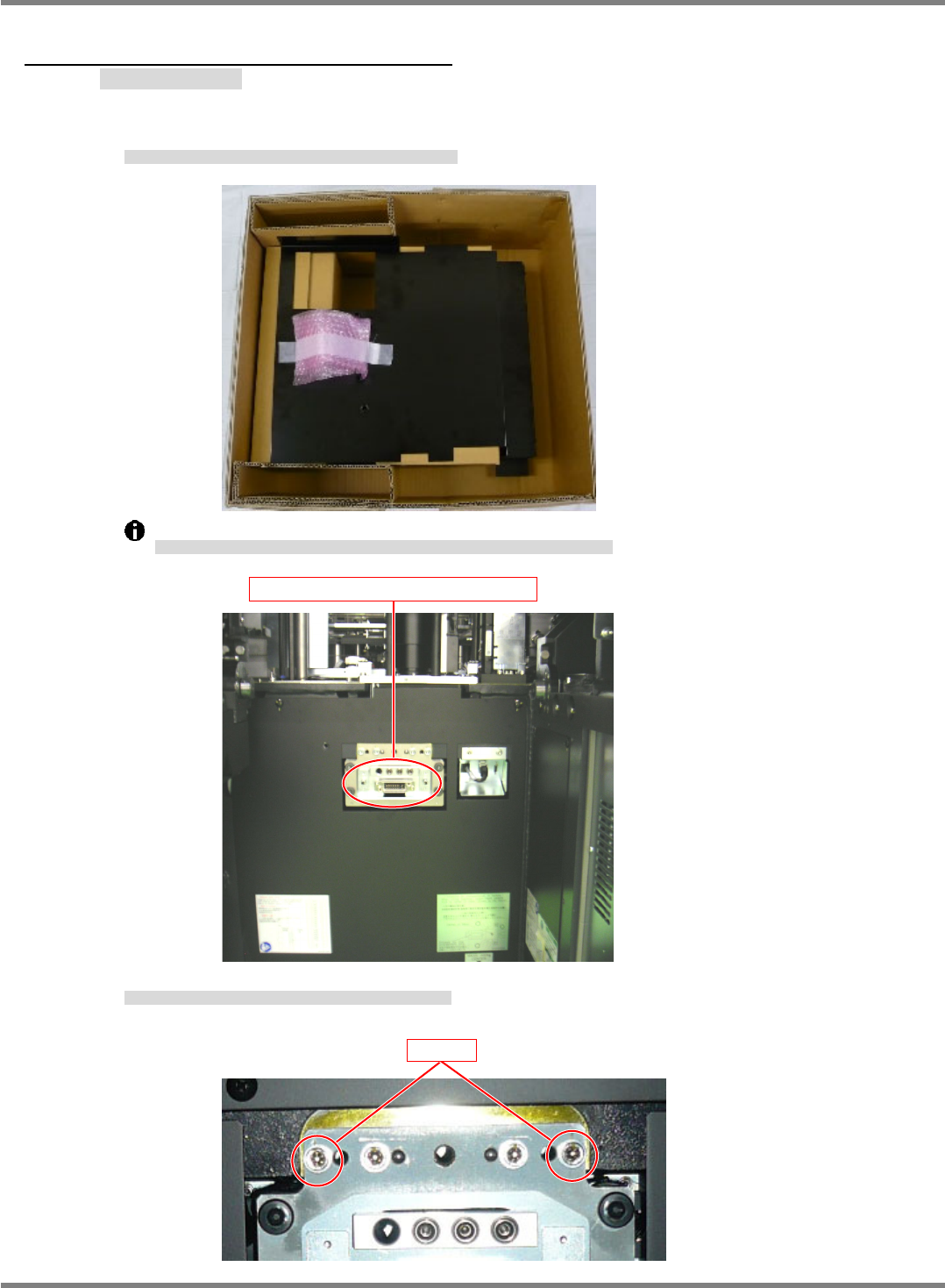
Take out the safety cover from the dedicated case B and attach it to the NPM.
安全カバーを専用ケース B から取り出し、NPM 本体に取り付けます。
将安全盖从专用盒 B 中取出,安装到 NPM 主体上。
Note that there is a connector on the back of the safety cover that is connected to the NPM.
安全カバーの背面にはコネクタがあり、NPM 本体と接続されていますので、注意してください。
安全盖的背面有连接器,是与 NPM 主体相连接的,请注意。
If the two bolts on both ends have been fitted, loosen and remove them.
両端の 2 本のボルトが取り付けられている場合は、緩めて抜きます。
在两端装有 2 根螺栓的话,请松开后拔下。
Drawer connector on the NPM-D
Bolt
NPM-D3
Service Manual
5.6 2D Inspection Head
EJM6D3-MB-05SM-00(
編集中
).DOC Page 5-87
35.
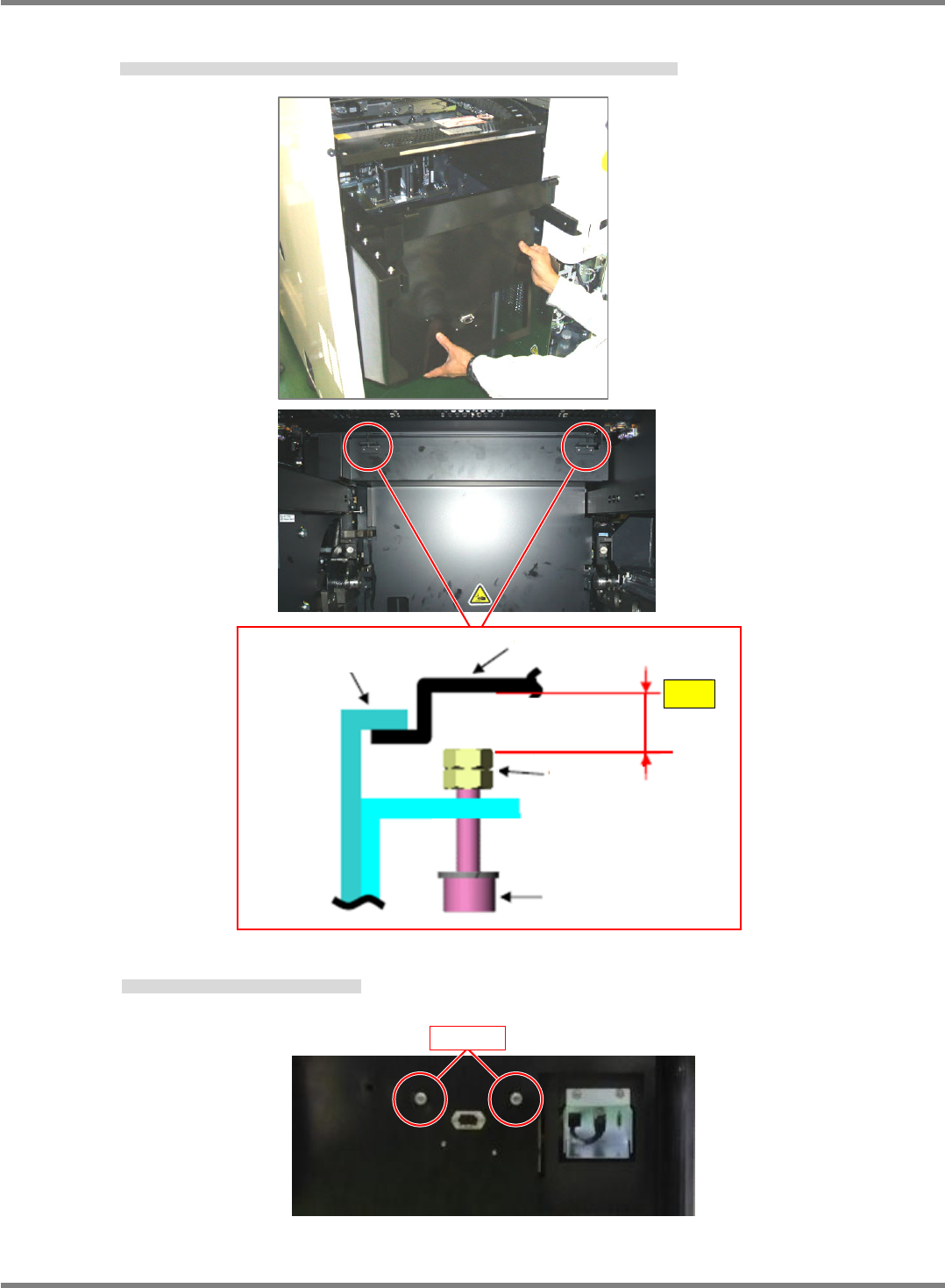
1. Attach the safety cover to the NPM carefully so that the drawer connector on the NPM is engaged with the
mating connector on the back of the safety cover.
本体側ドロワコネクタと安全カバー裏面のコネクタが嵌合されるように注意しながら、安全カバーを本体に取付ける。
请一面注意使主体侧抽屉式连接器与安全盖背面的连接器相互嵌入,一面向主体上装上安全盖。
2. Tighten the mounting bolts (2M660) on the near side.
前方の取り付けボルト (2M660) を締め付ける。
拧紧前方的安装螺栓 (2M660)。
Safety cover
Feeder cover
Nut
Bolt
Gap
Bolt
NPM-D3
Service Manual
5.6 2D Inspection Head
Page 5-88 EJM6D3-MB-05SM-00(
編集中
).DOC
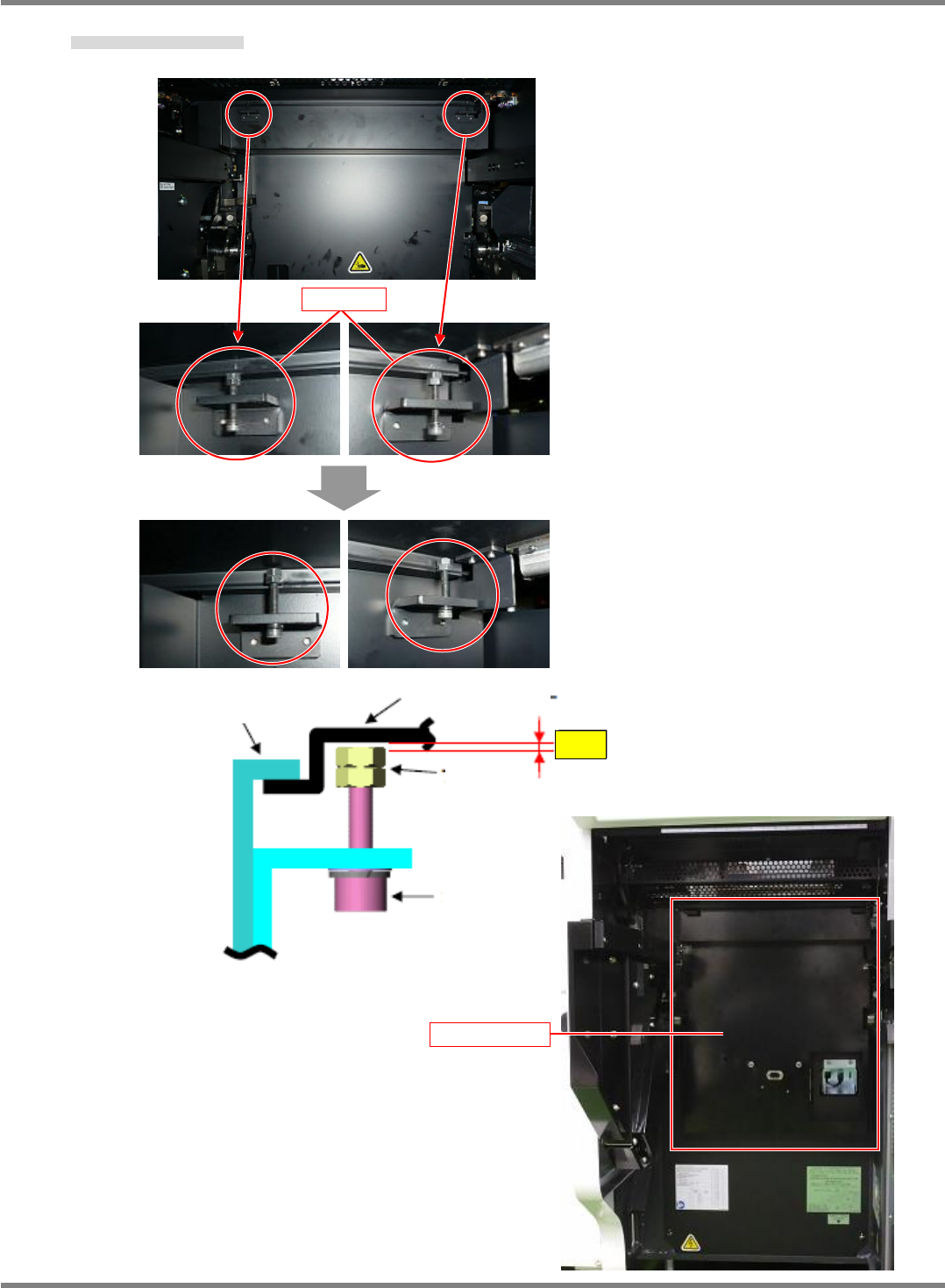
3. Tighten the upper bolts (2 positions).
上部のボルト (2 か所) を締めます。
拧紧上部的螺栓(2 处)。
Safety cover
Feeder cover
Nut
Bolt
Gap
Bolt
Safety cover