OM-1646-001_w.pdf - 第25页
6 OM-1646 3.2 "Run Mode" T ab Sheet This tab sheet enables the operator to designate the operation mode for each lane. Reference Refer to the Instruction Manual of the SIGMA-G5 for the information except for du…
5
OM-1646
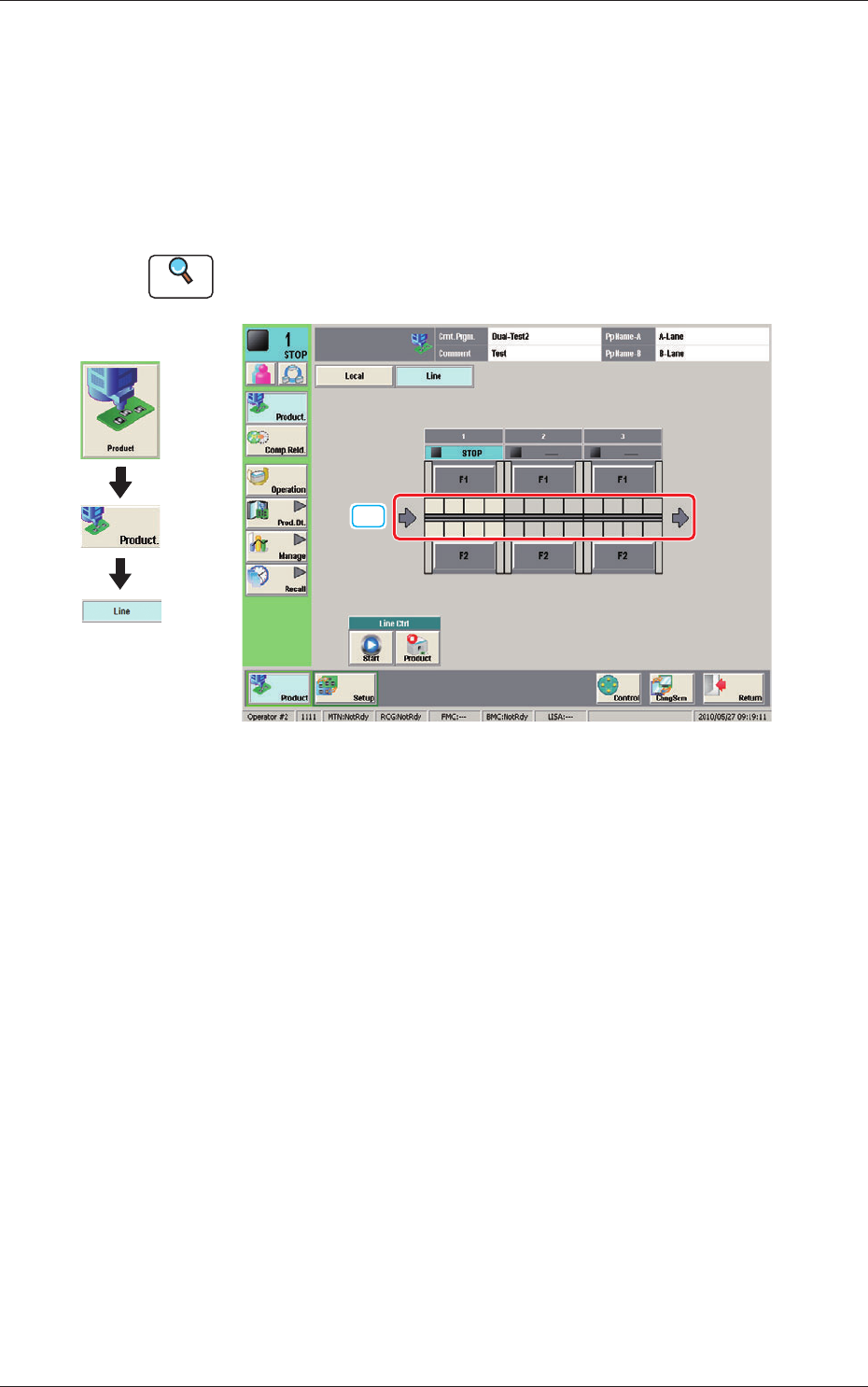
3.1 "Line" Window
This window enables the operator to check the production line operation
status and operate the line.
In this window, the operation status of the SIGMA Series machine (including
the printer) set in the line conguration, and PCB transfer unit graphic image
are displayed.
Reference
Refer to the Instruction Manual of the SIGMA-G5 for the information
except for dual transfer.
[1]
Line Window F5
[1] PCB transfer section
In this area, the current PCB transfer status in each lane is displayed.
Green
: PCB present
Gray
: PCB absent
Graphic
Development
1005-001
3.1 "Line" Window
6
OM-1646
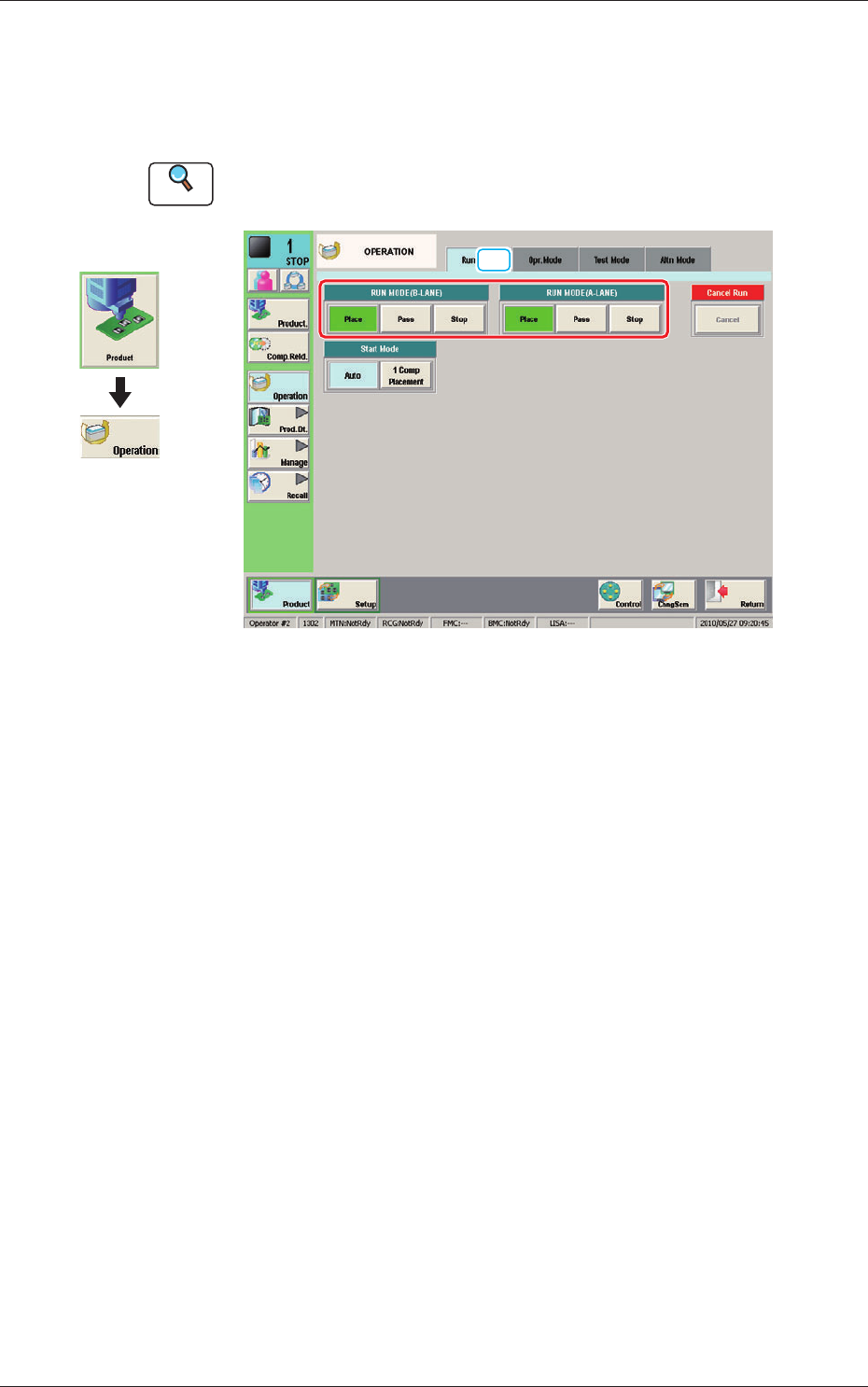
3.2 "Run Mode" Tab Sheet
This tab sheet enables the operator to designate the operation mode for each
lane.
Reference
Refer to the Instruction Manual of the SIGMA-G5 for the information
except for dual transfer.
[1]
Run Mode F6
[1] "Run Mode" Selection Buttons (A or B Lane)
Press either one of the following buttons to select the desired run mode.
[Place] Button
: Select this button to set the machine in the "PLACE
(Automatic Operation)" mode.
[Pass] Button
: Select this button to set the machine in the "PASS" mode.
In the "Status" display section on the upper area of the "Product." window, the
changed operation mode is displayed.
Graphic
Development
1005-001
3.2 "Run Mode" Tab Sheet
7
OM-1646
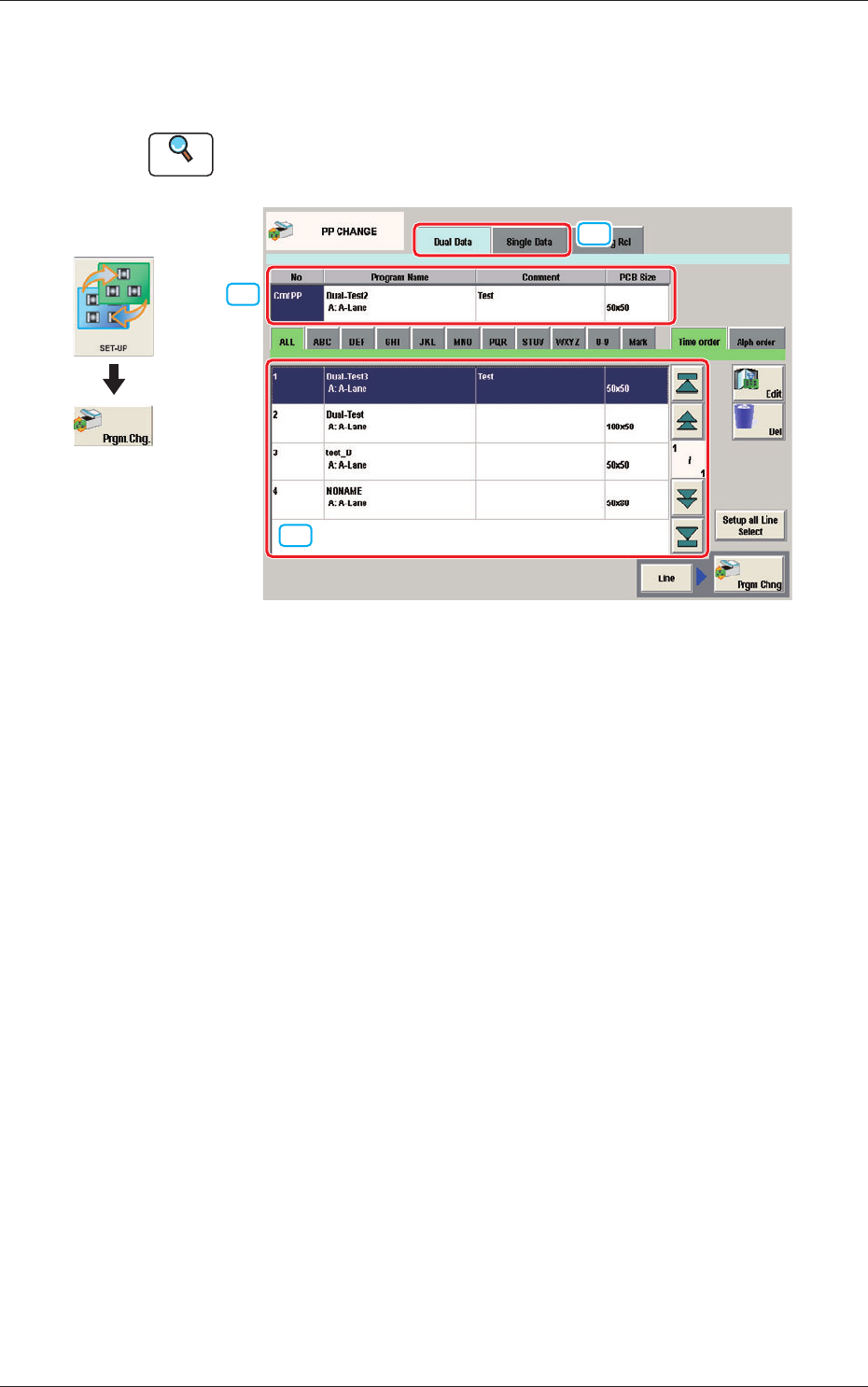
4. "PP CHANGE" Window
This window enables the operator to change the pattern program.
Reference
Refer to the Instruction Manual of the SIGMA-G5 for the information
except for dual transfer.
[2]
[1]
[3]
PP CHANGE F7
[1] Dual Data, Single Data
Dual Data
When selected, the pattern programs for dual transfer are displayed in the
"
[3] Patter Program List
"
area.
Single Data
When selected, the pattern programs for single transfer are displayed in the
"
[3] Pattern Program List
"
area.
[2] Pattern Program Select tabs
The data items displayed in "[3] Pattern Program List" are divided into the
tab sheet items and displayed.
[3] Pattern Program List
The registered pattern programs are displayed as a list.
When the pattern program has been selected in the dual transfer data, the
program name for each of the Lane A and Lane B, comment and PCB size
are displayed in this area.
Graphic
Development
1005-001
4. "PP CHANGE" Window