OM-1646-001_w.pdf - 第31页
12 OM-1646 9. "MOTOR" Window This window enables you to perform a manual operation (inching) of each unit and view the current system information. Reference Refer to the Instruction Manual of the SIGMA-G5 for t…
11
OM-1646
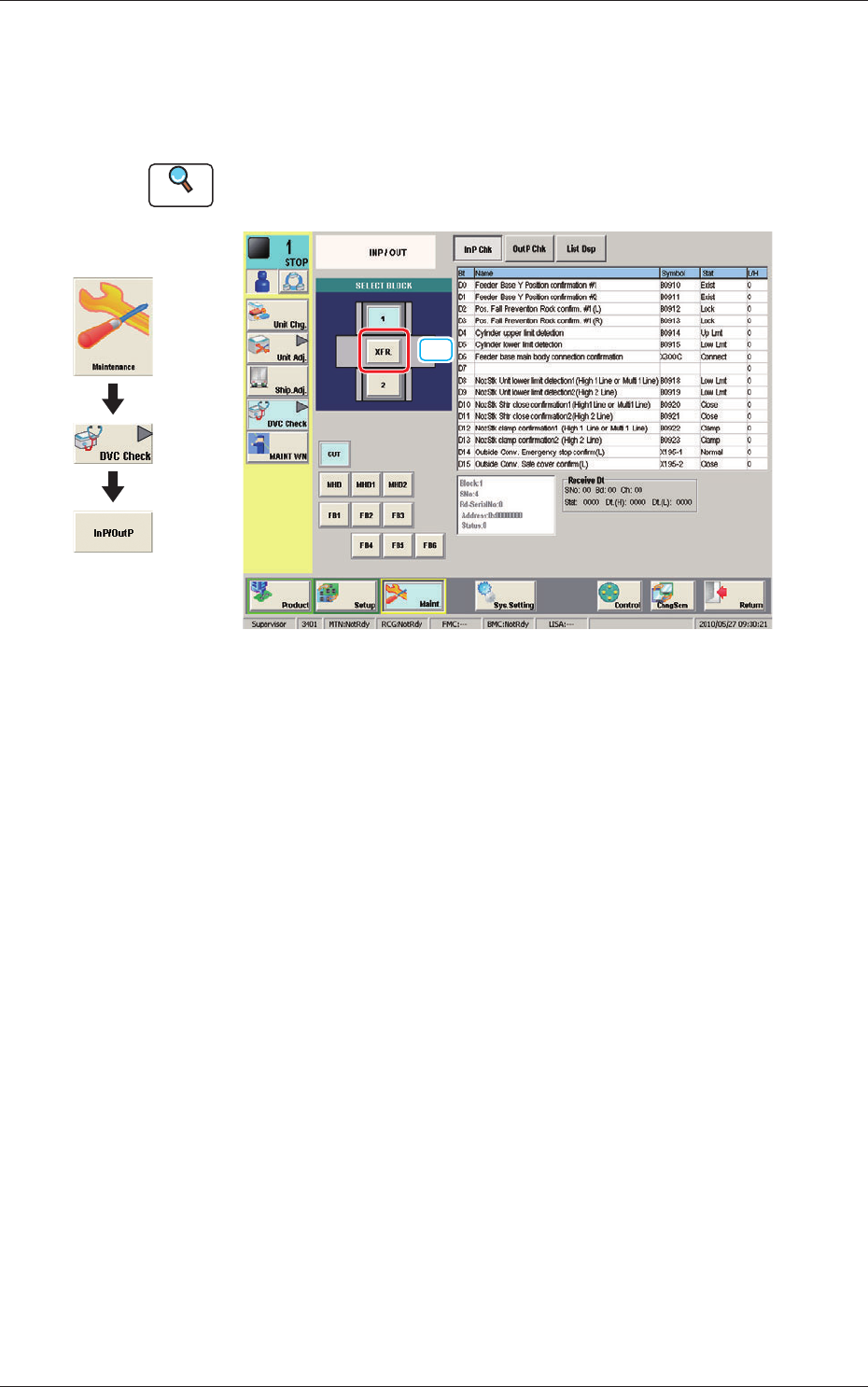
8. "INP/OUT" Window
This window enables the operator to conrm the input/output status for the
PCB transfer.
Reference
Refer to the Instruction Manual of the SIGMA-G5 for the information
except for dual transfer.
[1]
INP/OUT F11
[1] [XFR.] Button
When pressed the conrmation of the input/output status for the PCB transfer
is available.
Graphic
Development
1005-001
8. "INP/OUT" Window
12
OM-1646
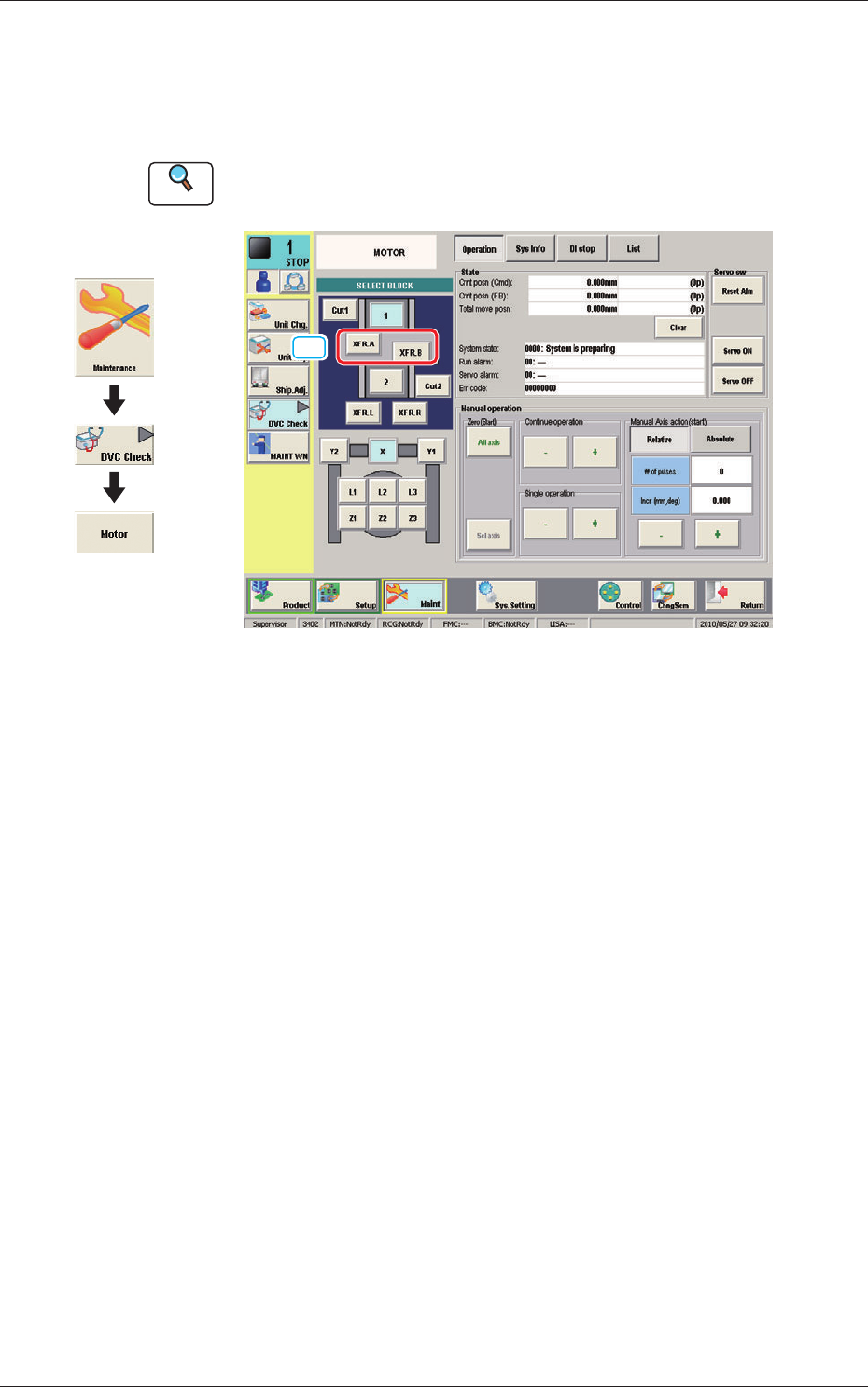
9. "MOTOR" Window
This window enables you to perform a manual operation (inching) of each
unit and view the current system information.
Reference
Refer to the Instruction Manual of the SIGMA-G5 for the information
except for dual transfer.
[1]
MOTOR F12
[1] [XFR. A, B] Button
When pressed, the conrmation of the transfer unit for each corresponding
transfer lane, is available.
Graphic
Development
1005-001
9. "MOTOR" Window
13
OM-1646
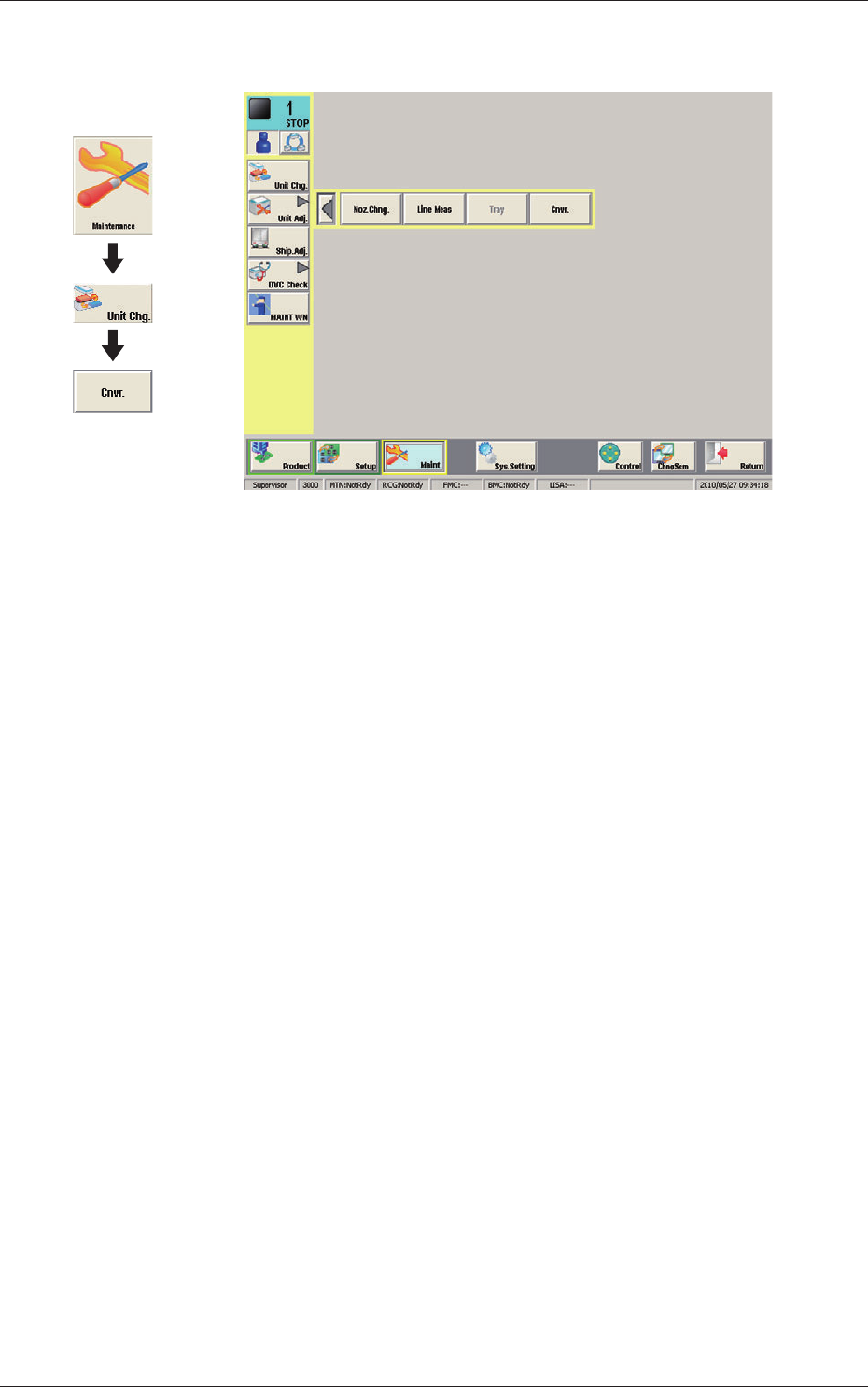
10. CONVEYOR
CONVEYOR F13
1005-001
10. CONVEYOR
Graphic
Development