OM-1646-001_w.pdf - 第35页
16 OM-1646 1 1. Program Change Operation This section describes the items to be changed when the dual transfer is selected in the pattern program change. Reference Refer to the Instruction Manual of the SIGMA-G5 for the …
15
OM-1646
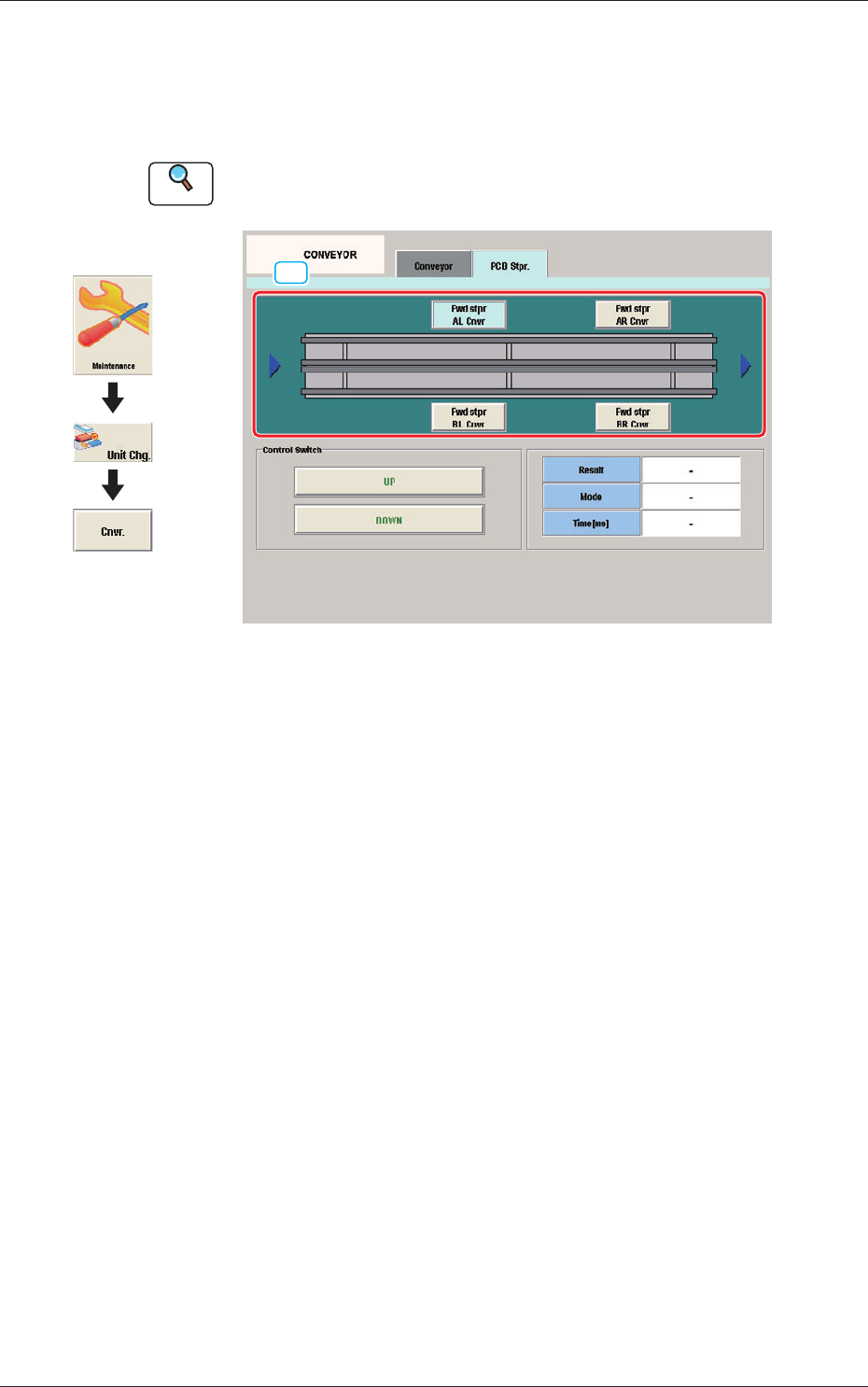
10.2 "PCB Stpr." Tab Sheet
This tab sheet enables the operator to adjust the PCB stopper for each lane
and each block.
Reference
Refer to the Instruction Manual of the SIGMA-G5 for the information
except for dual transfer.
[1]
PCB Stpr. F15
[1] Block selection Button
Using these buttons, the block in the lane where there is the PCB stopper to
be operated, is selected.
1005-001
10.2 "PCB Stpr." Tab Sheet
Graphic
Development
16
OM-1646
11. Program Change Operation
This section describes the items to be changed when the dual transfer is
selected in the pattern program change.
Reference
Refer to the Instruction Manual of the SIGMA-G5 for the information
except for dual transfer.
11.1 Selection of Run Mode
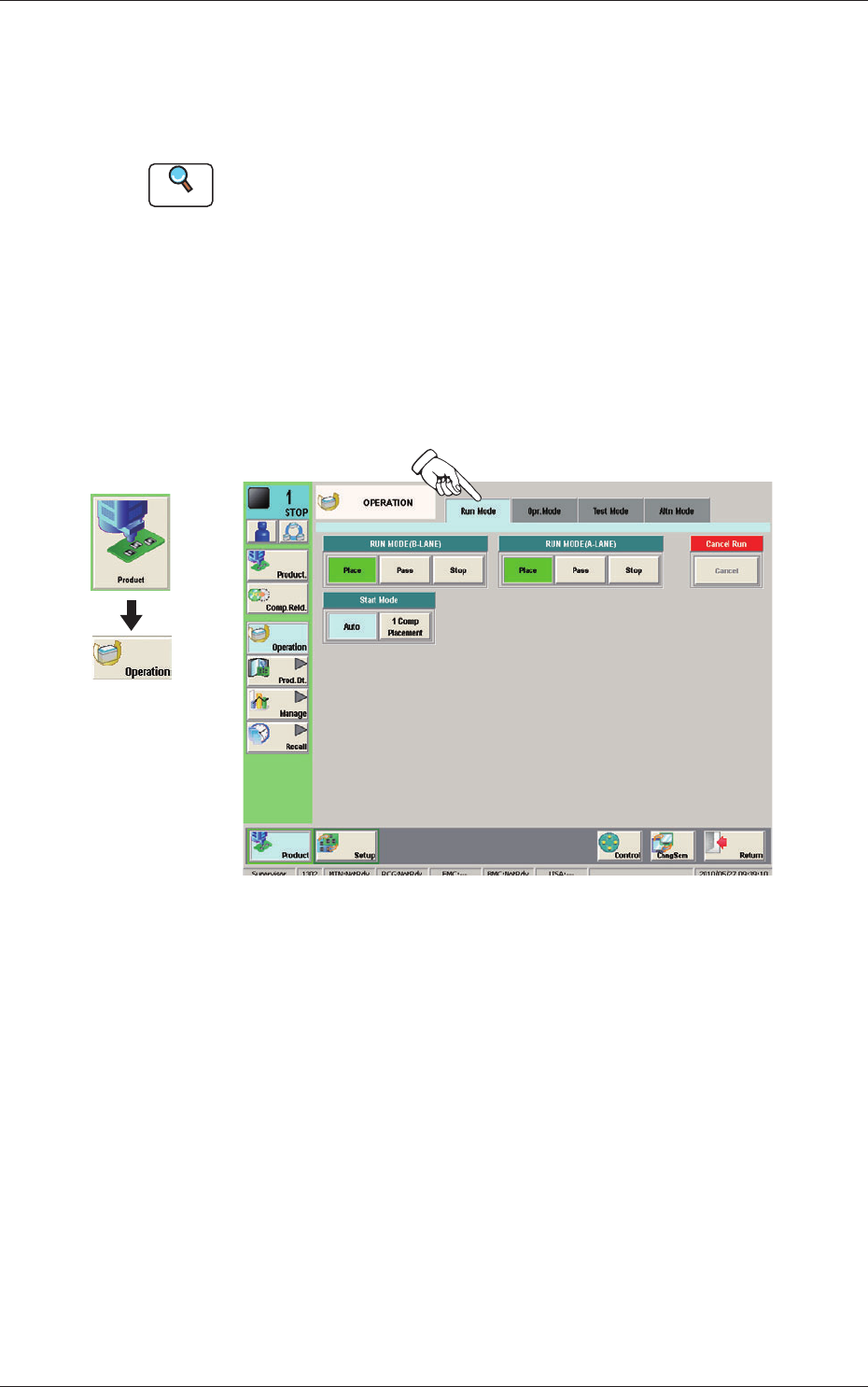
Set the "RUN MODE" on the "Run. Mode" tab sheet in the "OPERATION"
window.
Select the operation mode in each lane.
Normally, select "Place".
Run Mode F16
Graphic
Development
1005-001
11. Program Change Operation
17
OM-1646
11.2 Selection of Operation Mode
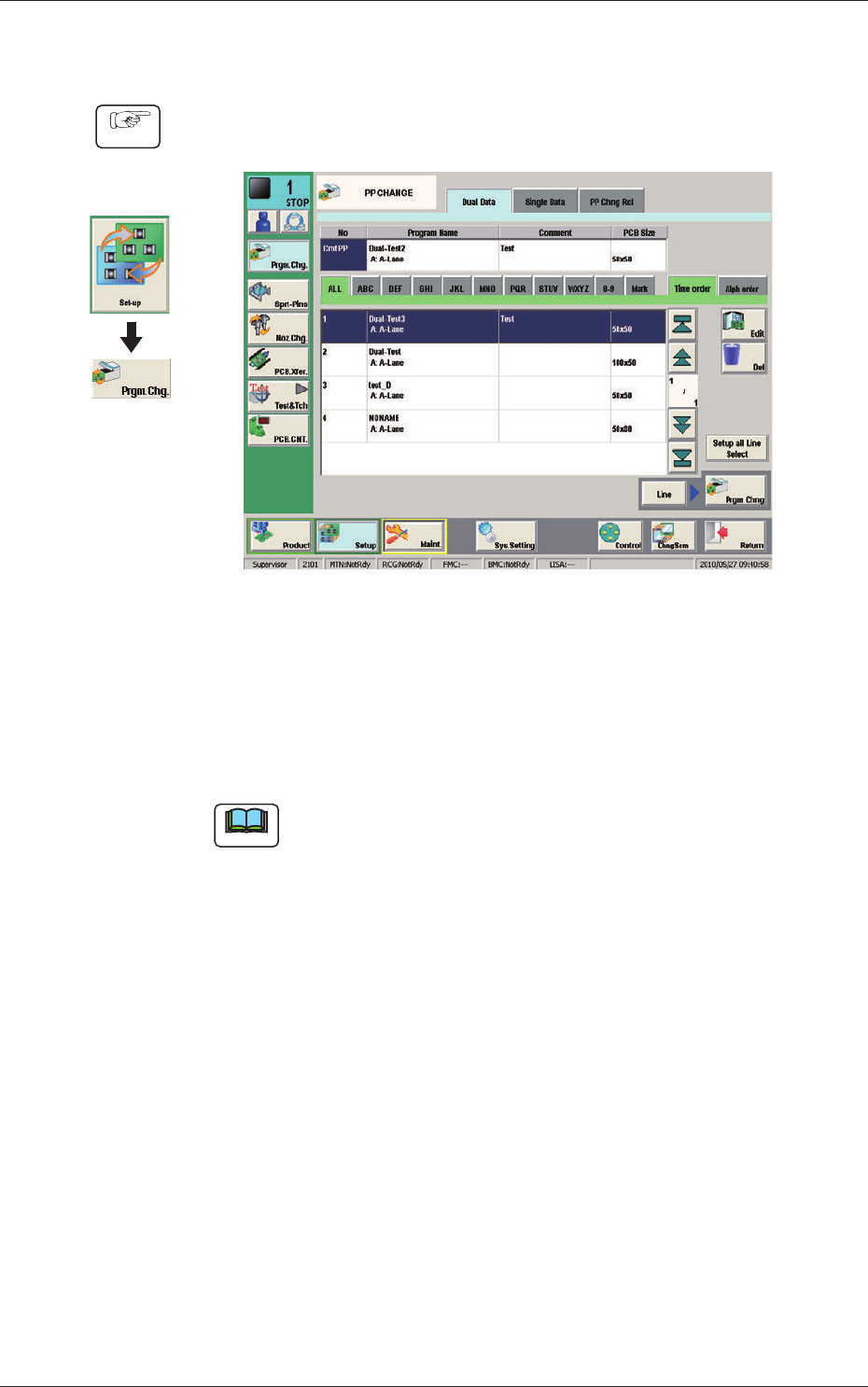
(1) Display the "PP CHANGE" window.
F17
(2) Select the program name to be specied as a current one (production model).
(The corresponding pattern program is selected and the line turns blue.)
(3) Press the [Prgm. Chng] button.
(The current pattern program is changed to the selected one.)
Note
If an error is found in the pattern program, the program change operation
is not executed.
In this case, correct the pattern program and perform the program change
operation again.
Graphic
Development
Procedure
1005-001
11.2 Selection of Operation Mode