OM-1646-001_w.pdf - 第36页
17 OM-1646 1 1.2 Selection of Operation Mode (1) Display the "PP CHANGE" window . F17 (2) Select the program name to be specied as a current one (production model). (The corresponding pattern program is select…
16
OM-1646
11. Program Change Operation
This section describes the items to be changed when the dual transfer is
selected in the pattern program change.
Reference
Refer to the Instruction Manual of the SIGMA-G5 for the information
except for dual transfer.
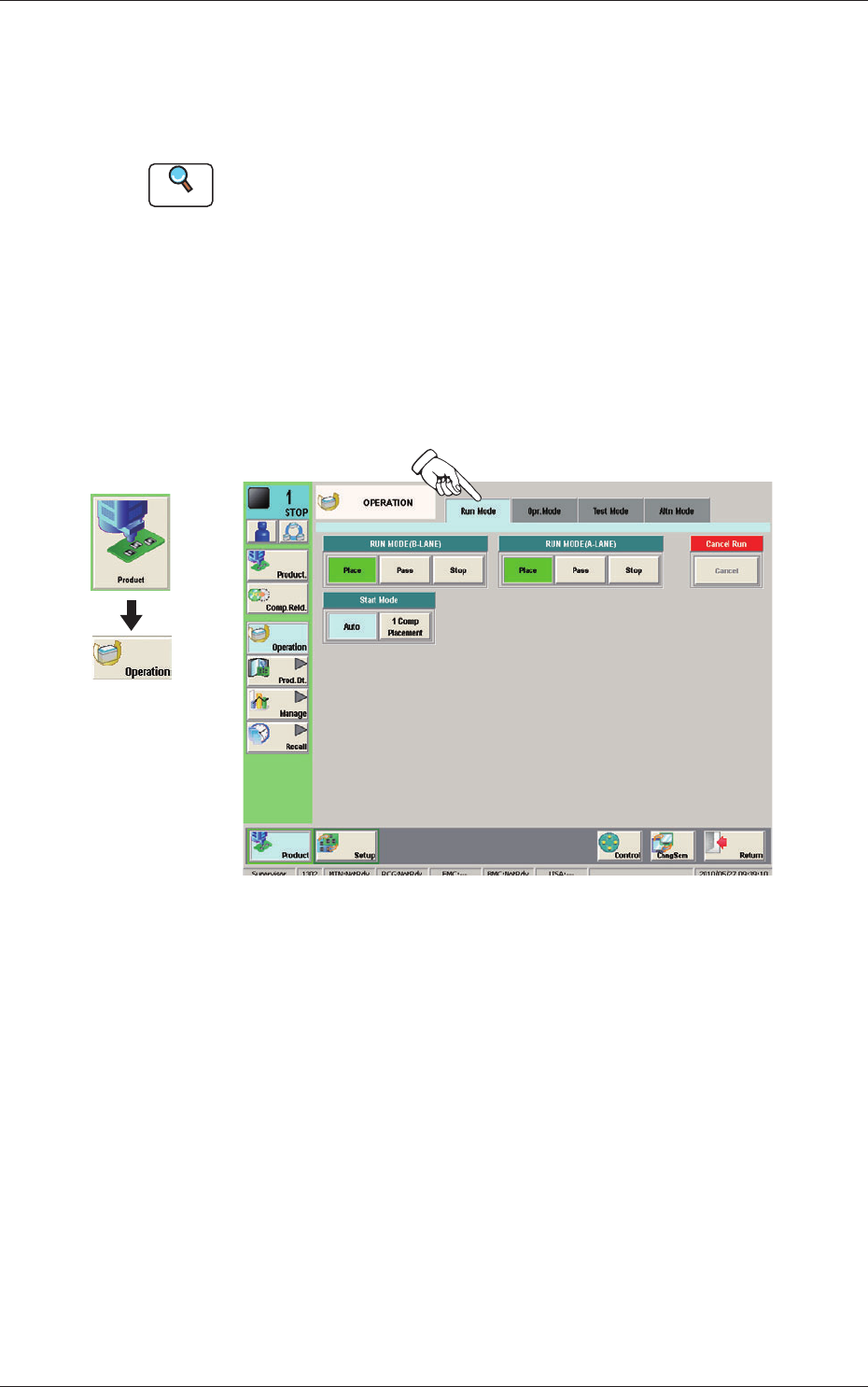
11.1 Selection of Run Mode
Set the "RUN MODE" on the "Run. Mode" tab sheet in the "OPERATION"
window.
Select the operation mode in each lane.
Normally, select "Place".
Run Mode F16
Graphic
Development
1005-001
11. Program Change Operation
17
OM-1646
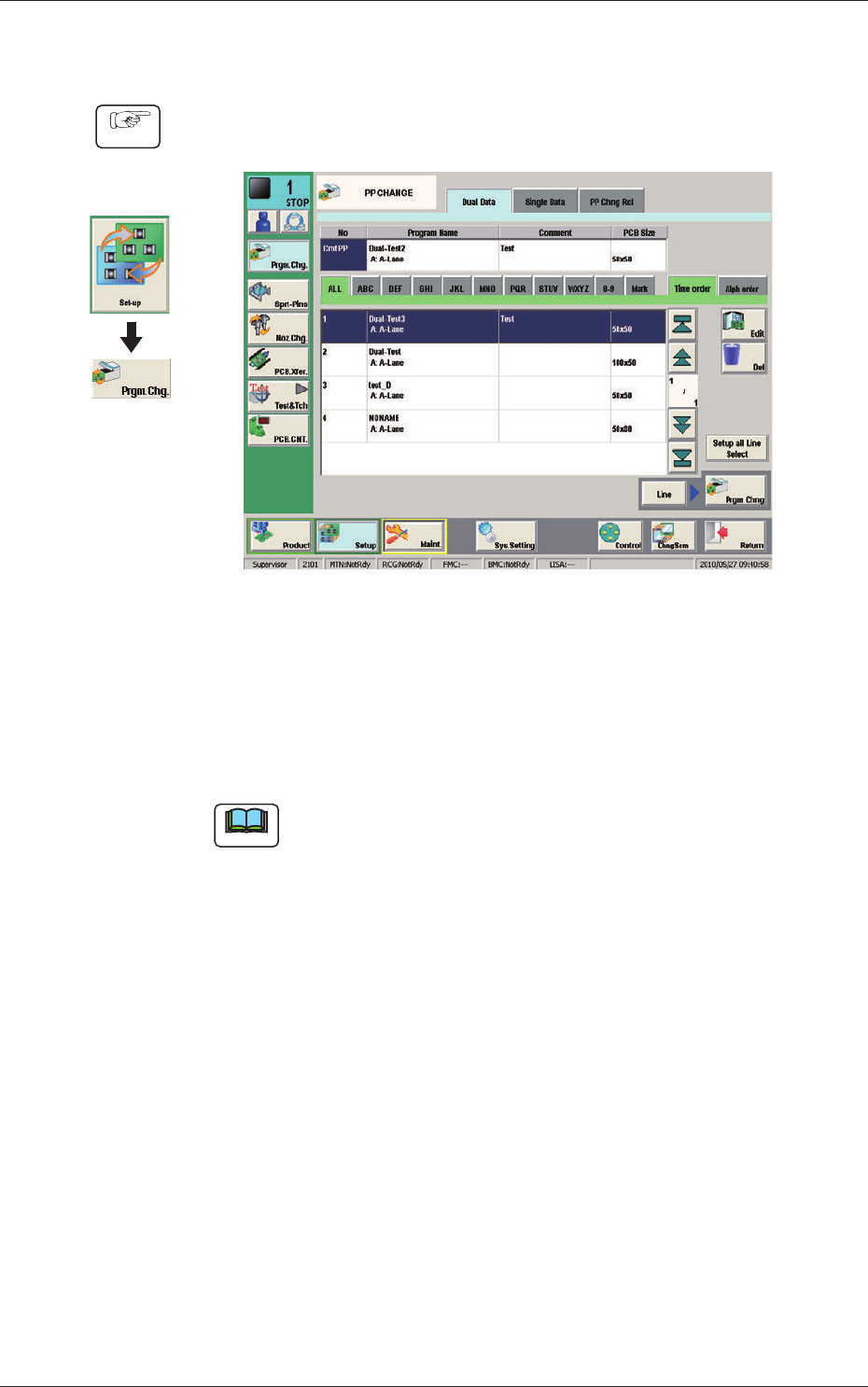
11.2 Selection of Operation Mode
(1) Display the "PP CHANGE" window.
F17
(2) Select the program name to be specied as a current one (production model).
(The corresponding pattern program is selected and the line turns blue.)
(3) Press the [Prgm. Chng] button.
(The current pattern program is changed to the selected one.)
Note
If an error is found in the pattern program, the program change operation
is not executed.
In this case, correct the pattern program and perform the program change
operation again.
Graphic
Development
Procedure
1005-001
11.2 Selection of Operation Mode
18
OM-1646
11.3 Collection of PCB Support Pins and Setup Operation of
Conveyor Width
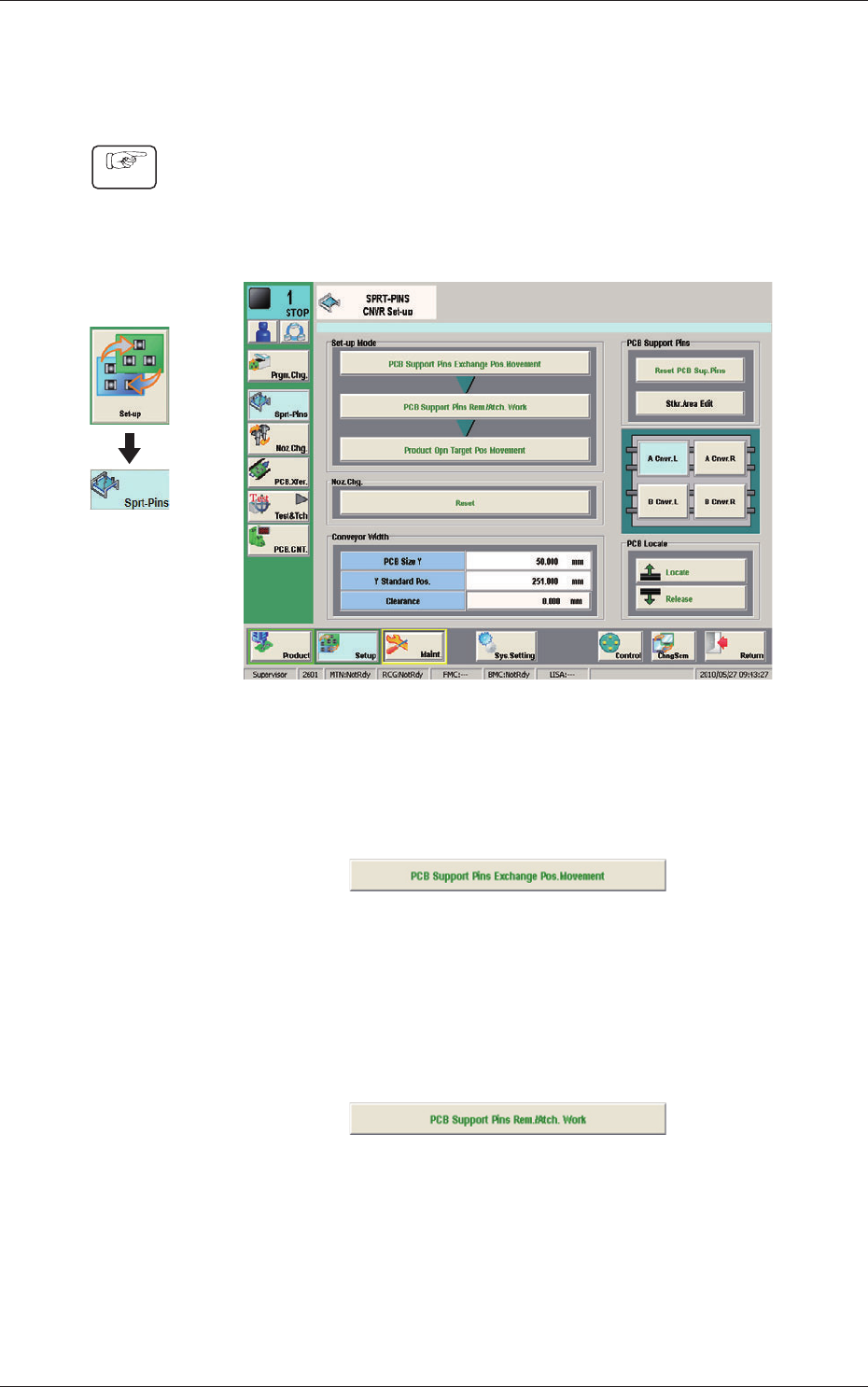
(1) Display the "SPRT-PINS CNVR Set-up" window using the following icon
procedure.
(2) Select the conveyor in the lane where the operation is performed.
F18
(3) Press the [PCB Support Pins Exchange Pos. Movement] button.
After that, press the [START] button on the operation panel in 10 sec.
(The machine retracts the head and maximizes the conveyor width.)
F19
(4) Press the [PCB Support Pins Rem./Atch. Work] button and within 10
seconds, press the [START] button on the operation panel.
(The PCB support pins are arranged onto the positions specied in the
pattern program).
F20
(5) Press the [Product Opn Target Pos.Movement] switch and within 10 seconds,
press the [START] button on the operation panel.
The support pins are moved based on the pattern program where the
conveyor width has been selected.
Graphic
Development
Procedure
1005-001
11.3 Collection of PCB Support Pins and Setup Operation of Conveyor Width