OM-1646-001_w.pdf - 第42页
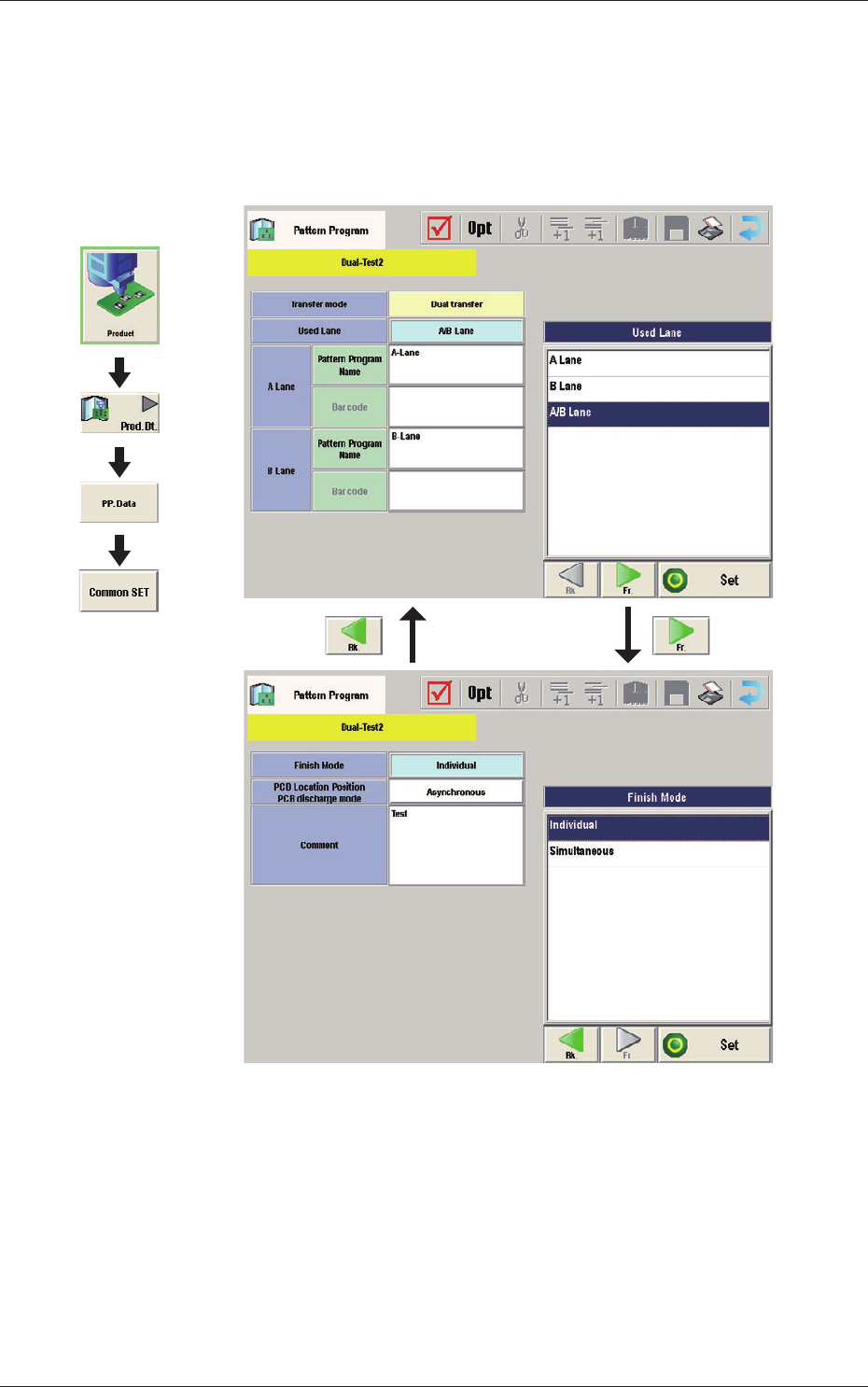
23 OM-1646 1005-001 12.2 Pattern Program Description T ransfer mode The transfer mode is set in this selection box. Dual transfer When selected, the production is performed using the lanes A and B. Single transfer When s…
22
OM-1646
1005-001
12.2 Pattern Program Description
12.2 Pattern Program Description
12.2.1 Common Setting
Common Data
F23
Graphic
Development

23
OM-1646
1005-001
12.2 Pattern Program Description
Transfer mode
The transfer mode is set in this selection box.
Dual transfer
When selected, the production is performed using the lanes A and B.
Single transfer
When selected, the production is performed using the lane B.
Note
This function is used when the Y (vertical) in the PCB size is 216 mm or
more.
Used Lane
The lane(s) to be used in the automatic operation is set in this selection box.
A Lane :
When selected, the automatic operation is performed only in
the lane A.
B Lane :
When selected, the automatic operation is performed only in
the lane B.
A/B Lanes :
When selected, the automatic operation is performed both in
the lanes A and B.
Pat
t
ern Program Name for Lane A, Pattern Program Name for Lane B,
Bar code
The pattern program name for each lane is set in this group box.
Max. 32 characters can be used to set.
Available characters are half-width alphabetical / numerical characters and
symbols.
24
OM-1646
1005-001
13. Machine System
13. Machine System
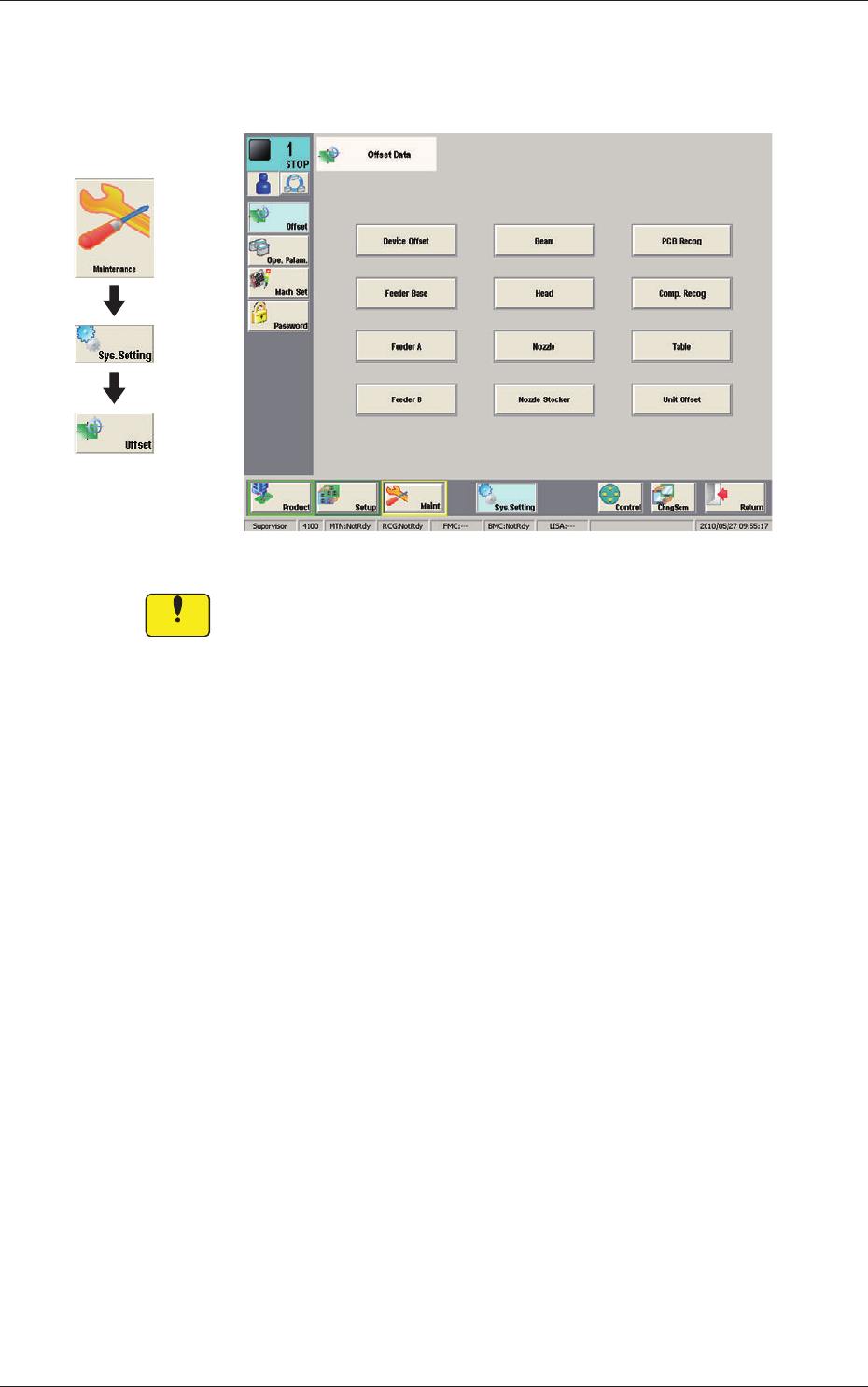
Offset Data F24
Notice
Do not change the parameters unless necessary. These parameters
are factory-adjusted upon shipment of the machine.
Graphic
Development