MEC-CP842-1.0E.pdf - 第155页
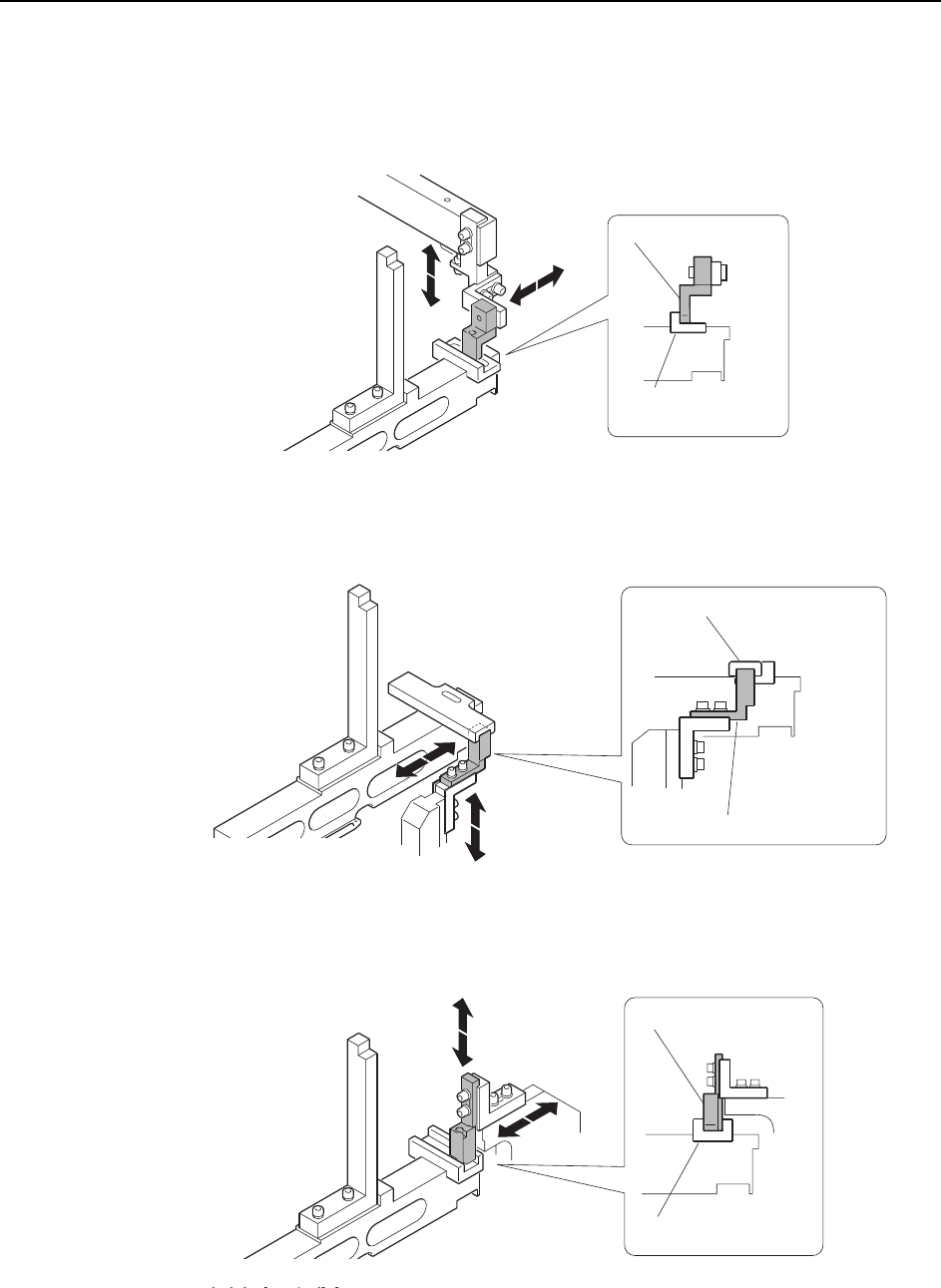
Adjustments >> Station Adjustments MEC-CP842-1.0E 7-19 D1, D2 Retract Area (Lower direction check) Inner sensor Outer sens or C7SM4052a Block (DCPJ0060) Sensor bracket C7SM4053a Block (DCPJ0070) Sensor bracket
Adjustments >> Station Adjustments
7-18 MEC-CP842-1.0E
D1, D2 Retract Area (Upper direction check)
Inner sensor
Outer sensor
<CP-842E>
<CP-842ME>
Block
(DCPJ0040)
Sensor bracket
C7SM4050a
C7SM4057a
Sensor bracket
Block (DGPJ5070)
Block (DCPJ0050)
C7SM4051a
Sensor bracket
Adjustments >> Station Adjustments
MEC-CP842-1.0E 7-19
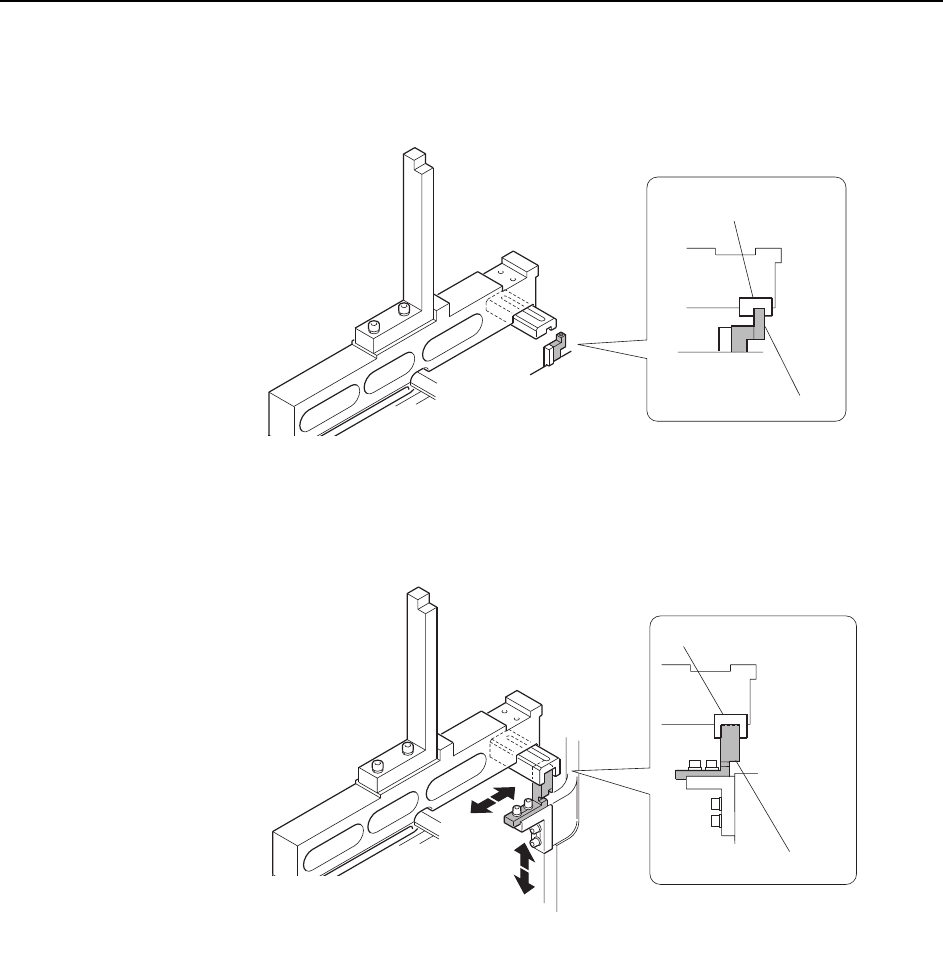
D1, D2 Retract Area (Lower direction check)
Inner sensor
Outer sensor
C7SM4052a
Block (DCPJ0060)
Sensor bracket
C7SM4053a
Block (DCPJ0070)
Sensor bracket
Adjustments >> Station Adjustments
7-20 MEC-CP842-1.0E
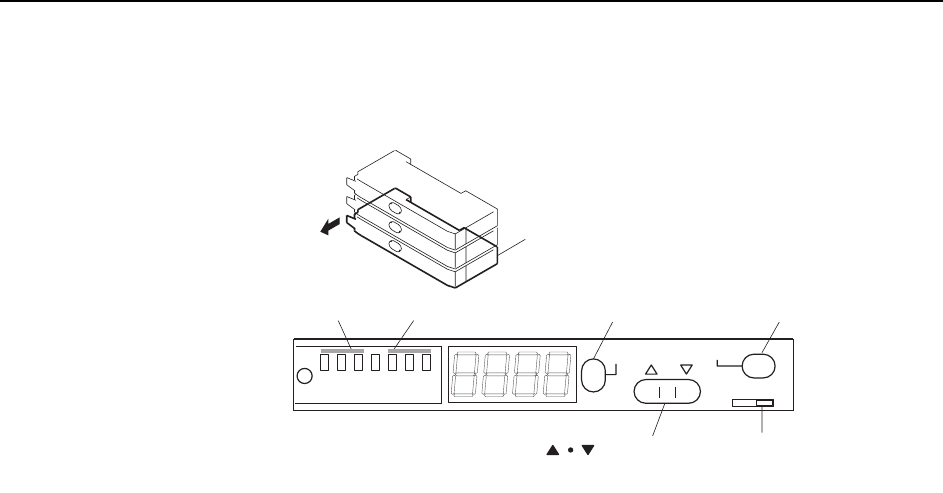
Sensor Amplifier Adjustment
Open the front cover and follow the procedures below.
1 Check that the output DIP switch is set to "L ON".
2 Set the power modes and timer modes as detailed below.
2-1. Press and hold down the MODE button for three seconds or more to
change the display to "turb".
Use the up and down arrow buttons to set the power mode to "SUPER".
2-2. Press the MODE button to change the display to "dLy".
Use the up and down arrow buttons to set the timer mode to OFF.
2-3. Press the MODE button again to return the display to the original state.
3 Press the MODE button to toggle the display from the light value, to the per-
centage value (value + "P"), and then back to the light value.
Ensure that the figures for all the sensors are above the minimum values shown
below.
• CP-842E
Pickup area: 1000 digit (target: 2000 digit)
Retract area: 30 digit (target: 100 digit)
• CP-842ME
Pickup area: 1000 digit (target: 2000 digit)
Retract area: 100 digit (target: 300 digit)
Note: The sensor should be replaced when the light reading is at approximately 4095.
SET
SUPER
TURBO
FINE
SET
40ms
10ms
OFF
MODE
D ON L ON
C7SM4023a
Feeder sensor amp
Output DIP switch
[MODE] button
[SET] buttonPower mode Timer mode
Open the cover
[ ] button