MEC-CP842-1.0E.pdf - 第121页
Replacing Consumable Parts >> Vacuum Pump Internal Vanes and Bearings MEC-CP842-1.0E 6-13 10 Remove the vanes. Note 1. Be sure to no te the orientati on and positions of the vanes. The new vanes must be installed i…
Replacing Consumable Parts >> Vacuum Pump Internal Vanes and Bearings
6-12 MEC-CP842-1.0E
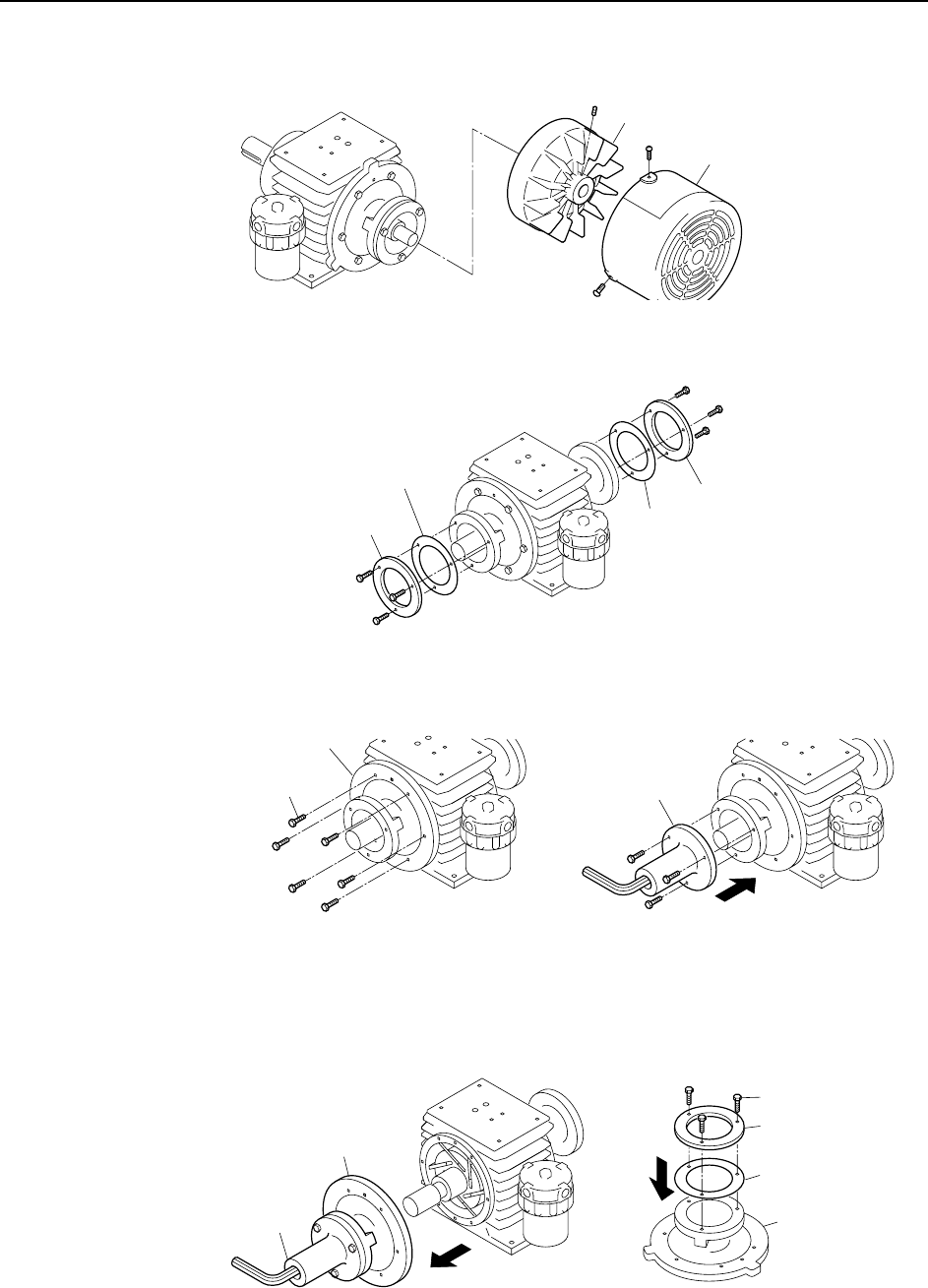
6 Remove the cooling fan cover and the cooling fan.
7 Remove the bearing retainers and liners.
8 Remove the side plate "B" mounting bolts, then use these bolts to secure the
special tool (Jig No. Z9913AWPJ9470) to side plate "B".
9 Pull on the special tool to remove side plate "B".
Remove the special tool from side plate "B", then install the bearing retainer
and liner (removed at step 7 above) on side plate "B". Do not tighten the bolts
fully at this time (back off 1 mm from fully tightened condition).
Note: Use care to avoid scratching side plate "B" and the inner surface of the cylinder.
C746M4018
Fan cover
Cooling fan
C746M4019
Bearing retainer
Bearing retaine
r
Liner
Liner
C746M4020
Mounting bolts
Side plate B
Special tool
C746M4021
Side plate B
Special tool
Bearing retainer
Bolt
Liner
Side plate
Replacing Consumable Parts >> Vacuum Pump Internal Vanes and Bearings
MEC-CP842-1.0E 6-13
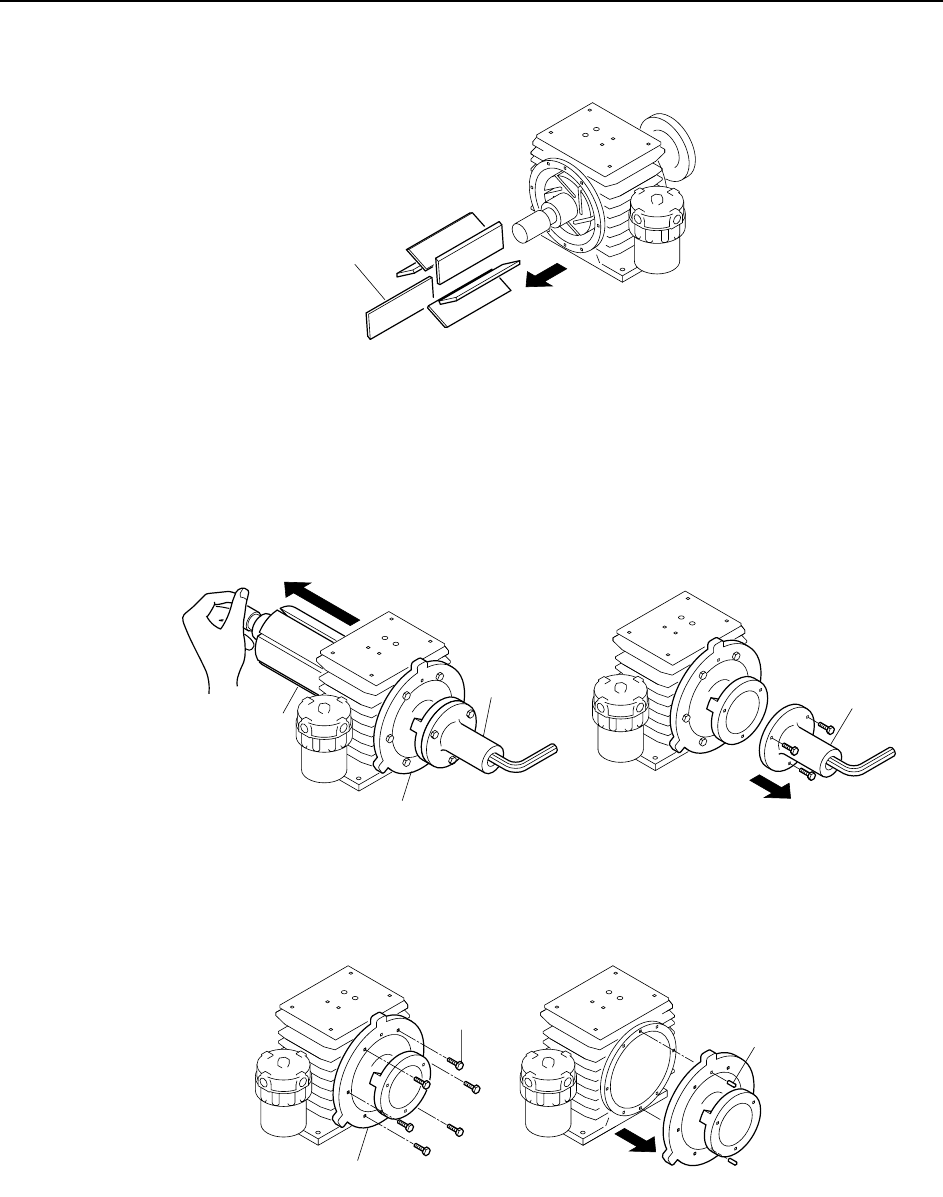
10 Remove the vanes.
Note
1. Be sure to note the orientation and positions of the vanes. The new vanes must be installed in
the same positions.
2. If a vane was broken, then clean any fragments from the pump interior with compressed air.
11 Mount the special tool on side plate "A", then push out the rotor. Support the
shaft area with your hand to avoid dropping the rotor. After removing the rotor,
remove the special tool.
Note: When pushing out the rotor, avoid scratching the rotor shaft and the cylinder.
12 Remove the side plate "A" mounting bolts, and use a plastic hammer to knock
the pin off, and then remove side plate "A".
13 After disassembling to this point, clean each component using a soft cloth
soaked in an organic solvent (chlorine or fluorine based solvent such as Daiflon
S3, by Showa Chemical).
C746M4022
Vane
C746M4023
Special tool
Rotor
Side plate A
Special tool
C746M4024
Bolt
Knock-pin
Side plate A
Replacing Consumable Parts >> Vacuum Pump Internal Vanes and Bearings
6-14 MEC-CP842-1.0E
Assembly
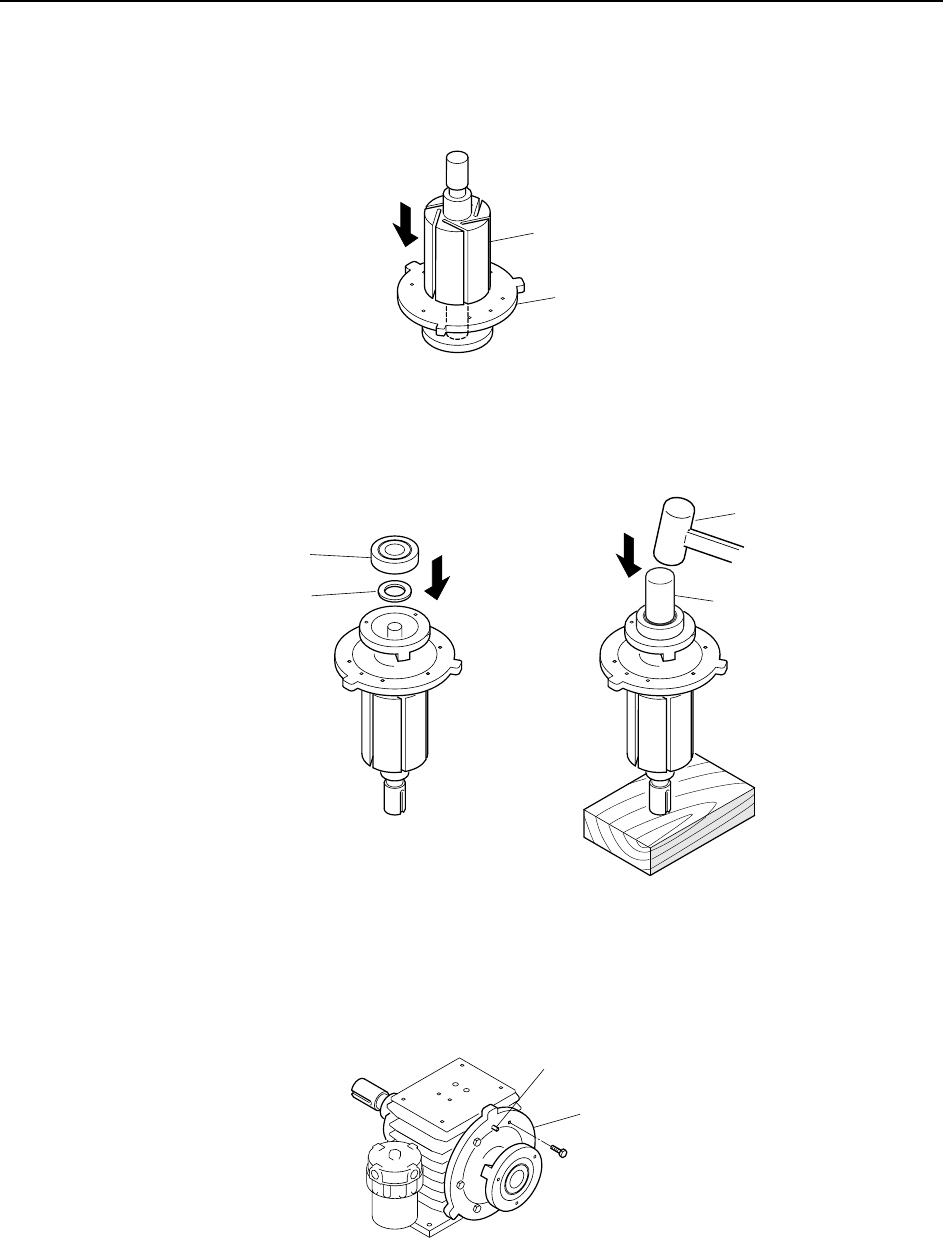
1 Insert the rotor into side plate "A".
2 Place the spacer and bearing in side plate "A", then use a bearing punch and
hammer to pound the bearing in.
Note: Place a wood block beneath the shaft to prevent it from being scratched.
3 Mount side plate "A" on the cylinder. After using the knock-pin to position side
plate "A", secure it with the bolts.
C746M4025
Side plate A
Rotor
C746M4026
Bearing punch
Spacer
Bearing
Hammer
C746M4027
Knock-pin
Side plate A