MEC-CP842-1.0E.pdf - 第189页
Adjustments >> Servo Amplifie r Adjustments MEC-CP842-1.0E 7-53 2 Press the [DSPL/SET] button on the Digita l Operator until “PN-00” is disp layed by the LED in dicator . 3 The parameter type can be changed by pres…
Adjustments >> Servo Amplifier Adjustments
7-52 MEC-CP842-1.0E
Servo amplifier
EQPPGEVQTCN3
Y-axisZ-axis
LED panel
<CP-842ME>
5GTXQCORNKHKGTEQPPGEVQTCN3
5GTXQCORNKHKGTEQPPGEVQTCN3
NZ-axisPǰ-axisFǰ-axisRǰ-axis NC-axis
LED panel
LED panel
(1)
(2)
(4)
(3)
C7SM4070Ea
(1) (3)(2) (4)
D1-axis D2-axis
Cam-axisX-axis
C
P-842M
E
(5)
(5)
NY-axis
Adjustments >> Servo Amplifier Adjustments
MEC-CP842-1.0E 7-53
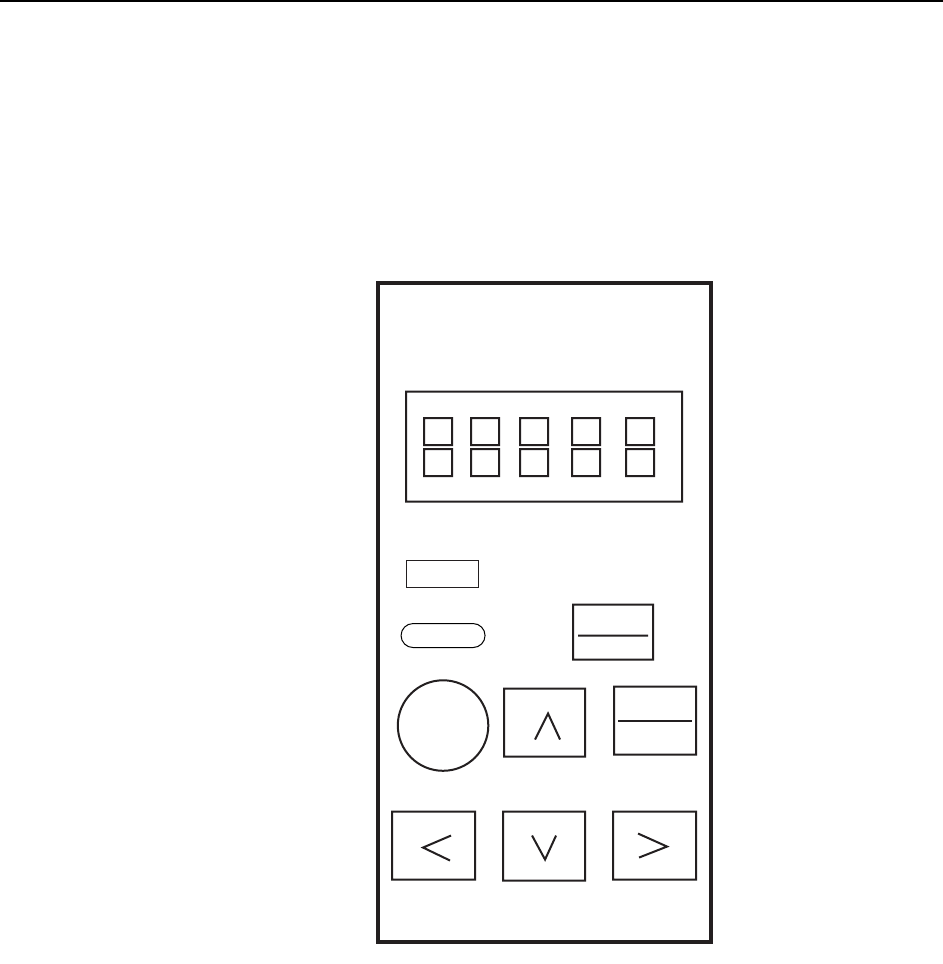
2 Press the [DSPL/SET] button on the Digital Operator until “PN-00” is displayed
by the LED indicator.
3 The parameter type can be changed by pressing the Up or Down arrow key.
4 When the desired parameter is displayed, press the [DATA/ENTER] button and
check the current setting.
Note: Contact Fuji if any of the displayed parameters differ from those indicated in the servo param-
eter sheet. Do not change the parameter settings unless otherwise instructed.
5 After confirming the parameter setting, press the [DSPL/SET] button to return
to the “PN-XX” display. Repeat steps 3 to 5 to check all the parameters.
DSPL
SET
JOG
SVON
DATA
ENTER
Yaskawa
QP3M4008Ea
Servo Pack Digital
Operator
Jusp-0p02A
Reset
Reset
Alarm
Adjustments >> Servo Amplifier Adjustments
7-54 MEC-CP842-1.0E
7.2.2 Resetting servo errors
Servo errors that cannot be reset using commands at the machine can be reset by con-
necting the digital operator to the applicable servo amplifier and pressing the [Alarm
Reset] button.
Servo alarm codes
When a servo amplifier error occurs, you can view the alarm code by connecting the
digital operator to the applicable amplifier. For further details regarding alarm codes,
see 8.2.2 Alarm Codes and Troubleshooting Check List.
Servo alarm code history
It is possible to view previous alarm codes, either by using the digital operator or by
using the indicator panel on the servo amplifier.
Using the digital operator
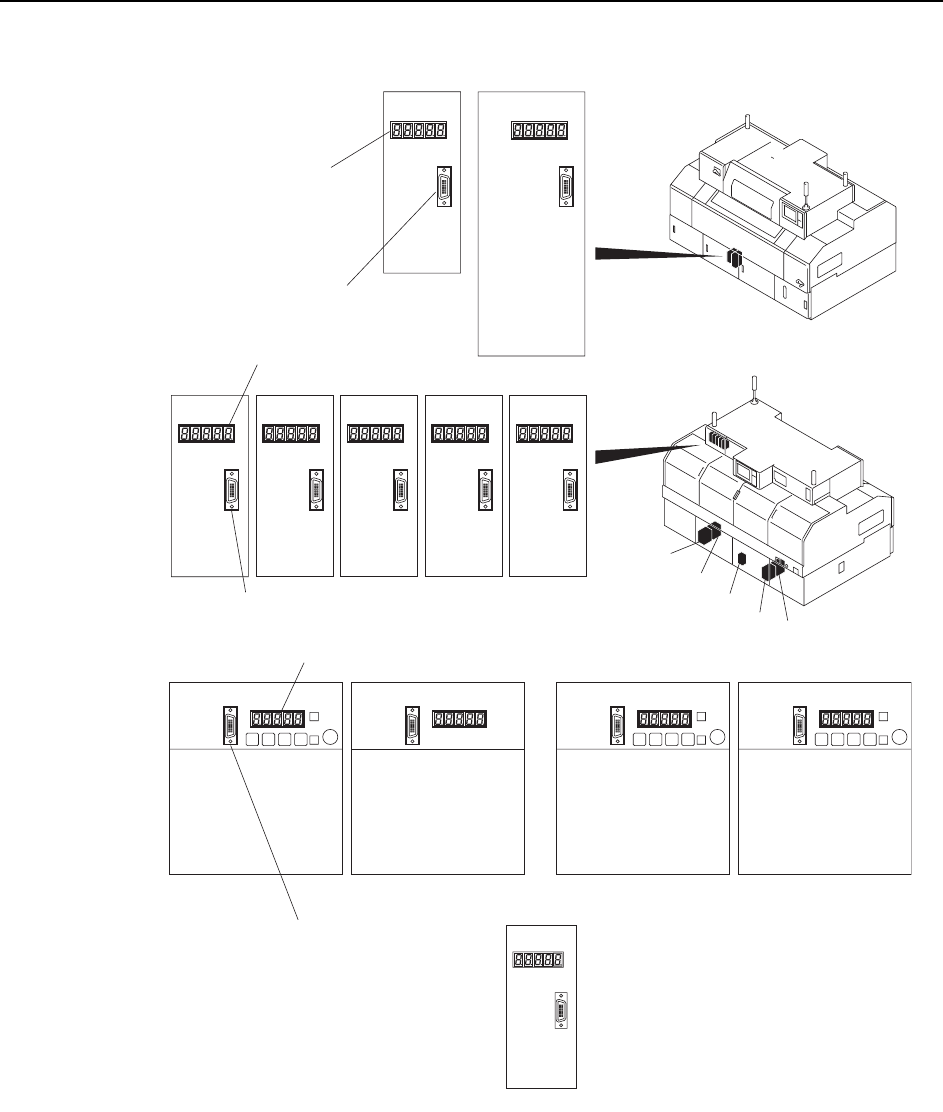
1 Connect the Digital Operator cable to the applicable servo amplifier (CN-3 con-
nector).
2 Press [DSPL/SET]- [DATA ENTER] to display the alarm code at the LED indi-
cator.
3 It is possible to scroll through the alarm sequences by pressing the Up or Down
arrow key.
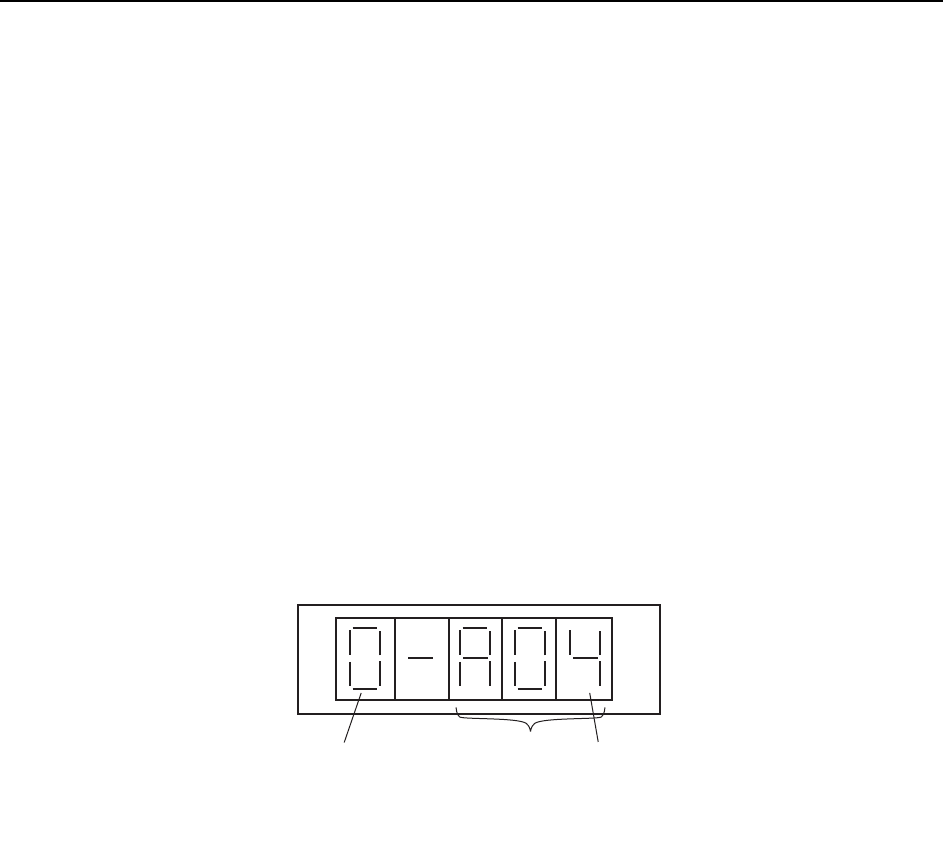
Using the indicator panel on the servo amplifier
1 Press the [MODE/SET] button, and then press and hold the [DATA/SHIFT] but-
ton for at least one second to display previous alarm codes.
2 It is possible to scroll through the alarm sequences by pressing the Up or Down
arrow key. (The alarm sequence number (at the left side of the code) is displayed
in ascending order, starting with the most recent alarm code.)
Alarm sequence number
Alarm code
The alarm sequence number is displayed
in ascending order, starting with the most
recent alarm code
QP3M4022E