MEC-CP842-1.0E.pdf - 第221页
Setup >> Electrical Power Supply & Transfor mer Wiring MEC-CP842-1.0E 9-5 5 After connecting the cable, secure it with t he cable lock nut located at the power cable inlet. Cable lock nut tightening torque: 7.5…

Setup >> Electrical Power Supply & Transformer Wiring
9-4 MEC-CP842-1.0E
9.3 Electrical Power Supply & Transformer Wiring
Point
Wire the transformer so that its voltage matches the power supply voltage.
Procedure
Connecting the Power Supply
The power capacities are indicated below. Be sure to connect the machine to a power
supply which exceeds this capacity.
•CP-842E :9.5KVA •CP-842ME :9.0KVA
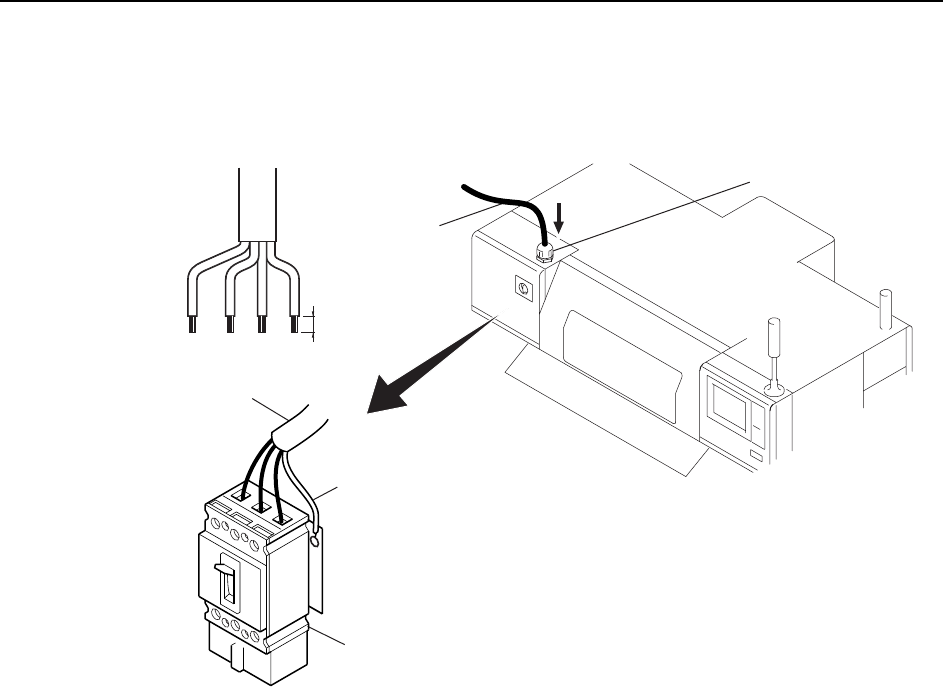
1 Open the main breaker box, then remove the terminal cover.
2 Feed the power cable into the main breaker box from the power cable inlet
located at the top of the main breaker box.
3 Connect the ground cable to the dedicated ground terminal.
4 Connect the 3-phase cable to the main breaker and tighten to the prescribed
torque.
Terminal screw tightening torque: 5.8 N⋅m (58 kgf⋅cm)
Note: Terminal screws should be tightened periodically.
DANGER
Verify that the external power supply is off before performing this
procedure.
Setup >> Electrical Power Supply & Transformer Wiring
MEC-CP842-1.0E 9-5
5 After connecting the cable, secure it with the cable lock nut located at the power
cable inlet.
Cable lock nut tightening torque: 7.5 N⋅m (75 kgf⋅cm)
Power cable
%CDNGNQEMPWV
20mm
/CKPDTGCMGT
RJCUGYKTG
)TQWPFYKTG
C84SET001E
Setup >> Electrical Power Supply & Transformer Wiring
9-6 MEC-CP842-1.0E
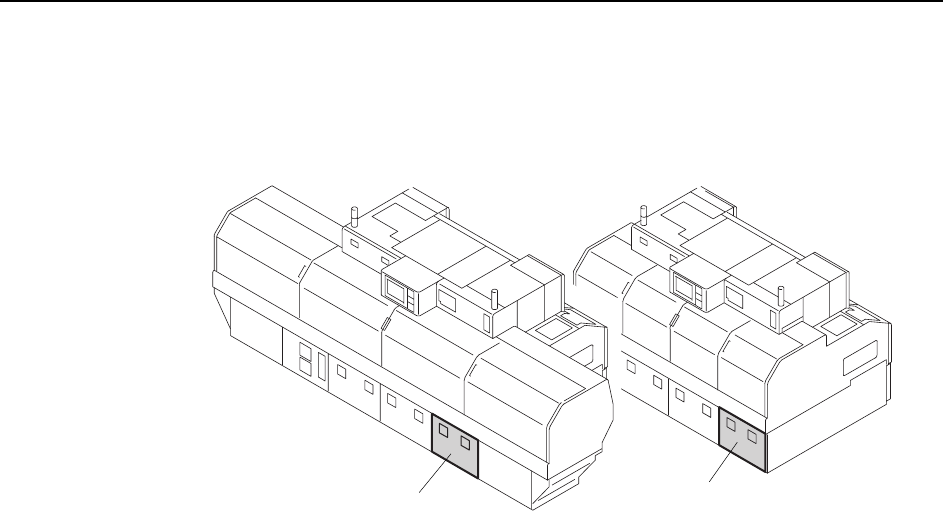
Wiring the Transformer
1 Open the transformer box cover.
2 Wire the transformer’s primary taps to match the supplied voltage.
<
C
P
-
842
M
E><
C
P
-
842
E>
C746M6005
Transformer box
Transformer box