MEC-CP842-1.0E.pdf - 第224页
Setup >> Connecting th e Data Transm ission Cable 9-8 MEC-CP842-1.0E 9.4 Connecting the Dat a T ransmission Cable Point The machine is connect ed to the host computer b y an Ethernet communication ca ble (class 5) …
Setup >> Electrical Power Supply & Transformer Wiring
MEC-CP842-1.0E 9-7
Checking the Three-phase Connections
Perform the following procedure to verify that the three-phases are properly con-
nected.
1 Turn the 200V power on.
2 Log in the machine.
3 Press the [AUTO] button (but do not press START).
Note
1. Do not press the START button.
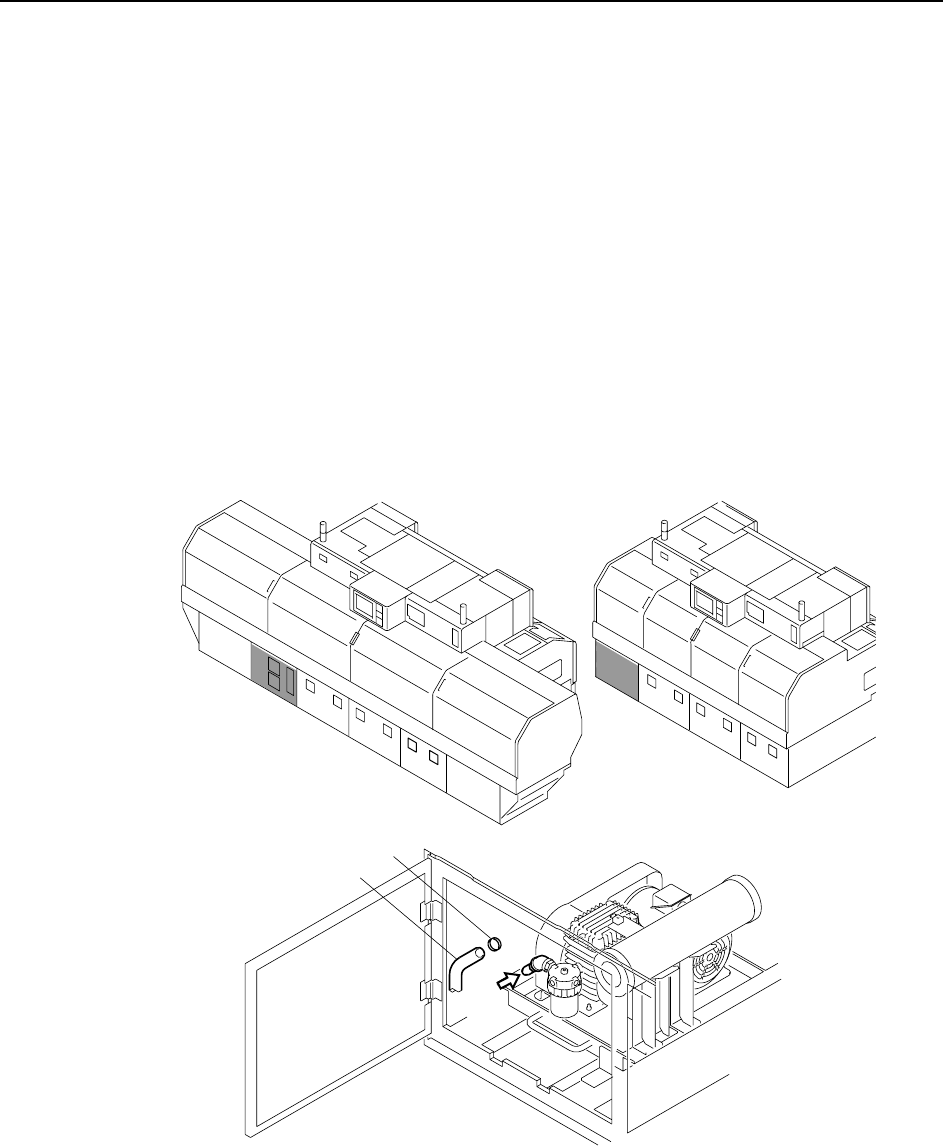
2. The vacuum pump begins operating when [AUTO] is pressed, so disconnect the hose to ver-
ify that suction exists. If there is suction, this indicates that the wiring is correct and the motor
is rotating in the correct direction. If the air flow is reversed (air is blowing out instead of in),
then turn the main power off and reverse the three-phase power cable’s U-phase and V-
phase connections, then try again.
Caution:To avoid leaks, the hose should be pushed firmly into position, and then secured in position
with the hose band.
C746M6006
<CP-842ME><CP-842E>
Hose
Hose band
air
Setup >> Connecting the Data Transmission Cable
9-8 MEC-CP842-1.0E
9.4 Connecting the Data Transmission Cable
Point
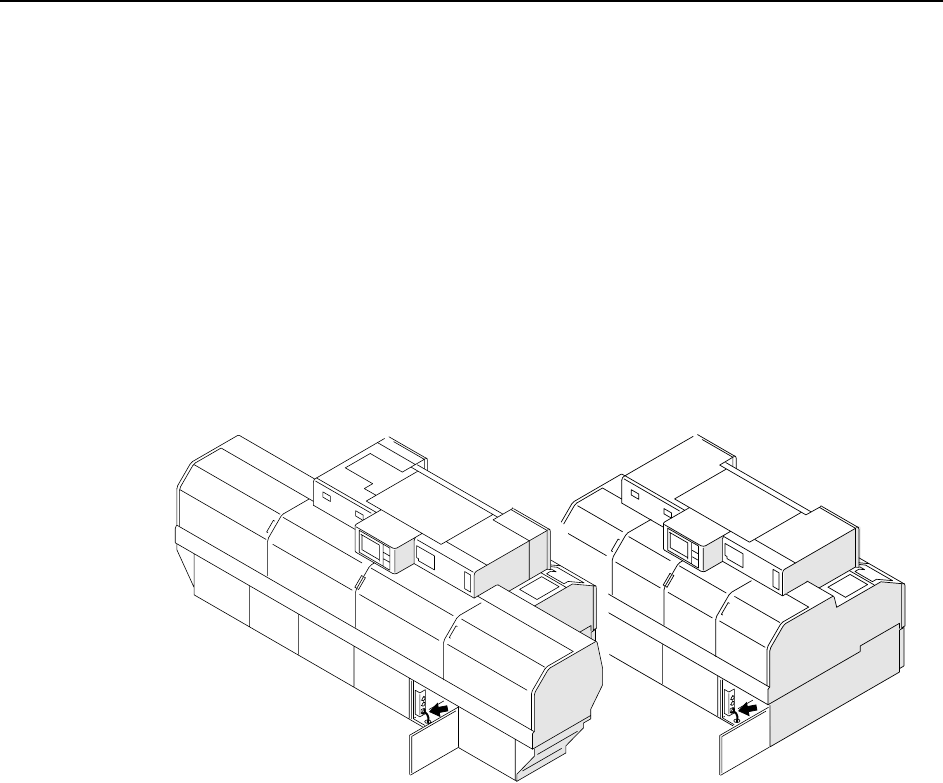
The machine is connected to the host computer by an Ethernet communication cable
(class 5) that enables program transmissions and production log compilation.
Procedure
1 Register the CP-842E/842ME in the line descriptor file at the host.
Note: Refer to the host computer manual for details regarding the registration procedure.
2 Connect one end of the transmission cable to the Ethernet connector at the host,
and connect the other end to the machine.
C746M6007
<CP-842E>
<CP-842ME>
Setup >> Moving the Machine
MEC-CP842-1.0E 9-9
9.5 Moving the Machine
9.5.1 Precautions when Moving the Machine
When moving a machine, observe the safety measures described below to avoid acci-
dents.
• All staff involved in the procedure should wear safety shoes and helmets.
• Prepare the transport path in advance, and keep people who are not involved in
the procedure out of the area.
• The machine should be moved only by qualified personnel.
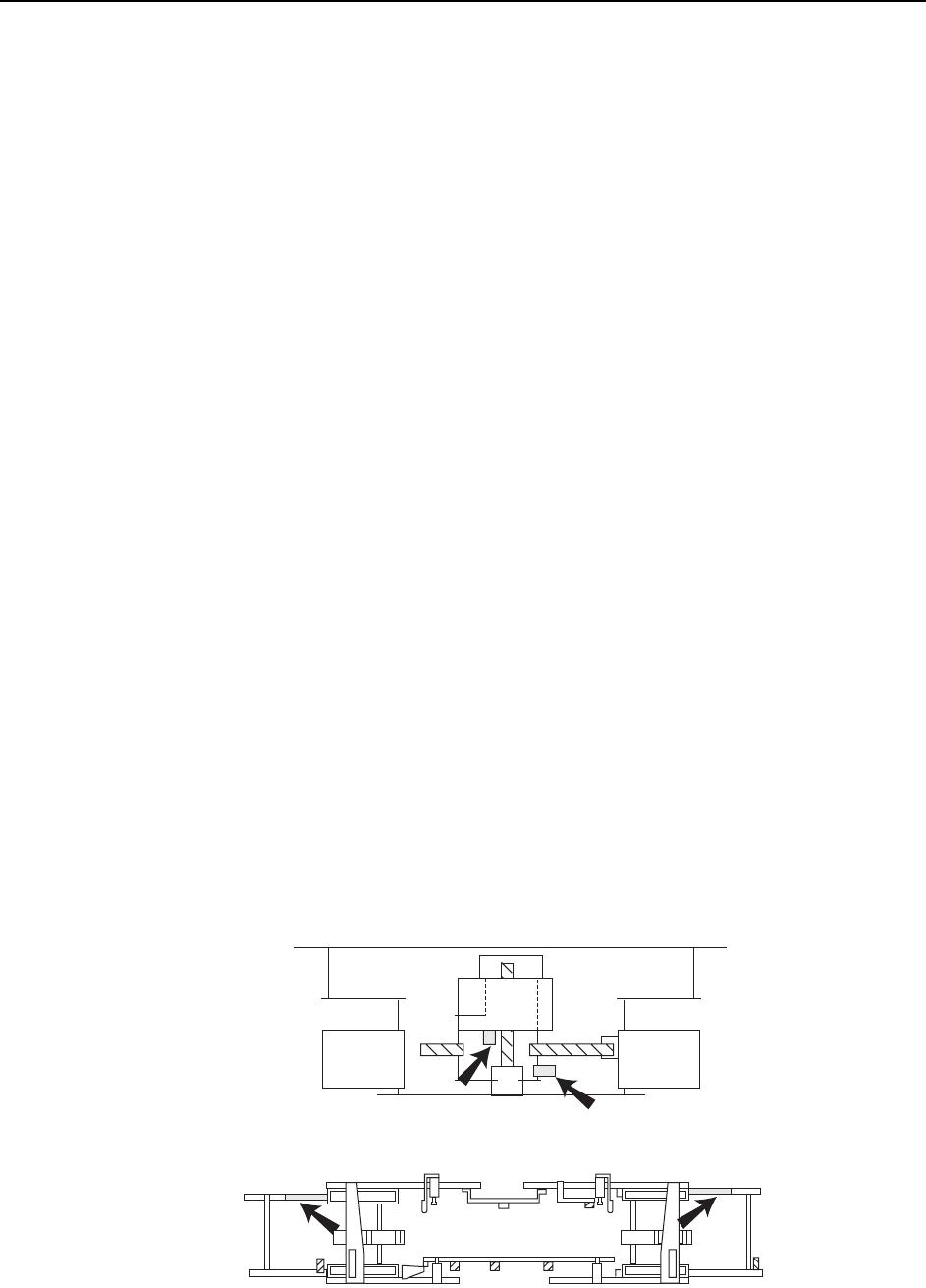
• Before moving the machine, attach the machine brackets (red) which were
attached when the machine was delivered. (Attach the brackets in the pre-
scribed positions.)
• Use a forklift (load capacity of 10 t or higher) that is approved for the weight of
the machine.
Machine weights: CP-842E Approx. 5,850 kg
CP-842ME Approx. 4,880 kg
• Insert the forklift forks at the prescribed positions.
• Use care to avoid bending the leveling bolts.
• If the balance of a lifted machine is unstable, lower the machine immediately.
• Raise and lower the machine slowly to avoid subjecting the machine to shocks.
Transport Procedure
1 Remove all tape feeders, air hoses, and electrical wiring from the machine.
2 Use the machine brackets (red) to secure the XY-table, the in- and out-carriers,
and the D-axes.
Note: If there are no machine brackets available, use rope, etc., to secure the various parts of the
machine to avoid damaging them.
C746M6008
Carrier brackets
Y-axis bracket
X-axis bracket