MEC-CP842-1.0E.pdf - 第66页
Maintena nce >> Cleaning 5-6 MEC-CP842-1.0E 5.1.5 Nozzle Interior (Weekly) Point Because the part is held by vacuum through the nozzle, minute dust or gl ue particles, etc., can build up insi de the nozzle tube, ca…
Maintenance >> Cleaning
MEC-CP842-1.0E 5-5
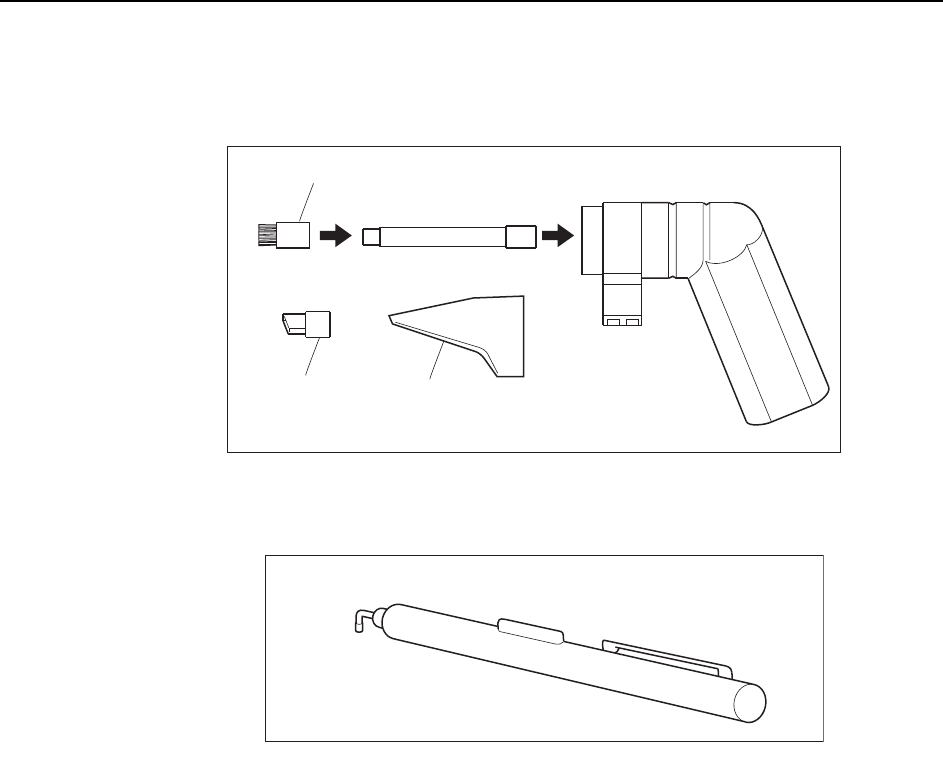
Note: Use the cleaner with the brush nozzle attachment. Using other nozzles on the cleaner may
damage the glass surface or other machine components.
C84PCA003E
$TWUJPQ\\NG
%NGCPGTK3018H)
5NQVPQ\\NG
&QPQVWUG
&QPQVWUG
5VCPFCTFPQ\\NG
C84PCA004E
#KTRKPEGVVG(H2101Z)
Maintenance >> Cleaning
5-6 MEC-CP842-1.0E
5.1.5 Nozzle Interior (Weekly)
Point
Because the part is held by vacuum through the nozzle, minute dust or glue particles,
etc., can build up inside the nozzle tube, causing clogging. Such clogging can reduce
the nozzle suction and cause problems when picking up parts. The nozzle tube should
be cleaned out weekly, or when clogging occurs.
Procedure
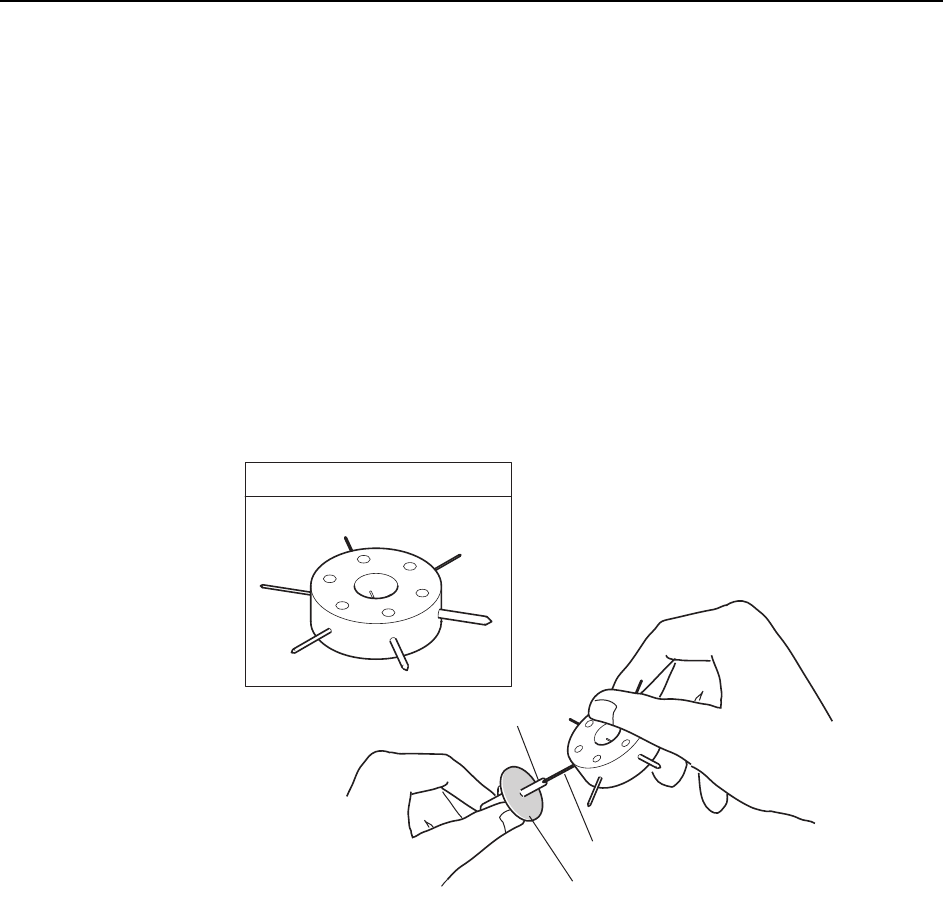
Use an appropriately sized drill bit to remove foreign matter from inside the nozzle
tube.
When cleaning is complete, check the drill bit to ensure that dirt from the nozzle has
not adhered to the tip.
Note: Jig AWPJ810* cannot be used for ø0.4 nozzles.
Caution
:
1. Take care to avoid bending the nozzle.
2. Take care to avoid dirtying the surface of the fluorescent sticker.
C746M3004
Nozzle
Drill bit
Fluorescent nozzle sticker
JIG No. AWPJ8100
Maintenance >> Cleaning
MEC-CP842-1.0E 5-7
5.1.6 Camera Glass (Weekly)
Point
The camera glass should be cleaned once a week to ensure that a clear image is being
acquired. This also contributes to stable vision processing and part pick-up.
Procedure
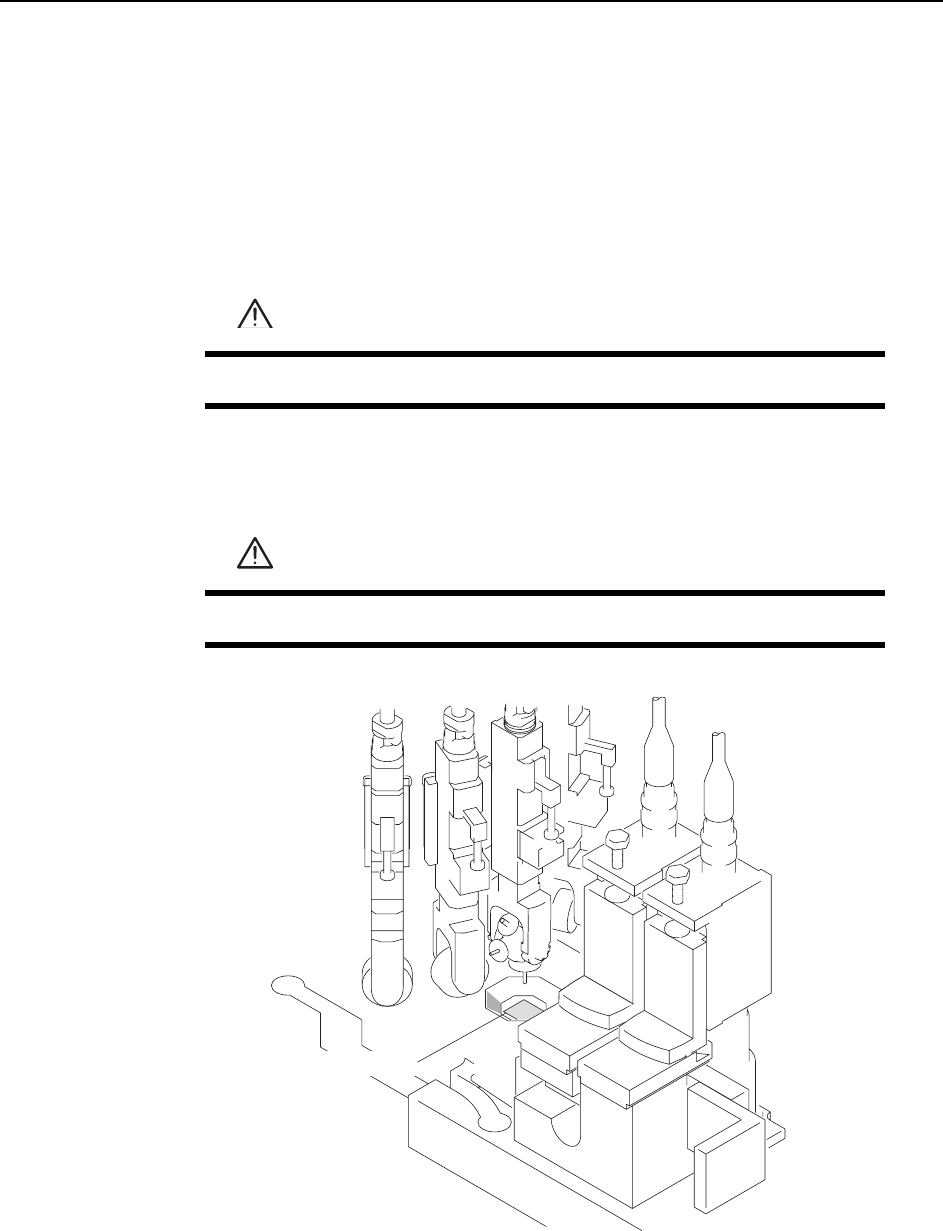
Use a soft brush (such as those used to clean camera lenses) to clean the camera glass.
If the glass is excessively dirty, then use a commercially available glass cleaner.
WARNING
Turn the main power off before performing this procedure.
CAUTION
Take care to not bend the nozzle.
C84PCA001E
%COGTCINCUU