2500_Users_Manual - 第150页
Operation 4-36 ProMa ster 25 00 U ser Ma nual Introdu ction to Kits Kits are li ke super-Tas ks. The y are sim ply individu al Task s that have been joined together to make one large Task. Kits are used most often to org…
Operation
ProMaster 2500 User Manual 4-35
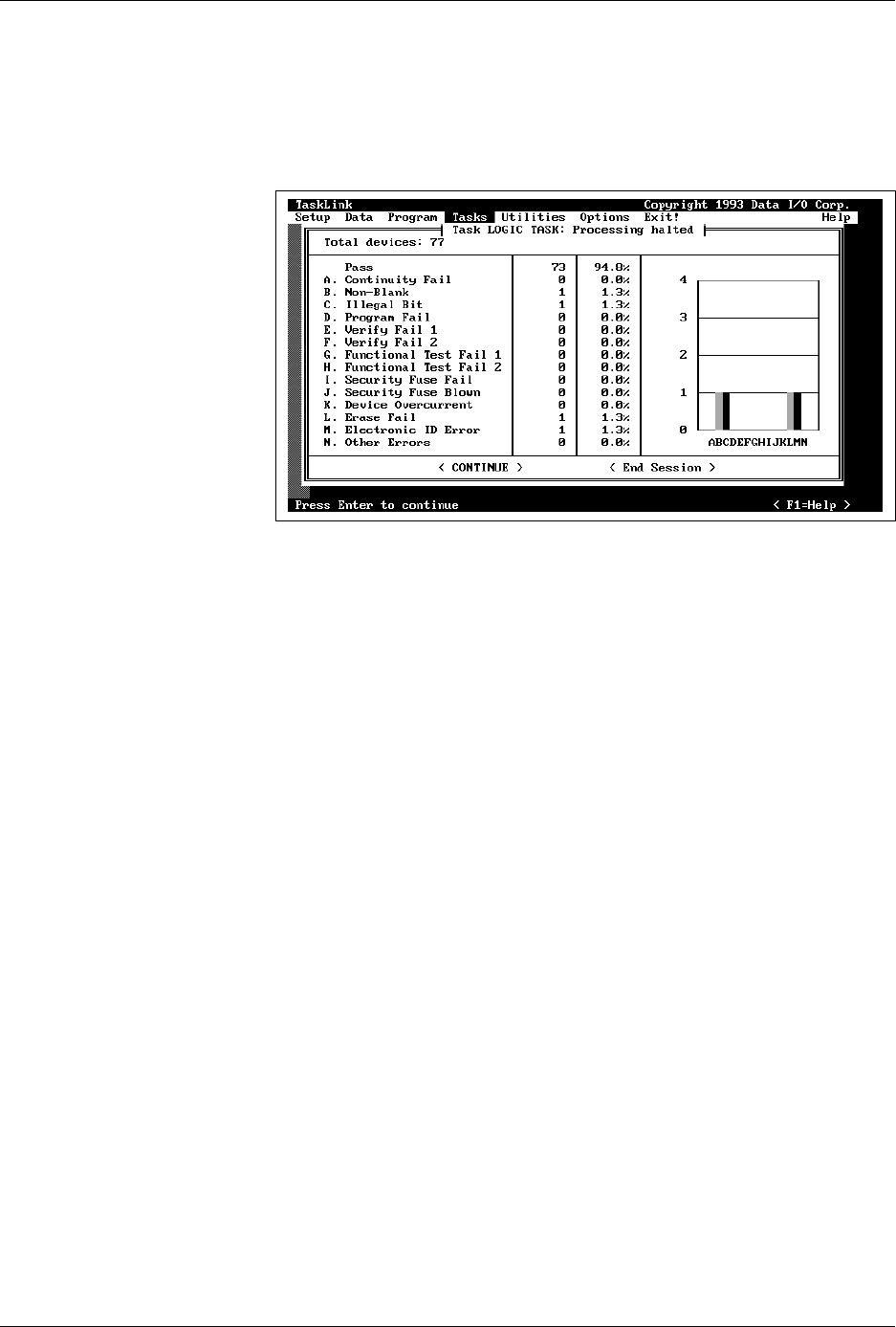
Task Summary Screen
The Task summary screen shows the programming yield in terms of the
number of devices that passed and the number that failed for each
specific error. Press
↵
to continue running the Task, or press
T
AB
to select
<End Session>
and
↵
to stop the Task and return to the main TaskLink
screen.
Exiting TaskLink
From the main TaskLink screen, press
T
AB
to select
<EXIT>
and then
press
↵
. A second box appears to confirm that you want to exit TaskLink.
Press
T
AB
to select the
<EXIT>
and then press
↵
again to completely exit
the program and return to the DOS prompt.
Figure 4-29
Task Session Summary Screen

Operation
4-36 ProMaster 2500 User Manual
Introduction to Kits
Kits are like super-Tasks. They are simply individual Tasks that have
been joined together to make one large Task. Kits are used most often to
organize the individual Tasks used to program all the devices on one
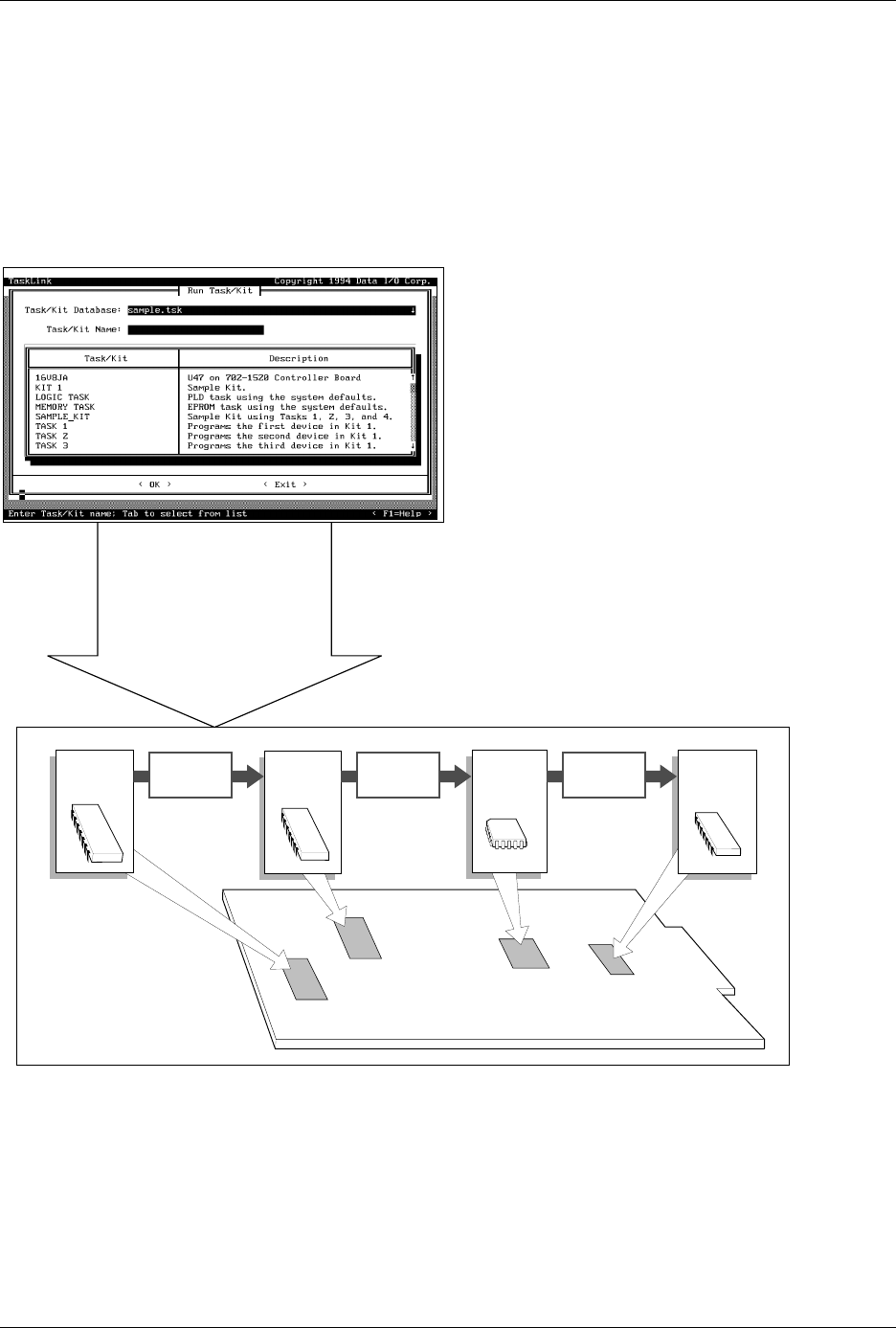
board. In Figure 4-30, there are four devices that must be programmed
and labeled for the sample board. Each Task controls the process for one
device on the board.
Operation
ProMaster 2500 User Manual 4-37
For example, assume that 60 boards need to be built. When the Kit for
these boards is run, Task 1 processes 60 devices and then TaskLink
displays a message prompting the system operator to change devices for
the second Task. After the operator inserts the new devices for Task 2 and
presses
↵
, TaskLink starts Task 2 and another 60 devices for that Task are
programmed. This process continues for Task 3 and Task 4.
Figure 4-30
Kits are a Series of Tasks in a Single Job
1958-2
Run Kit
Perform all Tasks in Kit
Number of Kits to Build
Session I.D.
Device
Process
•
•
•
•
•
Specify
Task 1
Task 2
Task 3
Task 4
Message
~0001
Message
~0002
Message
~0003