2500_Users_Manual - 第218页
Preven tive Maint enance 5-64 ProMa ster 25 00 U ser Ma nual Track Adjustments Adjustin g Track Heig ht You may have to adjust the track heigh t to compensat e for the varying thickness of different device tubes. Use a 5…
Preventive Maintenance
ProMaster 2500 User Manual 5-63
Cleaning and Lubricating
the Beam Lead Screw
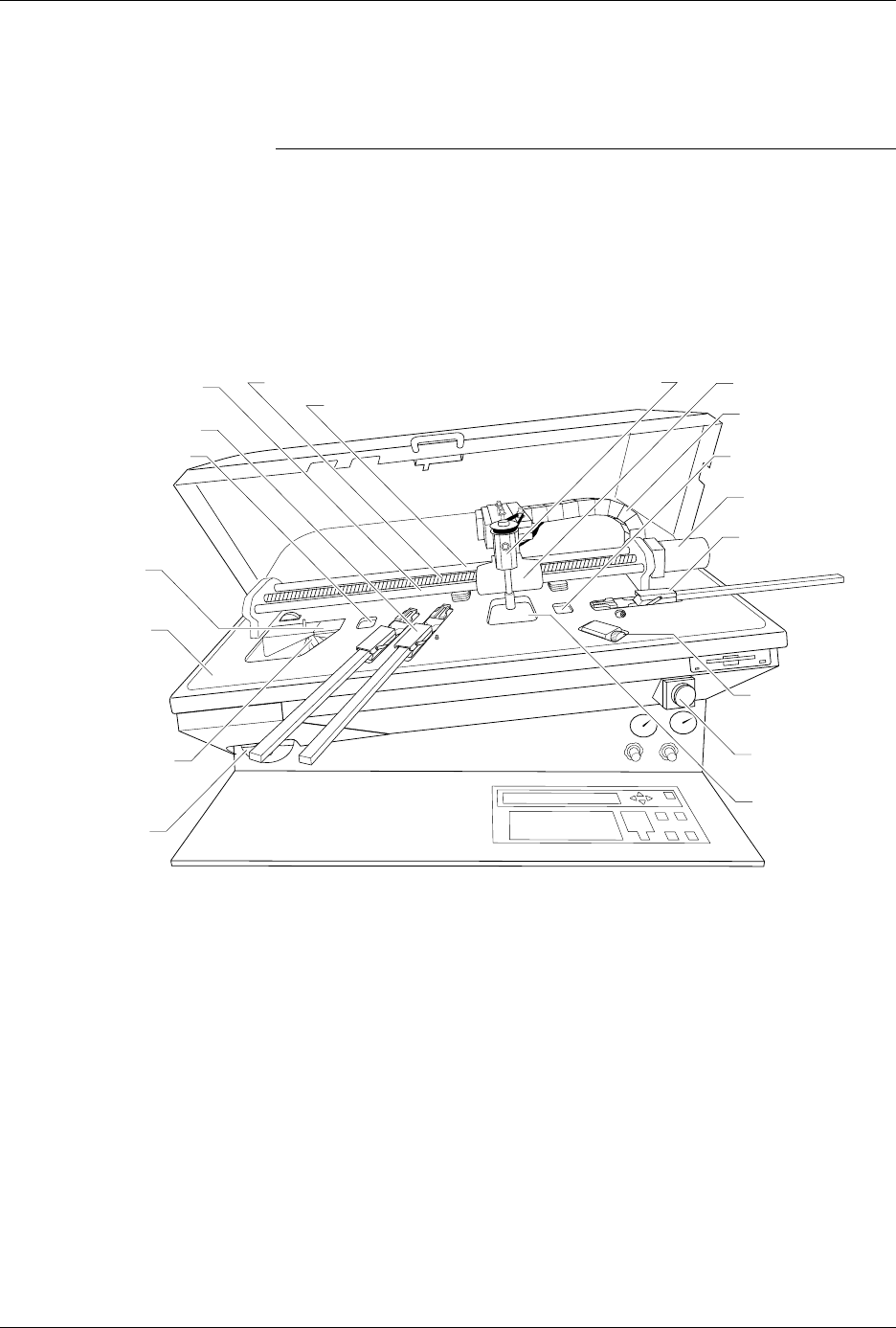
Lubricate the lead screw, beam shaft, and carriage shafts (see Figure 5-26)
approximately every three months or as needed.
CAUTION: This procedure should be performed only by a qualified
service technician or the system administrator.
1. Turn off the 2500 and remove the power cord.
2. With a clean cloth, wipe the lead screw and the front and rear beam
carriage shafts until no lubricant or dirt remains.
3. Move the beam to the center of the lead screw.
4. Apply four drops of TriFlow, evenly spaced, on each side of the lead
screw and one drop on each side of both beam carriage shafts.
5. Move the beam back and forth so the lubricant works into the screw
and shafts.
6. With a clean cloth, wipe excess lubricant from the sides of the lead
screw and shafts.
Figure 5-26
Location of the Lead Screw and the Carriage
1760-3
CABLE HARNESS
GUIDE
BEAM HEAD
BEAM TRAVERSE
MOTOR
INPUT TUBE
HOLDER
TRACK WIDTH
ADJUSTMENT
KNOB
REAR CARRIAGE SHAFT
LEAD SCREW
FRONT CARRIAGE SHAFT
OUTPUT TUBE
HOLDER (1 of 2)
BEAM CARRIAGE
MAIN PLATE
LABELER
LABEL
APPLICATION
AREA
DEVICE RECESS
(2 of 2)
DEVICE RECESS (1 of 2)
LABEL SUPPLY
REEL
PROGRAMMING
STATION
E-STOP
BUTTON
Preventive Maintenance
5-64 ProMaster 2500 User Manual
Track Adjustments
Adjusting Track
Height
You may have to adjust the track height to compensate for the varying
thickness of different device tubes. Use a 50-mil hex wrench to raise or
lower the height of the track. Follow the steps below.
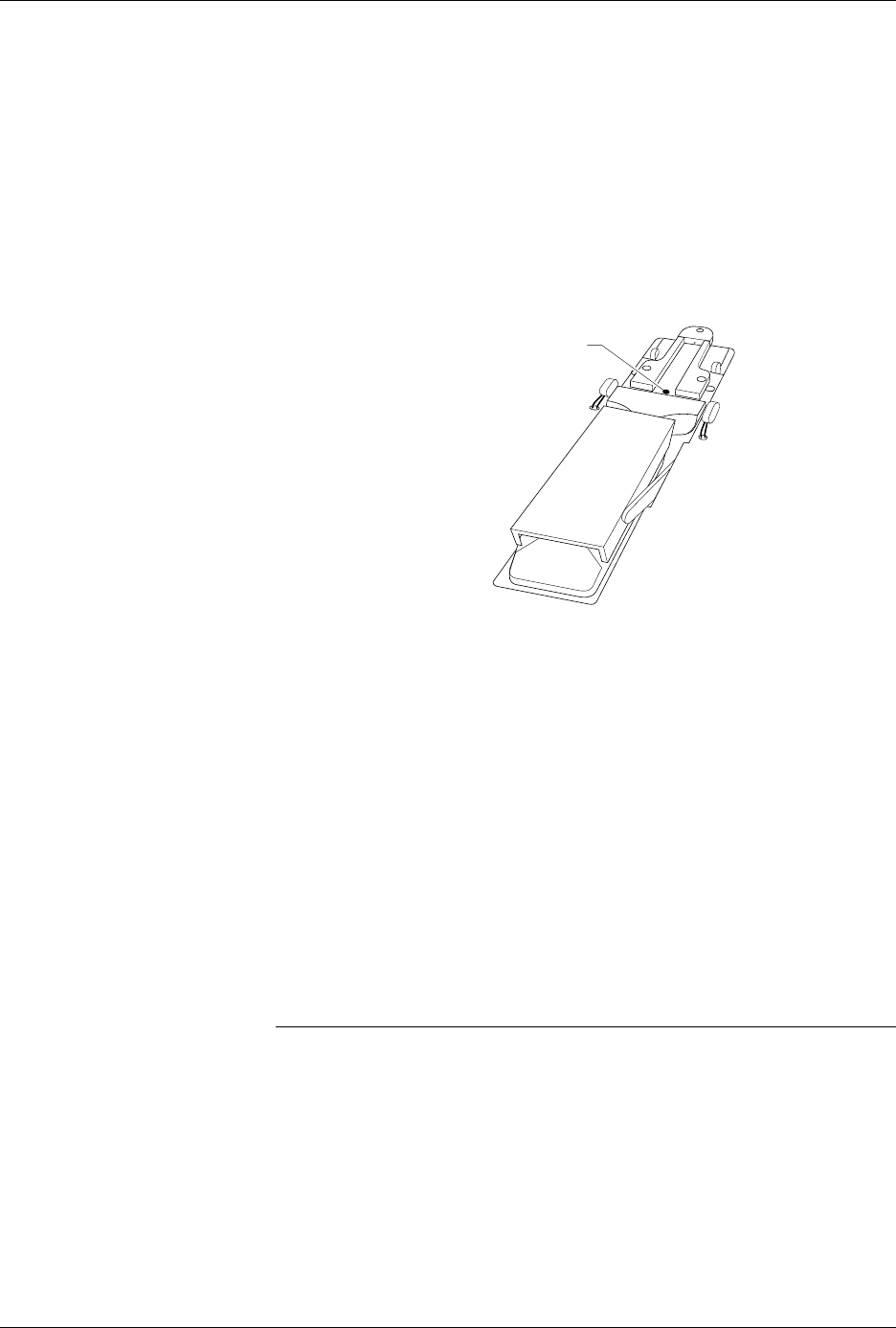
1. Insert the 50-mil hex wrench into one of the track height adjustment
screws (see Figure 5-27).
2. Turn the track height adjustment screw clockwise to raise the track
height, or counterclockwise to lower the track height.
Adjusting the Angle of
the Track Walls
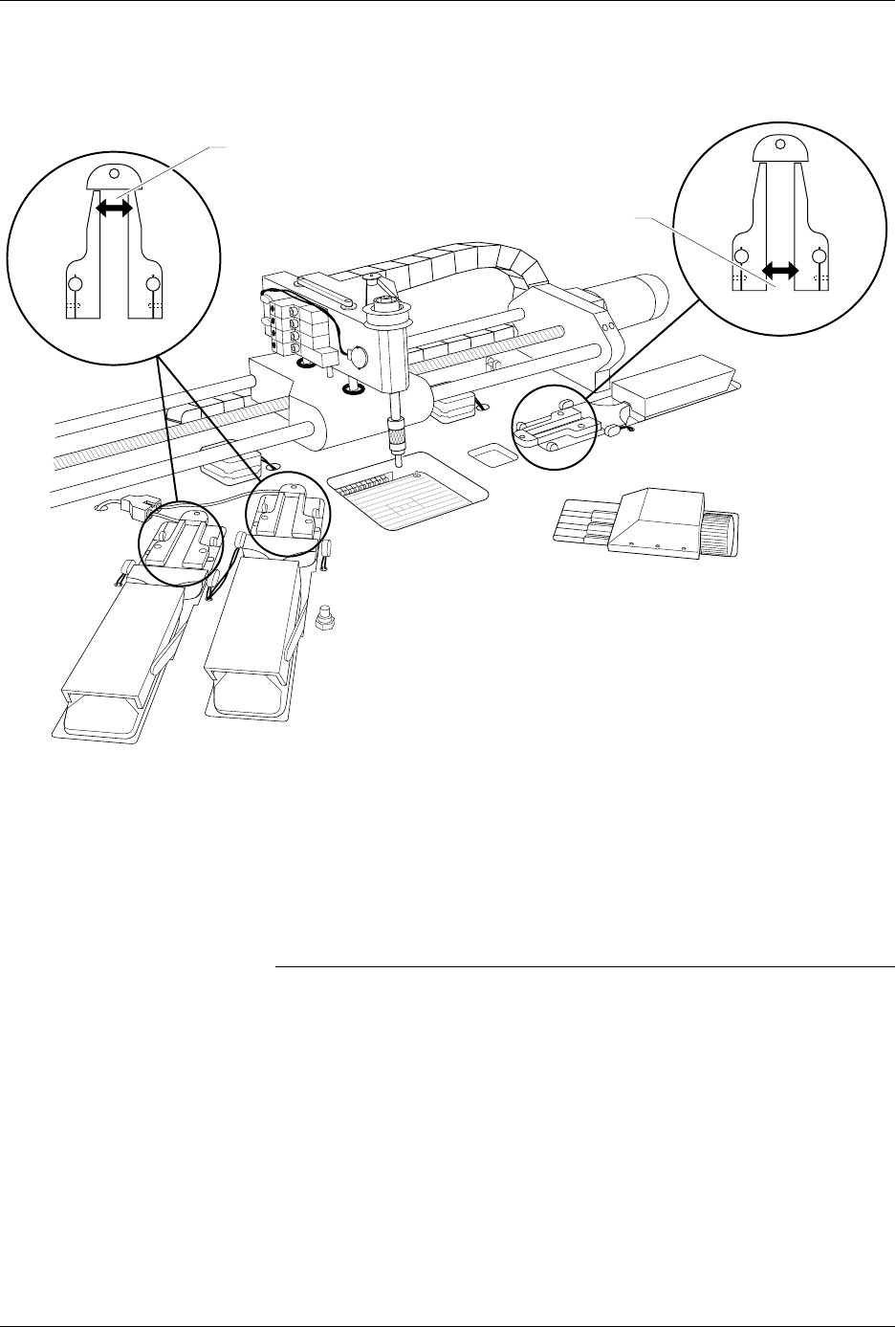
The entrance to the input track should be approximately 0.010 inch wider
than the pick-up point of the input track. The exit point of each output
track should be approximately 0.010 inch wider than the pick-up point of
the input track. If the 2500 is having difficulty picking up a device from
the input track or if devices flip up during operation, you may need to
perform a funnel adjustment.
To perform a funnel adjustment, follow the steps below.
1. Use a 3/32-inch hex wrench to loosen the set screws on the input
track front wall and rear wall.
2. Adjust each of the input track walls evenly to create a gap at the pick-
up point that is approximately 0.010 inch narrower than the entrance
to the input track.
Note: You may want to use a caliper to ensure that the gap at the pick-up point
is approximately 0.010 inch narrower than the gap at the entrance to the
input track.
3. When the input track is correctly adjusted, use a 3/32-inch hex
wrench to tighten the set screws on the input track front wall and rear
wall.
4. The output track funnel adjustment procedure is identical to the
input track procedure, except that the exit point of each output track
should be approximately 0.010 inch wider than the pick-up point of
the input track.
Figure 5-27
Adjusting the Track Height
2288-1
TRACK HEIGHT
ADJUSTMENT SCREW
Preventive Maintenance
ProMaster 2500 User Manual 5-65
Adjusting the Track Width
Cables
All three tracks should have the same track width and be adjusted
equally. If one of the tracks is out of adjustment with the others, you may
have to perform the track width adjustment procedure. To perform the
track adjustment procedure, follow the steps below.
Note: Under normal circumstances the tracks should stay in adjustment and
you should not have to perform this procedure. Make sure you have
correctly determined that one of the tracks is out of adjustment before you
proceed.
1. Turn off the 2500 and remove the power cord.
2. Loosen the two screws in the corners of the main plate.
3. Lift the main plate until it stops in the fully upright position.
4. To perform a fine track width adjustment, use an adjustable wrench
to tighten or loosen one of the track adjustment nuts (see Figure 5-29).
Turn the nut clockwise to make the track wider or counter-clockwise
to make the track narrower.
Figure 5-28
Input and Output Track Funnel Adjustment
2284-2
OUTPUT TRACK
TRACK ENTRANCE
(Make wider by .010")
TRACK ENTRANCE
(Make wider by .010")
INPUT TRACK