2500_Users_Manual - 第24页
Introduc tion 1-2 3/97 ProMa ste r 2500 User Ma nual The system is composed of two major parts: 1. ProMas ter 2500 handler wi th programmin g electroni cs 2. T askLin k so ftwa re ope rati ng on a pers onal compu ter (PC…
ProMaster 2500 User Manual 3/97 1-1
1
Introduction
Product Description
What Is the
ProMaster 2500?
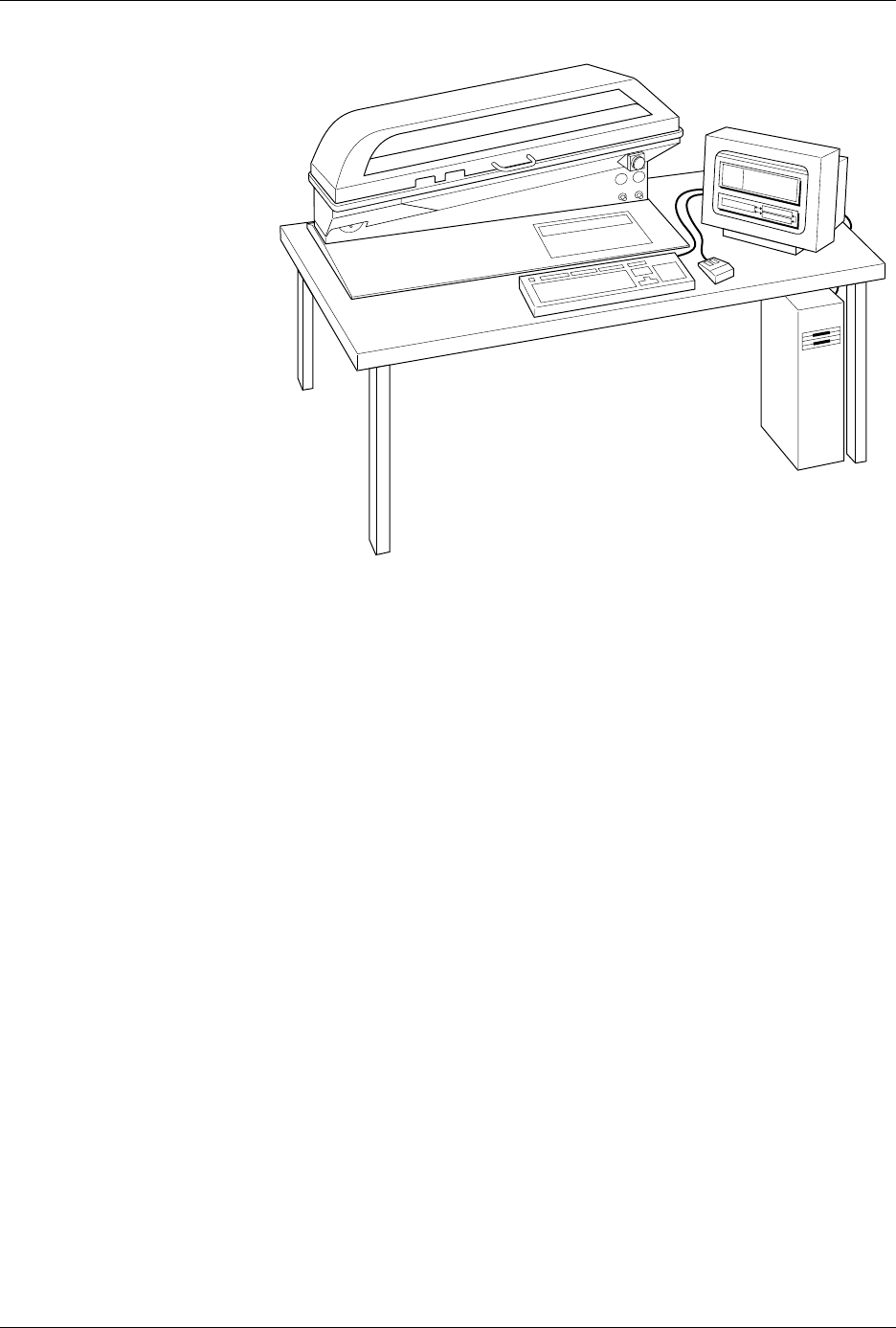
The Data I/O ProMaster™ 2500 is an automated, integrated circuit (IC)
handler/programmer system. It transports, programs, tests, and labels
devices and then sorts them in standard IC tubes. The system supports
programmable integrated circuit (PIC) devices in a variety of package
types, including dual in-line packages (DIP), plastic leaded chip carriers
(PLCC), and small outline integrated circuits (SOIC).
Introduction
1-2 3/97 ProMaster 2500 User Manual
The system is composed of two major parts:
1. ProMaster 2500 handler with programming electronics
2. TaskLink software operating on a personal computer (PC)
2500 Handler
The 2500 handler is the hardware portion of the system. System firmware
controls the transportation, programming, and labeling of a wide variety
of IC device styles and packages. The system is designed to allow for easy
conversion between IC package types without the use of tools or time-
consuming adjustments. A single, state-of-the-art pick- and-place beam
transports devices for programming and labeling. The system is designed
to minimize lead damage while producing reliable device throughput.
TaskLink Software
TaskLink™ Universal Production Automation Software is the primary
user interface controlling the operation of the 2500. The system
administrator selects the configuration parameters necessary to perform a
programming/labeling job and saves these together as a Task. The
system operator simply selects this Task from a list on the opening screen.
The 2500 is configured, data files are transferred, and devices are
programmed, verified, and labeled in a single, automated operation.
TaskLink supports a variety of Data I/O programming products. Some of
the commands and options displayed on TaskLink’s menus are intended
to be used with other products and not in the operating environment of
the 2500. Information on these commands is available by pressing
F1
to
invoke TaskLink’s online Help.
Figure 1-1
ProMaster 2500 System
1825-2
Introduction
ProMaster 2500 User Manual 3/97 1-3
General Features
This section describes the major hardware components on the 2500. The
components are divided into three broad categories: external features,
features under the hood, and internal features.
Note: Illustrations in this manual show the ProMaster 2500 with an E-stop
button, hood interlock switch, labeler cover, and a modified hood with a
handle. Handlers with the dot matrix labeler installed do not have these
additional features.
External Features
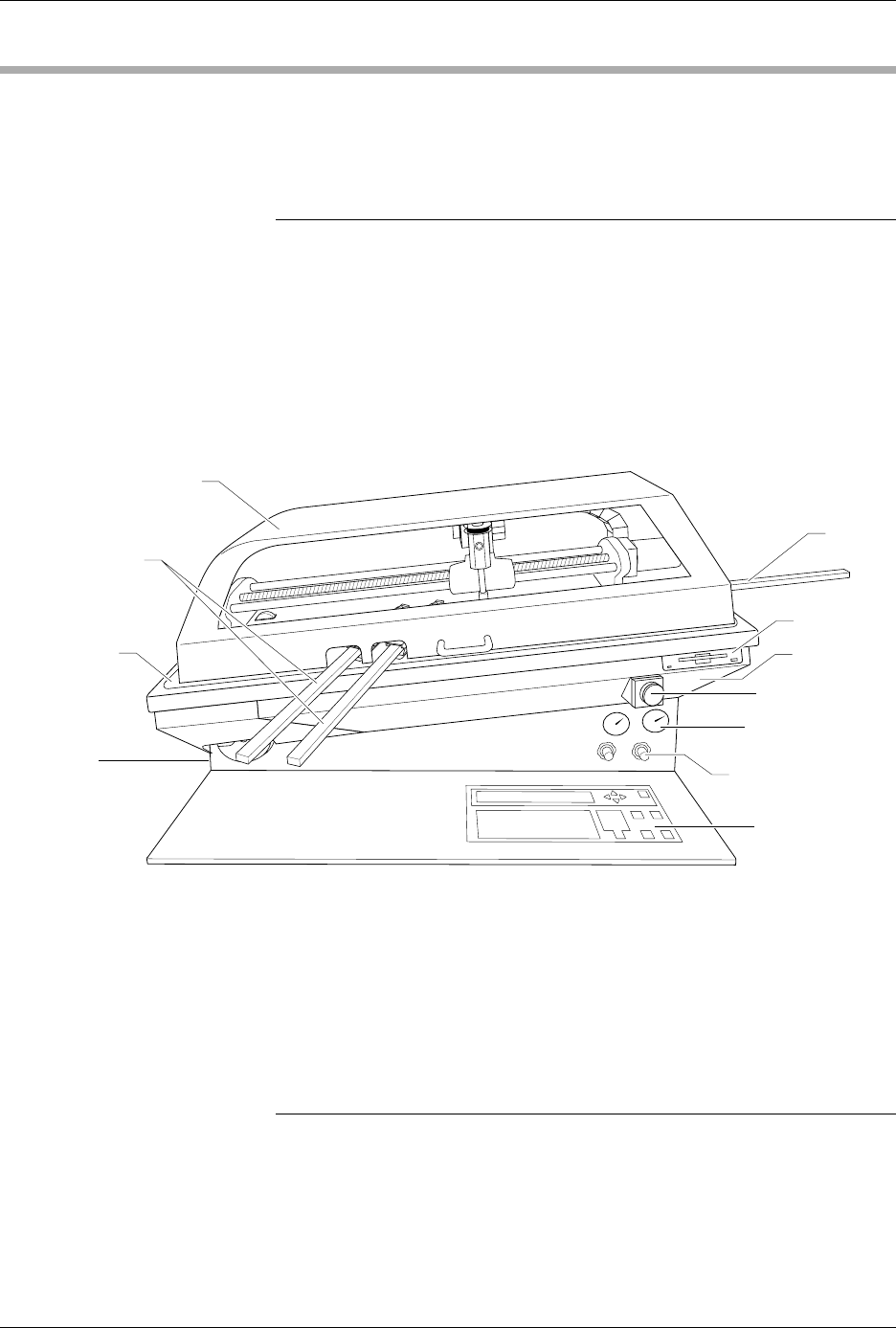
The primary external features of the ProMaster 2500 are identified in
Figure 1-2.
Front of 2500 Disk Drive
—The disk drive is used to update the Mass Storage Module
with operating system commands and programming algorithms used by
the programming electronics.
Hood
—The hood covers devices as the beam transports them through
the system. Figure 1-2 shows the hood in its operating position (down).
The 2500 will not operate (except when running diagnostics) while the
hood is raised.
Note: A safety interlock switch under the hood prevents the 2500 from operating
when the hood is up. The hood must be lowered to the operating position
(shown in Figure 1-2) before the 2500 will process devices. Service
personnel are provided with a key that is inserted into the switch keyhole
and turned to activate the switch. This allows them to service the handler
and run diagnostics when the hood is raised. If a user lifts the hood while a
Task is running, all handler motion will be stopped, but the power to the
handler will remain on.
Figure 1-2
External Features of the 2500
1749-3
OUTPUT TUBES
AIR PRESSURE
GAUGE
AIR PRESSURE
ADJUSTMENT KNOB
DISK DRIVE
BASE
INPUT
TUBE
MAIN PLATE
GROUND WRIST
STRAP CONNECTOR
(on the side)
FRONT PANEL
E-STOP BUTTON
HOOD