2500_Users_Manual - 第47页
Insta llatio n and Se tup 2-4 ProMa ster 25 00 U ser Ma nual • An input air line (6 ft) with a male 1/ 4-inch NP T adapter on one end • Two male qu ick connects with female 1/4- inch NPT ada pter on one end •L a b e l r …
Installation and Setup
ProMaster 2500 User Manual 2-3
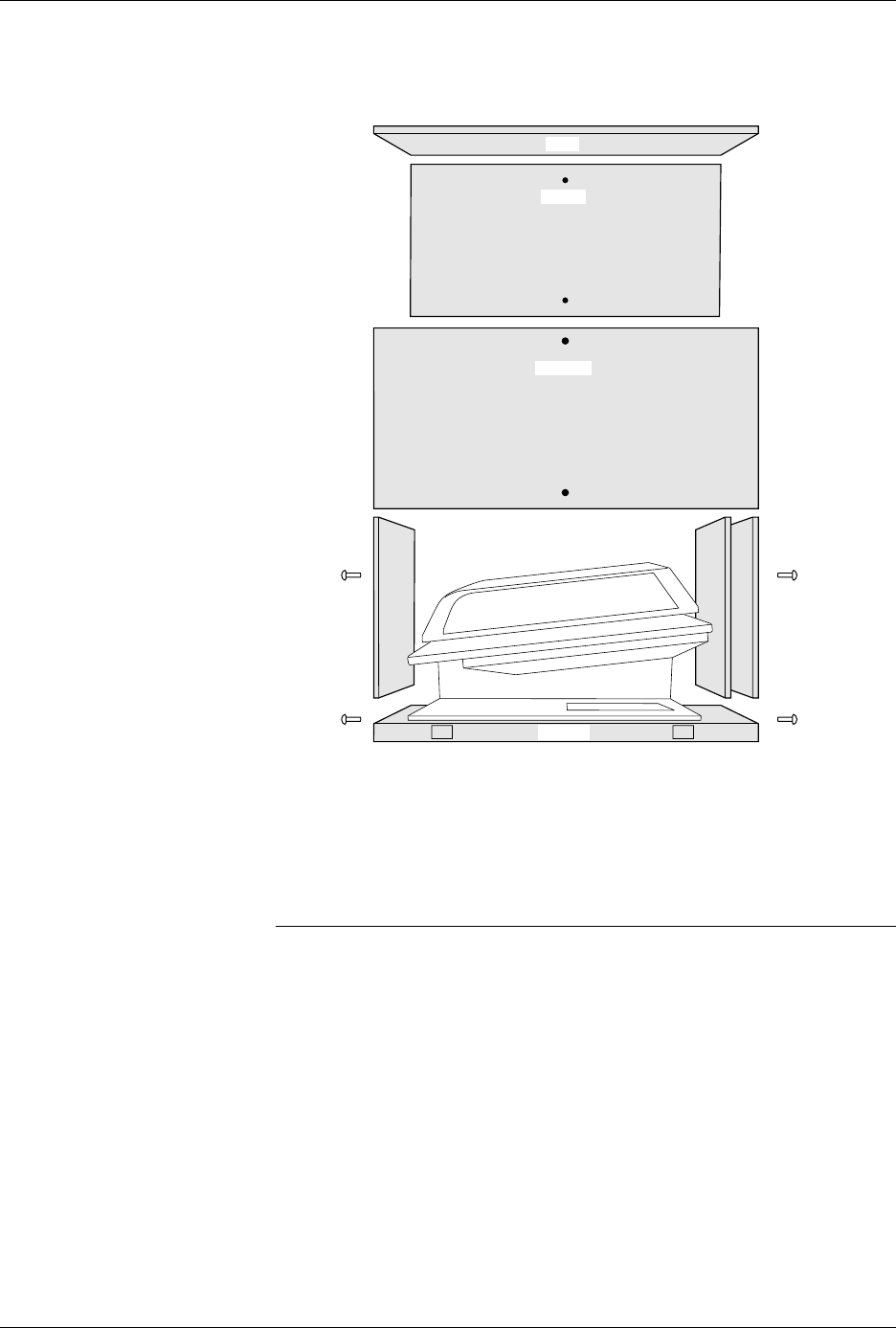
1. Remove the eight screws (two on each vertical panel) that hold
together the panels of the shipping crate (see Figure 2-2).
2. Carefully lift the top of the shipping crate and pull up the four
vertical panels, and set them aside.
3. Carefully lift the 2500 (this will require two strong people) and set it
on a clean, sturdy, stable surface.
CAUTION: When removed from its shipping crate, the 2500 weighs 160
lb (72.75 kg). It will be difficult to lift and must be placed on
a surface that can support it.
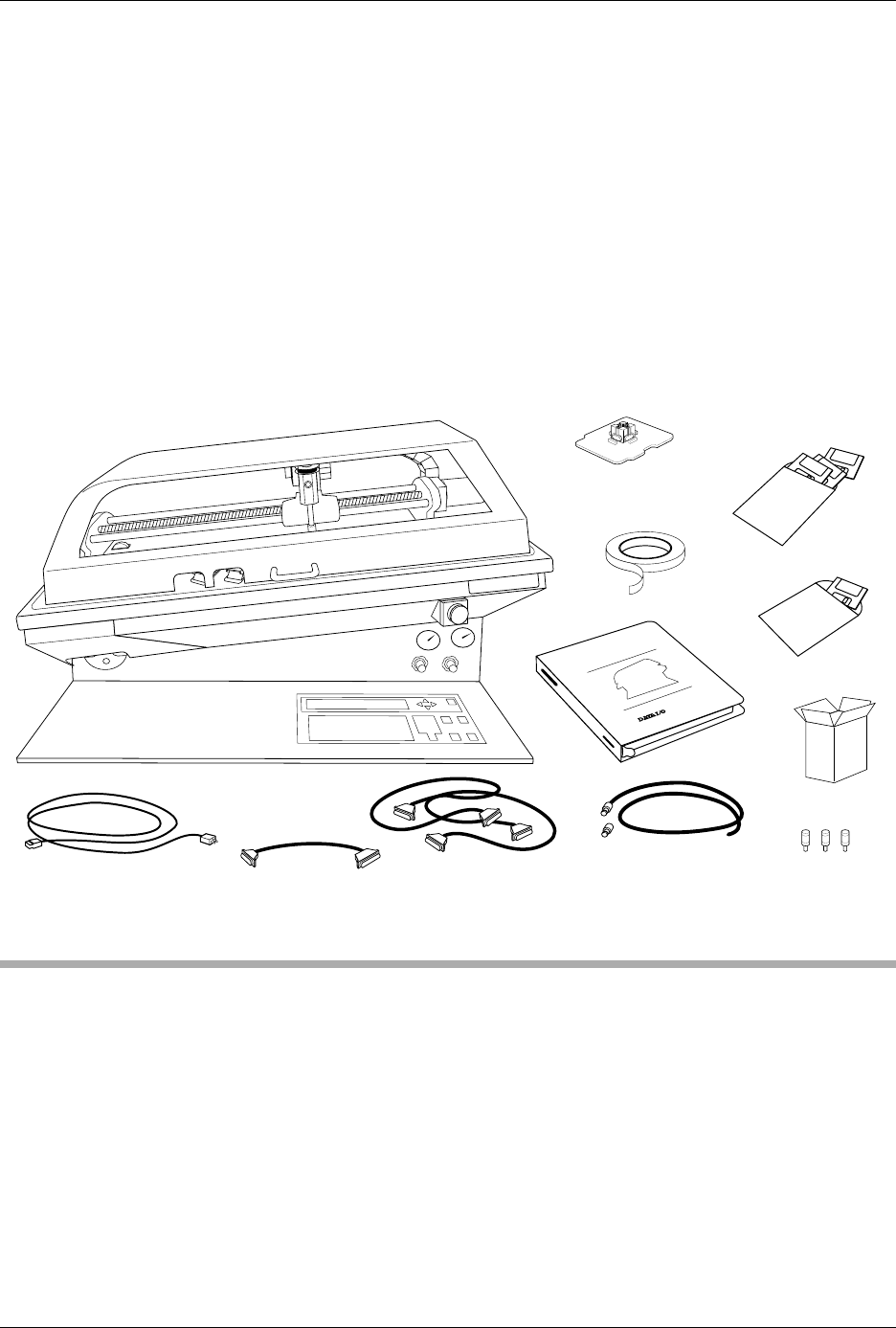
When you unpack your system, confirm that you have received all the
components required to operate the system. Your ProMaster 2500 system
includes the following items:
• ProMaster 2500 handler
• 3.5 inch disks:
TaskLink
program disk,
Boot Files
disk,
Algorithm/
System
disk(s), and
Device List
disk
•Programming module
• Two RS-232C cables with male and female DB25 connectors
• One 9- to 25-pin adapter cable
Figure 2-2
The 2500 Shipping Crate
2306-1
FRONT
REAR
TOP
PALET
Installation and Setup
2-4 ProMaster 2500 User Manual
• An input air line (6 ft) with a male 1/4-inch NPT adapter on one end
• Two male quick connects with female 1/4-inch NPT adapter on one
end
•Label roll
•Chuck set
•Spares Kit
•Power cord
•
ProMaster 2500 User Manual
with End User Registration Card
• Customer letter
Installing the 2500
This section describes installing various components on the 2500 to
prepare it for operation. Power to the 2500 should be off during these
steps.
Selecting the Correct
Adapter
Perform the following procedure to determine which of the two male
quick connects provided with the system is correct for the female quick
connect on your source air line.
1. Turn the external air source off so the source air line is not
pressurized.
Figure 2-3
System Contents
PROMASTER 2500
DISKS
POWER CORD
USER
MANUAL
1763-3
RS-232 CABLE (2)
ProMaster 2500
TASKLINK
DISK
LABEL
ROLL
1/4" INPUT AIR LINE
(With 2 adapters)
PROGRAMMING
MODULE
9 - 25 PIN
CABLE
SPARES KIT
CHUCK SET
Installation and Setup
ProMaster 2500 User Manual 2-5
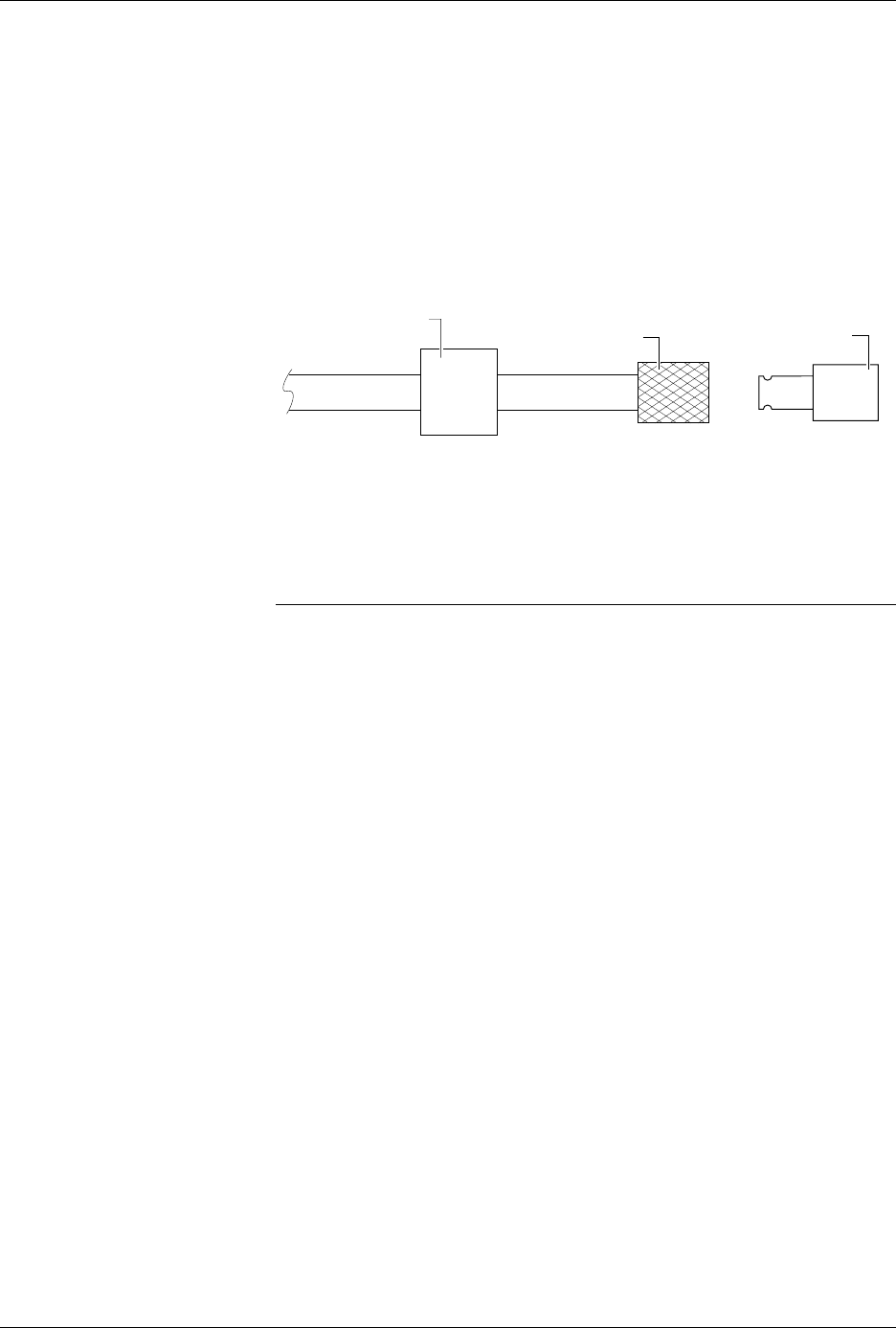
2. Pull the sliding knurled sleeve back and insert one of the male quick
connects.
3. Release the knurled sleeve and check the connection to ensure that it
is locked in place and seated correctly. Only one of the two male
quick connects will seat correctly with the female connector you have
on your source air line (see Figure 2-4).
4. Remove the male quick connect by pulling back the knurled sleeve. If
necessary, repeat this process with the other male connector to
identify the appropriate mating piece.
Connecting the
Input Air Line
The ProMaster 2500 needs a clean, dry, filtered, oil-free input air source.
Follow these steps to connect your external air source to the 2500.
CAUTION: Oil, excessive moisture, or poorly filtered input air will
affect the performance of the system and will void the
warranty on the air circuits.
1. Insert the plastic end of the air line (the end without the 1/4-inch
NPT adapter) through the 2500’s air input collar (see Figure 2-5).
2. Screw the appropriate male quick connect on the 1/4-inch NPT
adapter on the input air line that is supplied with the system.
3. Connect the source air line to the 2500 by pulling back the knurled
sleeve and inserting the male quick connect, releasing the sleeve at
the same time as the male end is fully inserted.
4. Turn on the system air and make sure that your external regulator is
set to 80 PSI (5.5 bar).
Figure 2-4
Selecting the Correct Quick
Connect
MALE QUICK CONNECT
(With female 1/4 NPT)
FEMALE QUICK CONNECT
(Knurled Sleeve)
1957-1
FILTER/REGULATOR