SM-131-006.pdf - 第313页
Device Name Chip Mounter Block Name Page No. Unit Name Revision Model Item GXH -1 Chapter 18 Pack aging 2. Packag ing Procedure 2.2.4 Detachment of Accessory Parts Boxes The accessory parts are put in the fixed boxes loc…
Device
Name
Chip Mounter
Block Name
Page No.
Unit Name
Revision
Model Item GXH-1
Chapter 18 Packaging
2. Packaging Procedure
2.2.3 Detachment of End Panels
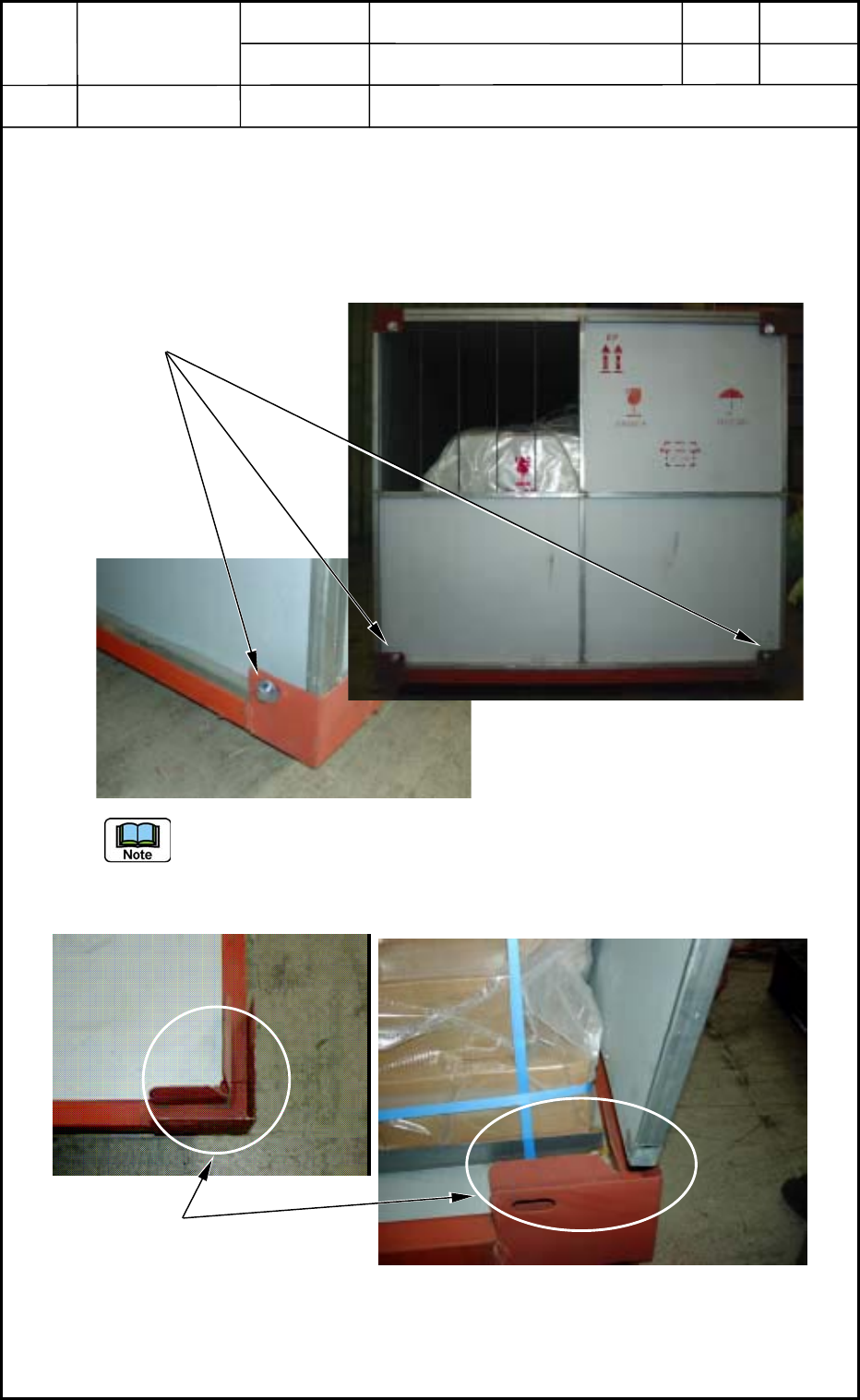
(1) Eight mounting bolts (M16) are used to fasten the end panels. Four of them located on
the upper area were already removed to detach the top panels. Remove the remaining
four bolts from the lower areas of the end panels.
Fig. R10
The end panels are inserted in the special grooves and self-standing. They do not fall
down after all of the mounting bolts are removed.
To detach an end panel, lift it upward as shown in Fig. R11.
Fig. R11
(2) Detach an end panel on the other side.
18-13
0512-001
End Panel Mounting Bolts
Special Groove for Self-Standing
Device
Name
Chip Mounter
Block Name
Page No.
Unit Name
Revision
Model Item GXH-1
Chapter 18 Packaging
2. Packaging Procedure
2.2.4 Detachment of Accessory Parts Boxes
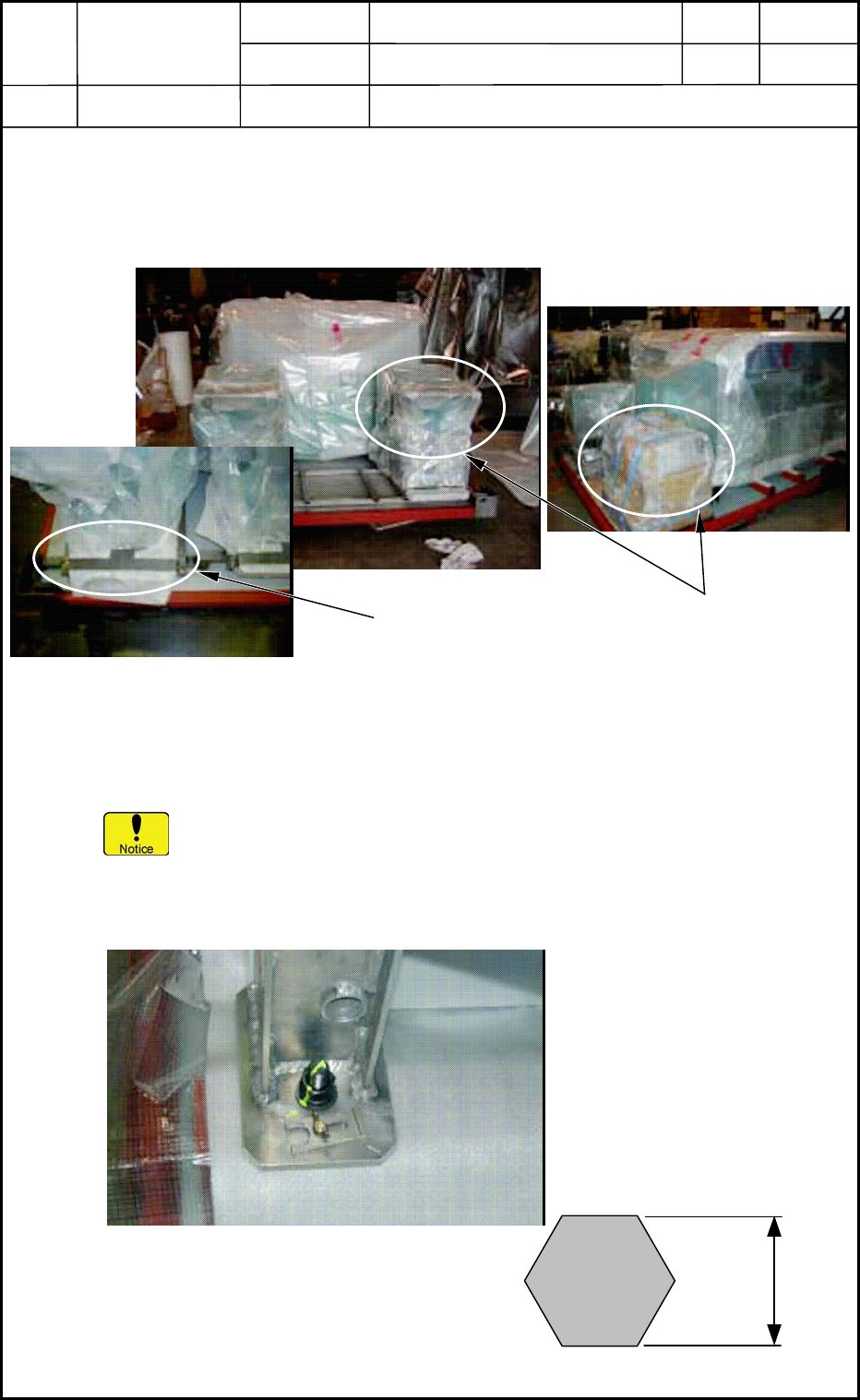
The accessory parts are put in the fixed boxes located on the spaces near both end panels.
Remove the metal fixtures and take out the boxes.
Fig. R12
2.2.5 Detachment of Main Body
• Remove the damp-barrier material that is used to protect the main body of the
machine.
If you use a cutter, etc., make sure not to nick the surface of the main body inside
the material.
• The main body is fastened to the skid base with four anchor bolts (M20). Remove
these anchor bolts.
Fig. R13
Metal Fixtures for
Accessory Parts Boxes
Accessory Parts Boxes
30 mm
Anchor Bolt M20
18-14
0512-001
Device
Name
Chip Mounter
Block Name
Page No.
Unit Name
Revision
Model Item GXH-1
Chapter 18 Packaging
2. Packaging Procedure
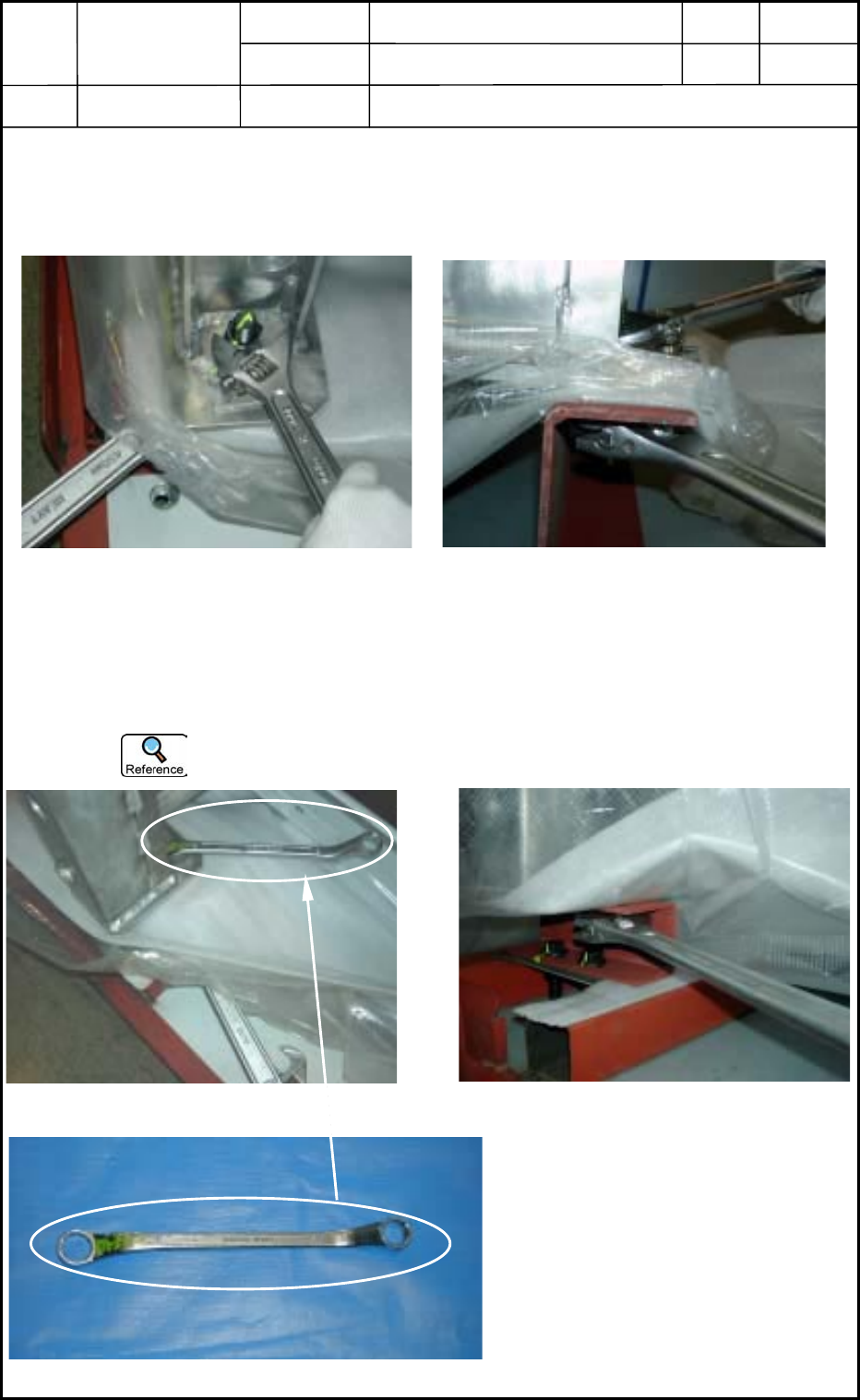
(1) Remove the anchor bolt located on the front side of the machine.
Lock the head of the anchor bolt as shown in Fig. R14 and turn the nut (located below
the metal fixture) to remove.
Fig. R14
(2) Remove the anchor bolt on the rear side of the machine.
Lock the head of the anchor bolt as shown in Fig. R15 and turn the nut (located below
the metal fixture) to remove.
The head can be locked easily with a ring wrench.
Fig. R15
Top View
Side View
Top View
Side View
Ring Wrench
18-15
0512-001