SM-131-006.pdf - 第93页
Device Name Chip Mounter Block Name Page No. Unit Name Revision Model Item GXH-1 Chapter 4 Beam Section 5. Replacement and Adjustment of Y-Axis Encoder 5.1 Detachment of Y-Axis Encoder (1) Shut down the power to the m ac…
Device
Name
Chip Mounter
Block Name
Page No.
Unit Name
Revision
Model Item GXH-1
Chapter 4 Beam Section
4. Replacement and Adjustment of X-Axis Encoder
(3) Perform the zeroing and light intensity
adjustments of the encoder.
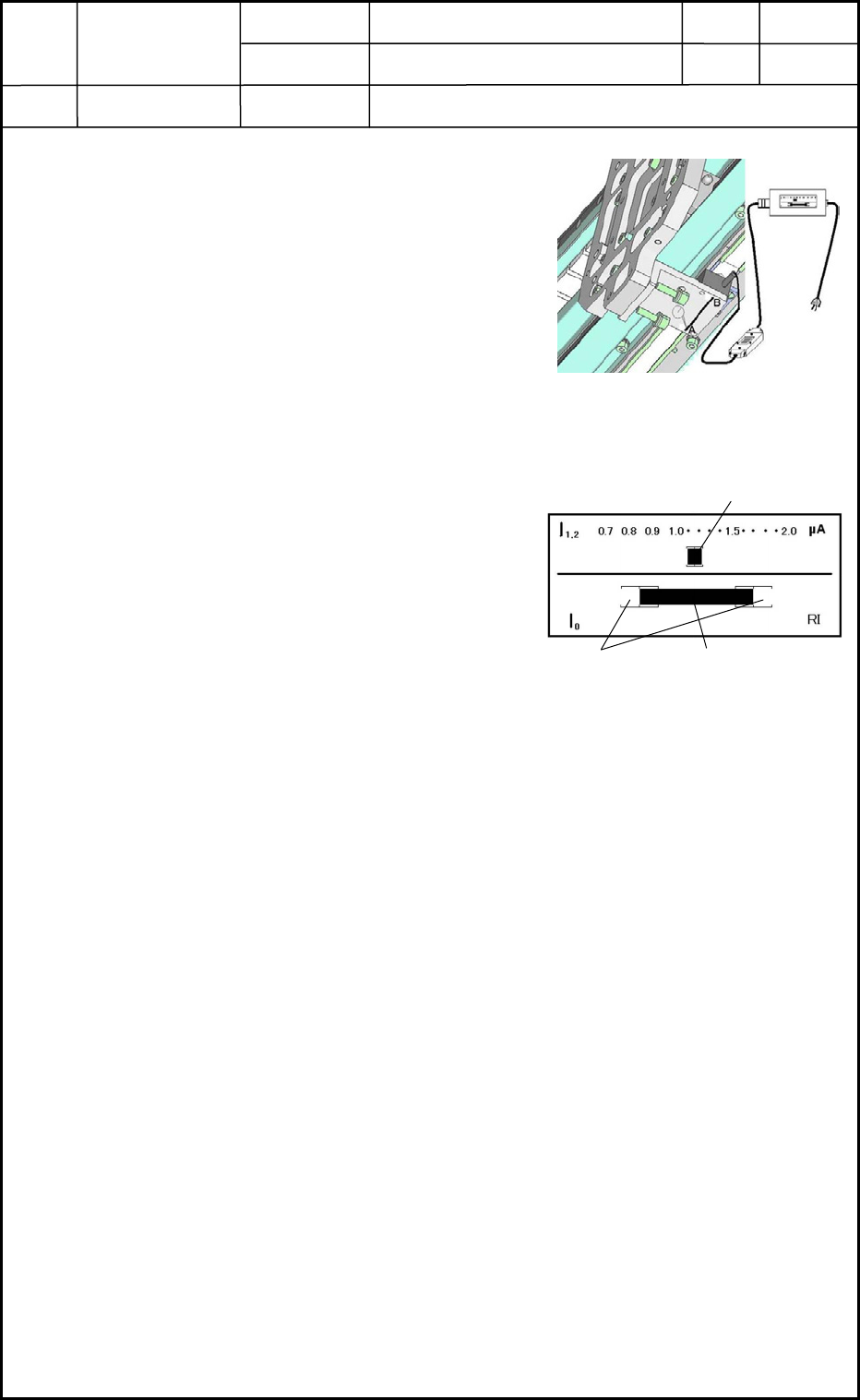
• Connect the adjusting jig to the encoder as
shown in Fig. D11 and turn on the power
supply to the adjusting jig.
• While viewing the liquid crystal monitor of the
jig, check the origin and light intensity of the
encoder.
How to use the adjusting jig
Origin Check: When the X-axis motor is
activated and the encoder
passes over the origin of the
scale, the indicator bars of
the liquid crystal monitor
should stay inside "[ ]".
Light Intensity Check:
While the encoder is moving
all the way along the scale, the
indicator bar of the liquid
crystal monitor should stay in
the range "0.8 to 1.2".
• When the origin and light intensity are not in the specified ranges, loosen the
setscrews of the encoder and move the encoder to adjust the tilting.
(4) After the adjustment, connect the connector of the encoder and arrange the head
wiring section.
(5) Reset the machine to its original condition and turn on the power supply to the
machine.
(6) When the X axis can be zeroed normally, adjust the offsets related to the beam. Now,
the adjustment is completed.
Refer to "6. Adjustment of Offsets" in Chapter 5 for details.
Fig. D11 Connection of Adjusting
Jig
Light Intensity Indicator Bar
Ori
g
in Indicator Ba
r
Range of Origin
Fig. D12 Indicator Bars of
Encoder
0506-002
4-7
Device
Name
Chip Mounter
Block Name
Page No.
Unit Name
Revision
Model Item GXH-1
Chapter 4 Beam Section
5. Replacement and Adjustment of Y-Axis Encoder
5.1 Detachment of Y-Axis Encoder
(1) Shut down the power to the machine.
(2) Detach the covers, etc., of the machine for better working environment.
Be careful not to make nicks on the linear scale during the detachment work.
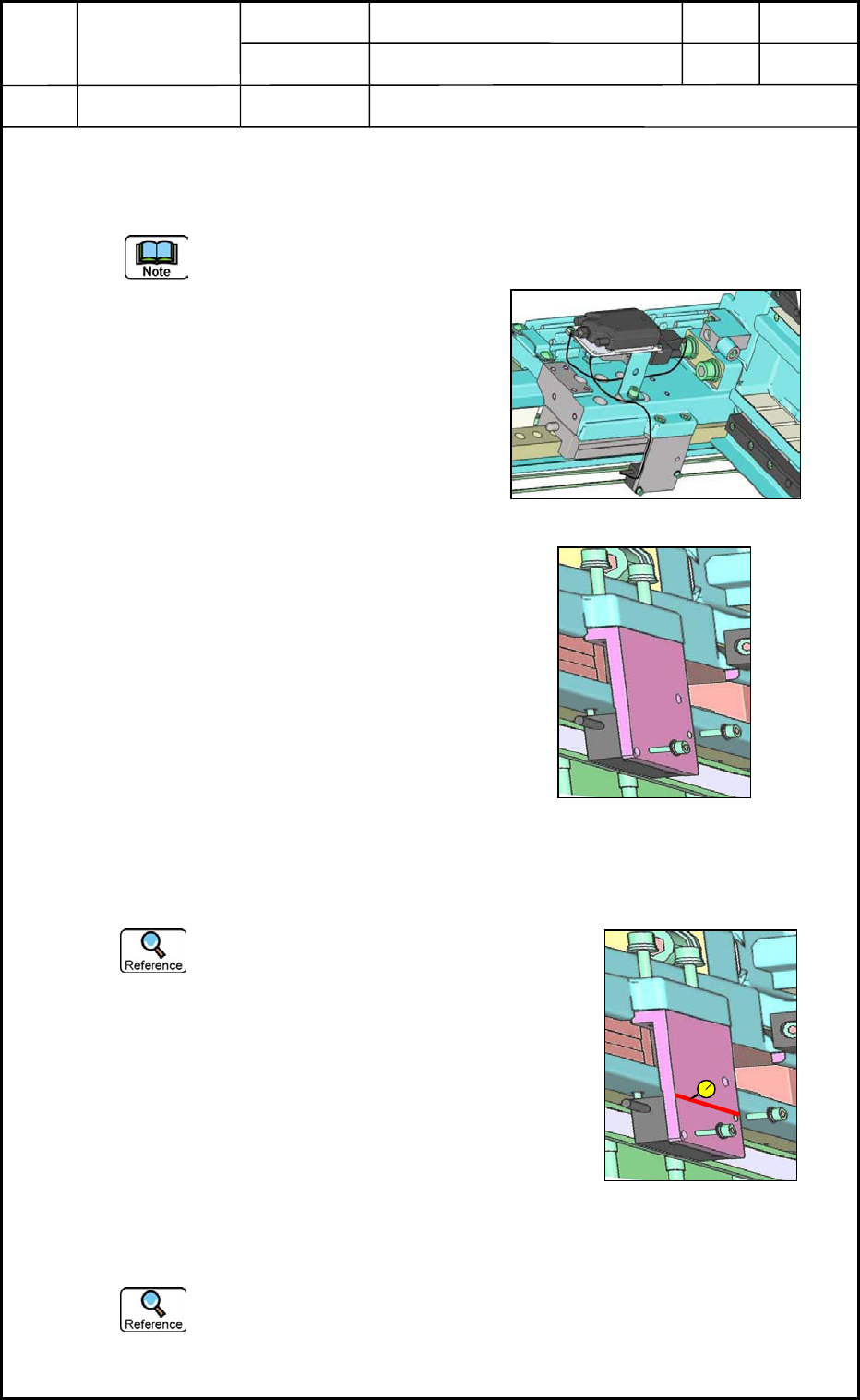
(3) Disconnect the connector of the
encoder on the Y-axis rotor mounting
block.
(4) Detach the encoder mounting block
and then the encoder.
5.2 Attachment of Y-Axis Encoder
(1) Attach the encoder to the mounting block and temporarily tighten the setscrews to
fasten the encoder to the main body as shown in Fig. D15.
Be sure to attach encoder so that the
encoder cables are directed backward
(when viewed from the encoder mounting
direction) for both Y1 and Y2 axes.
(2) Position the block and tighten the setscrews
securely.
• Use a dial gauge and move the block to its
correct position so that the clearance between
the encoder and the scale can be "0.05 to
0.25 mm" all the way along the scale.
• Use a dial gauge as shown in Fig. D15 and
move the block.
When the power line of the motor is disconnected during the adjustment, the beam
can move lightly.
Fig. D13 Y-Axis Rotor Mounting Block
Fig. D14 Encoder Mounting Block
Fig. D15 Adjustment of
Parallelism
A
B
0506-002
4-8
Device
Name
Chip Mounter
Block Name
Page No.
Unit Name
Revision
Model Item GXH-1
Chapter 4 Beam Section
5. Replacement and Adjustment of Y-Axis Encoder
(3) Perform the zeroing and light intensity
adjustments of the encoder.
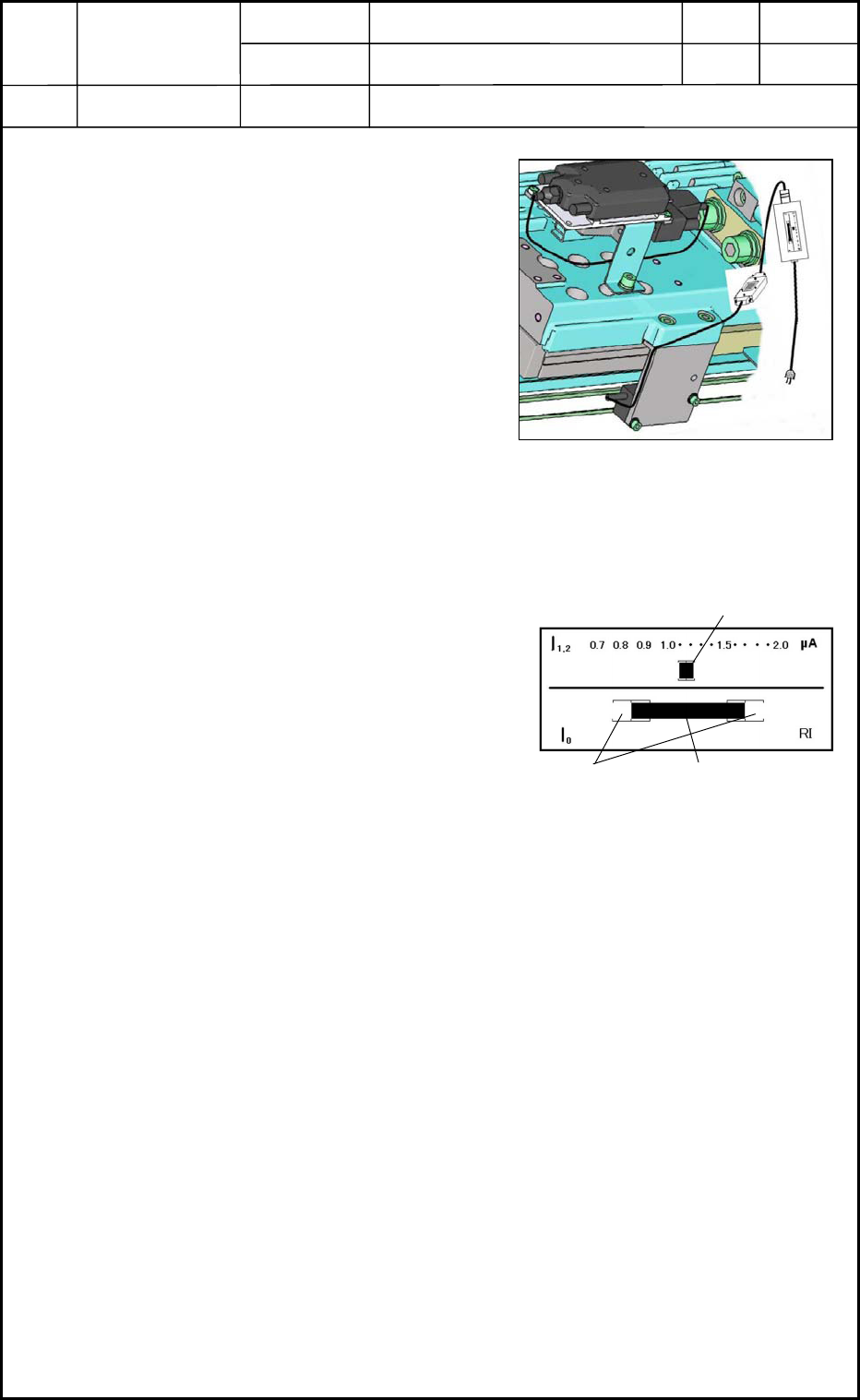
• Connect the adjusting jig to the encoder
as shown in Fig. D16 and turn on the
power supply to the adjusting jig.
• While viewing the liquid crystal
monitor of the jig, check the origin and
light intensity of the encoder.
How to use the adjusting jig
Origin Check: When the beam is activated and the encoder passes over the origin of
the scale, the indicator bars of the liquid crystal monitor should stay
inside "[ ]".
Light Intensity Check:
While the encoder is moving
all the way along the scale,
the indicator bar of the liquid
crystal monitor should stay in
the range "0.8 to 1.2"
• When the origin and light intensity are not
in the specified ranges, loosen the setscrews
of the encoder and move the encoder to
adjust the tilting.
(4) After the adjustment, connect the connector of the encoder and arrange the head
wiring section.
(5) Reset the machine to its original condition and turn on the power supply to the
machine.
(6) When the Y axis can be zeroed normally, adjust the offsets related to the beam. Now,
the adjustment is completed.
Refer to "6. Adjustment of Offsets" in Chapter 5 for details.
Fig. D16 Connection of Adjusting Jig
0506-002
4-9
Light Intensity Indicator
Origin Indicator Bar
Range of Origin
Fig. D17 Indicator Bars of Encode
r