Utah-94-721002-System-Manual.pdf - 第110页
mä~ëã~ä~Ä póëíÉãNMM lñÑçêÇ =fåëíêìã Éåíë= mä~ëã~ =qÉÅÜåçäçÖó == System Manual Process gas pod mimic Displays a mimic of the gas lines installed in the gas pod. Enter the required gas flow in sccm for each gas line. Click…

System Manual lñÑçêÇ=fåëíêìãÉåíë=mä~ëã~=qÉÅÜåçäçÖó== mä~ëã~ä~ÄpóëíÉãNMM
The low pressure strike feature allows plasma processing at low
pressures. When the gas pressure is too low, it is not possible to strike
a plasma; however it is possible to sustain a plasma to very low
pressures once it has been ignited. This software feature enables the
user to raise the pressure temporarily, strike a plasma, and
automatically reduce the pressure to the desired value for processing.
The three data fields and their effects are:
LOW PRESSURE
STRIKE panel
Strike
Pressure field
DC bias
Minimum
field
Ramp Rate
field
Enter the value in mTorr at which the RF should
turn on and strike the plasma. If a zero is entered,
the feature is disabled and the RF will turn on once
the pressure has stabilised at the requested process
pressure.
Enter a positive number for the minimum DC bias
value expected once the plasma has struck. Enter
zero if DC bias cannot be read because the
substrate (and any wafer clamp) completely cover
the electrode, or if the electrode has an insulating
coating. A non-zero value is used by the software
to detect if the plasma has been properly
established. If a zero is entered, then the software
assumes the plasma has struck once the RF
reflected power goes low.
Enter a number to set the rate at which the
pressure is reduced from the strike value to the set
point. The higher the number entered, the faster
the transition to process conditions will be. Note
that too high a value can cause the plasma to go
out if the plasma impedance changes faster than
the RF matching unit can track.
Operating Instructions
Printed: 22-Mar-06, 10:42 Page 5-43 of 52 UC Davis 94-721001 Issue 1: March 06
mä~ëã~ä~ÄpóëíÉãNMM lñÑçêÇ=fåëíêìãÉåíë=mä~ëã~=qÉÅÜåçäçÖó== System Manual
Process gas pod
mimic
Displays a mimic of the gas lines installed in the gas pod.
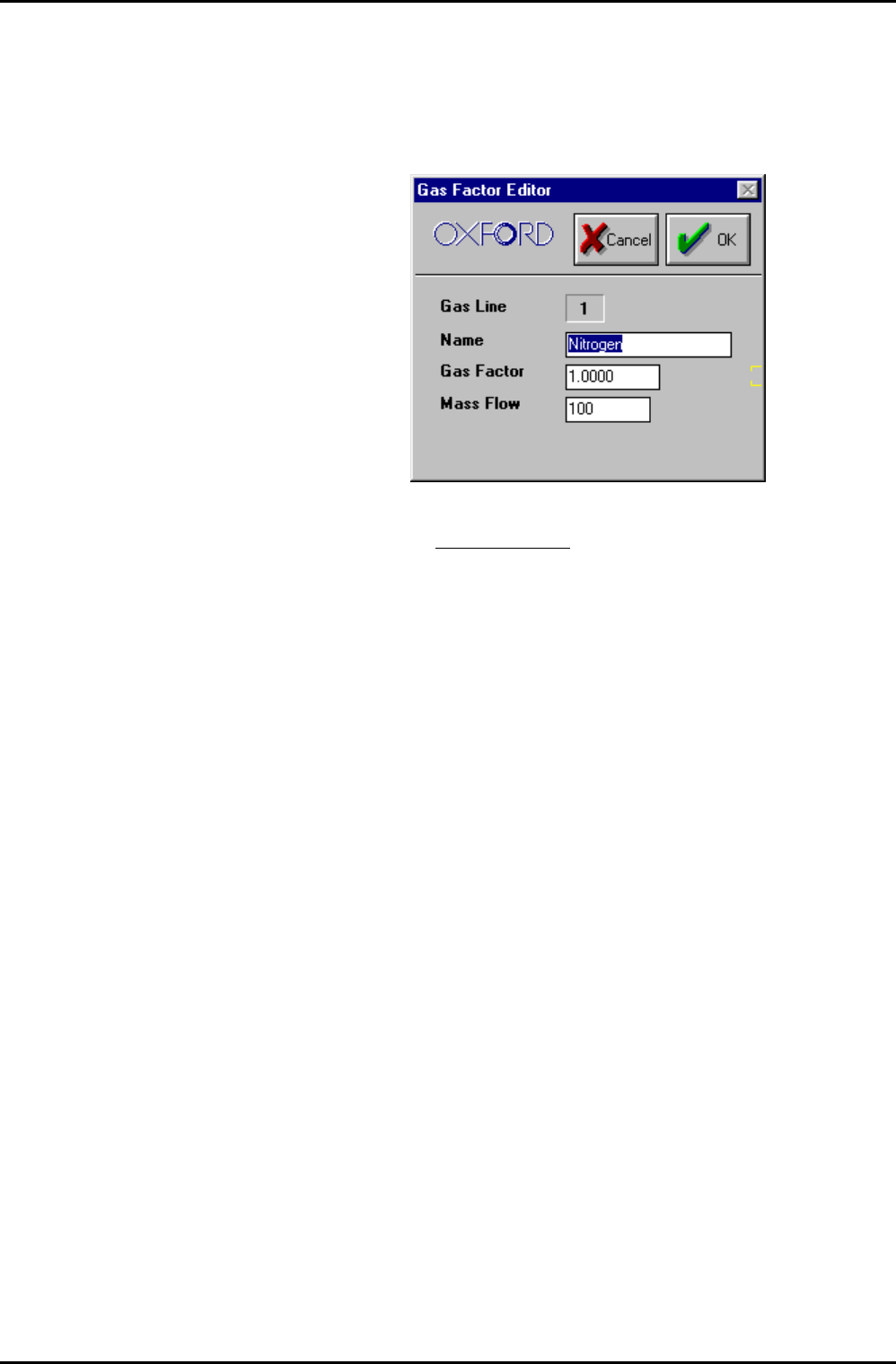
Enter the required gas flow in sccm for each gas line. Click on the Gas
Name in an MFC mimic to edit the associated Gas Factors; the
following dialogue is displayed.
It is recommended to keep the Gas Factor as 1, and to put the full
scale of the MFC
for the gas used in the Mass Flow field.
For example, if Argon is used with a 100 sccm N
2
MFC. Put gas factor 1
and Mass Flow 141 sccm.
Operating Instructions
UC Davis 94-721001 Issue 1: March 06 Page 5-44 of 52 Printed: 22-Mar-06, 10:42
System Manual lñÑçêÇ=fåëíêìãÉåíë=mä~ëã~=qÉÅÜåçäçÖó== mä~ëã~ä~ÄpóëíÉãNMM
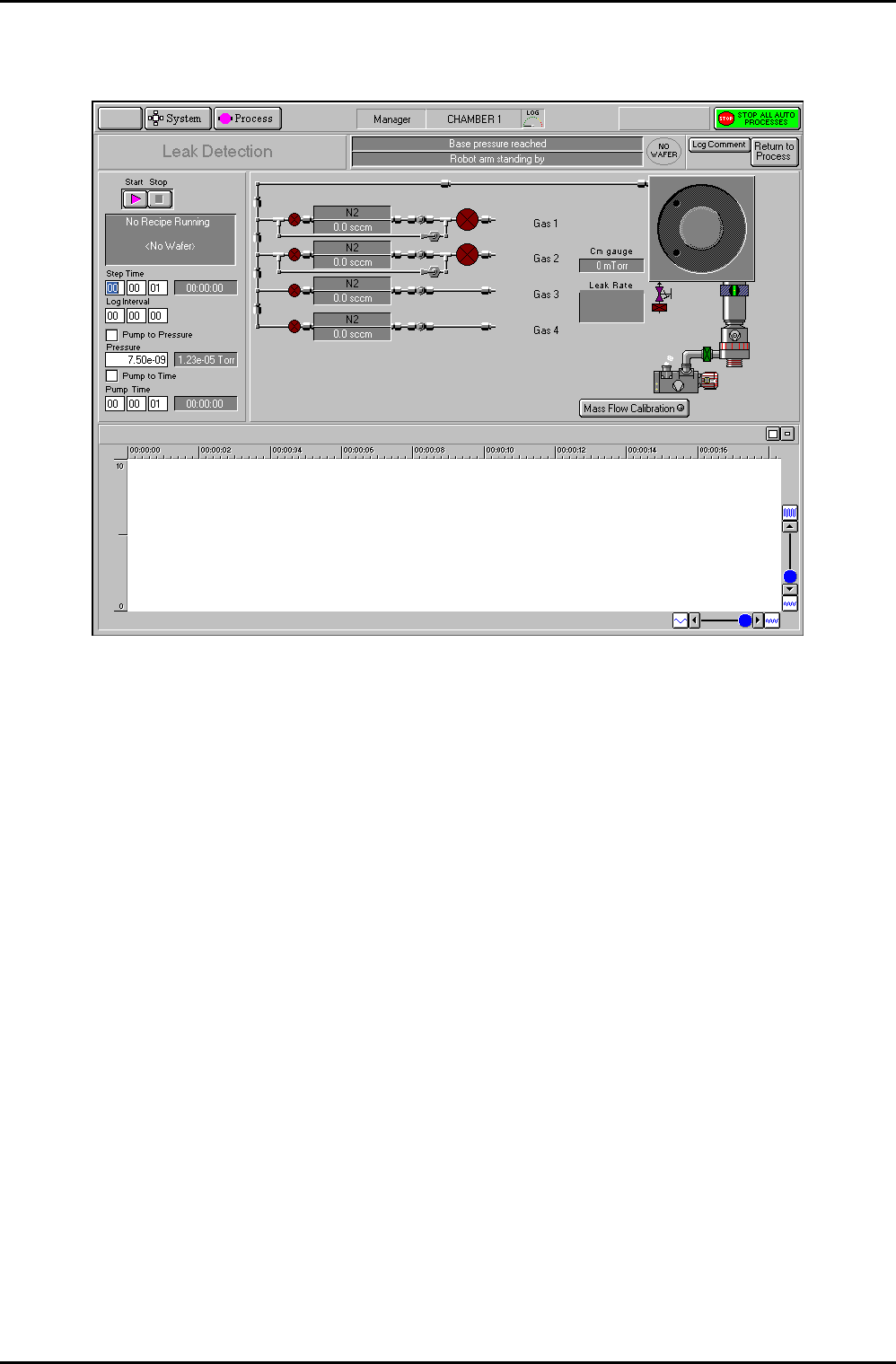
RKUKS= iÉ~â=ÇÉíÉÅíáçå=é~ÖÉ=
Fig 5.17: Leak detection page
The leak detection page, accessed from the Chamber 1 process page by selecting the Leak
Detection button, allows you to perform automatic or manual leak detection runs.
The Leak Detection page for a process chamber can be used to check the rate-of-pressure rise
in a sealed chamber. The chamber is first pumped (either for a fixed time, or to a given
pressure). The chamber then seals and the pressure rise rate is calculated. A graph of the
chamber pressure against time is plotted. The test stops either when a test time elapses, or
when the pressure gauge reaches full scale. The chamber is returned to pumping at the end
of the test.
The rate-of-pressure rise will depend on:
a) The leak rate from atmosphere. Leaks are not improved by more pumping.
b) The outgassing rate from all surfaces.
c) The ‘virtual leak’ rate from parts of the system furthest from the vacuum pump,
especially gas feed pipes.
Outgassing and virtual leaks are reduced by more pumping. Outgassing is increased if the
temperature of the whole system is raised.
The facilities available on this page are:
Page function
title field
Displays the current function of the page, i.e. Leak Detection
Process chamber
message field
Displays context related messages about the process chamber.
Operating Instructions
Printed: 22-Mar-06, 10:42 Page 5-45 of 52 UC Davis 94-721001 Issue 1: March 06