Utah-94-721002-System-Manual.pdf - 第193页
System Manual lñÑç êÇ=fåë íêìãÉåíë =mä~ë ã~=qÉÅ ÜåçäçÖó== mä~ëã~ä~Ä=~åÇ=fçåÑ~Ä (8) The ‘Image file name to restore fro m’ screen is displayed. Click on the ‘ Look In ’ drop-down menu and then select the CD Rom drive name…
mä~ëã~ä~Ä=~åÇ=fçåÑ~Ä lñÑçêÇ=fåëíêìãÉåíë=mä~ëã~=qÉÅÜåçäçÖó== System Manual
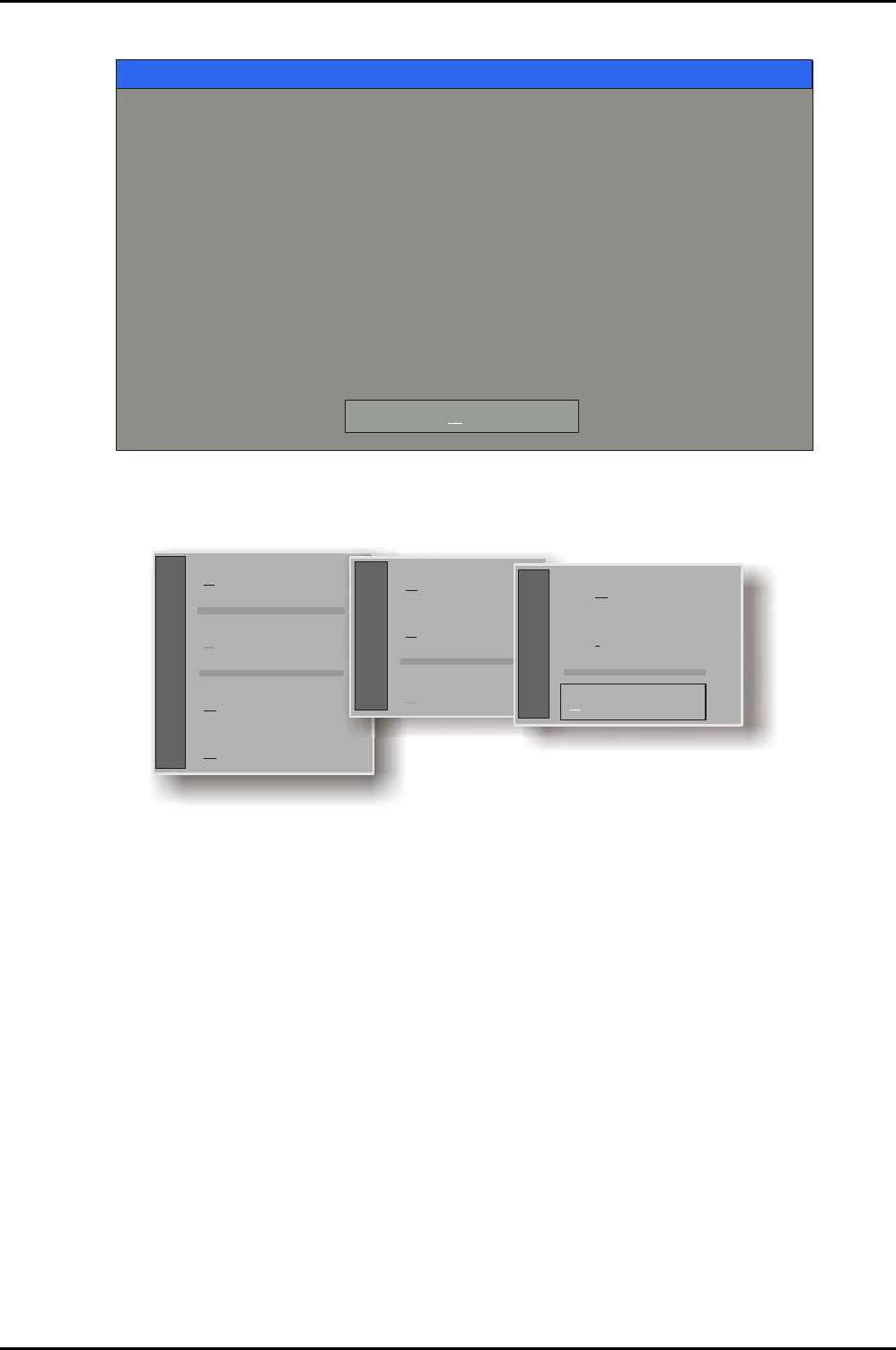
(6) The ‘About Norton Ghost’ screen is displayed; click on the OK button.
About Norton Ghost
Product Norton Ghost
Manufacturer Symantec Corporation
Copyright (C) 1998-2002 Symantec Corp. All rights reserved.
If your business requires more powerful functionality contact
Symantec and upgrade to Symantec Ghost Corporate Edition.
Symantec Ghost Corporate Edition includes additional functionality
including GhostCasting of images, application deployment, user
migration, and remote administration of multiple computers within
a networked environment.
Name
Company
Oxford Plasma
OK
(7) The selection Menu is displayed. Move the mouse pointer overthe ‘Local’ menu and then over
on the ‘Disk’ option and then click on the ‘From Image’ option.
Local
Peer to peer
Options
Quit
Symantec
Disk
Partition
Check
Action
To iskD
To mageI
Disk
From Image
Restoring a Hard Drive
Issue 1: March 04 Page 4 of 8 Printed: 24-Feb-05, 8:50
System Manual lñÑçêÇ=fåëíêìãÉåíë=mä~ëã~=qÉÅÜåçäçÖó== mä~ëã~ä~Ä=~åÇ=fçåÑ~Ä
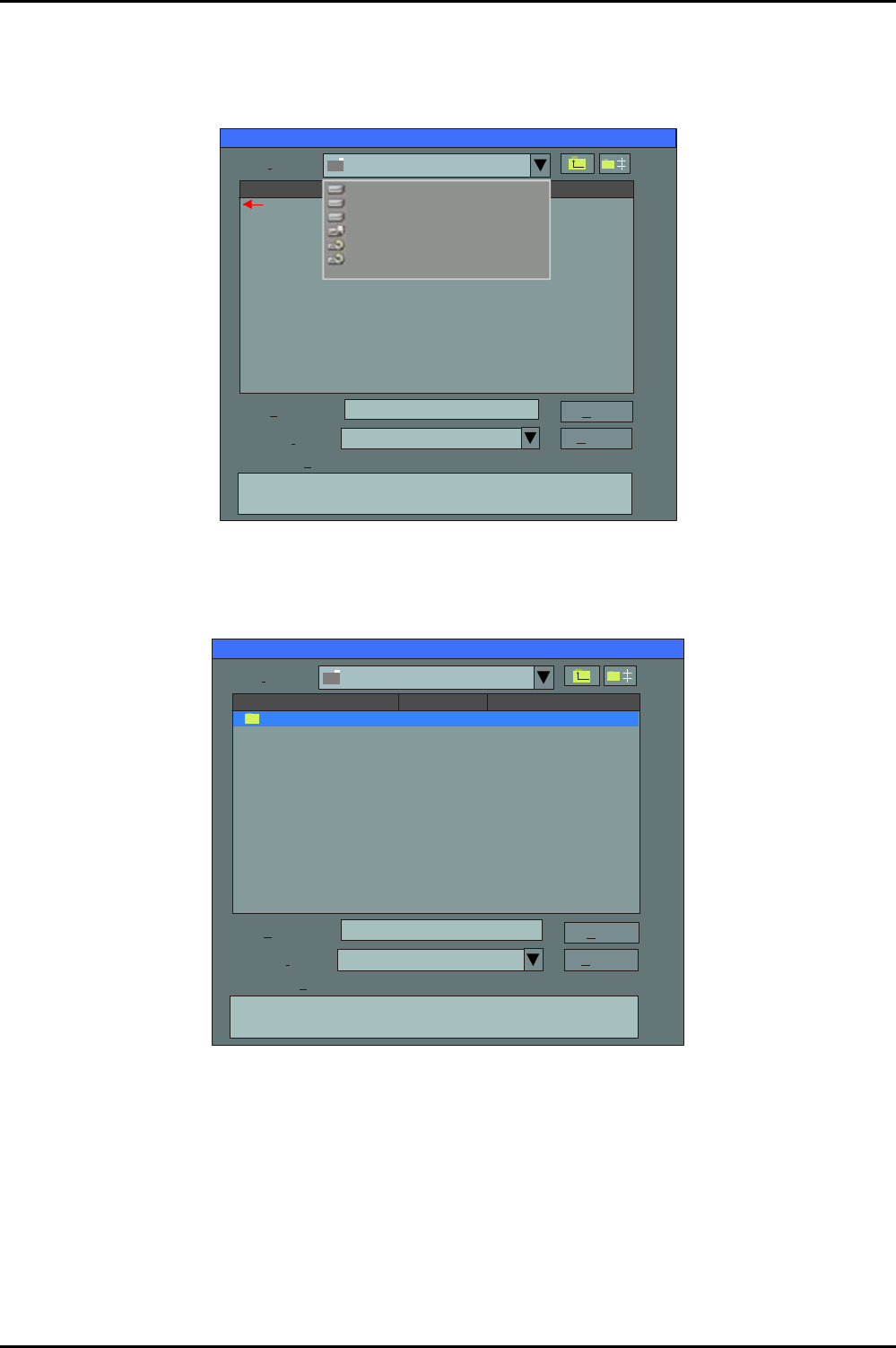
(8) The ‘Image file name to restore from’ screen is displayed. Click on the ‘Look In’ drop-down
menu and then select the CD Rom drive named ‘Backup’.
Note that the following screens will differ in detail, depending on your PC’s configuration.
Image file name to restore from
Look n:i
A: Local drive
Name
File ame:n
Open
*.GHO
Cancel
Files of ype:t
Image file escription:d
Size
Date
03-08-2004 02:0704PM
1:1: [] NTFS drive
1:2 [New Volume] NTFS drive
1:3 [New Volume] NTFS drive
A: Local drive
C: [] CD Rom drive
D: [Backup] CD Rom drive
(9) The screen changes to display the backup CD Rom drive selected with the ‘BACKUP’ folder
listed. Click on the ‘BACKUP’ folder and select the file named ‘Backup.gho’.
Image file name to restore from
Look n:i
Name
File ame:n
Open
*.GHO
Cancel
Files of ype:t
Image file escription:d
Size Date
D: [Backup] CD Rom drive
BACKUP~1 03-08-2004 11:17:44AM
Restoring a Hard Drive
Printed: 24-Feb-05, 8:50 Page 5 of 8 Issue 1: March 04
mä~ëã~ä~Ä=~åÇ=fçåÑ~Ä lñÑçêÇ=fåëíêìãÉåíë=mä~ëã~=qÉÅÜåçäçÖó== System Manual
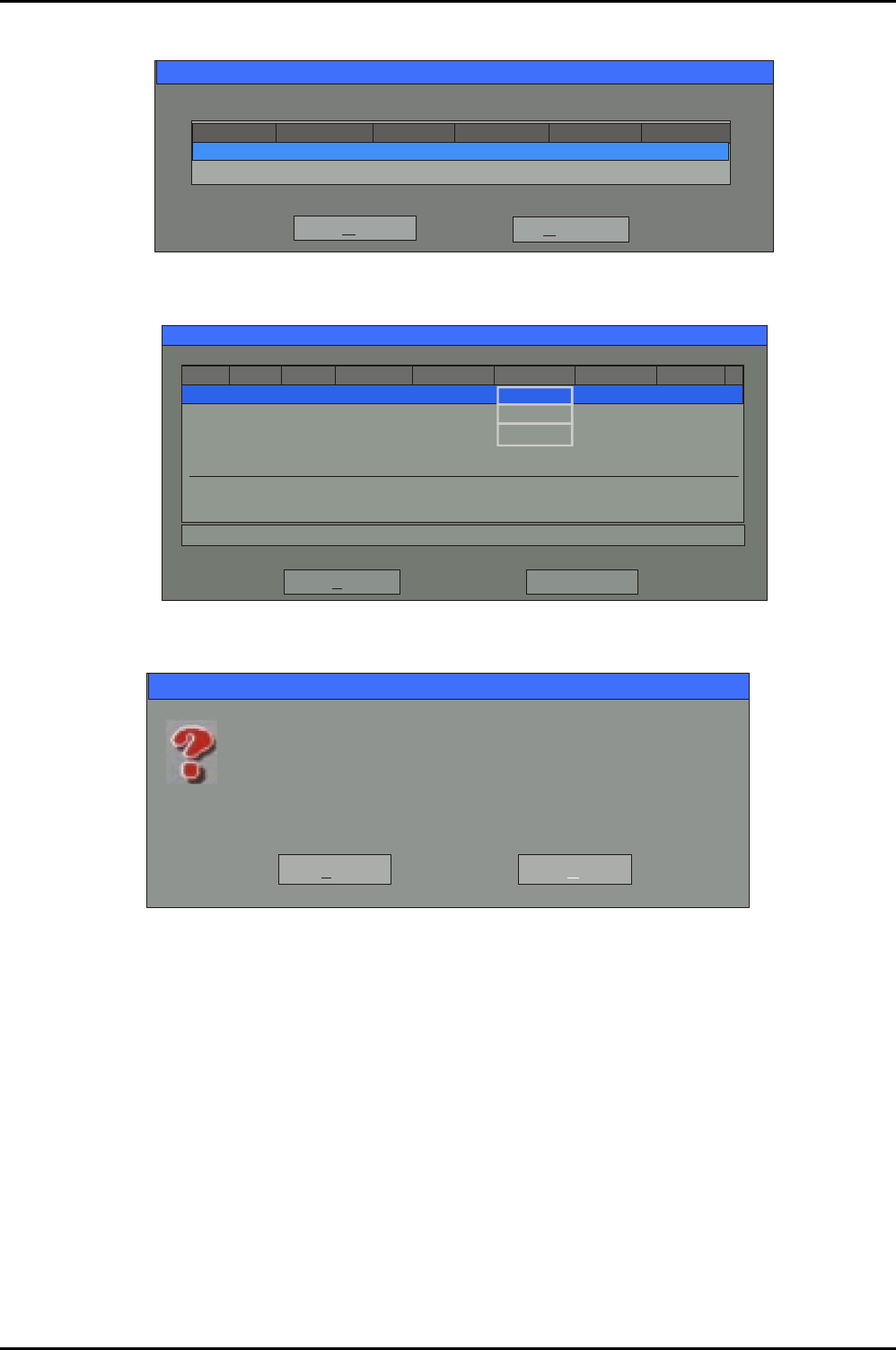
(10) The next screen displays the destination drive already selected; click on the OK button.
Drive Size(MB) Cylinders Heads SectorsType
381661 Basic 5169 240 63
OK
Select local destination drive by clicking on the drive number
Cancel
(11) The ‘Destination Drive Details’ dialogue is displayed, click on the OK button.
Destination Drive Details
Part Type ID
OK
Cancel
Description Label New Size Old Size Data Size
Primary
Logical
Logical
New Volume
New Volume
1
2
3
07
07
07
NTFS
NTFS extd
NTFS extd
No name 34086
2037
2037
2037
2037
12
12
Free
Total 38166 38166 1711
12
45
34086 1686
3
(12) The following message is displayed:
Question: (1822)
Proceed with disk restore?
Yes
No
Destination drive will be permanently overwritten.
(13) Click on the YES button to start the restore operation.
(14) Details of the restore progress are displayed. The restore operation will take approximately
five minutes (depending on the speed of the hard disk).
Restoring a Hard Drive
Issue 1: March 04 Page 6 of 8 Printed: 24-Feb-05, 8:50