PSR_SIPLACE Setup Center 8.0 SP1.pdf - 第6页
ASM Assembly Sy stems GmbH & Co. KG SIPLACE Setup Ce nter 8.0 SP1 Status Nove mber 2015 Document: Author: PSR_SIPLACE Setup Center 8 .0 SP1.docx Stéphane Le Roux Template Version: 1.0 6 / 19 Print date: 07. December …
ASM Assembly Systems GmbH & Co. KG SIPLACE Setup Center 8.0 SP1 Status November 2015
Document: Author:
PSR_SIPLACE Setup Center 8.0 SP1.docx Stéphane Le Roux
Template Version: 1.0
5/ 19 Print date: 07. December 2015
Copyright (C) ASM Assembly Systems GmbH & Co. Kg 2011 All rights reserved Confidential
3. New Features
3.1. SIPLACE TX
SIPLACE Setup Center 8.0 SP1 supports the new SIPLACE TX series.
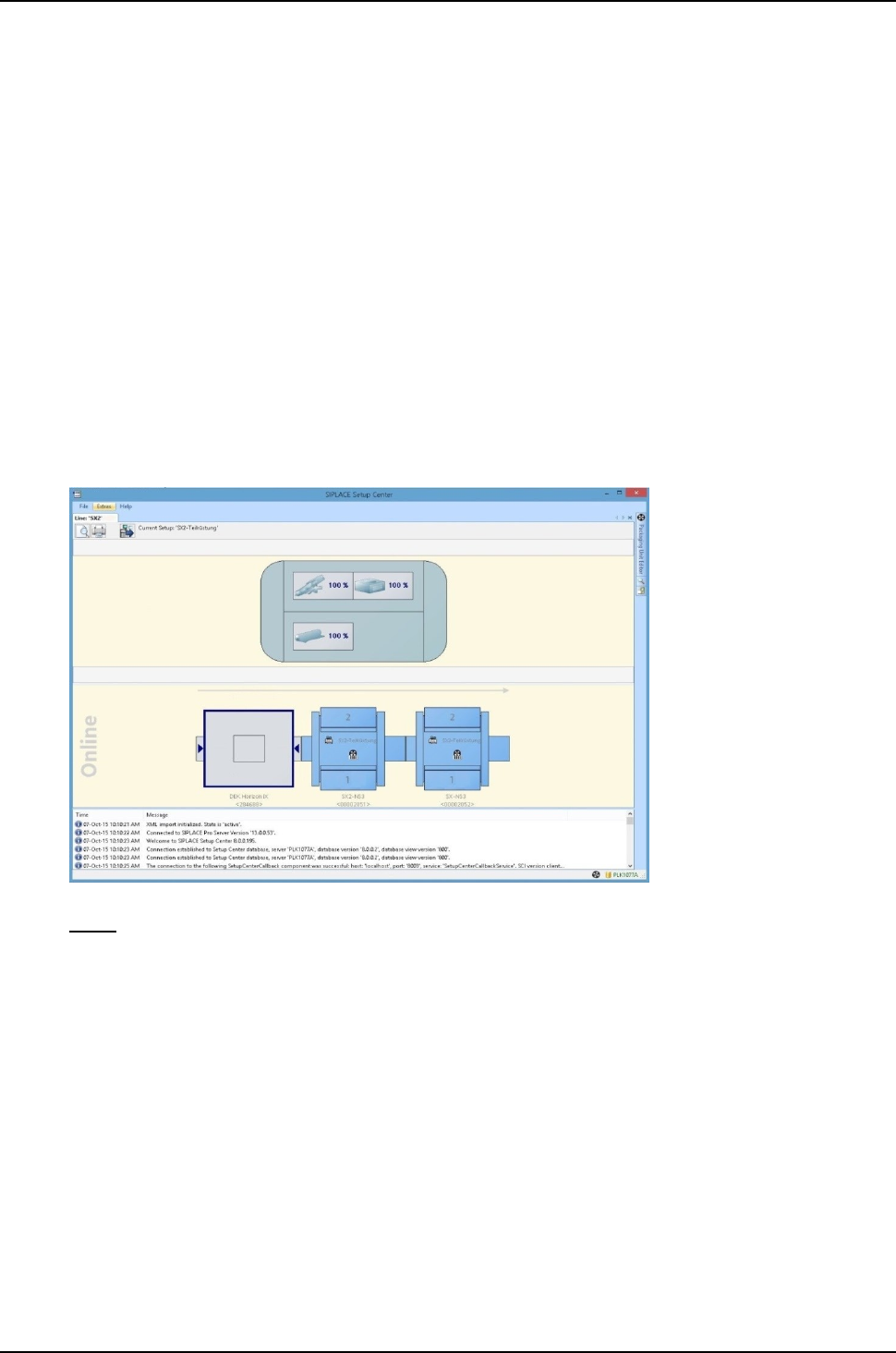
3.2. Monitor consumables of DEK printer
If a DEK printer is used on the line, SIPLACE Setup Center can display the status of the
consumables for this printer.
The DEK printer must be programmed in SIPLACE Pro.
The DEK consumables monitored by SIPLACE Setup Center are:
- Printing medium
- Stinger
- Fabric
- Cleaning solvent
Note: this feature requires DEK software V9 SP15 or higher.
3.3. Scanning brightness class at later time
The function for scanning the brightness class at a later time allows you to record the brightness
class for a packaging unit that has already been scanned. This function is necessary if the
brightness class of the packaging unit was not required during the first scan and therefore could not
be scanned.
In the following cases, it is possible to scan the brightness class at a later time:
1. When setting or refilling the machine or in the pre-setup area. In this case, the scan process
does not terminate after the UID but automatically recognizes the necessity of the brightness
class. As usual, the operator needs to scan the label on the reel including the brightness
class. After the scan, the brightness class is automatically recorded in the packaging unit
data.
2. The necessity of the brightness class is also detected after deactivation during a setup
changeover or after placing the feeder; the operator is prompted to scan the barcode labels
on the reel to record the brightness class. In this case, activation with the scanner button is
not possible.
ASM Assembly Systems GmbH & Co. KG SIPLACE Setup Center 8.0 SP1 Status November 2015
Document: Author:
PSR_SIPLACE Setup Center 8.0 SP1.docx Stéphane Le Roux
Template Version: 1.0
6/ 19 Print date: 07. December 2015
Copyright (C) ASM Assembly Systems GmbH & Co. Kg 2011 All rights reserved Confidential
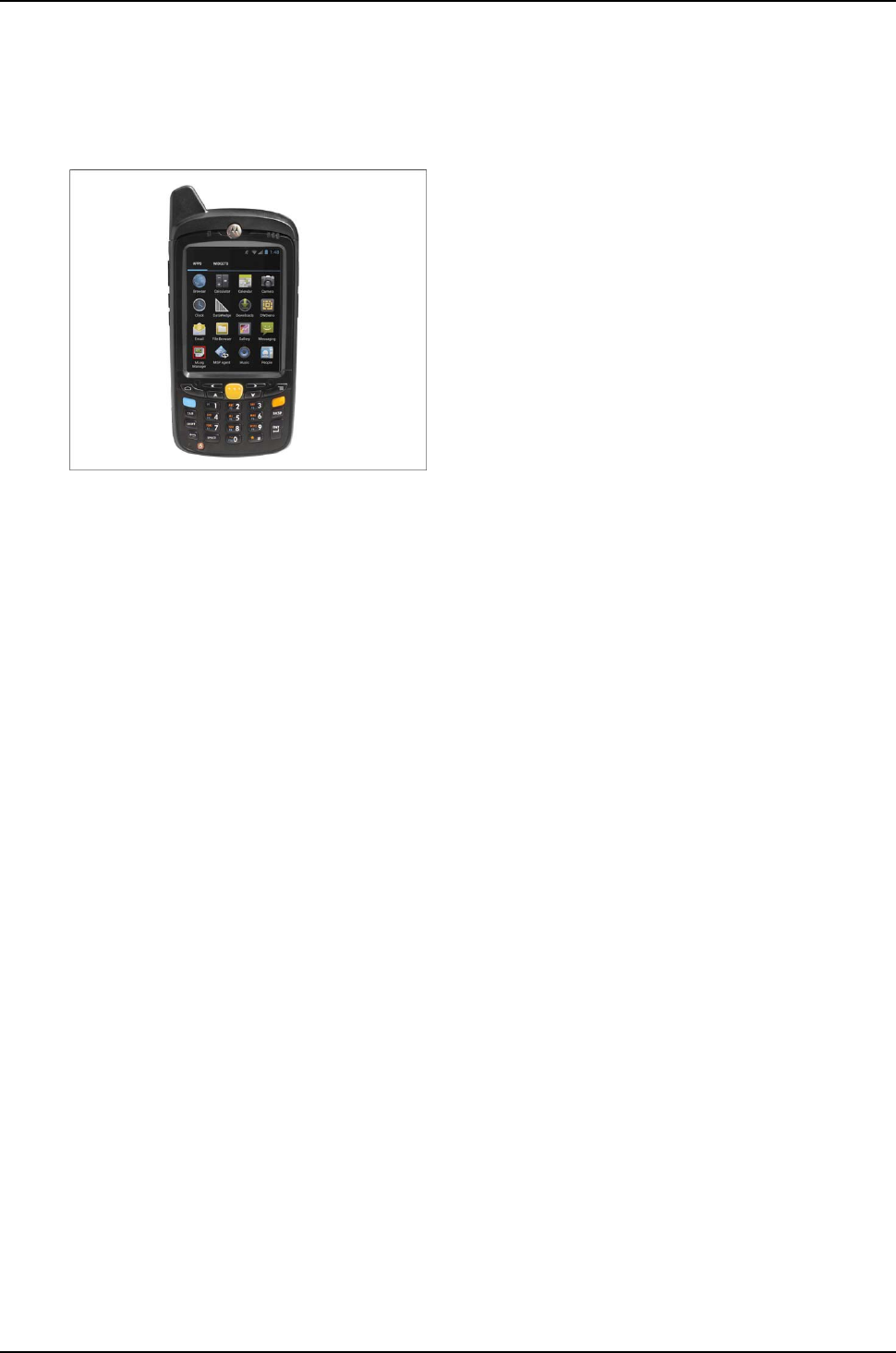
3.4. Motorola Barcode Scanner MC67
The barcode scanner Motorola MC67 is now supported by SIPLACE Setup Center.
4. Changed or cancelled features from previous versions
4.1. Extension of password policy for line software
Password policy for ASM line software has been modified in order to comply with customers’ new
requirements.
For more detailed information please refer to technical information TI2015-11E04.
ASM Assembly Systems GmbH & Co. KG SIPLACE Setup Center 8.0 SP1 Status November 2015
Document: Author:
PSR_SIPLACE Setup Center 8.0 SP1.docx Stéphane Le Roux
Template Version: 1.0
7/ 19 Print date: 07. December 2015
Copyright (C) ASM Assembly Systems GmbH & Co. Kg 2011 All rights reserved Confidential
5. Price List and Order Information
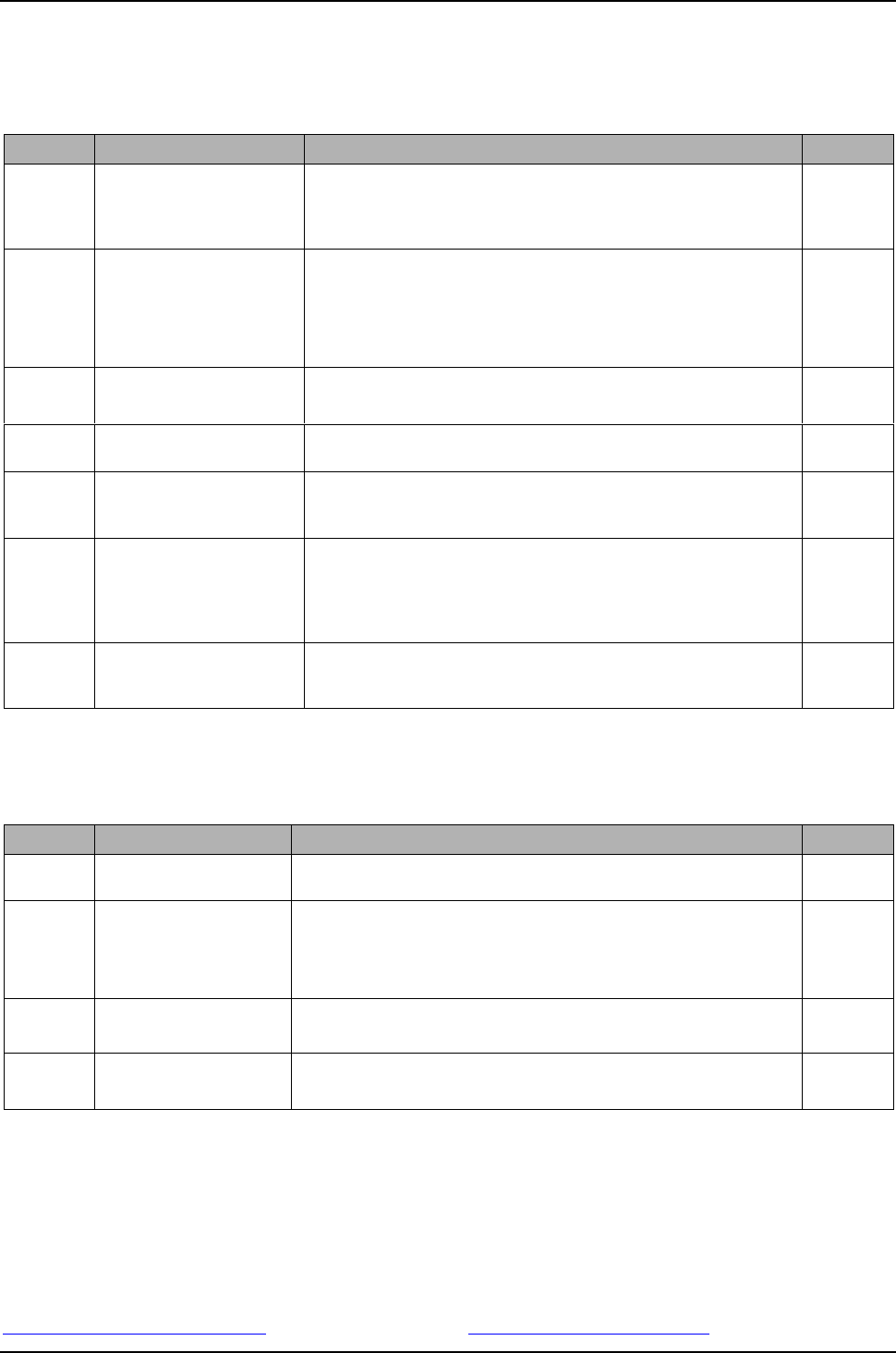
5.1. Price List Items Standard Packages
Item No.
Product
Description
IR Euro*
117612-01
SIPLACE Setup Center Basic
License V8.x
SIPLACE Setup Center Basic Package. This software is required one time
per factory.
SIPLACE Setup Center Basic License can be downloaded from our
SIPLACE License Management web portal with no additional cost.
125,- €
117611-02
SIPLACE Setup Center Media
Package V8.0 SP1
The Media Package delivers the installation media.
Required 1x per factory.
- Setup Center SW
- Support Media DVD
SIPLACE Setup Center Media Package can be downloaded from our
SIPLACE License Management web portal with no additional cost.
200,- €
117614-01
SIPLACE Setup Center
Language Package V8.0 SP1
SIPLACE Setup Center 8.0 SP1
Additional language package
100,- €
116926-05
SIPLACE Setup Center
Station Connection
This license is needed additional to the SIPLACE Setup Center Basic
Package for every station.
4.100,- €
117613-01
SIPLACE Setup Center
Upgrade License V8.x
Contains SIPLACE Setup Center Upgrade license 8.x
This upgrade license is required for customers upgrading to Setup Center
8.x, one time per factory.
75,- €
116956-02
SIPLACE Setup Center
Upgrade License V3.x
SIPLACE Setup Center Upgrade License V3.x
Required for customers who want to upgrade from SC3.0 or lower to
SC4.x or higher.
This license is required for technical reasons related to the SIPLACE
License Management System (License Portal), one time per factory.
75,- €
116953-02
SIPLACE Setup Center
Upgrade Station Connection
This upgrade license is needed additional to the SIPLACE Setup Center
Basic Package for every station.
Not required for customers already using SC 3.2 or higher.
75,- €
* Prices are listed for information only. Please note that list prices may differ per region. For any offer please refer to the regional pricelist, released by
regional cluster management.
5.2. Price List Items Software Options
Item No.
Product
Description
IR Euro*
116518
SIPLACE Alternative
Components
SIPLACE Alternative Components – Machine Connection
3.060,- €
116520
SIPLACE Random Setup
SIPLACE Random Setup - Machine Connection
This item includes also one machine license for Setup Center Changeover
Guidance + Split Table Mode
!!!! Random Setup is also part of the SIPLACE Line Operations SW
Package, please refer to PSR SIPLACE Line Operations Package !!!
3.990,- €
116969
SIPLACE Setup Center
MSD-Option
SIPLACE Setup Center MSD-Option
(machine license)
SIPLACE Material Manager not included **
1.500,-€
116949
SIPLACE Setup Center
MSD-Option
Upgrade License
Upgrade SIPLACE Setup Center MSD-Option
(machine license)
For customers using MSD-option with Setup Center version < 3.2
75,- €
* Prices are listed for information only. Please note that list prices may differ per region. For any offer please refer to the regional pricelist, released by
regional cluster management.
** A complete MSD-Control solution including SIPLACE Material Manager is also available.
The software application group can integrate this solution on a project basis with low effort at the customer.
In case you have customers who need a solution for MSD-Control please contact:
Mr. Alexander Nitzsche Mr. Stéphane Le Roux
+49 (89) 20800-40934 +49 (89) 20800-43455
alexander.nitzsche@asmpt.com stephane.leroux@asmpt.com