00190802-02.pdf - 第20页
1 Hardware / Software Installati o n User’s Manu al Line Computer UNIX 1.2 Hardware Installation Software Version 402.xx Edition 06/ 96 1 - 6 1.2.2.2 Computer - T ype PCD-5H P entium 90 MHz Fig. 1.2. 2 Computer - indicat…
User’s Manual Line Computer UNIX 1 Hardware / Software Installation
Software Version 402.xx Edition 06/96 1.2 Hardware Installation
1 - 5
CAUTION
∆
!
On no account must the computer be switched on if the LC software has not been installed yet, as it cannot
be shut down properly without the "Root password". Switching off the device without first allowing the UNIX
system to shut itself down properly can result in the destruction of the UNIX system
!!!
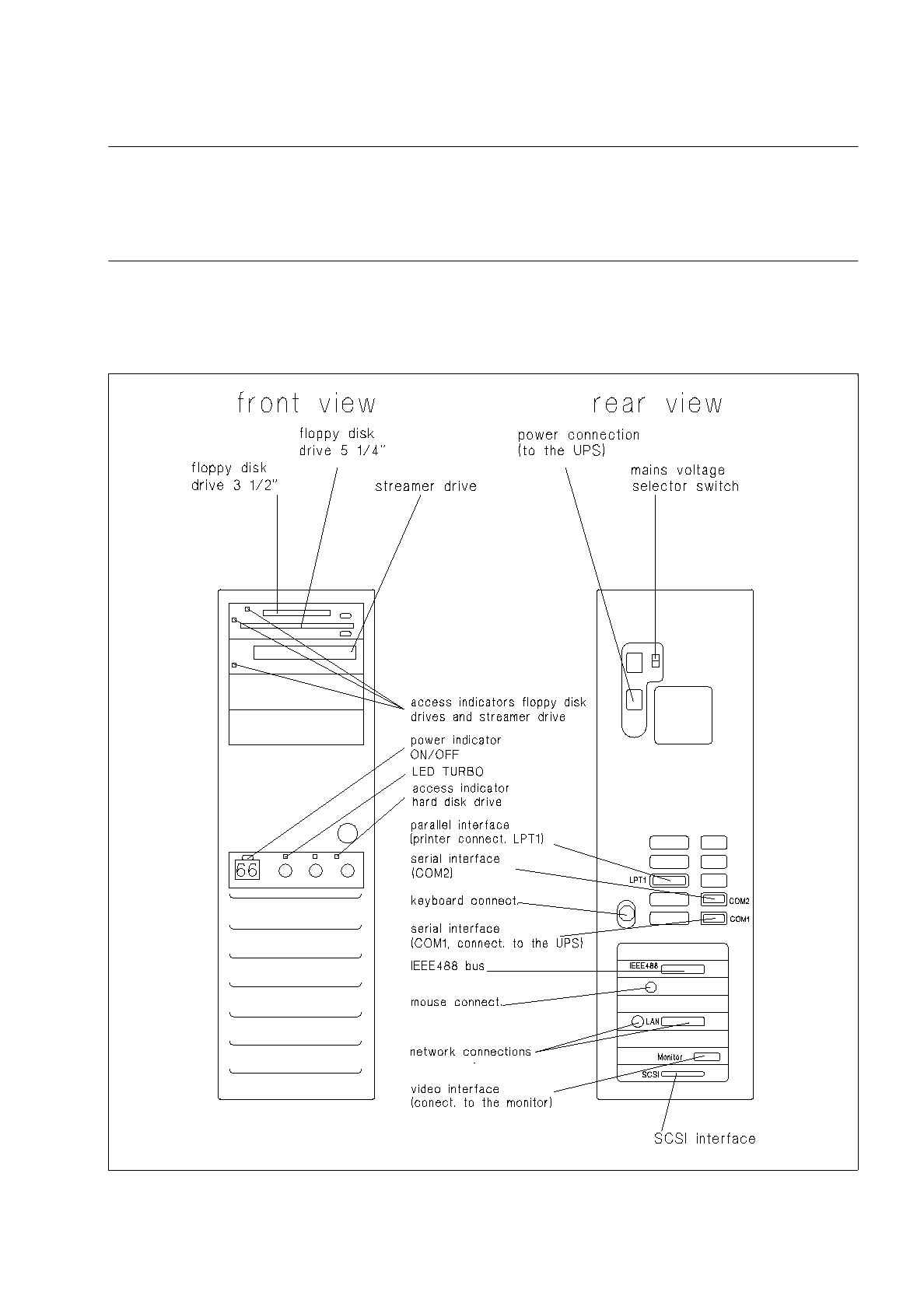
1.2.2.1 Computer - Type SIPLACE 486/66 DX2
Fig. 1.2.1 Computer - indicators, control elements, connections
1 Hardware / Software Installation User’s Manual Line Computer UNIX
1.2 Hardware Installation Software Version 402.xx Edition 06/96
1 - 6
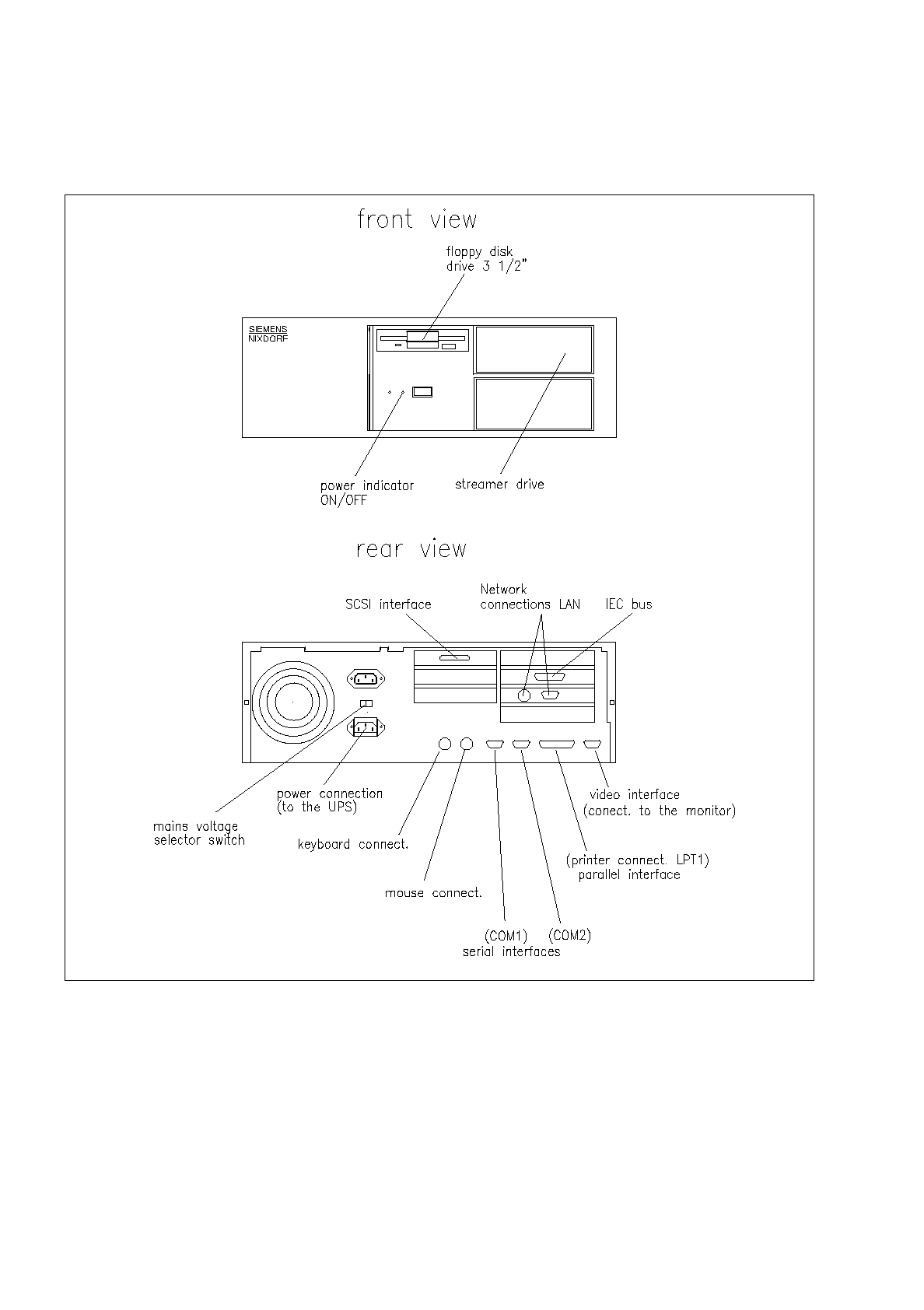
1.2.2.2 Computer - Type PCD-5H Pentium 90 MHz
Fig. 1.2.2 Computer - indicators, control elements, connections
User’s Manual Line Computer UNIX 1 Hardware / Software Installation
Software Version 402.xx Edition 06/96 1.2 Hardware Installation
1 - 7
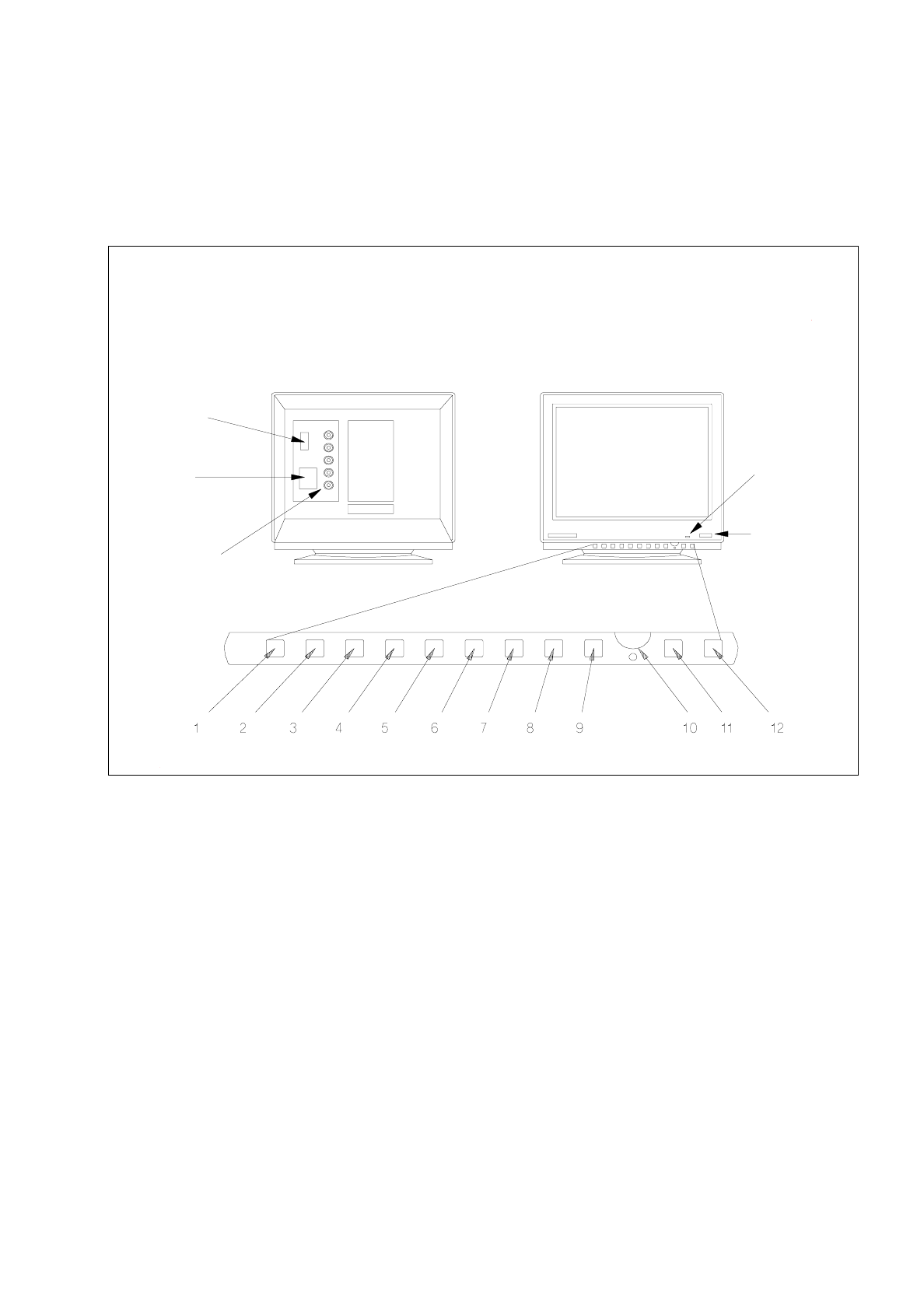
1.2.3 Monitor - Type SIPLACE 17" FLEXSCAN
1.2.3.1 Connections and Settings
Fig. 1.2.3 Monitor - connections, control elements, setting elements
1 Function key
This key can be used to reset any adjustments made in the factory.
2 Trapezium distortion
Serves to correct any trapezium distortion so as to obtain a recatangular display area.
3 Pin-cushion distortion
The pin-cushion distortion at the left and right edge of the screen can be reduced to a minimum using
this button.
4 Vertical screen position (V-Position)
Use this control to optimally position the display vertically.
5 Horizontal screen position (H-Position)
Use this control to optimally position the display horizontally.
power
indicator lamp
power switch
video interface
(connection to
computer)
power
connection
signal inputs
(BNC connections)
rear view front view