00190802-02.pdf - 第378页
User’s Manual Line Computer UNIX 13 Production Tools / Set-Up Software Version 402.xx Edition 06/96 13.1 Set-Up Edit or (Feeder Part and WPC Editors) 13 - 23 Fig. 13.1.16 Pick-Up Height: Offset in Z-Direction - Pick-up a…
13 Production Tools / Set-Up User’s Manual Line Computer UNIX
13.1 Set-Up Editor (Feeder Part and WPC Editors) Software Version 402.xx Edition 06/96
13 - 24
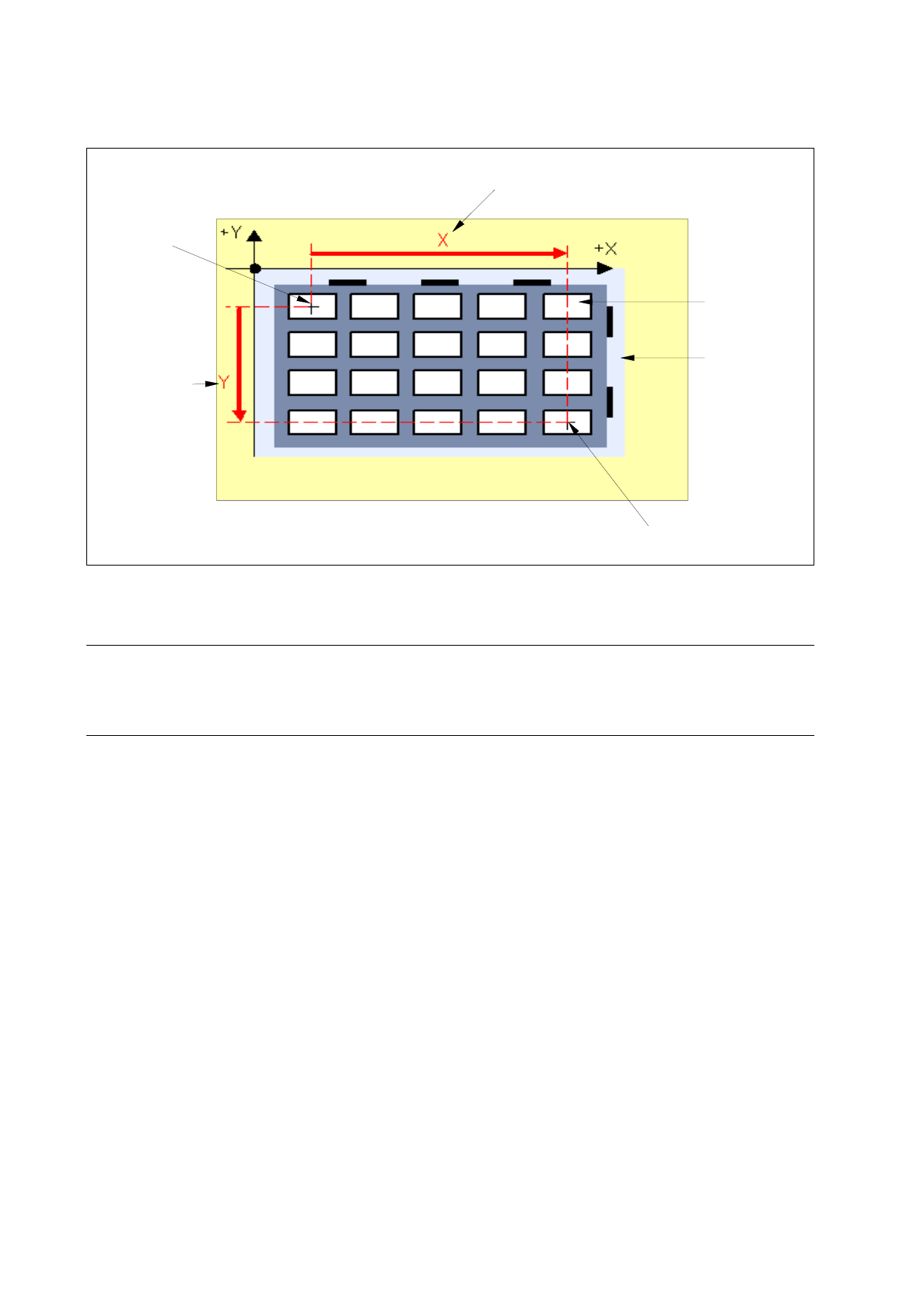
Fig. 13.1.18 Diagonal in X- Direction and Y-Direction
☞
NOTE
If offset values were entered that are not valid for the selected feeder type, the respective editing fields are
surrounded by a red frame. The invalid values must first be corrected before all values can be accepted.
13.1.5.6 Nozzle Changer / Machine Options Editor
Clicking on the "Nozzle Changer" option on the SERVICES menu causes the window "Machine Opt. Data Editor"
to be opened (see Fig. 13.1.19). This option cannot be selected in the WPC Editor.
The Nozzle Changer can be configured with the required nozzles for a given set-up in the Machine Opt. Data
Editor. The nozzles are allocated to the individual locations (divisions) of the Nozzle Changer. Within a Nozzle
Changer nozzles can be moved or deleted. This allocation can be changed at any time as required.
The Machine Opt. Data Editor can also be invoked upon setting up the station configuration in order to
permanently assign particular nozzles to given locations (divisions). This allocation can only be changed there.
If nozzles were assigned to given locations in the nozzle changer in Station Configuration, they are displayed
upon opening the Machine Opt. Data Editor. These locations cannot be changed in the Feeder Part Editor.
center of last compartment
center of
first compart-
diagonal X [mm]
diagonal
Y [mm]
compartment
of waffle-
pack tray
waffle-pack
tray carrier
ment
User’s Manual Line Computer UNIX 13 Production Tools / Set-Up
Software Version 402.xx Edition 06/96 13.1 Set-Up Editor (Feeder Part and WPC Editors)
13 - 23
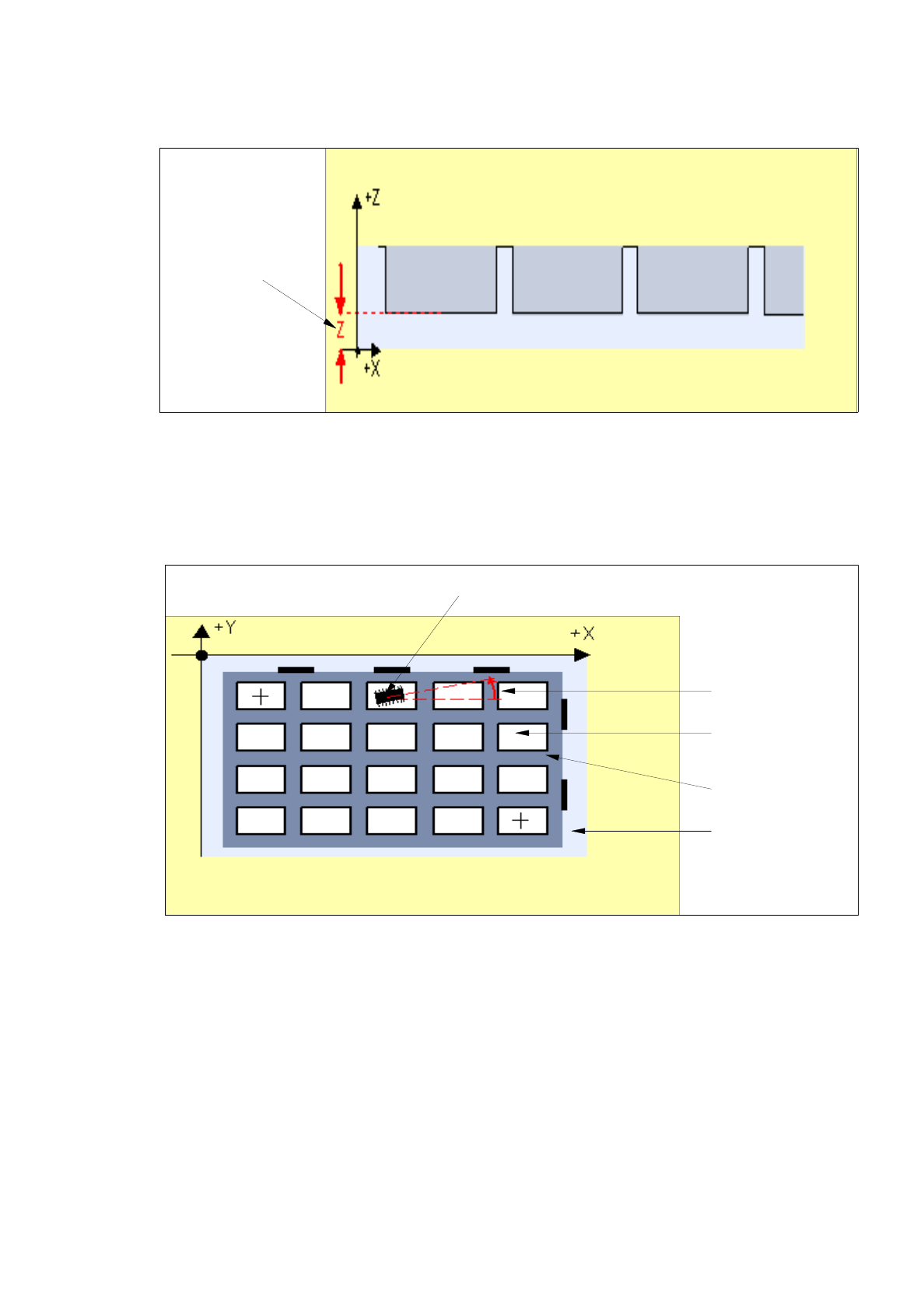
Fig. 13.1.16 Pick-Up Height: Offset in Z-Direction
-
Pick-up ang. [degr]
Pick-up angle (rotational angle) of the component in the tray compartment (division) (default value:
0.00). See Fig. 13.1.17.
Fig. 13.1.17 Pick-Up Angle of the Component in the Compartment of the Waffle-Pack Tray
-
Diagonal X [mm]
Offset from the center of the first compartment (division) to the center of the last compartment in
x-direction (default value: 0.000). See Fig. 13.1.18.
-
Diagonal Y [mm]
Offset from the center of the first compartment to the last compartment in y-direction (default value:
0.000). See Fig. 13.1.18.
pick-up height
Z (mm)
component
pick-up angle
[degree]
compartment of
waffle-pack tray
waffle-pack tray
waffle-pack
tray carrier
13 Production Tools / Set-Up User’s Manual Line Computer UNIX
13.1 Set-Up Editor (Feeder Part and WPC Editors) Software Version 402.xx Edition 06/96
13 - 22
-
Divisions in X
Number of divisions in x-direction (default value: 1)
-
Divisions in Y
Number of divisions in y-direction (default value: 1)
-
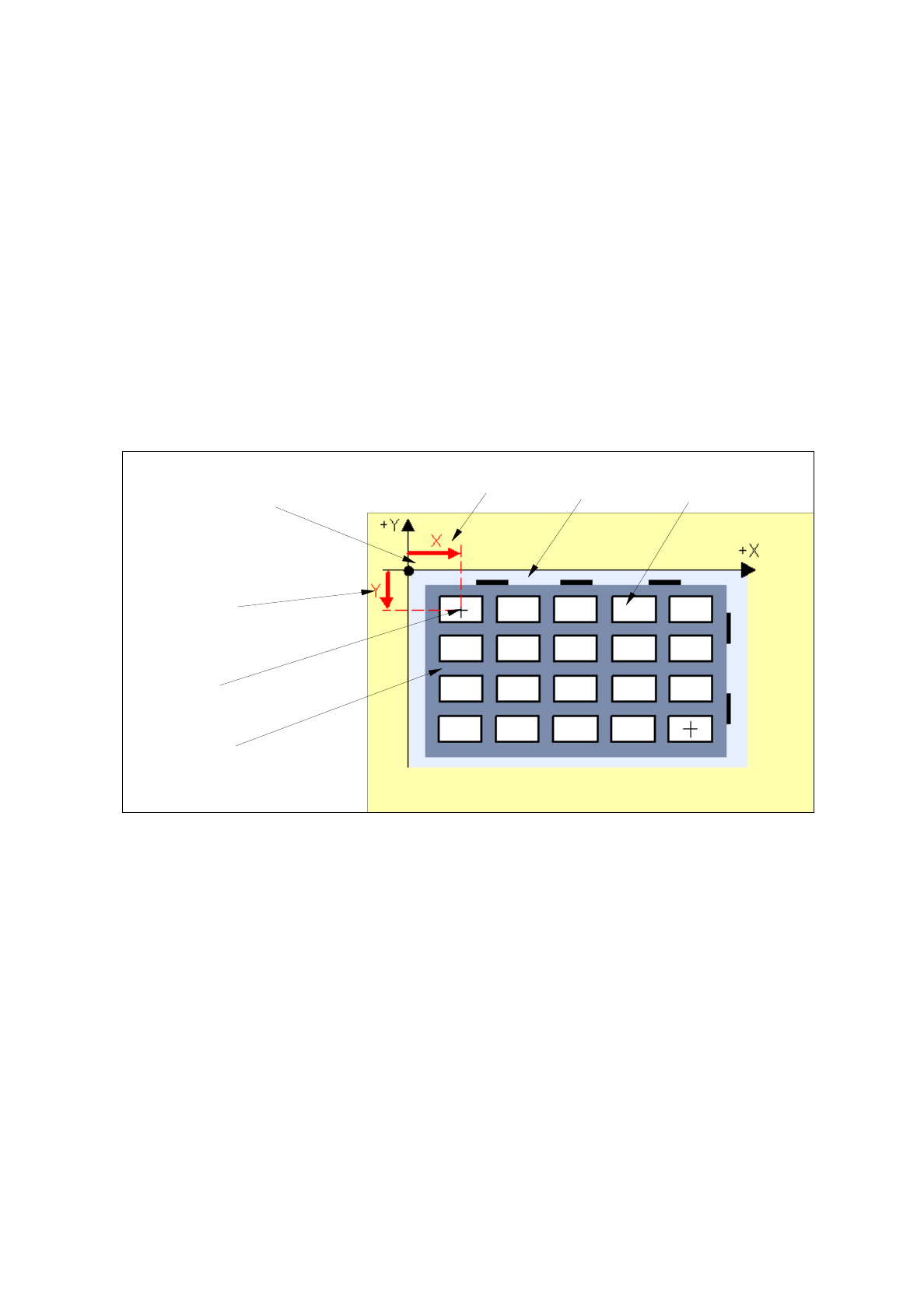
First div. X [mm]
Offset from the zero point of the waffle-pack tray carrier to the center of the first division in x-direction
(default value: 0.000)
-
First div. Y [mm]
Offset from the zero point of the waffle-pack tray carrier to the center of the first division in y-direction
(default value: 0.000). See Fig. 13.1.15.
Fig. 13.1.15 X-Offset and Y-Offset to the First Division
-
Z [mm]
Pick-up height: Offset in Z-direction from the support surface of the waffle-pack tray in the waffle-pack
tray carrier to the bottom surface of the compartment of the waffle-pack tray (default value: 0.000).
Siehe Fig. 13.1.16.
division of the
waffle-pack tray
waffle-pack
tray carrier
first division
X [mm]
zero point of the
waffle-pack tray
first division
Y [mm]
center of
first division
waffle-pack tray