00190802-02.pdf - 第83页
User’s Manual Line Computer UNIX 3 Desktop (Root Window) Software Version 402.xx Edition 03/97 3.1 Introduction 3 - 1 3 Desktop (Root Window) 3.1 Introduction This cha pter of the User's M anual pr ovides the user w…

User’s Manual Line Computer UNIX
Software Version 402.xx Edition 03/97
3 - II

User’s Manual Line Computer UNIX 3 Desktop (Root Window)
Software Version 402.xx Edition 03/97 3.1 Introduction
3 - 1
3 Desktop (Root Window)
3.1 Introduction
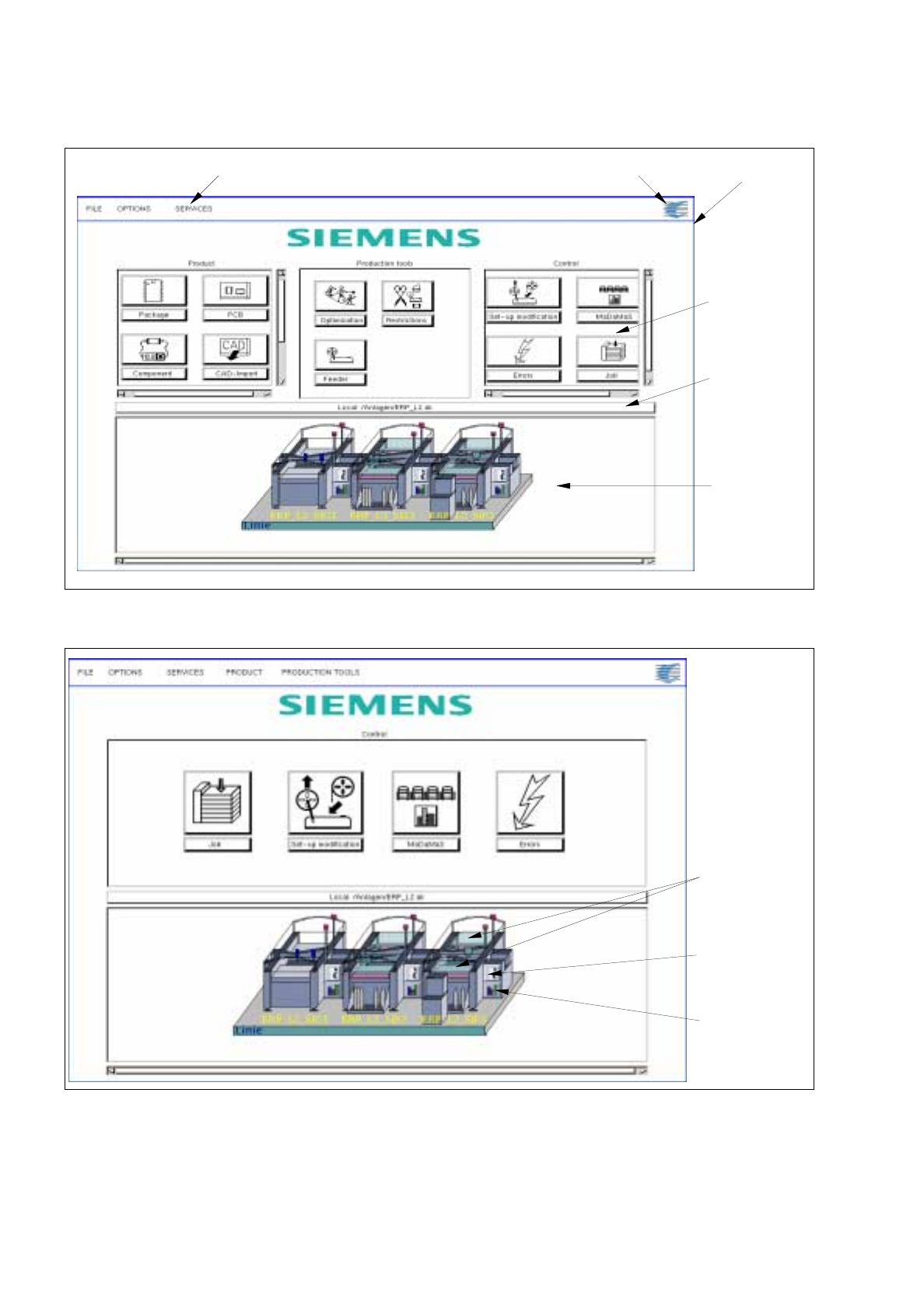
This chapter of the User's Manual provides the user with information on the layout, function and operation of
the desktop (root window). The desktop is the user interface of the entire LC system and is displayed after the
LC software has been started up. The user interface fills the complete screen and cannot be changed in size.
Its appearance differs depending on the requirements to be fulfilled. As far as the requirements are concerned,
a distinction is made between programming and control mode.
-
In the
programming mode
the desktop provides the user with all tools required to completely define a
product and to control its production.
-
In the
control mode
the desktop provides the user only with those tools in the form of icons that are
required for the production (control). The other tools can be activated via the menu options of the
"PRODUCT" and "PRODUCTION TOOLS" menus (see section 3.2.1.4 and section 3.2.1.5).
3.1.1 Layout of the Desktop
The layout of the desktop depends upon whether the LC program is started in the programming or control mode.
Even though the appropriate mode was already set upon the installation of the LC software (see chapt. 1), it
can be changed by means of the OPTIONS menu (see section 3.2.1.2).
3 Desktop (Root Window) User’s Manual Line Computer UNIX
3.1 Introduction Software Version 402.xx Edition 03/97
3 - 2
Fig. 3.1.1 Layout of the Desktop in the Programming Mode
Fig. 3.1.2 Layout of the Desktop in the Control Mode
desktop menu bar SMD symbol
main group
line selection
(current line
configuration)
main menu
display
area
button (for the
selection of a
new line)
feeder parts
symbol "i“ for
station
controller
bar chart
symbol for
MaDaMaS