DECAN_S2_Operation(ENG_Ver4.1).pdf - 第10页
Chap ter 1 This chapter describes the name of each part, teac hing box and the configuration of MMI(Man-Machine Interface). Machin e Ov e rv i e w Advanced Chip Shooter DE CAN S2 O pe rat ion H an db ook 1-3 Config urati…
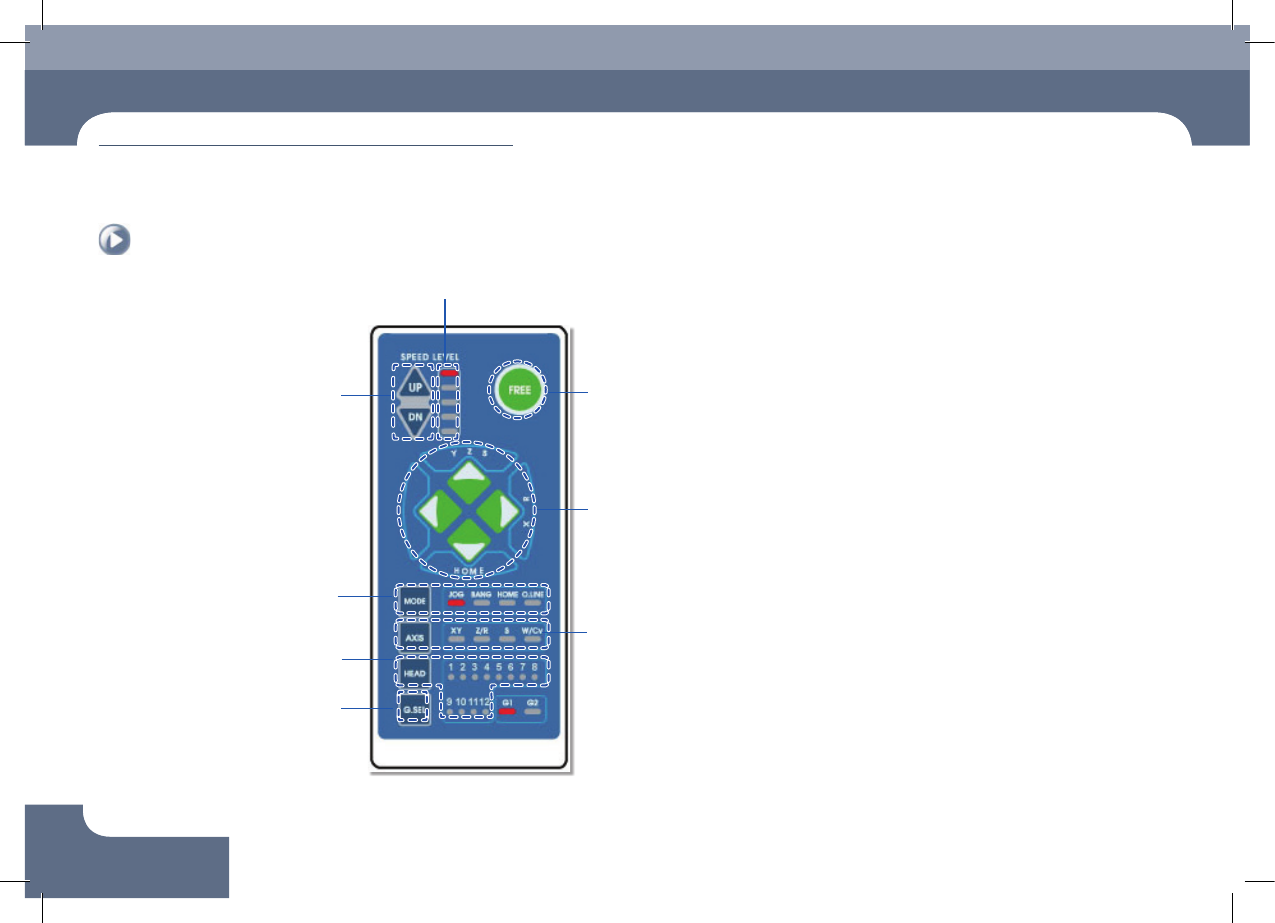
Name of the Operation Panel
Chapter 1
This chapter describes the name of each part, teaching box and the configuration of
MMI(Man-Machine Interface).
Machine Overview
Advanced Chip Shooter
DECAN S2 Operation Handbook
1-2
Name of the Operation Panel
Machine Overview
Indicates the movement of each
axis and rotation direction
Selects the item to be operated
Turns on/off the vacuum of
each head
Indication of operation speed (5 steps)
Selects the operation speed in
the Jog Mode
▲ UP: Increase the speed
▼ Down: Decrease the speed
Emergency stop button
Changes over the Jog, Bang,
Home and O.Line mode
Switches between front/rear
gantry
Name of the Operation Panel
Chapter 1
This chapter describes the name of each part, teaching box and the
configuration of MMI(Man-Machine Interface).
Machine Overview
Advanced Chip Shooter
DECAN S2 Operation Handbook
1-3
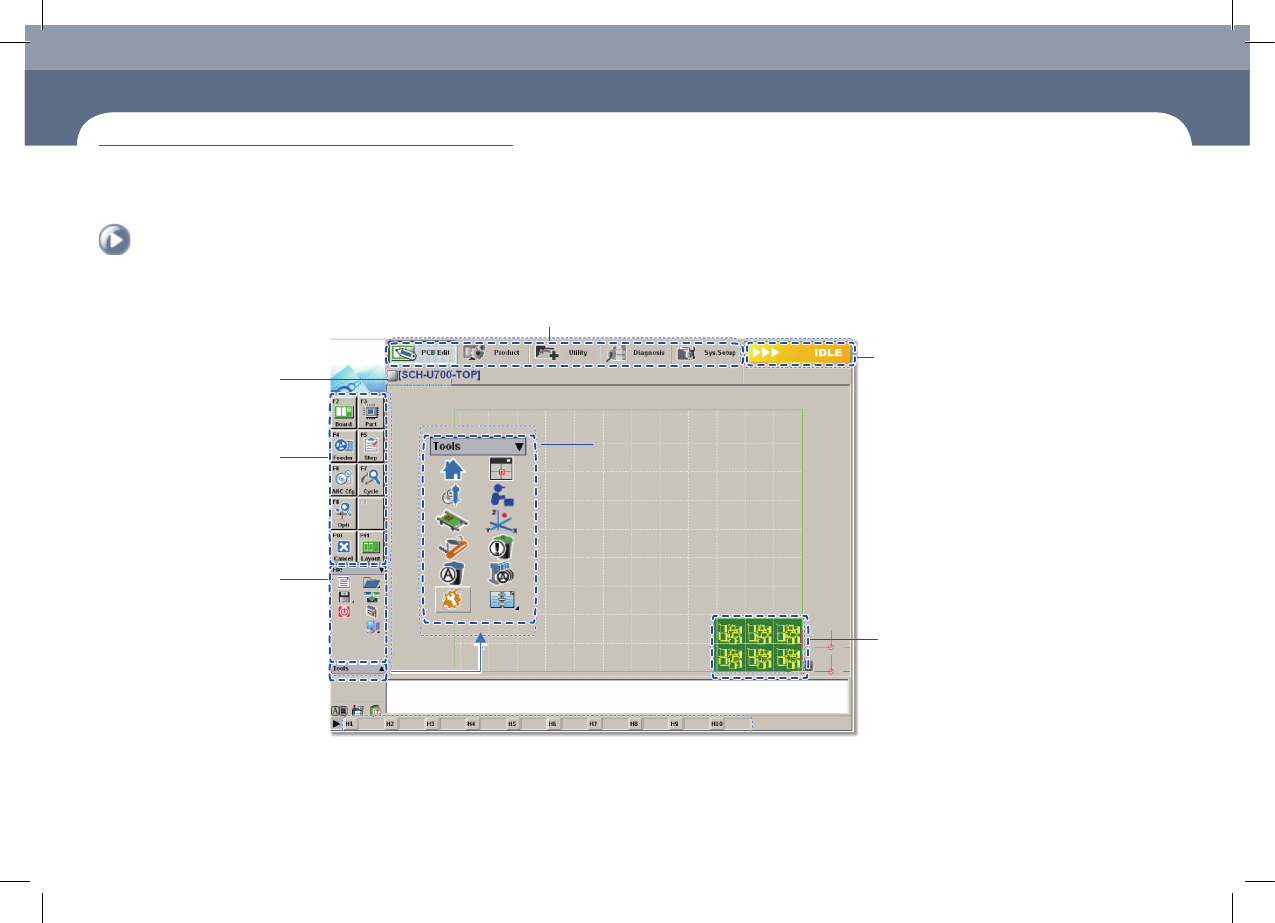
Configuration of MMI > The configuration of MMI
Configuration of MMI
1. The configuration of MMI
Shortcut - bar
A main menu tool-bar is shown.
The PCB file name being
worked on is displayed.
A sub menu tool-
bar is shown.
File Menu
●
New
●
Open
●
Save/Save as
●
Exit
●
Merge
●
ErrorMsgBar
●
Windows Tools
The state of a Machine
●
IDLE
●
RUN_RDY
●
RUN
●
FREEZE
●
WAIT
●
PAUSE
●
EMER
●
ADJUST
The shape of the part
to be placed is indicated.
Configuration of MMI
Chapter 1
This chapter describes the name of each part, teaching box and the
configuration of MMI(Man-Machine Interface).
Machine Overview
Advanced Chip Shooter
DECAN S2 Operation Handbook
1-4
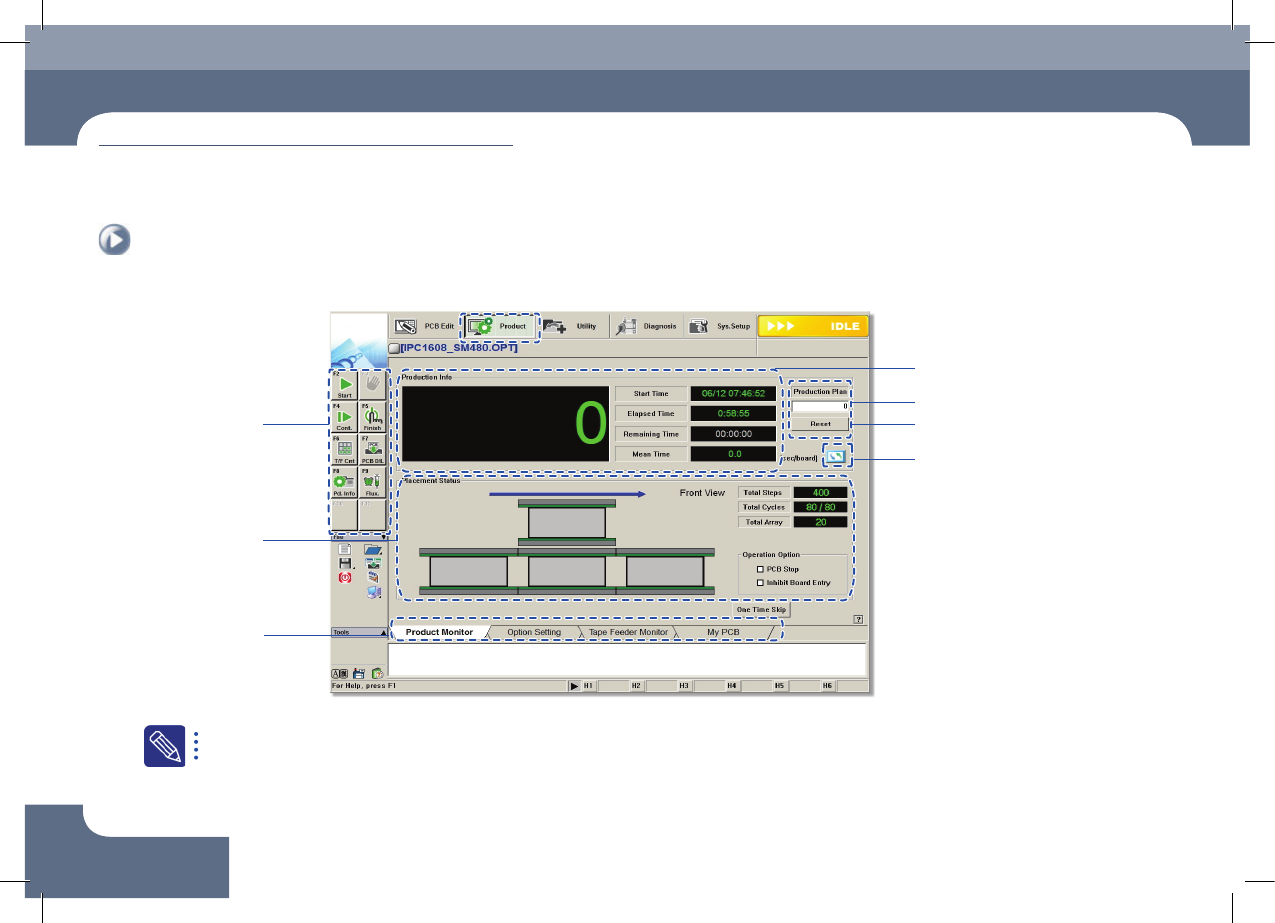
Configuration of MMI > The configuration of 'production' screen
Configuration of MMI
Machine Overview
2. The configuration of 'production' screen
Input production quantity
IIndicates work progress
Production submenu
Displays PCB
Data
Tab dialog box
PCB Count Initialization (0)
Change unit system
For the detailed description about each function of the 'Product' menu, refer to'11.1 Product Main' of the 'Administrator's Guide'.