DECAN_S2_Operation(ENG_Ver4.1).pdf - 第43页
DE CAN S2 O pe rat ion H an db ook 3 -24 Chap ter 3 This chapter describes the production procedure. Pr oduction Advanced Chip Shooter Pr oduc ti on > Star ti ng produc ti on (Quant it y design ated pro duc tio n) Pro…
DECAN S2 Operation Handbook
3-23
Chapter 3
This chapter describes the production procedure.
Production
Advanced Chip Shooter
Production > Starting production (Automatic production)
Production
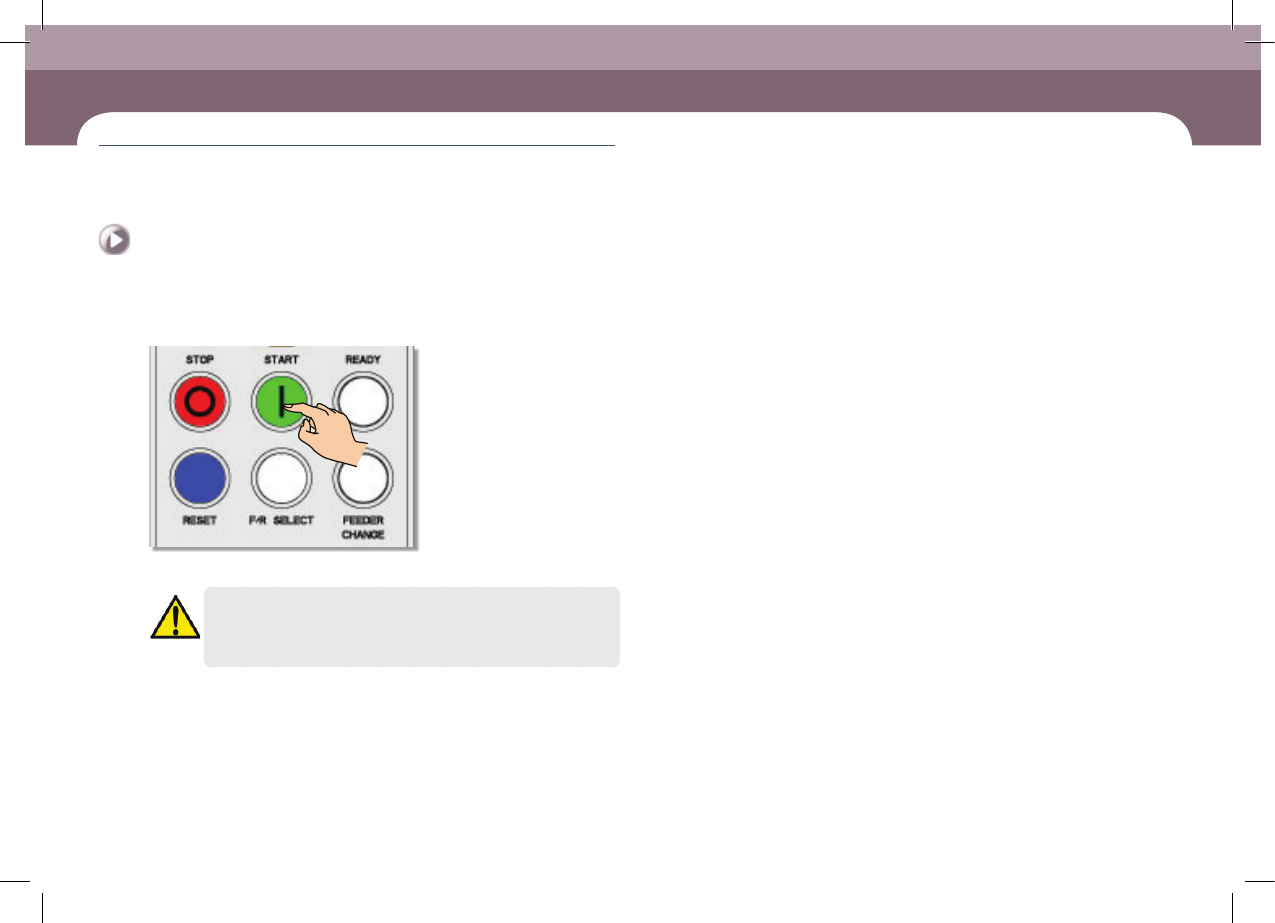
2. Starting production (Automatic production)
Step 1.
Press 'START' button in the operation pannel
ㆍ Starts production.
Warning
Check if there is a worker around the machine before starting
production.
DECAN S2 Operation Handbook
3-24
Chapter 3
This chapter describes the production procedure.
Production
Advanced Chip Shooter
Production > Starting production (Quantity designated production)
Production
Production
3. Starting production (Quantity designated
production)
Step 1.
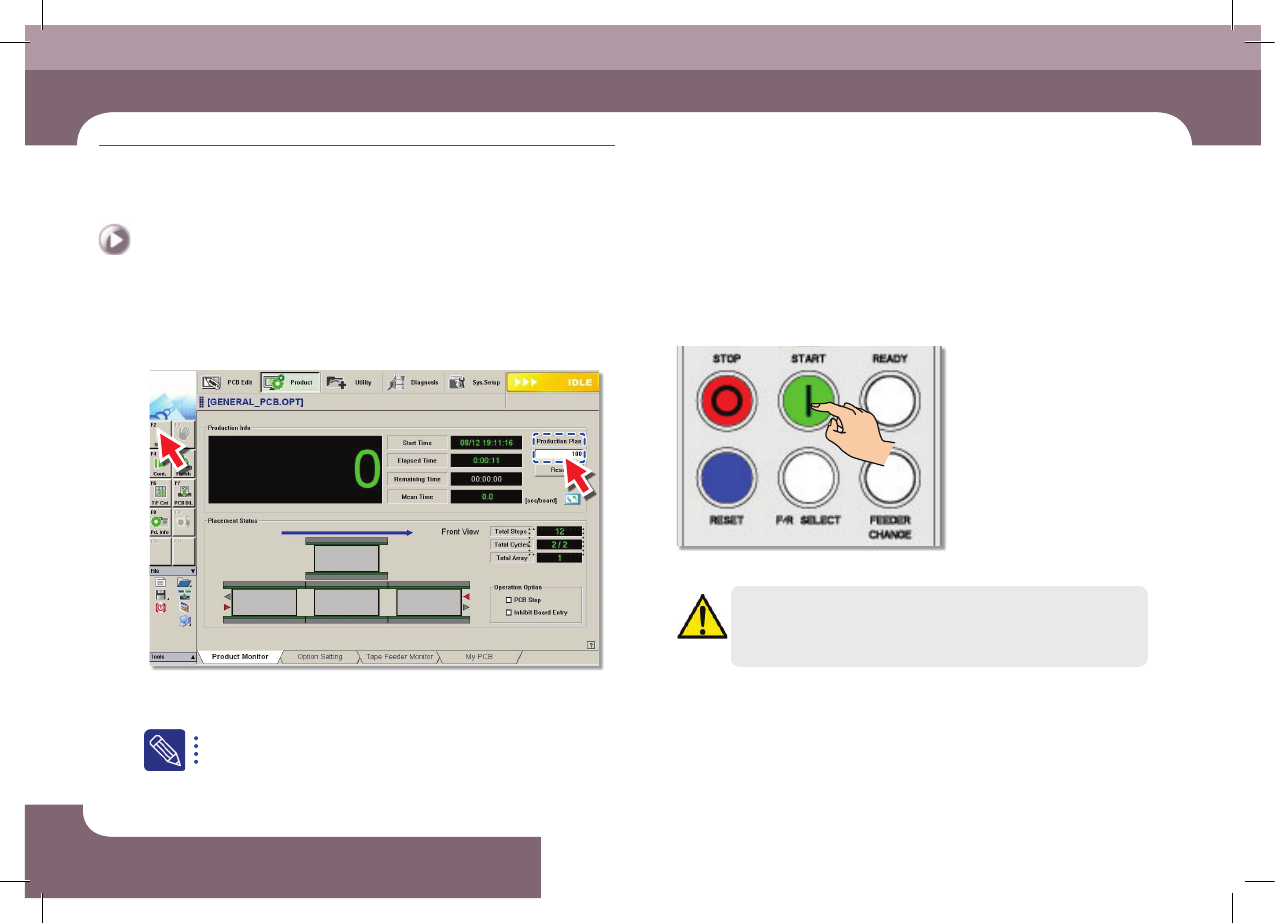
Set the production quantity
ㆍ Select the 'Start' submenu after setting the total number of PCBs to be worked in
the <Production plan> edit box
Set the total number of PCBs to be worked in the <Production plan>
edit box. If the value becomes 0, the production is stopped.
Step 2.
Press 'START' button in the operation pannel
ㆍ Starts production.
Warning
Check if there is a worker around the machine before starting
production.
Items to be inspected during production
Chapter 4
Advanced Chip Shooter
DECAN S2 Operation Handbook
4-1
This chapter describes the methods for temporary stop of the
machine(Continue / Start mode), emergency stop (by manual/ by
system) and the restarting the production after emergency stop when
checking errors or other items and taking measures during production.
Items to be inspected during production > Check the remaining part quantity
Items to be inspected during production
1. Check the remaining part quantity
(continuous monitoring)
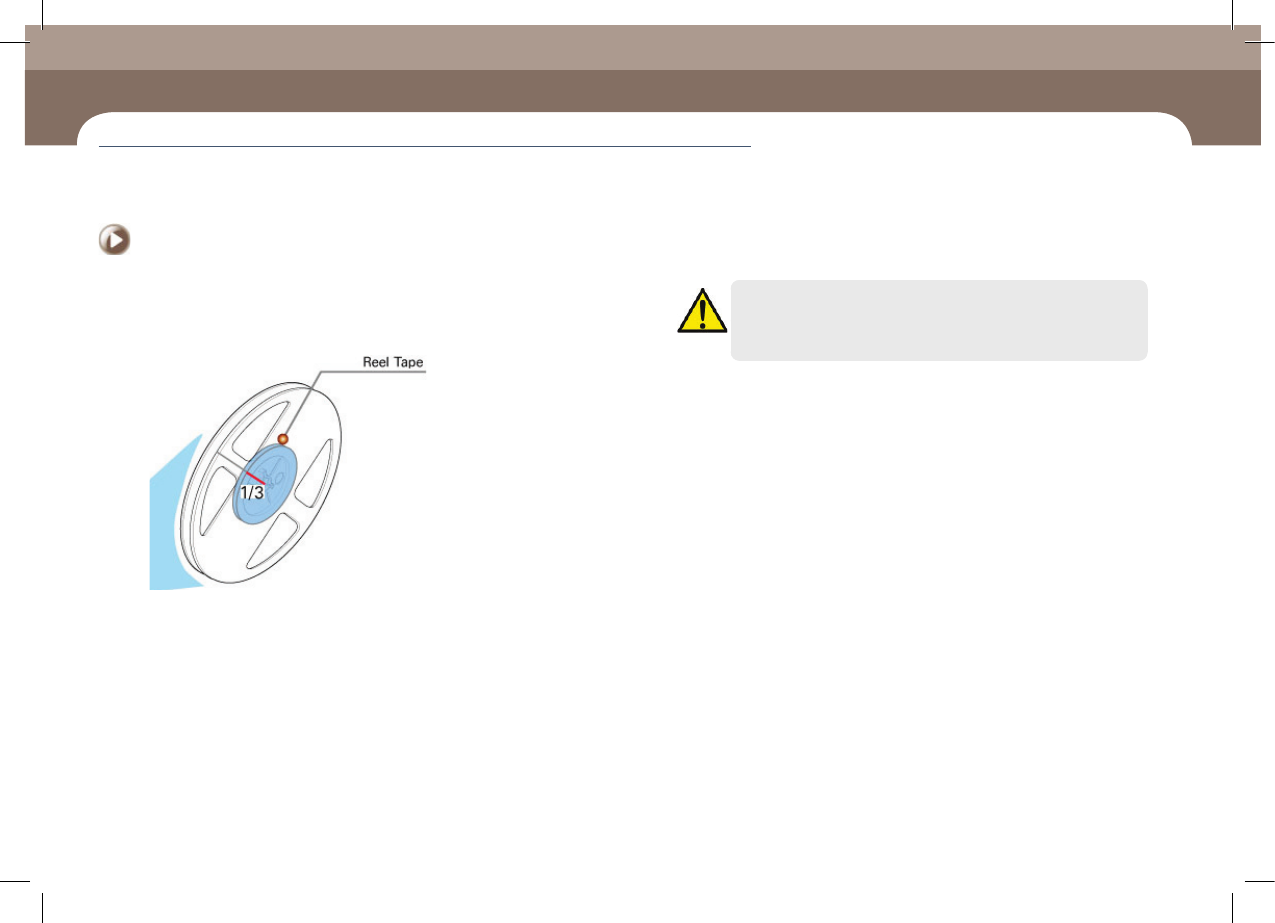
ㆍ In general cases, check whether more than one third of the parts remain in the reel
tape continuously. Then, for parts whose remaining quantity is less than one third,
prepare a part order list and send it to the material supply department.
ㆍ If an IT feeder is used, order the parts expected to be exhausted referring to the
remaining part count indicated in the <Remain> column in the machines' MMI
production screen as well as the time in the <Time> column. Order the corresponding
parts from the material supply department within 20 minutes of the time at which
the parts are expected to be exhausted.
Chapter 4
Items to be inspected during production
This chapter describes the methods for temporary stop of the machine(Continue / Start mode), emergency stop (by manual/ by system) and the
restarting the production after emergency stop when checking errors or other items and taking measures during production.
Caution
When using a part remaining count in the MMI, perform splicing or
after reel change, reflect the result to the part count correctly.
2. Check conformity of the part (at 2 hour interval)
After changing the reel, check the conformity of the part by comparing the new
reel with the existing reel. There are two methods to compare reels as follows:
ㆍ In general, the user checks the conformity by comparing the parts one by one visually.
ㆍ If the IT System is used, check the conformity by scanning the barcode of the feeder
with barcode reader.
Then check the part conformity every two hours. There are two methods to check
the conformity as follows:
ㆍ In general, the user checks conformity by comparing the parts one by one visually.
ㆍ If the IT System is used, scan the command barcode for a material check first using
the barcode reader and check the reel barcodes of the installed feeders by scanning
them in order.
For further details about the conformity check using the IT System, refer to the IT
System User Manual.
Recognize the Check Part command barcode or execute the Check Part dialog box
in the MMI. Then using the scanner, recognize the corresponding reel barcodes
from right to left in the order in which feeders are installed.
Items to be inspected during production