DECAN_S2_Operation(ENG_Ver4.1).pdf - 第55页
It ems t o b e inspe ct e d du r ing p r oduction Chap ter 4 Advanced Chip Shooter DE CAN S2 O pe rat ion H an db ook 4-1 2 This chapter describes the methods for temporary stop of the machine(Continue / Start mode), eme…
Items to be inspected during production
Chapter 4
Advanced Chip Shooter
DECAN S2 Operation Handbook
4-11
This chapter describes the methods for temporary stop of the
machine(Continue / Start mode), emergency stop (by manual/ by
system) and the restarting the production after emergency stop when
checking errors or other items and taking measures during production.
Temporary stop > Start mode: Restarts the production after the occurrence of an error
Temporary stop
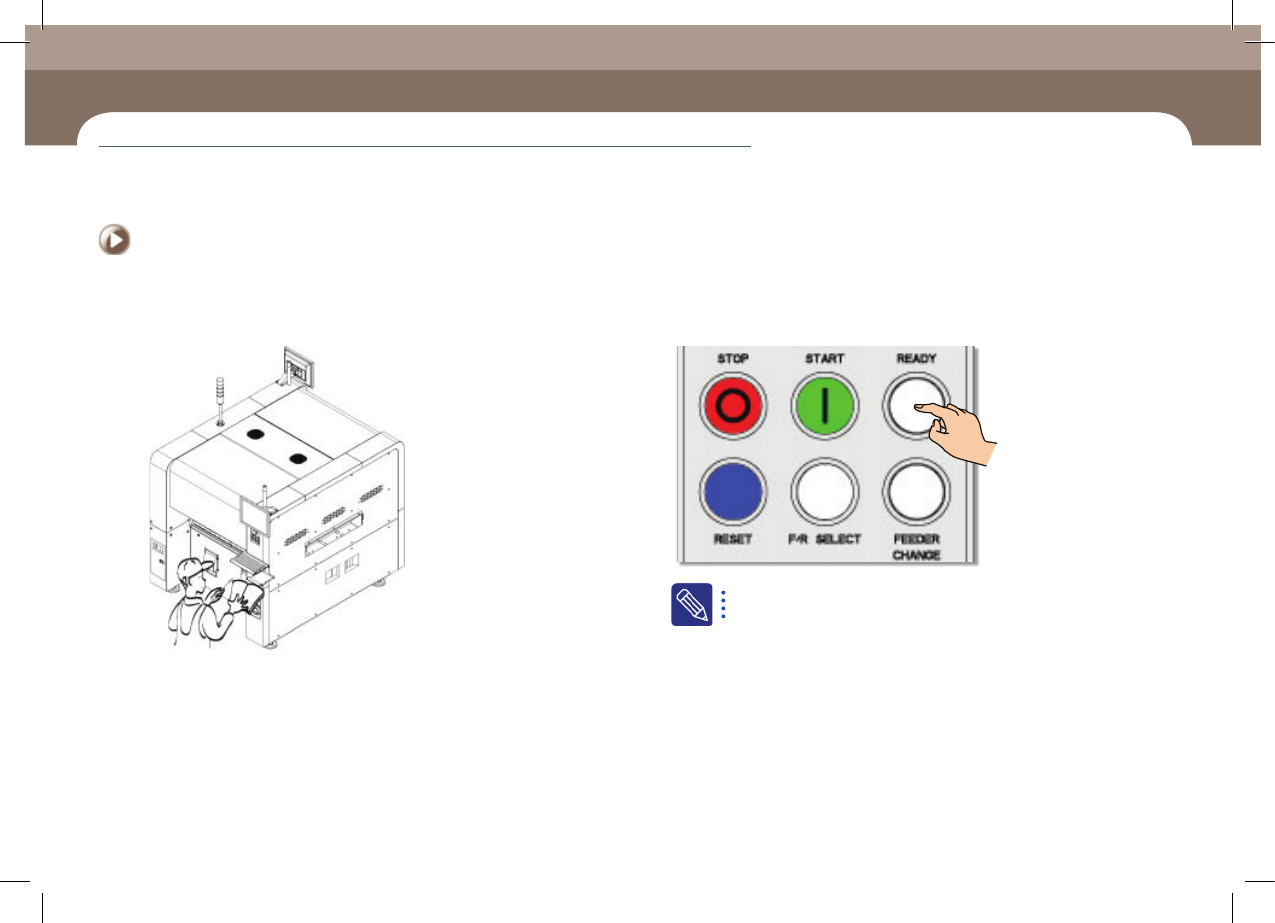
Step 2.
Take measures against the error
Step 3.
Press the 'READY' button
When the machine stops due to an error, the machine is in the
'FREEZE' mode. Change the machine status into the 'IDLE' mode in
order to take measures against the error.
Items to be inspected during production
Chapter 4
Advanced Chip Shooter
DECAN S2 Operation Handbook
4-12
This chapter describes the methods for temporary stop of the
machine(Continue / Start mode), emergency stop (by manual/ by
system) and the restarting the production after emergency stop when
checking errors or other items and taking measures during production.
Temporary stop > Start mode: Restarts the production after the occurrence of an error
Temporary stop
Items to be inspected during production
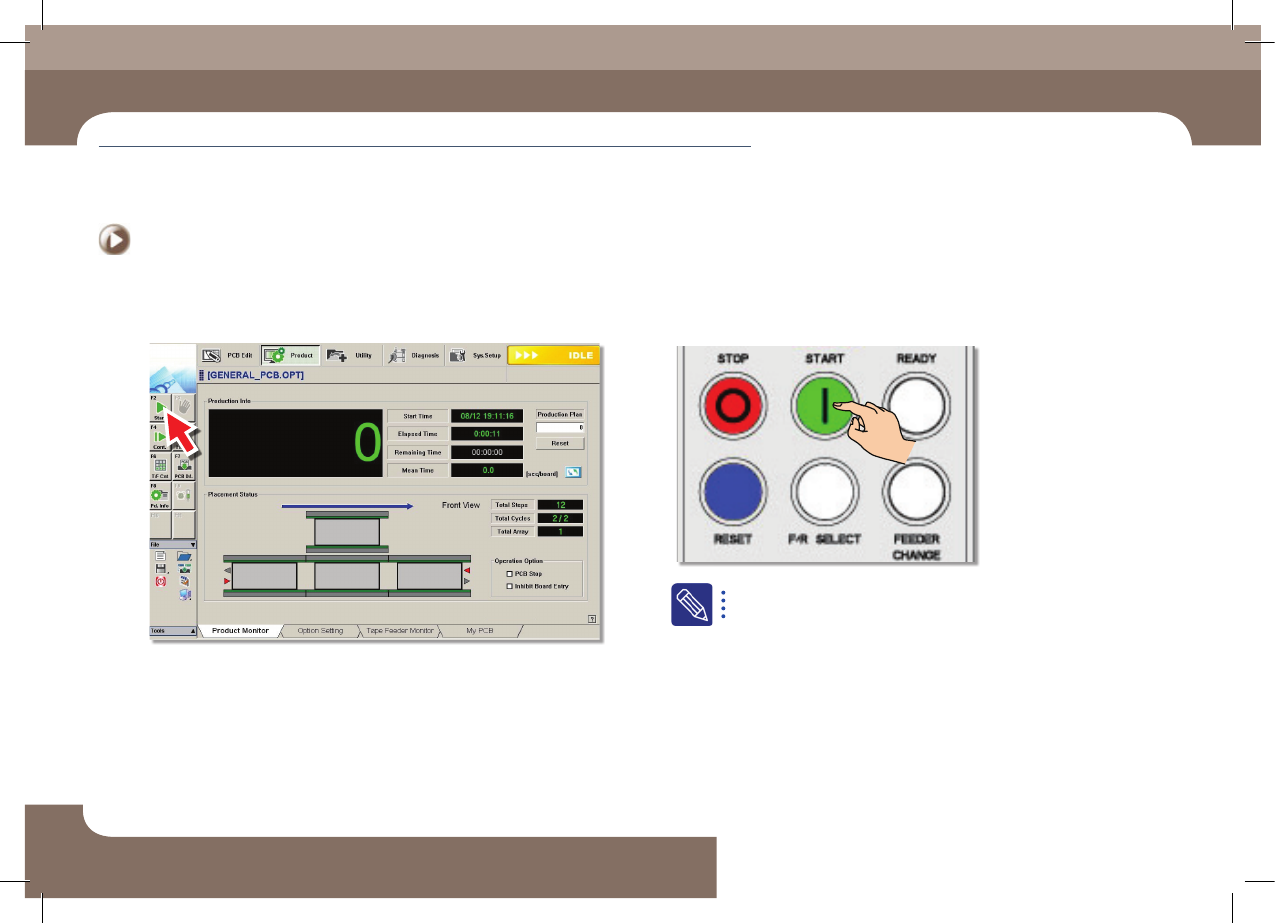
2. Restarting the production
Step 1.
Select the 'Start' submenu
Step 2.
Start the production again by pressing the 'START' button
When the production is restarted after taking measures against
the error, all motors of the machine is returned to the origin and
performs the work from the beginning.
Items to be inspected during production
Chapter 4
Advanced Chip Shooter
DECAN S2 Operation Handbook
4-13
This chapter describes the methods for temporary stop of the
machine(Continue / Start mode), emergency stop (by manual/ by
system) and the restarting the production after emergency stop when
checking errors or other items and taking measures during production.
Emergency Stop > The emergency stop by operator
Emergency Stop
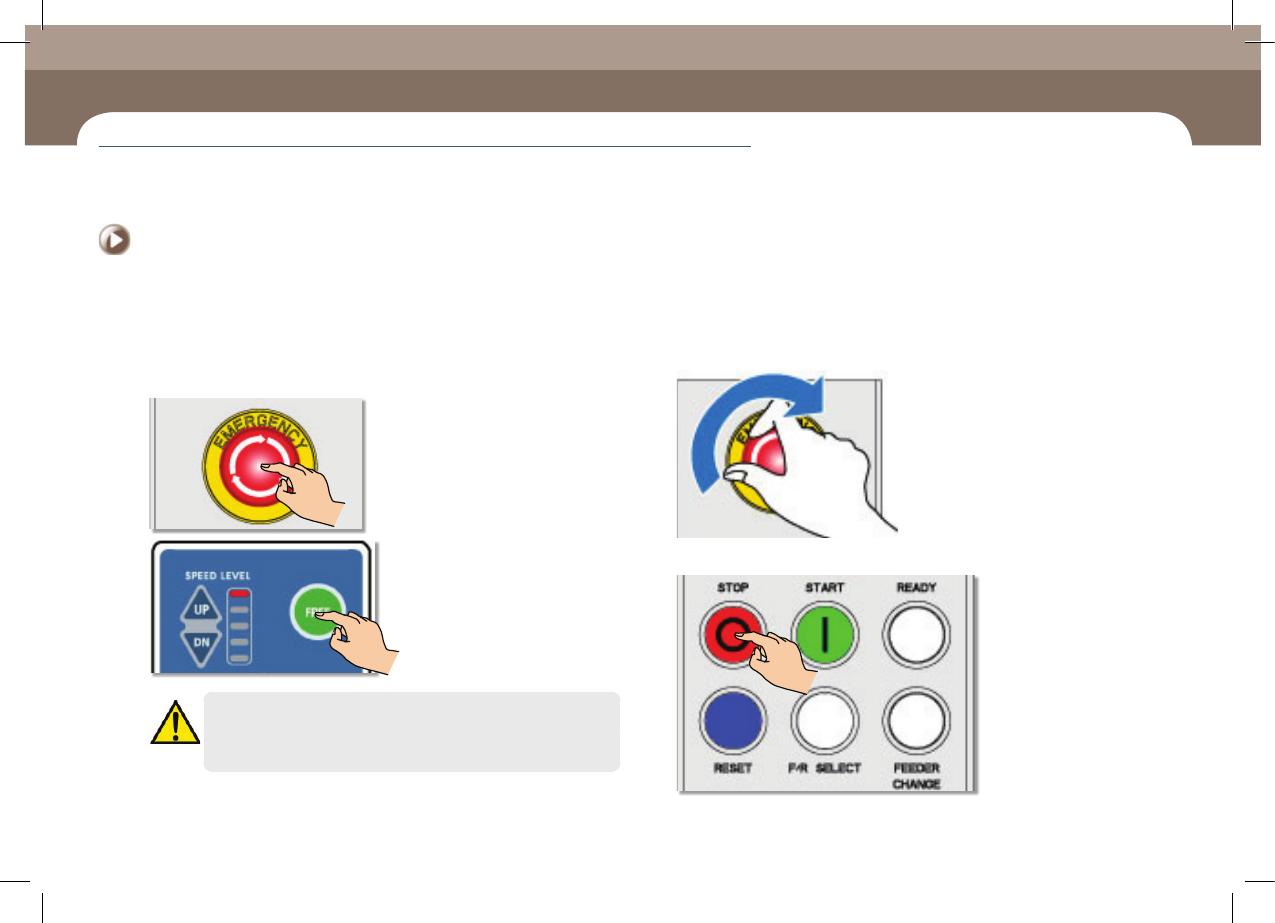
1. The emergency stop by operator
1. The emergency stop by operator
Step 1.
Press the 'EMG' switch on operation panel or the 'FREE' button
on the teaching box
Warning
Be sure to remove the cause of emergency stop before restarting
2. Releasing 'Emergency Stop' mode
Step 1.
Release the pressed 'EMG' switch by turning clockwise
Step 2.
Press the 'STOP' button
Emergency Stop