DECAN_S2_Operation(ENG_Ver4.1).pdf - 第9页
Name o f the O perat ion P anel Chap ter 1 This chapter describes the name of each part, teac hing box and the configuration of MMI(Man-Machine Interface). Machin e Ov e rv i e w Advanced Chip Shooter DE CAN S2 O pe rat …
Chapter 1
This chapter describes the name of each part, teaching box and the
configuration of MMI(Man-Machine Interface).
Machine Overview
Advanced Chip Shooter
DECAN S2 Operation Handbook
1-1
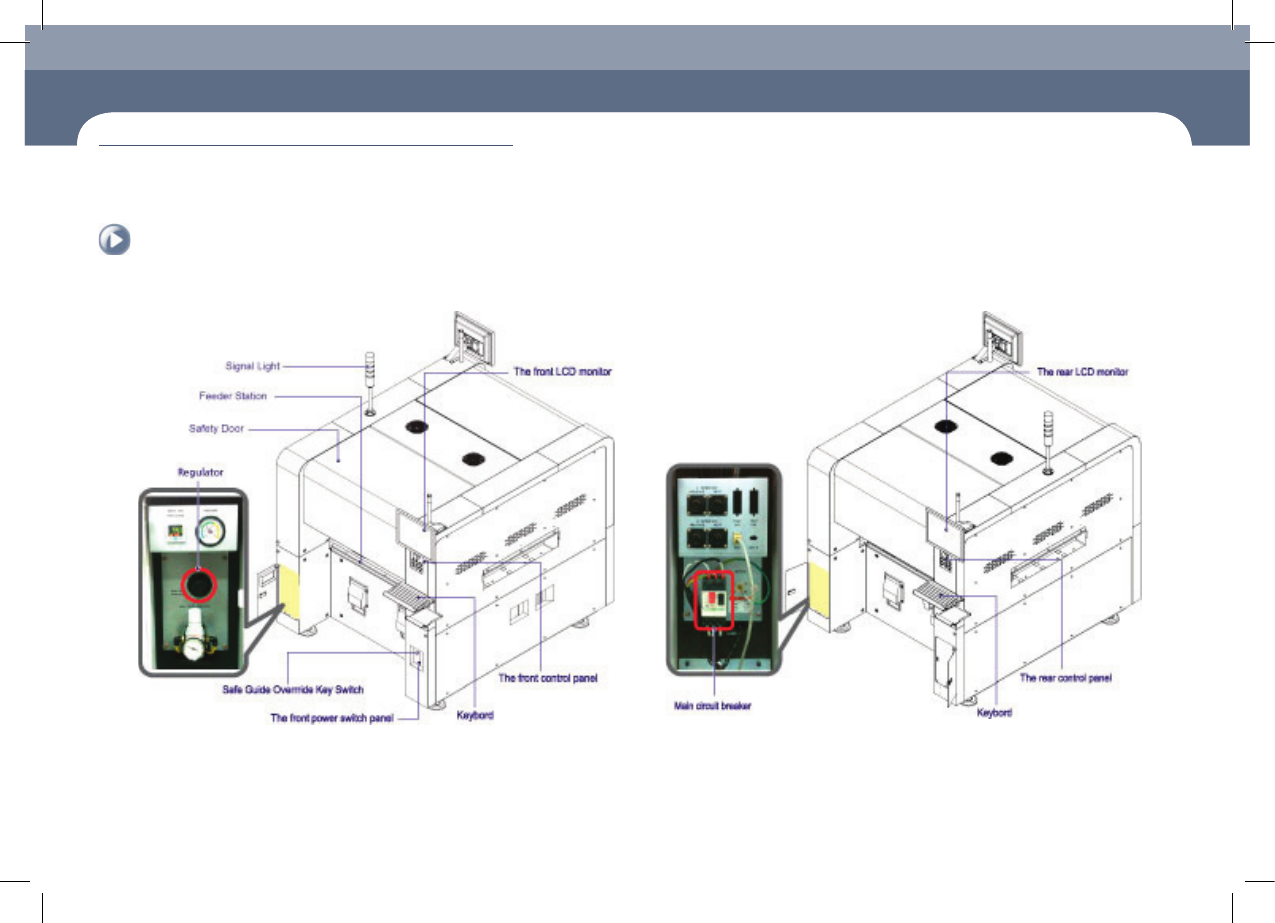
Name of Each Part > Front view of the machine
Name of Each Part
1. Front view of the machine
Chapter 1
Machine Overview
This chapter describes the name of each part, teaching box and the configuration of MMI(Man-Machine Interface).
2. Rear View of the Machine
Name of Each Part
Name of the Operation Panel
Chapter 1
This chapter describes the name of each part, teaching box and the configuration of
MMI(Man-Machine Interface).
Machine Overview
Advanced Chip Shooter
DECAN S2 Operation Handbook
1-2
Name of the Operation Panel
Machine Overview
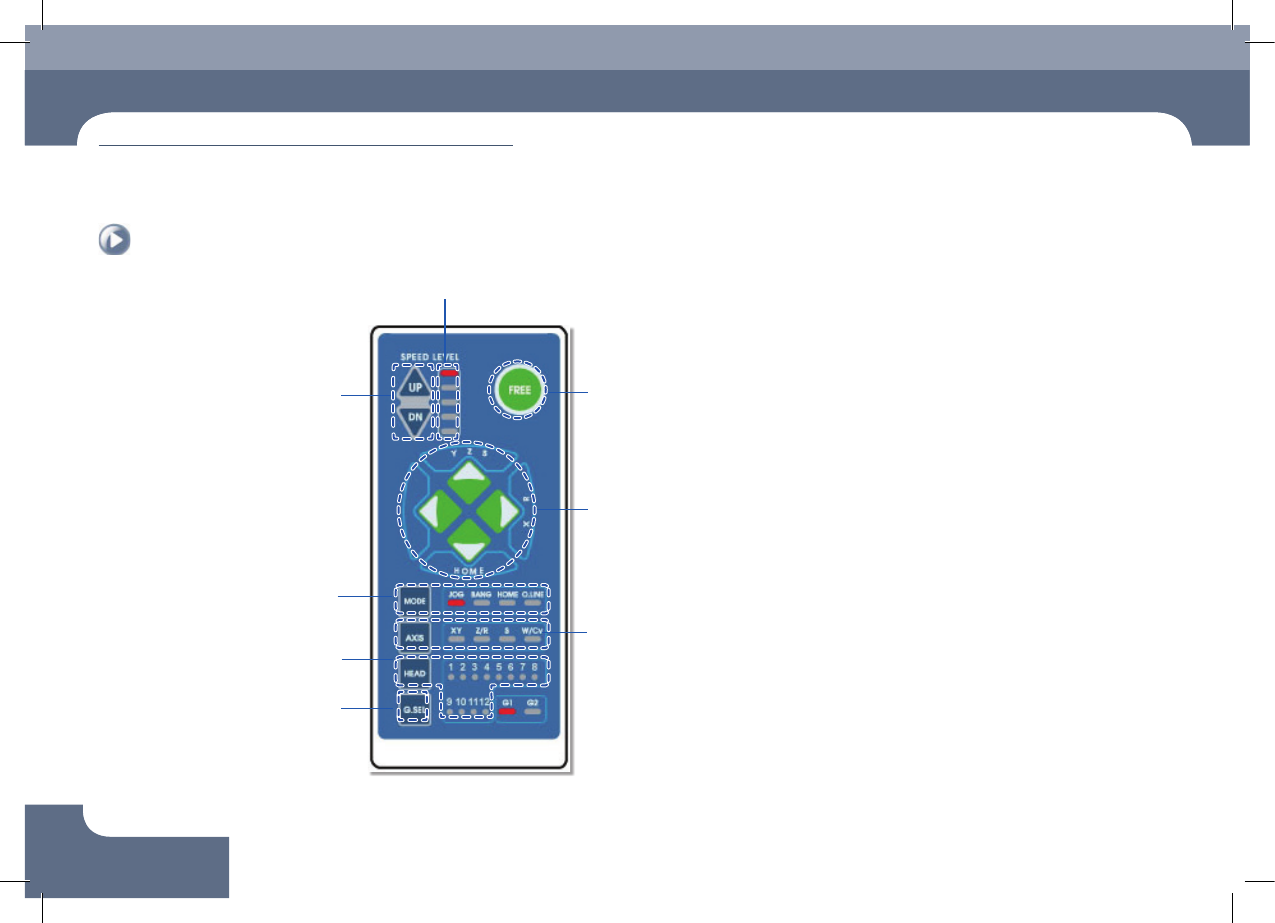
Indicates the movement of each
axis and rotation direction
Selects the item to be operated
Turns on/off the vacuum of
each head
Indication of operation speed (5 steps)
Selects the operation speed in
the Jog Mode
▲ UP: Increase the speed
▼ Down: Decrease the speed
Emergency stop button
Changes over the Jog, Bang,
Home and O.Line mode
Switches between front/rear
gantry
Name of the Operation Panel
Chapter 1
This chapter describes the name of each part, teaching box and the
configuration of MMI(Man-Machine Interface).
Machine Overview
Advanced Chip Shooter
DECAN S2 Operation Handbook
1-3
Configuration of MMI > The configuration of MMI
Configuration of MMI
1. The configuration of MMI
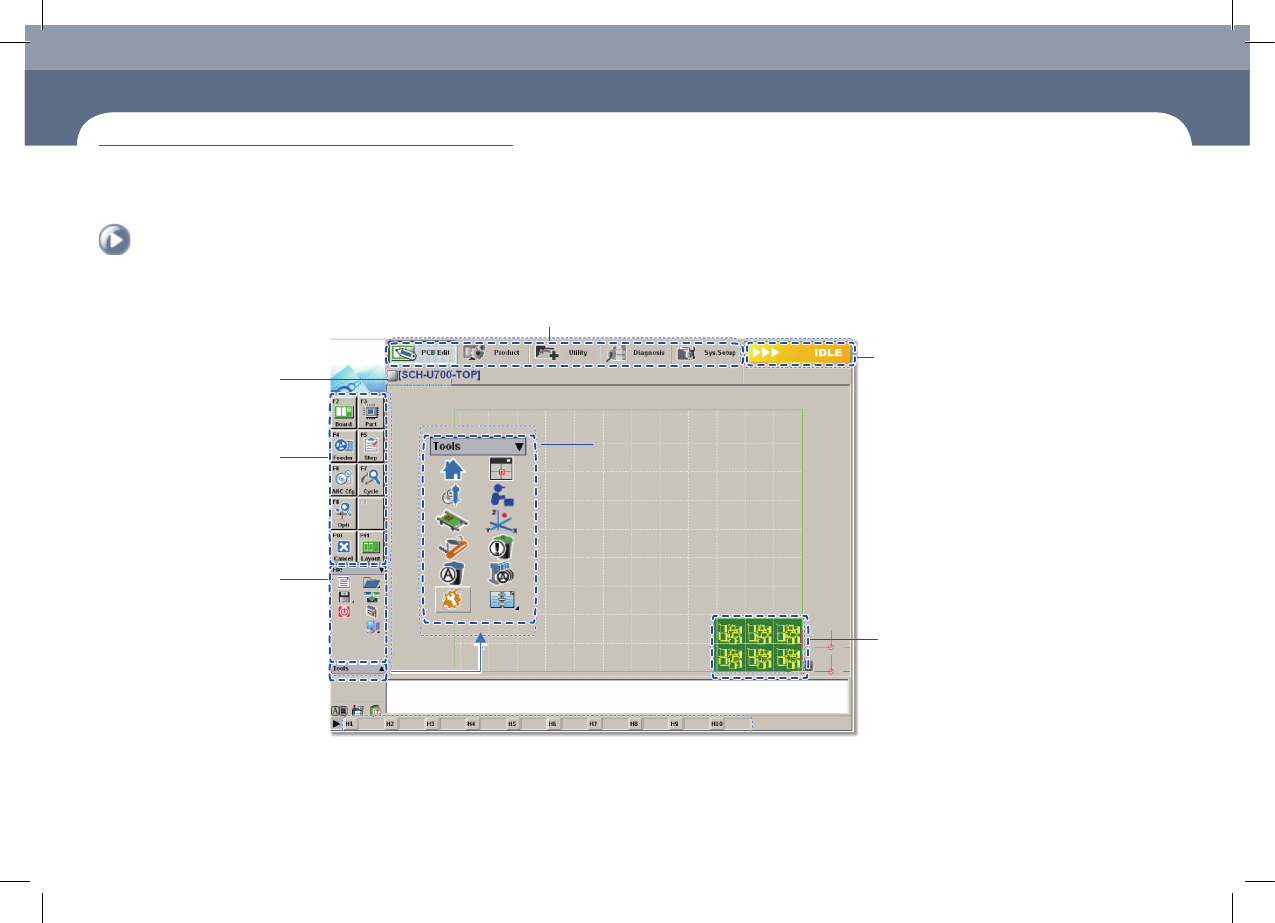
Shortcut - bar
A main menu tool-bar is shown.
The PCB file name being
worked on is displayed.
A sub menu tool-
bar is shown.
File Menu
●
New
●
Open
●
Save/Save as
●
Exit
●
Merge
●
ErrorMsgBar
●
Windows Tools
The state of a Machine
●
IDLE
●
RUN_RDY
●
RUN
●
FREEZE
●
WAIT
●
PAUSE
●
EMER
●
ADJUST
The shape of the part
to be placed is indicated.
Configuration of MMI