OperationInstruction_Vsision XP - 第106页
Page 98 V ISION XP+ V AC 5 Software 5.3 The Menu System Operating Instructions V ersion 1.5 5.3.6 Language Fig. 5-3 2 Lang uage Sel ection A language can be selected with th is dialog box. The language cha nge does not b…
VISION XP+ VAC Page 97
5 Software
5.3 The Menu System
Operating Instructions
Version 1.5
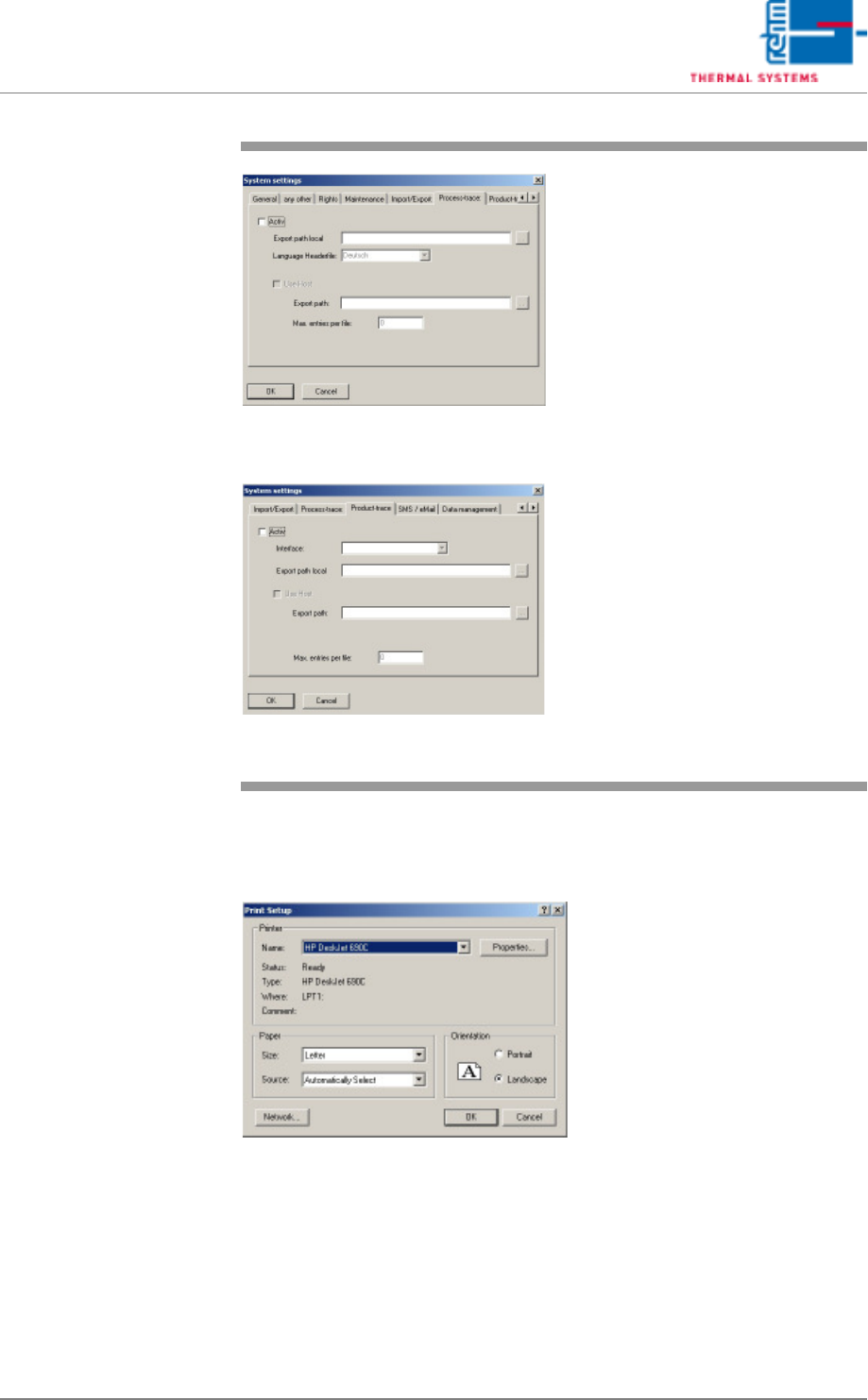
5.3.5 Printer Setup
Fig. 5-31 Printer Setup
If a printer has been connected, it can be set up here using the standard
Windows dialog box.
Fig. 5-29 System Settings / Process Follow-
Up
Fig. 5-30 System Settings / Product Follow-
Up
Process Follow-Up and Product
Follow-Up (Option)
If this option has been activated,
process data are saved to the Local
Export Path if no host is utilized. A
new file is generated each day. The
respective date is included in the
filename as follows: year/month/day
(sta20050117.log).
If Host Processing is activated,
data are saved temporarily to the
Export Path. The maximum size of
the file is determined by the maxi-
mum number of records. Consecu-
tive file names are used running
from _sta0001.log to _sta9999.log,
and are repeated after a given peri-
od of time. Thus all files are over-
written after a given period of time.
Clear-cut data transfer can be as-
sured by copying and renaming the
files. This eliminates any potential
access conflicts with the host.
Page 98 VISION XP+ VAC
5 Software
5.3 The Menu System
Operating Instructions
Version 1.5
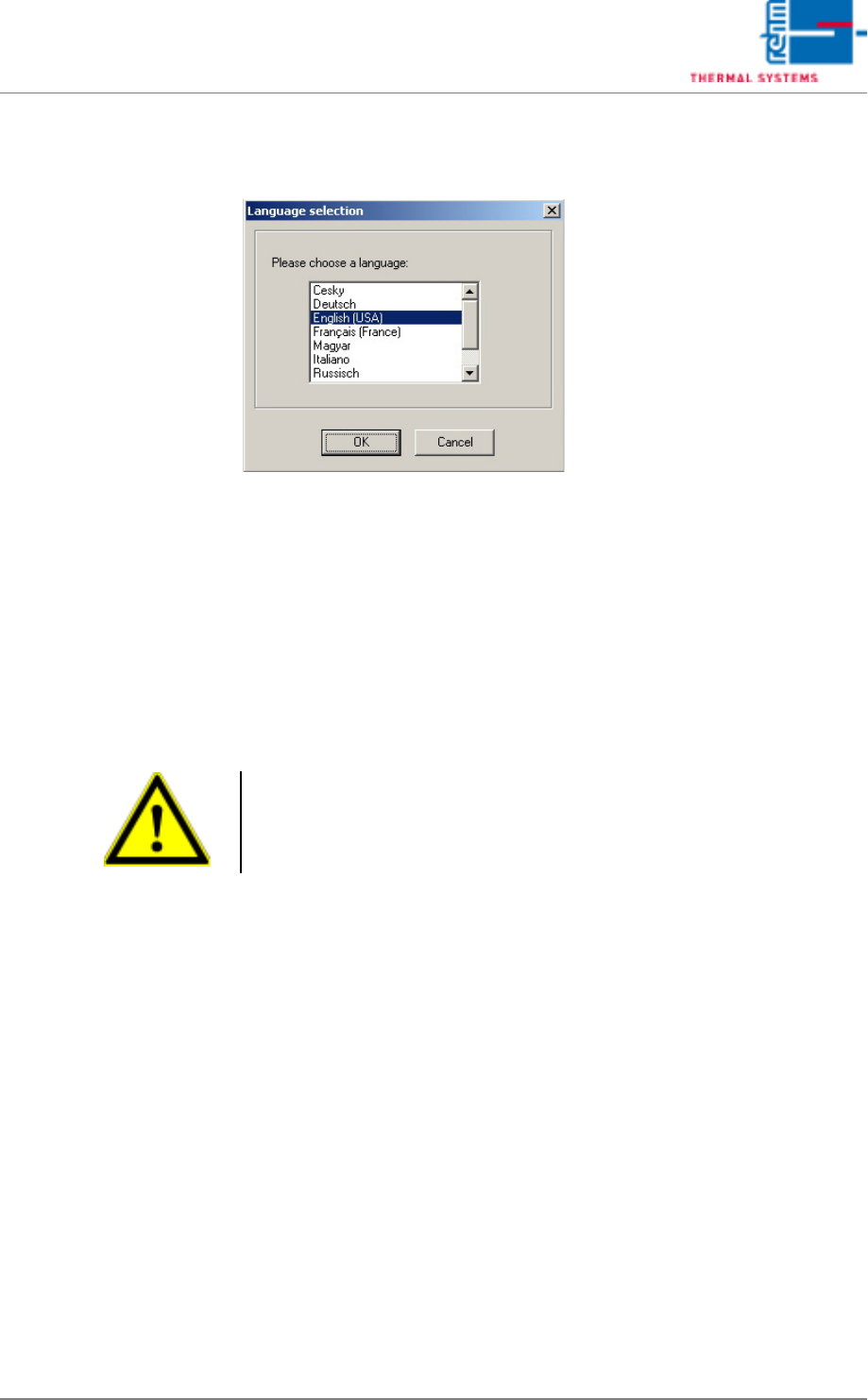
5.3.6 Language
Fig. 5-32 Language Selection
A language can be selected with this dialog box.
The language change does not become effective until Visu is restarted.
5.3.7 Exit Program
Work with the software program from Rehm Thermal Systems GmbH can be
ended here.
The software can be restarted by double clicking the system icon.
Caution
If „Don't check data for changes“ has been activated under System Set-
tings/Authority, the software is shut down without displaying a security
prompt.
VISION XP+ VAC Page 99
5 Software
5.4 The Data Menu
Operating Instructions
Version 1.5
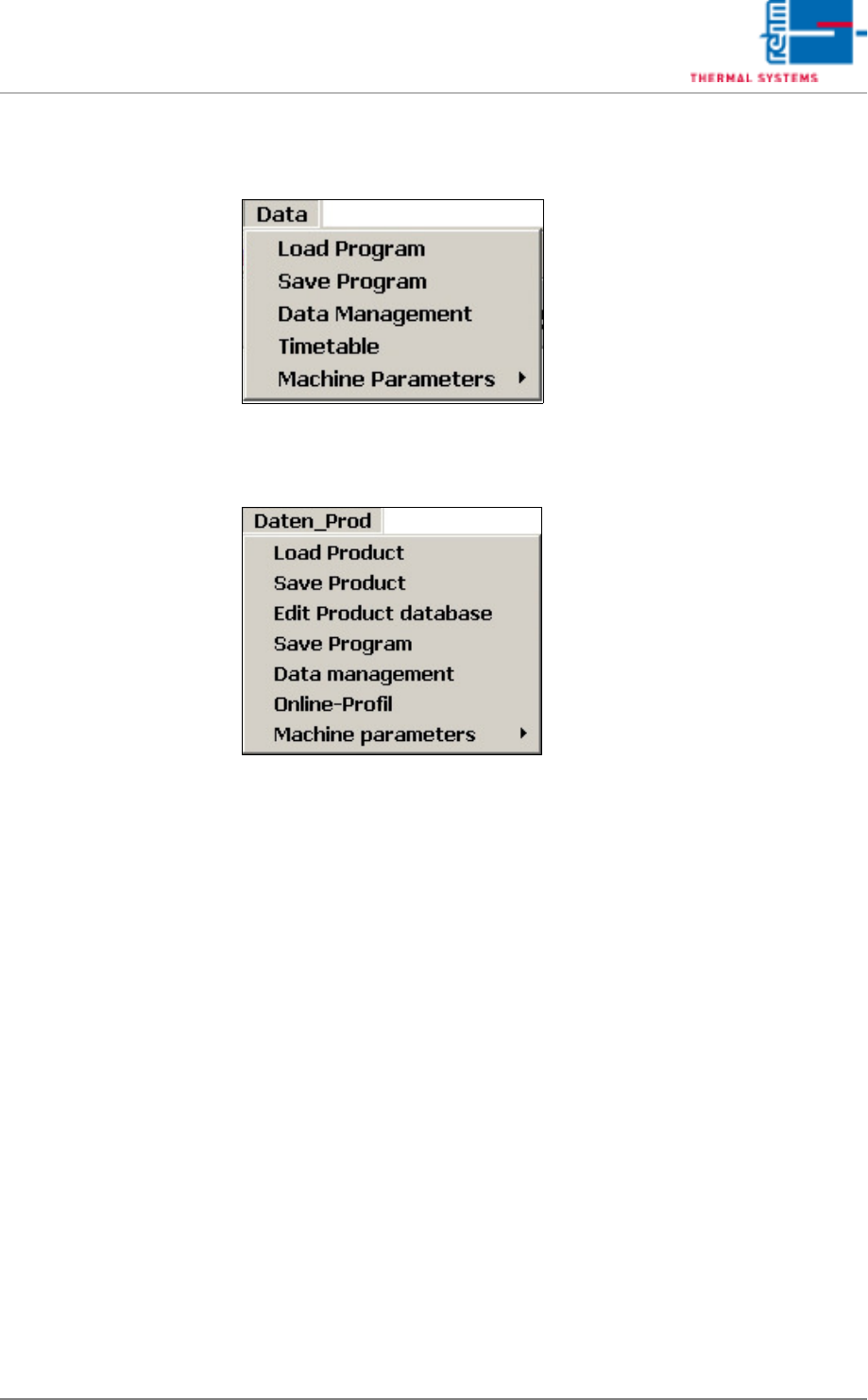
5.4 The Data Menu
Fig. 5-33 Window Data Menu (standard)
Fig. 5-34 Window Data Menu with product data bank (option)
The following menu points are options, it means they are not available in
each system:
• Load Product
• Save Product
• Edit Product database
• Online-Profil.
You can find a description of these functions in the document Online Profil-
ing.