OperationInstruction_Vsision XP - 第112页
Page 104 V ISION XP+ V AC 5 Software 5.5 The Masks Menu Operating Instructions V ersion 1.5 5.5 The Mask s Menu

VISION XP+ VAC Page 103
5 Software
5.4 The Data Menu
Operating Instructions
Version 1.5
5.4.5 Machine Parameters
This function may only be utilized by service technicians from
Rehm Thermal Systems, or in accordance with specially issued instructions.
The values of machine parameters are indicated in the masks blue and they
are independent of the product.
Page 104 VISION XP+ VAC
5 Software
5.5 The Masks Menu
Operating Instructions
Version 1.5
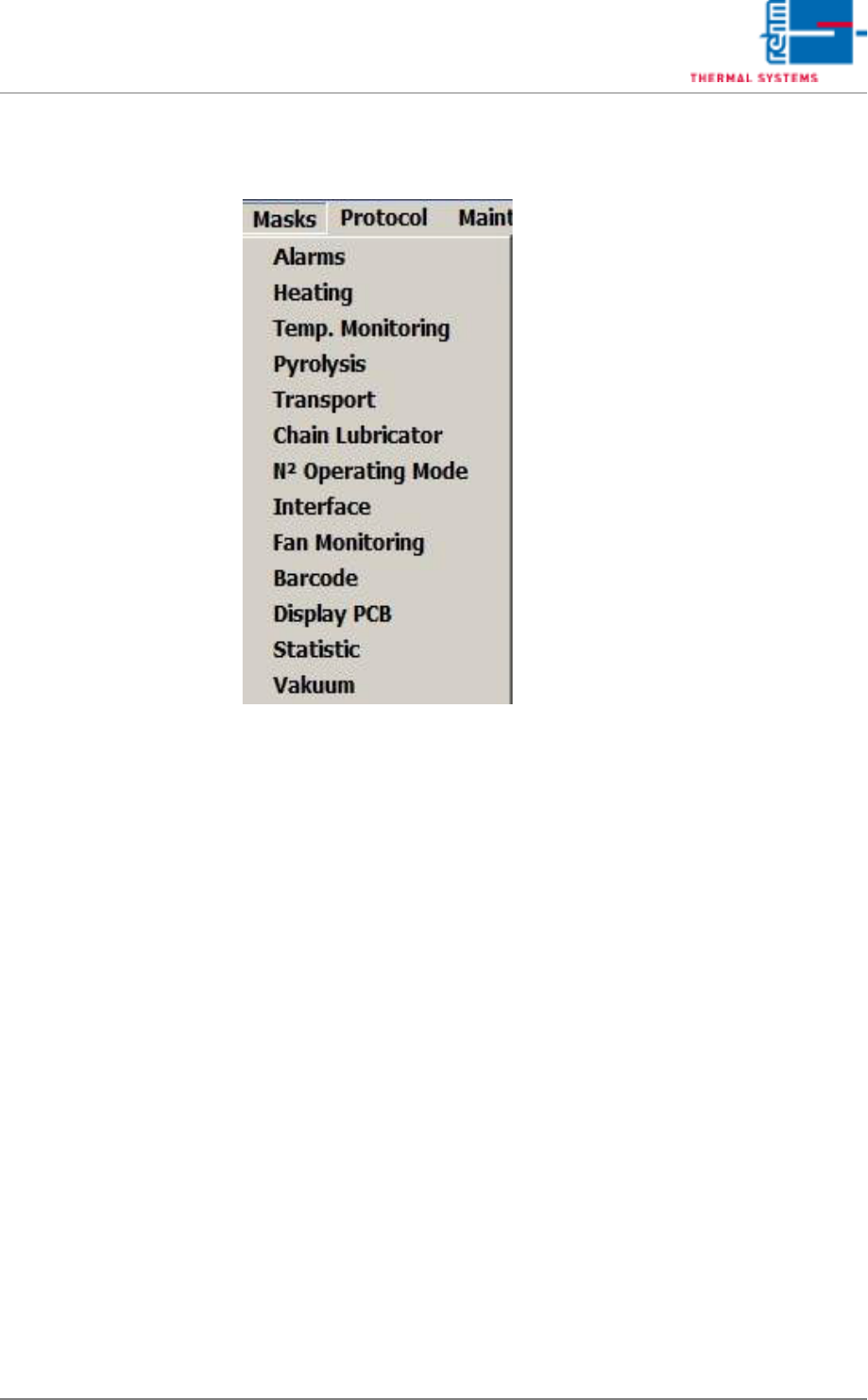
5.5 The Masks Menu
VISION XP+ VAC Page 105
5 Software
5.5 The Masks Menu
Operating Instructions
Version 1.5
5.5.1 Alarms
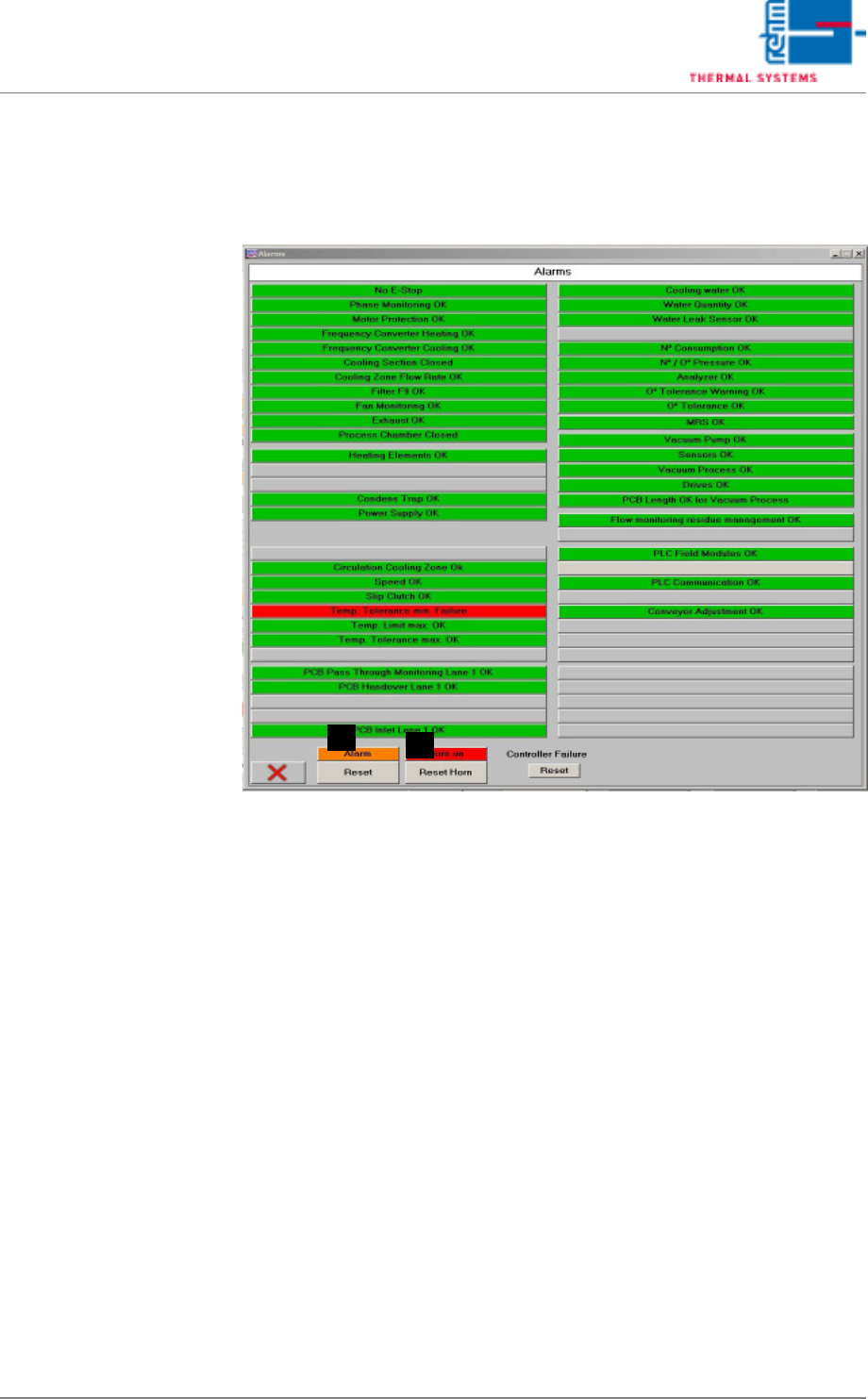
Errors and malfunctions are displayed in red here.
Fig. 5-39 Software Window with Alarm Messages
A) Button for switching the horn off. This is the same function which appears
in the main window.
B) Horn Switch
The horn sounds to indicate alarm messages which this switch is turned
on. If, on the other hand, the switch is turned off, alarm messages appear
at the display only. the horn does not sound.
A
B