OperationInstruction_Vsision XP - 第136页
Page 128 V ISION XP+ V AC 5 Software 5.5 The Masks Menu Operating Instructions V ersion 1.5 5.5.13 Ba rcode Carrier code (option) Rehm-System s are equipped o ptionally with a Barcode Scanner . The follow- ing informatio…
VISION XP+ VAC Page 127
5 Software
5.5 The Masks Menu
Operating Instructions
Version 1.5
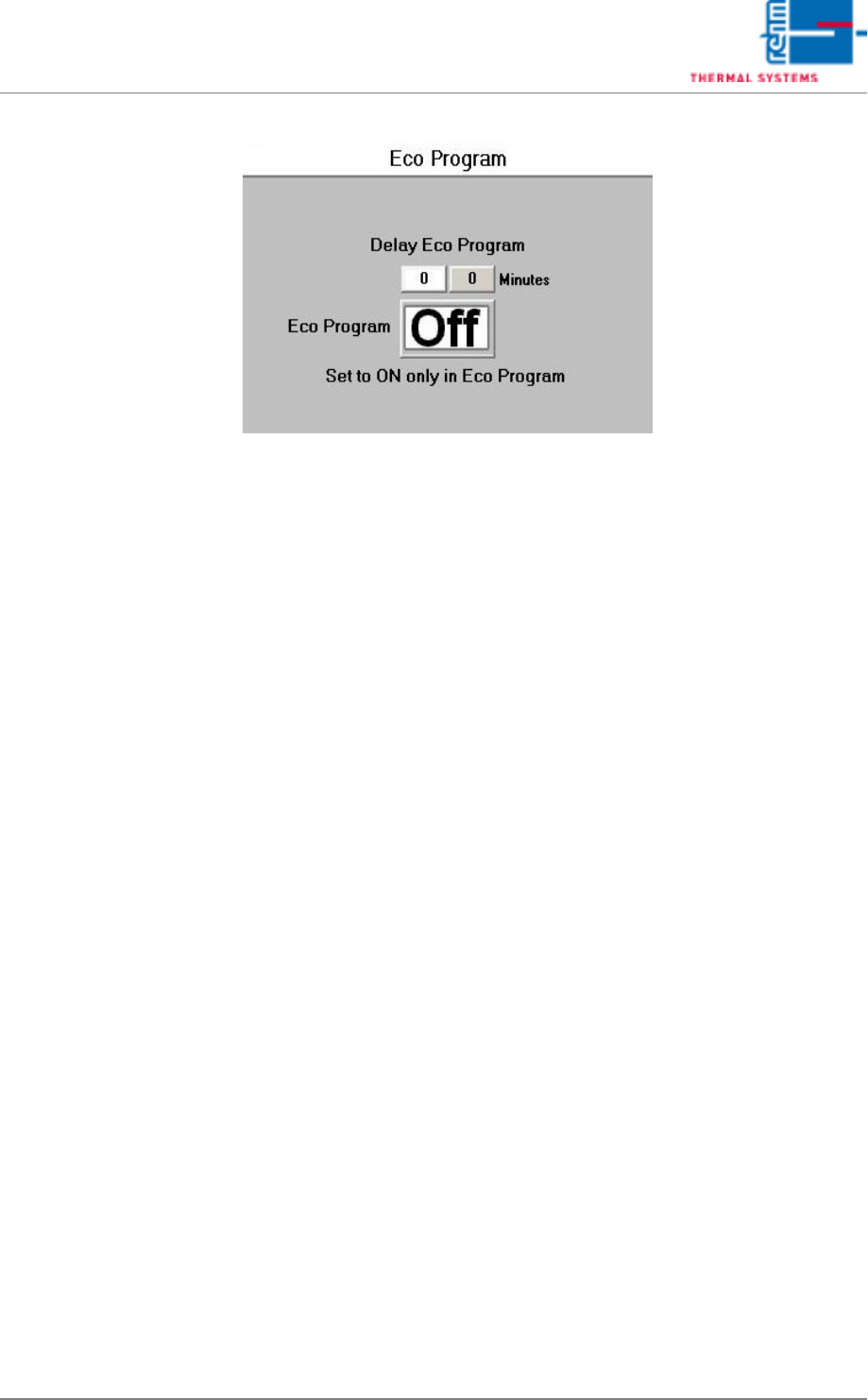
ECO-Program (option)
Fig. 5-56 Fan monitoring - Eco-Programm
ECO program delays
The specified delay time will expire as soon as the oven is empty and no
request by the upstream belt is pending.
The ECO program will be loaded after the specified time.
The old program will be re-loaded on request by the upstream belt.
The ECO program is deactivated when the input field is on “O”.
Note!
The “ON/OFF” button must be on “ON” in the ECO program.
Page 128 VISION XP+ VAC
5 Software
5.5 The Masks Menu
Operating Instructions
Version 1.5
5.5.13 Barcode Carrier code (option)
Rehm-Systems are equipped optionally with a Barcode Scanner. The follow-
ing information can be filtered from the Barcode.
The program switches only when the handling and the process are inactive.
The handling system is also active when the machine is in automatic mode
and the transport initialization has not yet been executed or terminated.
• PCB Code or serial number,
is saved together with the traceability with each PCB.
• Product/Program Code,
is compared through a cross reference table with the actual loaded pro-
file. The oven makes an automatically program switch if necessary.
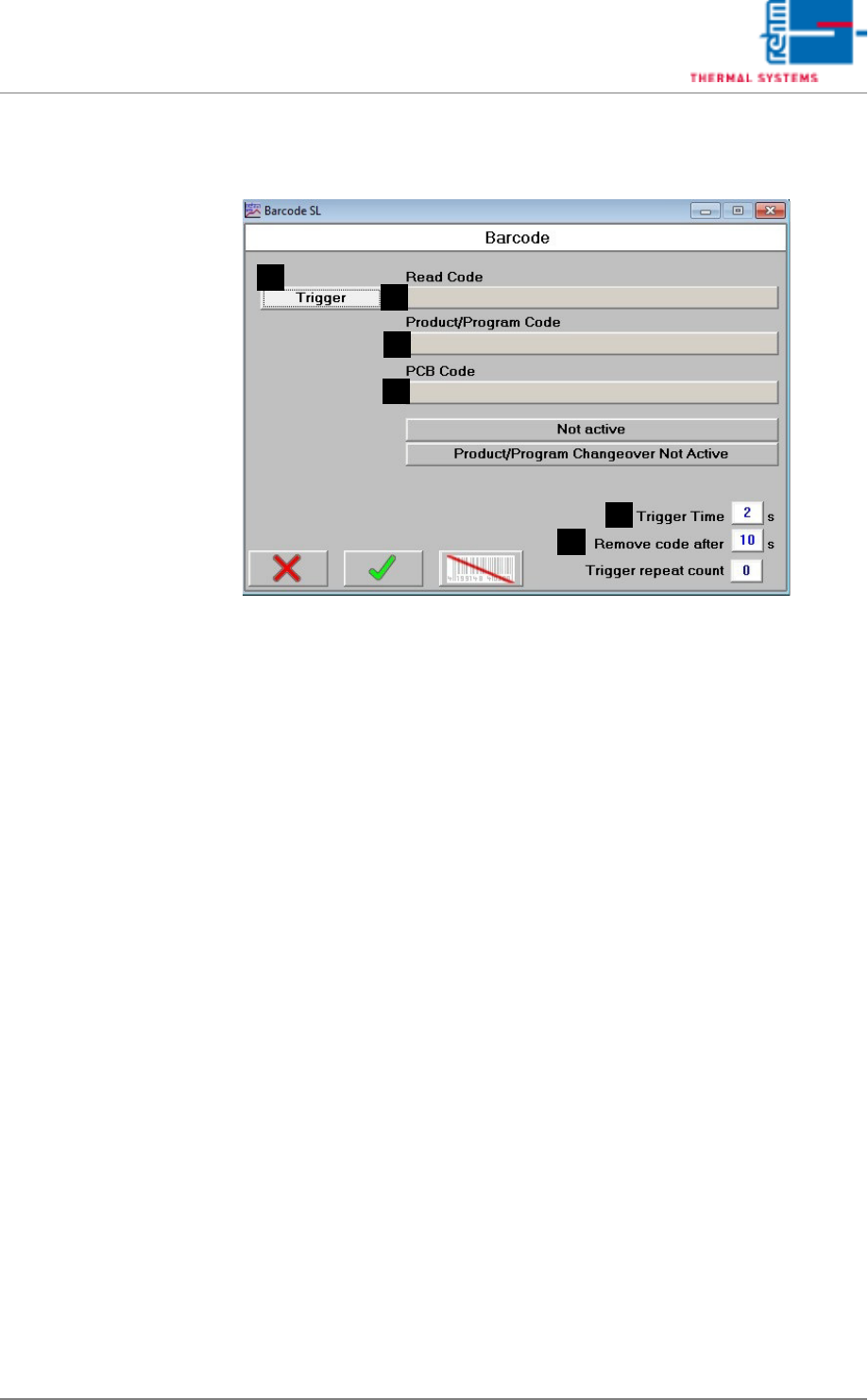
The mask shows the whole received code from the scanner, the filtered
Product/Program code out of it and the filtered PCB code. If the scanner is
triggered from the oven, a manual reading can be set with the trigger button.
The length of the impulse is defined in the entry field „Trigger time“.
A) Software button Trigger
If the scanner is triggered from the oven, a manual reading can be set
with the button Trigger
B) Read Code
The whole code read from the Barcode Scanner is shown in that display
field.
C) Product/Program Code
The product/program fraction which can be filtered from the received
code is shown in that display filed. The filter can be defined in the
Oven.ini file.
D) PCB Code
The PCB or serial number fraction which can be filtered from the re-
ceived code is shown in that display field. The filter can be defined in the
Oven.ini file.
A
B
C
D
E
F

VISION XP+ VAC Page 129
5 Software
5.5 The Masks Menu
Operating Instructions
Version 1.5
E) Trigger time
In this entry filed the duration of the Trigger impulse can be determined.
F) Remove Code after
If the barcode from a PCB is matching to the actual loaded program/pro-
file a permission is set for that PCB. The permission is going after 10 sec-
onds if no PCB in front of the oven. More detailed explained the
permission is going after 10 seconds if there is no request signal from the
conveyor in front of the oven (SMEMA/Siemens interface). If the value in
that entry field is bigger than 10 seconds the value from the entry field is
used instead of.