OperationInstruction_Vsision XP - 第163页
V ISION XP+ V AC Page 155 6 Rehm Recorder 6.2 Live mode configuration Operating Instructions V ersion 1.5 6.2 Live mo de confi guration 6.2.1 C reate new configuration 6.2.2 Edit c onfiguration name Fig. 6-4 Edit co nfig…
Page 154 VISION XP+ VAC
6 Rehm Recorder
6.1 Start screen
Operating Instructions
Version 1.5
6.1 Start screen
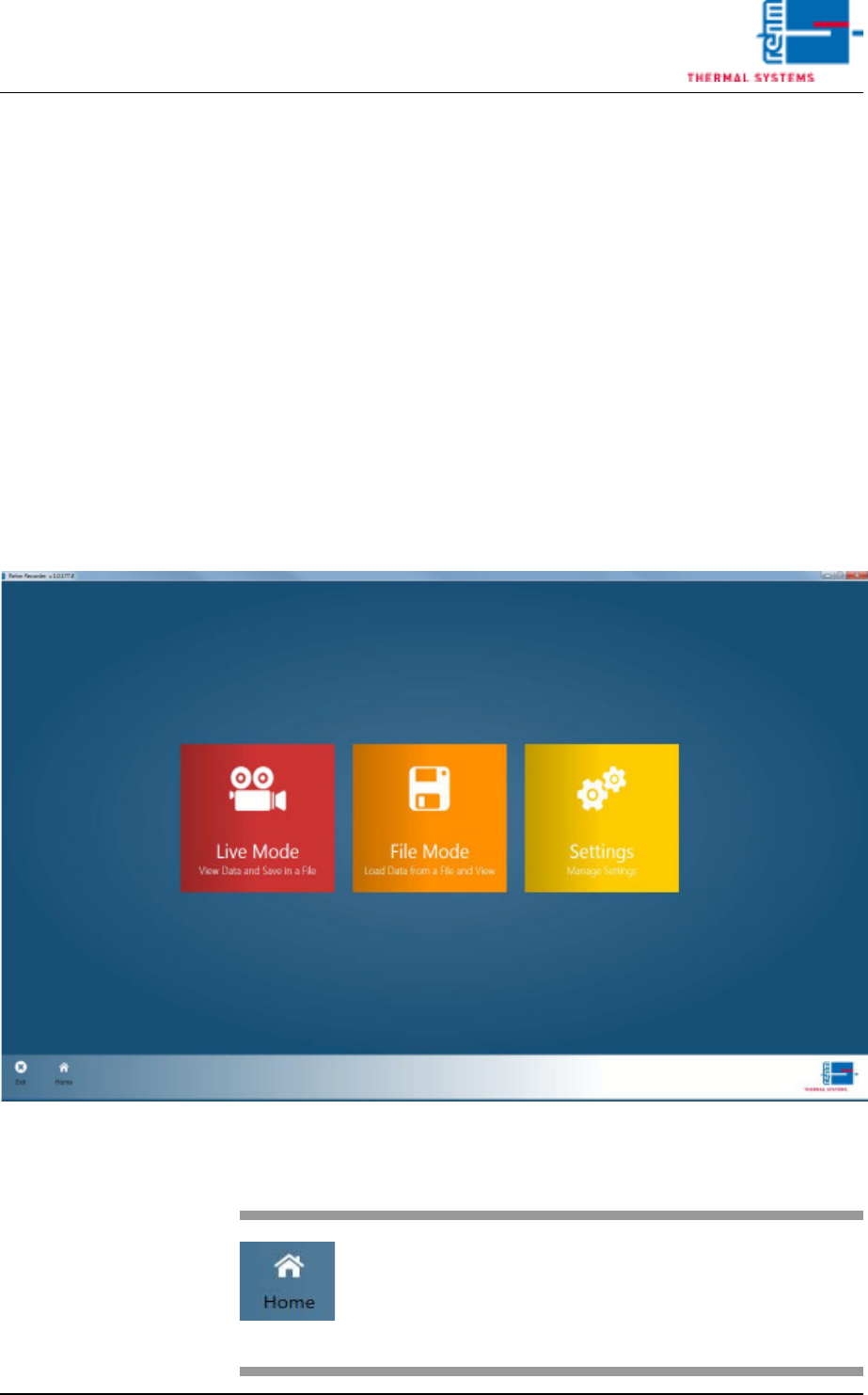
The start screen shows three tiles enabling access to the three main areas
of the application.
The "Live Mode"
tile enables data from the controller to be recorded and shown in a chart.
The "File Mode"
tile enables records already recorded to be viewed.
The "Settings"
tile enables basic application settings to be configured.
6.1.1 Start window
Fig. 6-1 Start window
Fig. 6-2 Home button
The "Home" button is used to re-
turn to the start screen from all
screens.
VISION XP+ VAC Page 155
6 Rehm Recorder
6.2 Live mode configuration
Operating Instructions
Version 1.5
6.2 Live mode configuration
6.2.1 Create new configuration
6.2.2 Edit configuration name
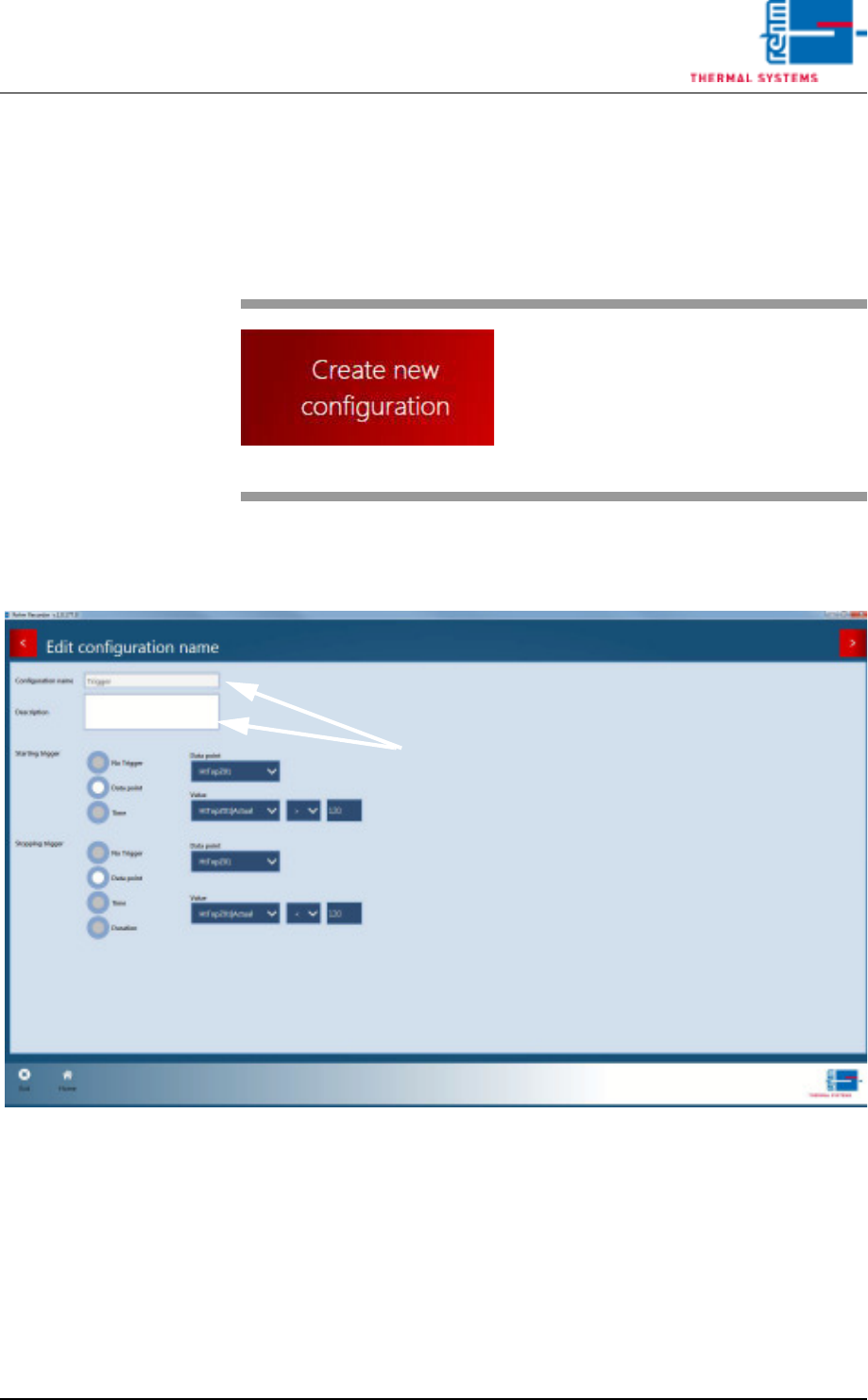
Fig. 6-4 Edit configuration name
First the configuration name and file name for the data packet stored must
be completed. These fields are mandatory.
It is also possible to configure start and end triggers. The type of trigger is
selected first.
Types can be selected to be a data point or time.
For a data point trigger, select the data point required and set the value
Fig. 6-3 Create new configuration button
The button
"Create new configuration" pro-
vides access to the Configuration
Wizard.
Page 156 VISION XP+ VAC
6 Rehm Recorder
6.2 Live mode configuration
Operating Instructions
Version 1.5
above or below which the trigger starts recording.
For a time trigger, specify the time recording starts.
It is possible for both trigger types to configure start and end triggers.
Fig. 6-5 Next button
This button moves on to the next
settings.
Fig. 6-6 Back button
This button moves back to the pre-
vious screens.