OperationInstruction_Vsision XP - 第179页
V ISION XP+ V AC Page 171 6 Rehm Recorder 6.4 File mode Operating Instructions V ersion 1.5 6.4.6 Sort 6.4.7 Show file Fig. 6-2 7 Show file Data is loade d into the chart once a record is selected in the file overvie w. …
Page 170 VISION XP+ VAC
6 Rehm Recorder
6.4 File mode
Operating Instructions
Version 1.5
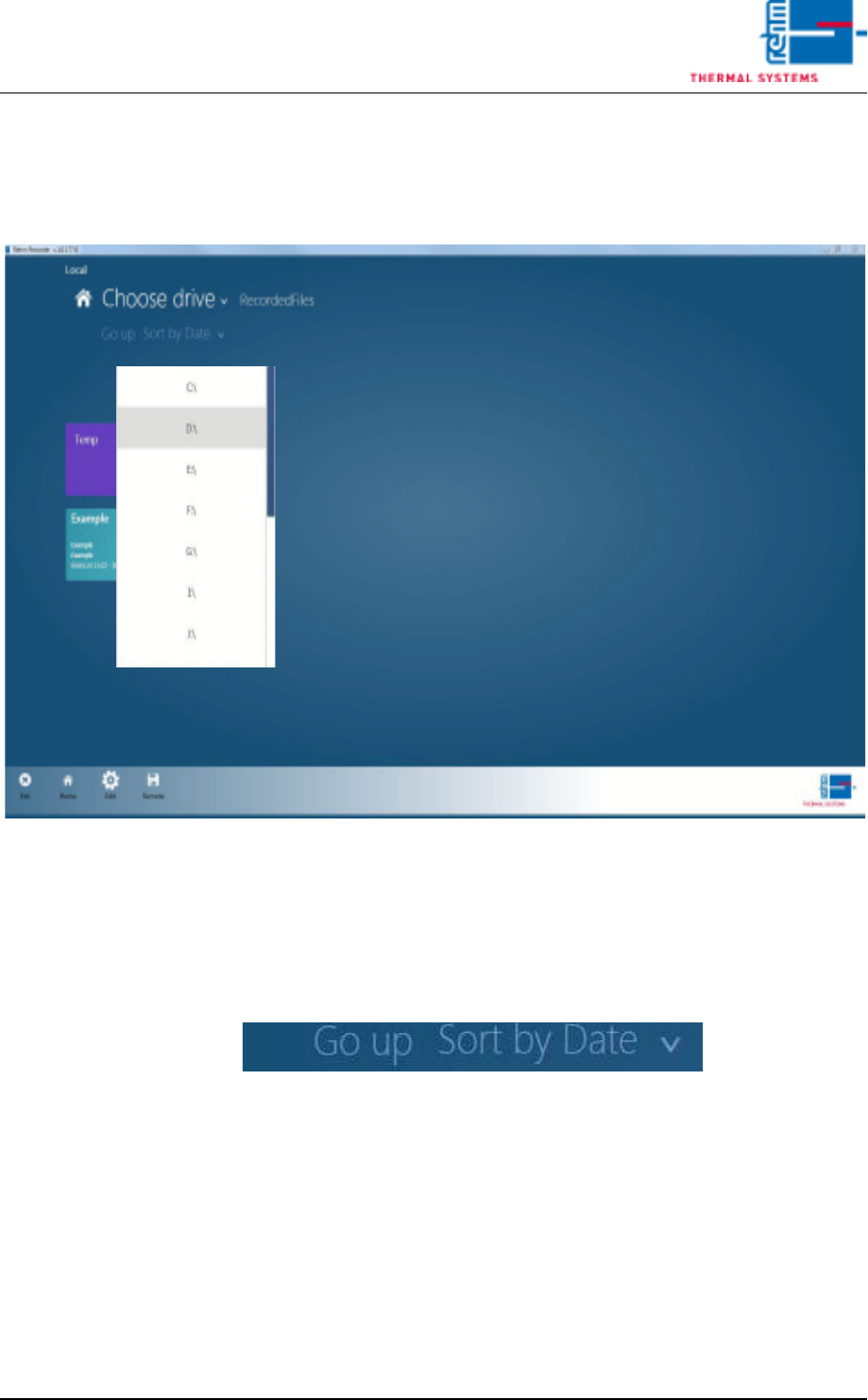
6.4.4 Select path
Click "Select path" if you require data from other drives.
Fig. 6-24 Select path
All drives currently available for selection are shown here. The folder cur-
rently selected is displayed to the right.
6.4.5 "Up" button
Fig. 6-25 Up button
The "Up" button navigates to the next highest folder.
VISION XP+ VAC Page 171
6 Rehm Recorder
6.4 File mode
Operating Instructions
Version 1.5
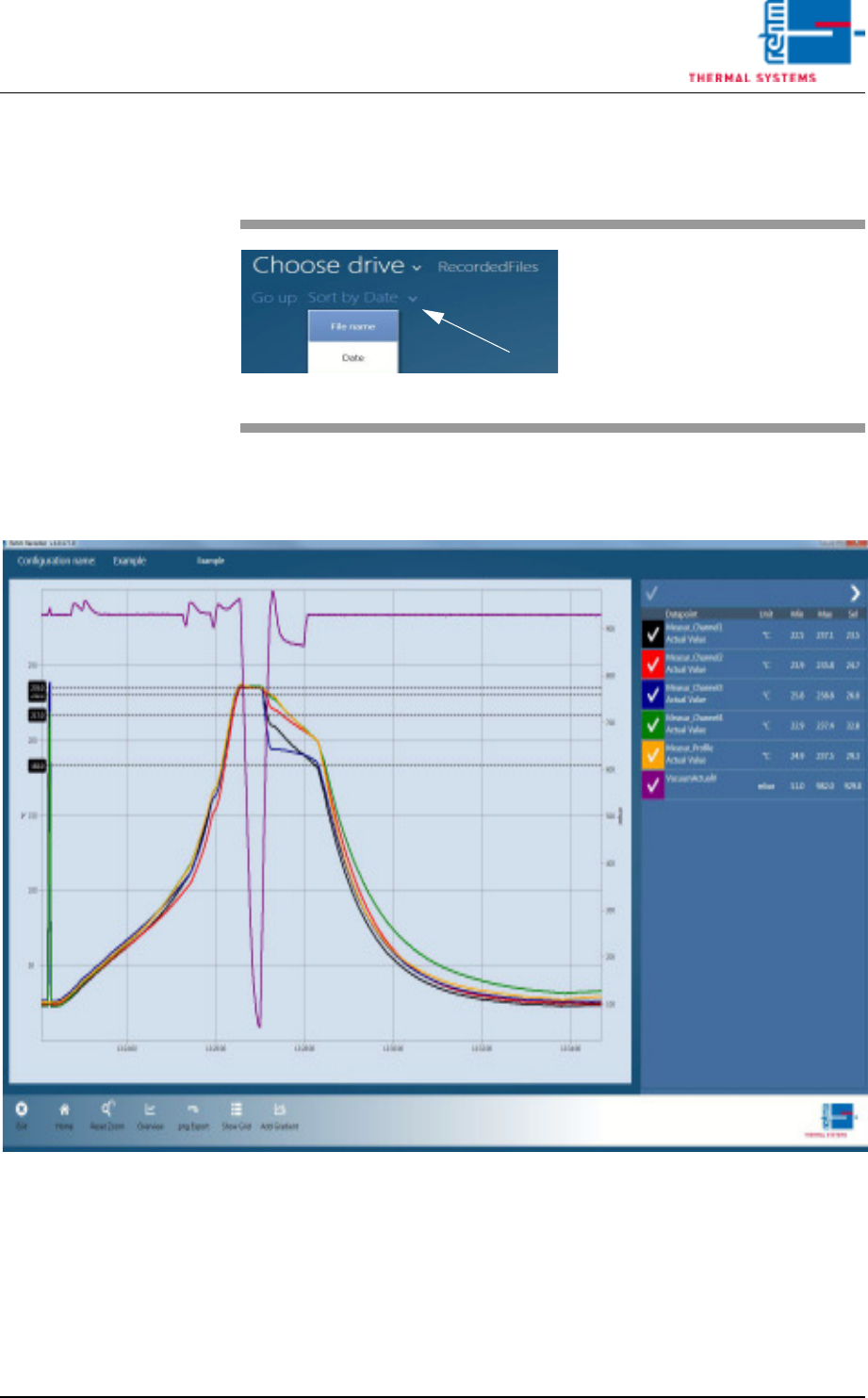
6.4.6 Sort
6.4.7 Show file
Fig. 6-27 Show file
Data is loaded into the chart once a record is selected in the file overview.
All functions that are also in "Live Mode" are then available to the user.
Fig. 6-26 Sort
The "Sort by …" button sorts the
records by file name or date de-
pending on setting.
The arrow at the end determines
whether sorting is ascending or de-
scending.
Page 172 VISION XP+ VAC
6 Rehm Recorder
6.4 File mode
Operating Instructions
Version 1.5
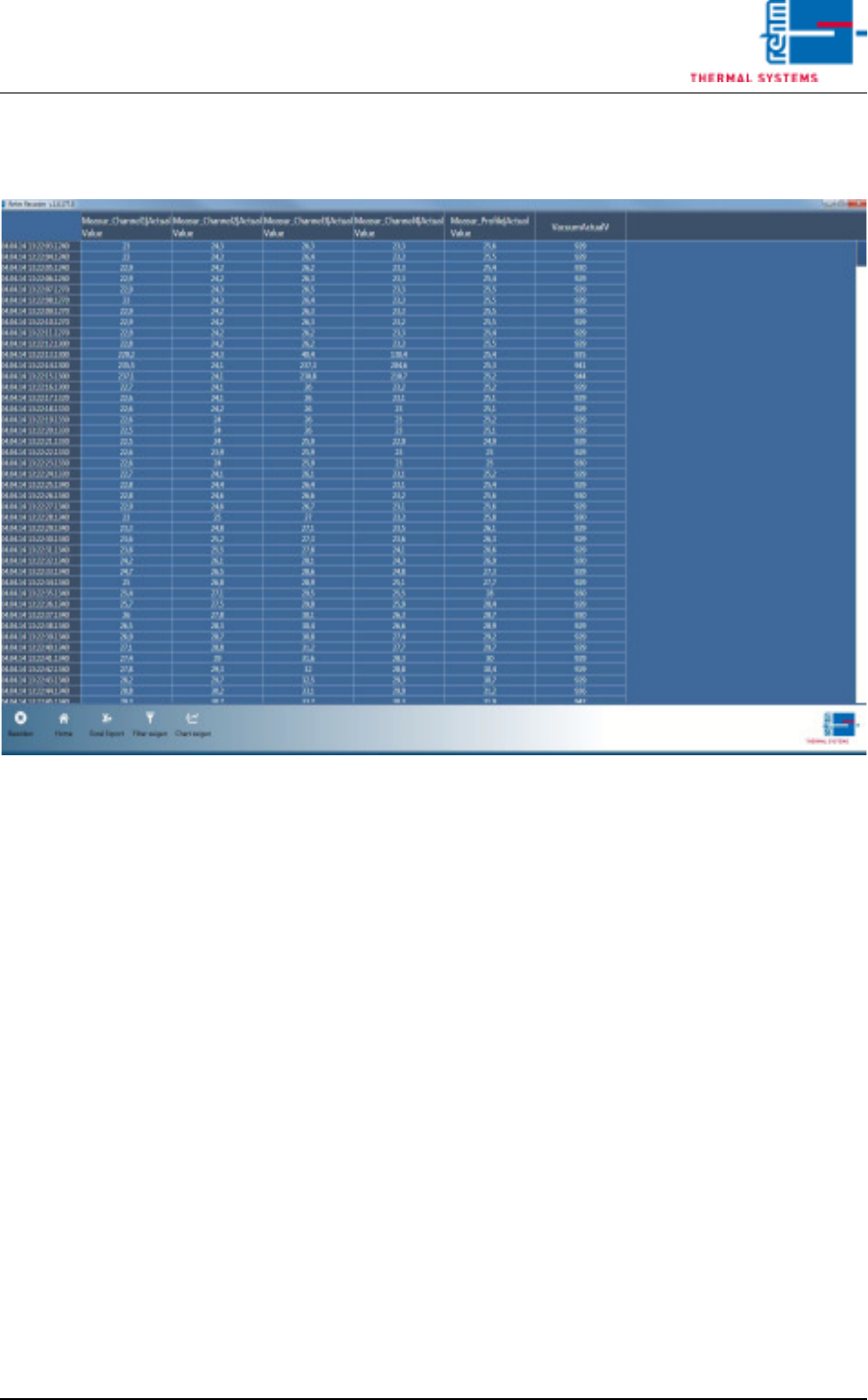
6.4.8 Show data points in table
Fig. 6-28 Show data points in table
Button "Show Grid" is also in "File Mode". This displays all values for all
data points in a table.