OperationInstruction_Vsision XP - 第181页
V ISION XP+ V AC Page 173 6 Rehm Recorder 6.4 File mode Operating Instructions V ersion 1.5 6.4.9 F ilter data points Fig. 6-2 9 Filt er data po ints Data points can be narrowed down using filter criteria. 6.4.10 E xcel …
Page 172 VISION XP+ VAC
6 Rehm Recorder
6.4 File mode
Operating Instructions
Version 1.5
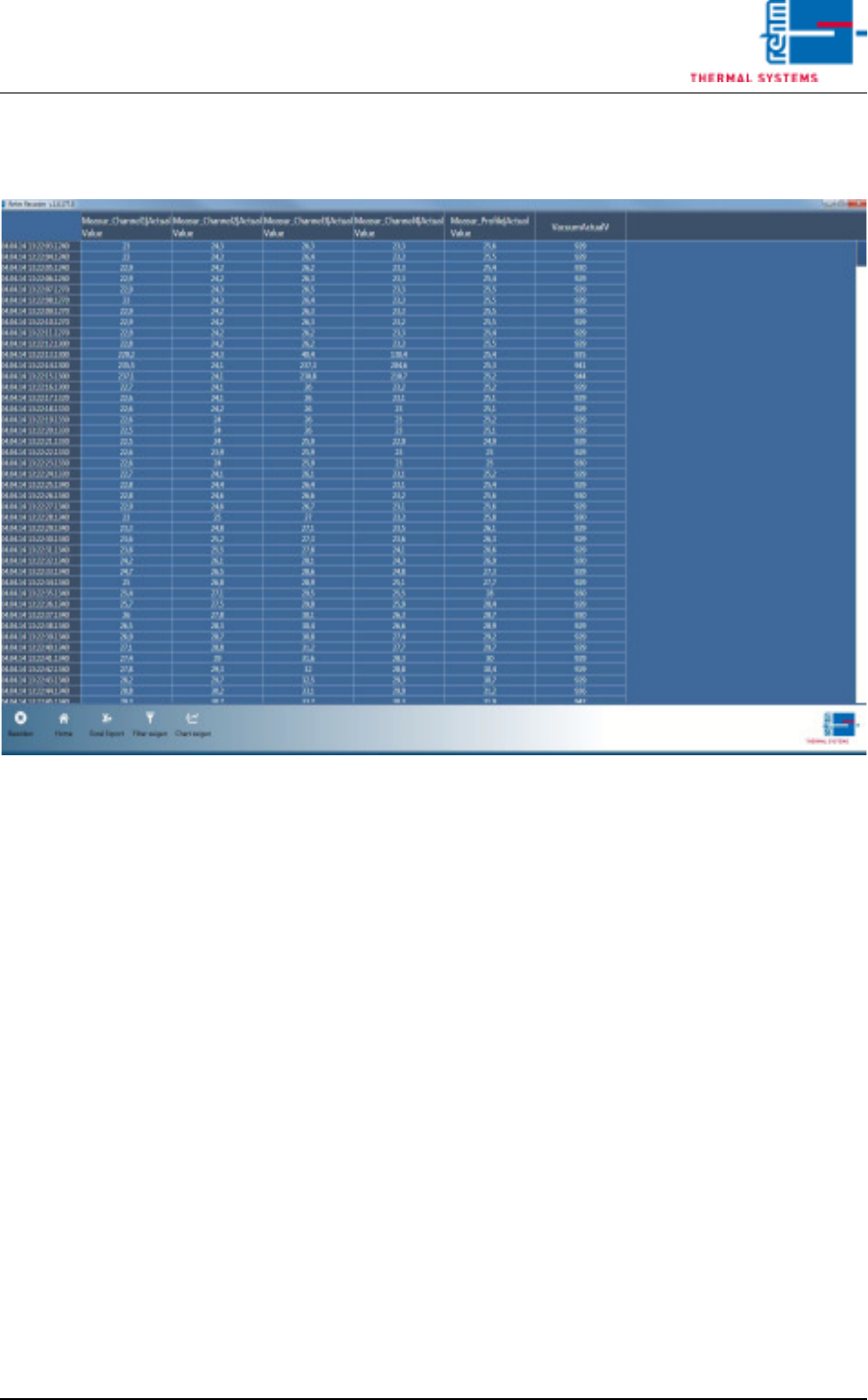
6.4.8 Show data points in table
Fig. 6-28 Show data points in table
Button "Show Grid" is also in "File Mode". This displays all values for all
data points in a table.
VISION XP+ VAC Page 173
6 Rehm Recorder
6.4 File mode
Operating Instructions
Version 1.5
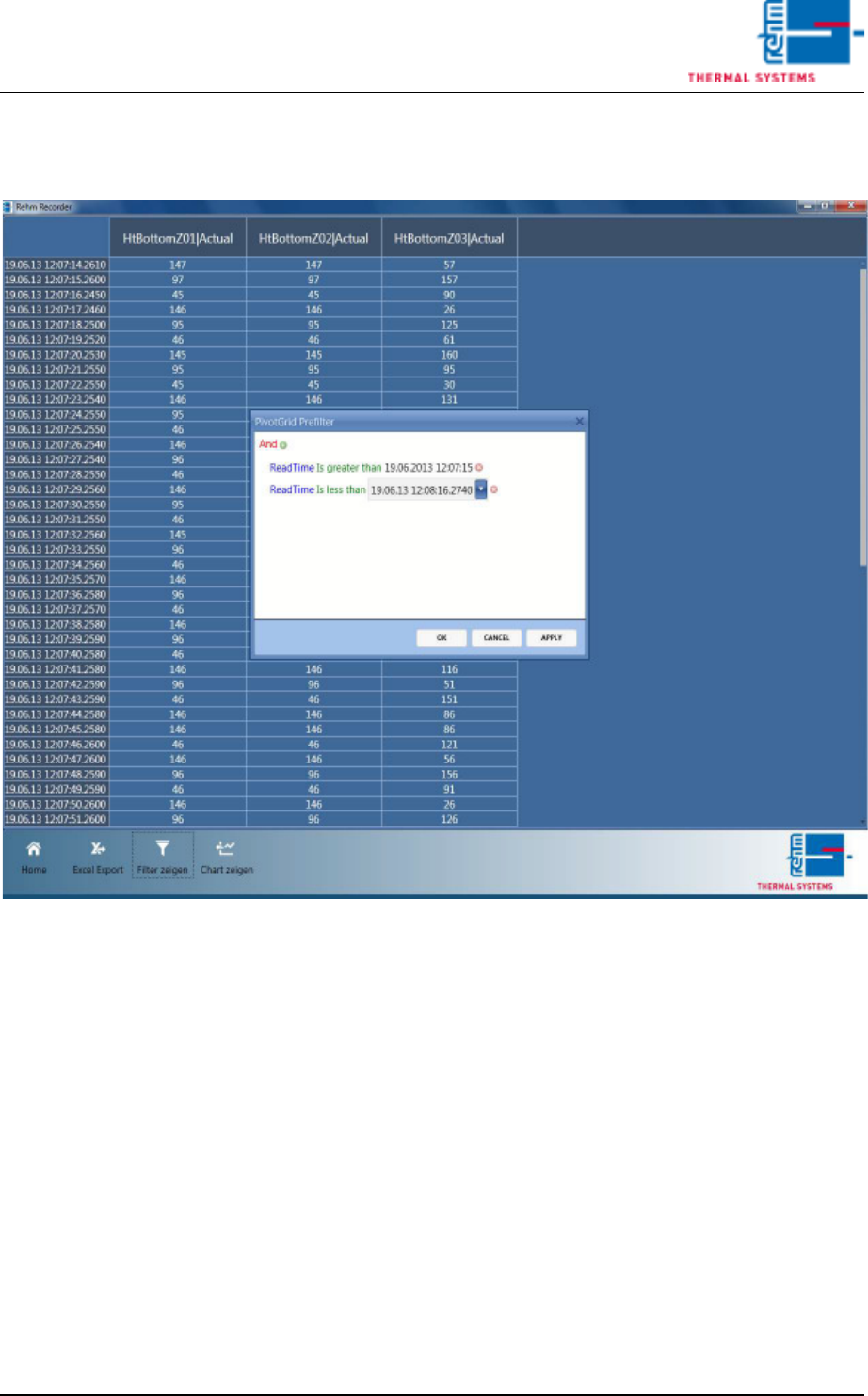
6.4.9 Filter data points
Fig. 6-29 Filter data points
Data points can be narrowed down using filter criteria.
6.4.10 Excel export of data points
The data points displayed in the table can be exported to an Excel file with
the "Excel Export" button. Only data currently being displayed in the table
is exported. This means if you have narrowed down the list accordingly using
a filter, only this data is exported.
The files are then stored in subfolder "ExcelExports" in the default path de-
fined in the settings.
The Excel file can then continue to be used without restriction in Excel.
Page 174 VISION XP+ VAC
6 Rehm Recorder
6.5 Settings
Operating Instructions
Version 1.5
6.5 Settings
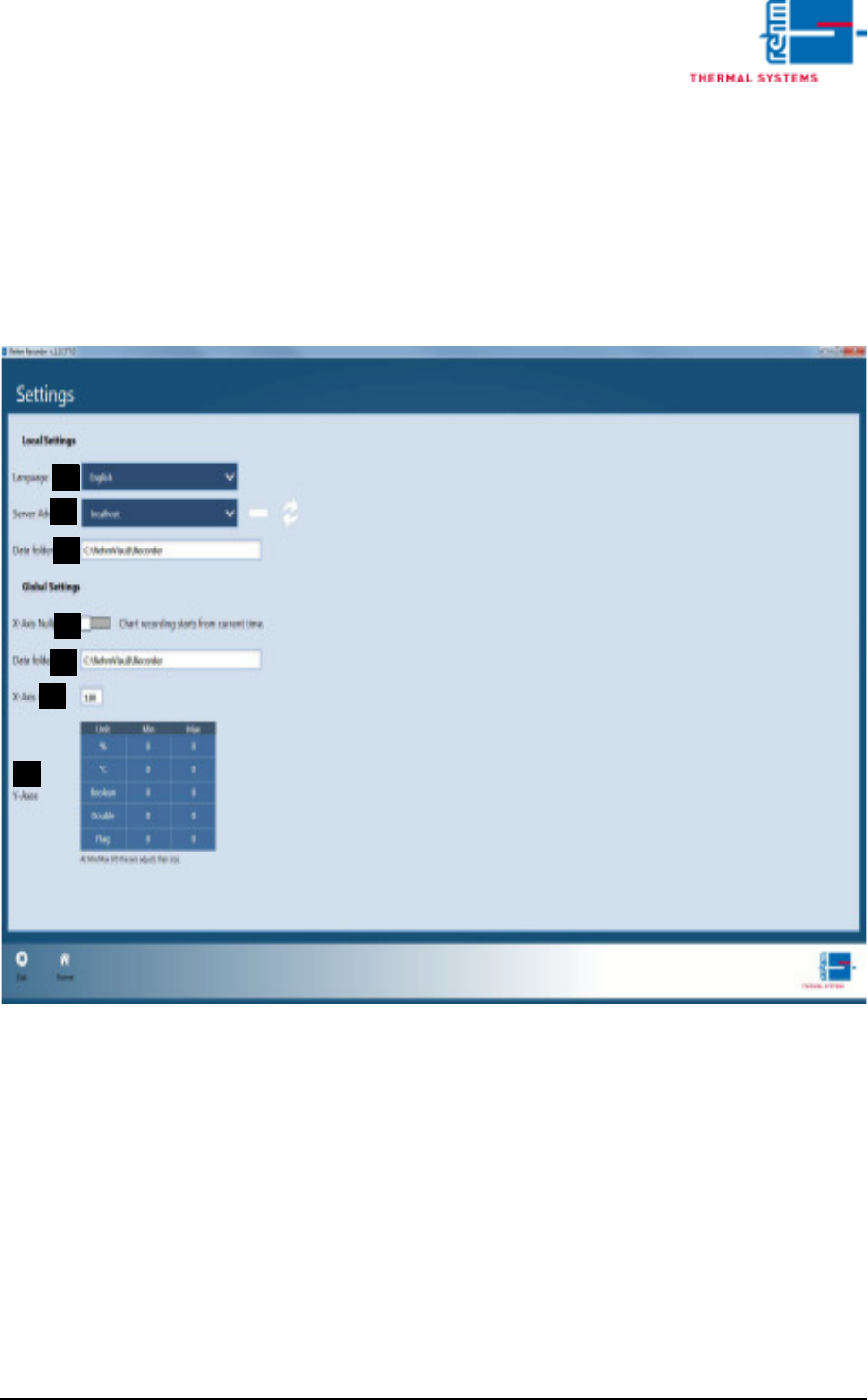
6.5.1 Change settings
Clicking the "Settings" tile in the start menu takes the user to the general
application settings.
Fig. 6-30 Change settings
A) Language
The "language" is currently pre-set to German. If you want to change this
setting, you must first save the settings from "Home". Then you need to
close the application and restart it for the setting to take effect.
B) Server Address
The Server Address specifies the machine to which the Recorder Viewer
is to connect. localhost (the local computer) is set by default.
C) Chart Recording
The type of chart recording (zero point or direct start) is set from switch
"Chart recording starts at zero point...". The recording is either started
at "0" or at the start time for the recording.
D) File Storage Folder
The default folder for file storage is configured under "File Storage Fold-
A
E
D
C
B
F
G