OperationInstruction_Vsision XP - 第38页
Page 30 Vision XP+ V AC 3 From T ransport to Initial Start-Up 3.1 T ransport Configuration and T ransport Operating Instructions V ersion 1.5 3.1.3 T ransport in Basic Packaging Dimensions Fig. 3-1 Dimension s Length (A)…

Vision XP+ VAC Page 29
3 From Transport to Initial Start-Up
3.1 Transport Configuration and Transport
Operating Instructions
Version 1.5
3 From Transport to Initial Start-Up
This chapter explains how the system is transported and set up. The various
system segments, display elements and controls located on the system, as
well as the individual components, are described.
3.1 Transport Configuration and Transport
3.1.1 Safety measures
• Please wear during the work the required personal protective equipment
(protection goggles, gloves, ESD- clothes).
• Please observe the information on the packing.
• Don't stay under floating loads.
• Pay attention that the system is transported and put down shock-free and
beat-free.
3.1.2 Transport
Use a forklift with a fork length of at least 1600 mm in order to transport the
system. The forks may only be inserted at the correspondingly identified po-
sitions.
The following components are not yet installed if the system has been
shipped ex-works:
• Monitor screen
• Keyboard
• Fault indicator lamp
Install these components before initial start-up.
Floor Requirements Makes sure that:
• The system is set up on a solid floor which is not subject to vibration.
• The floor’s allowable load per unit is greater than 1000 kg per square me-
ter.
Note!
Users who are not yet familiar with the layout of the system are urged to
read this chapter.
Page 30 Vision XP+ VAC
3 From Transport to Initial Start-Up
3.1 Transport Configuration and Transport
Operating Instructions
Version 1.5
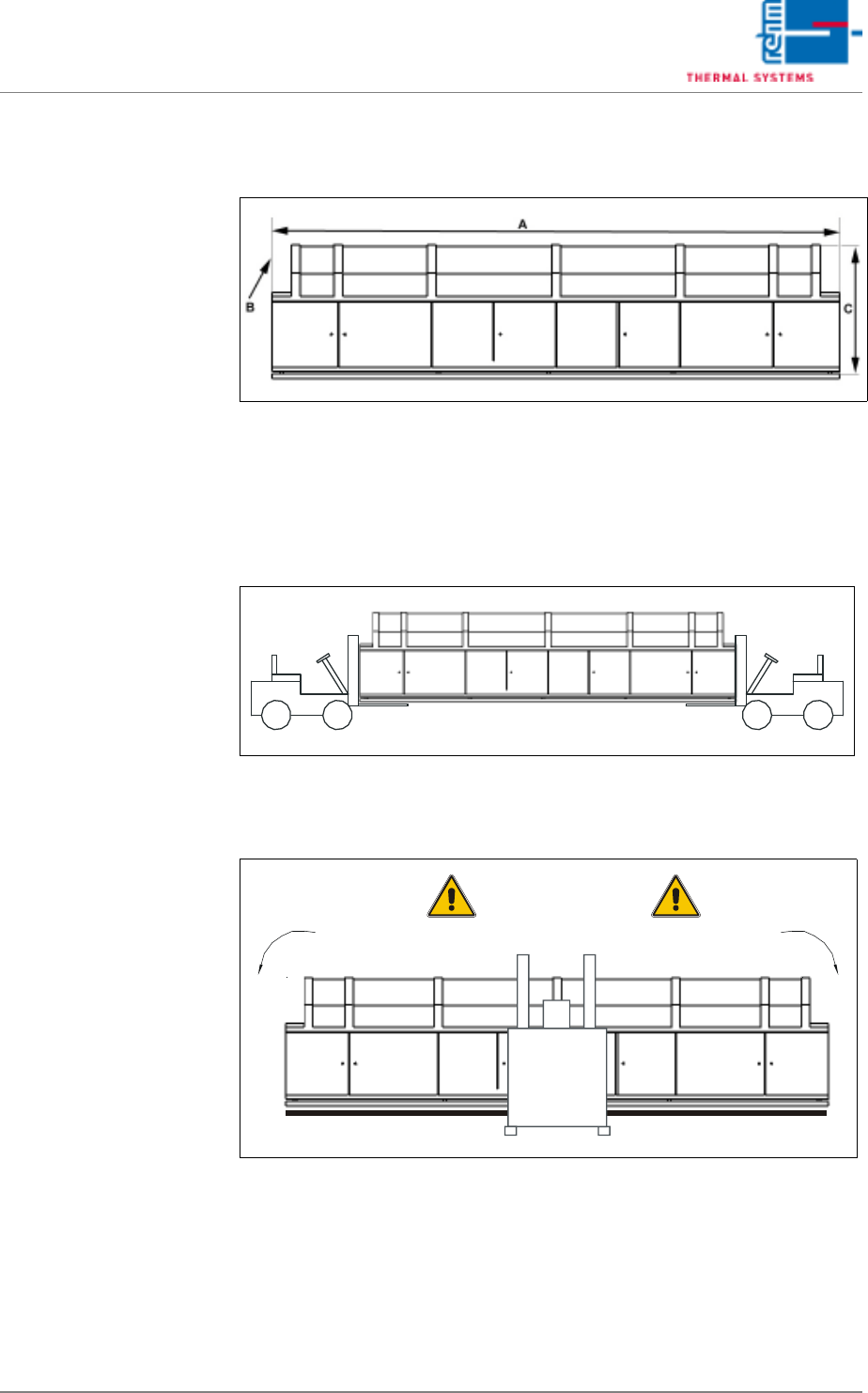
3.1.3 Transport in Basic Packaging
Dimensions
Fig. 3-1 Dimensions
Length (A), width (B) and height (C) are specified in the installation plan. Ap-
proximately 100 mm must be added to the dimensions specified in the instal-
lation plan.
Transport with Two
Forklifts or Pallet Jacks
Fig. 3-2 Transport with Two Forklifts or Pallet Jacks
Transport with One
Forklift or Pallet Jack
Fig. 3-3 Transport with One Forklift or Pallet Jack
Danger of Tilting
Vision XP+ VAC Page 31
3 From Transport to Initial Start-Up
3.1 Transport Configuration and Transport
Operating Instructions
Version 1.5
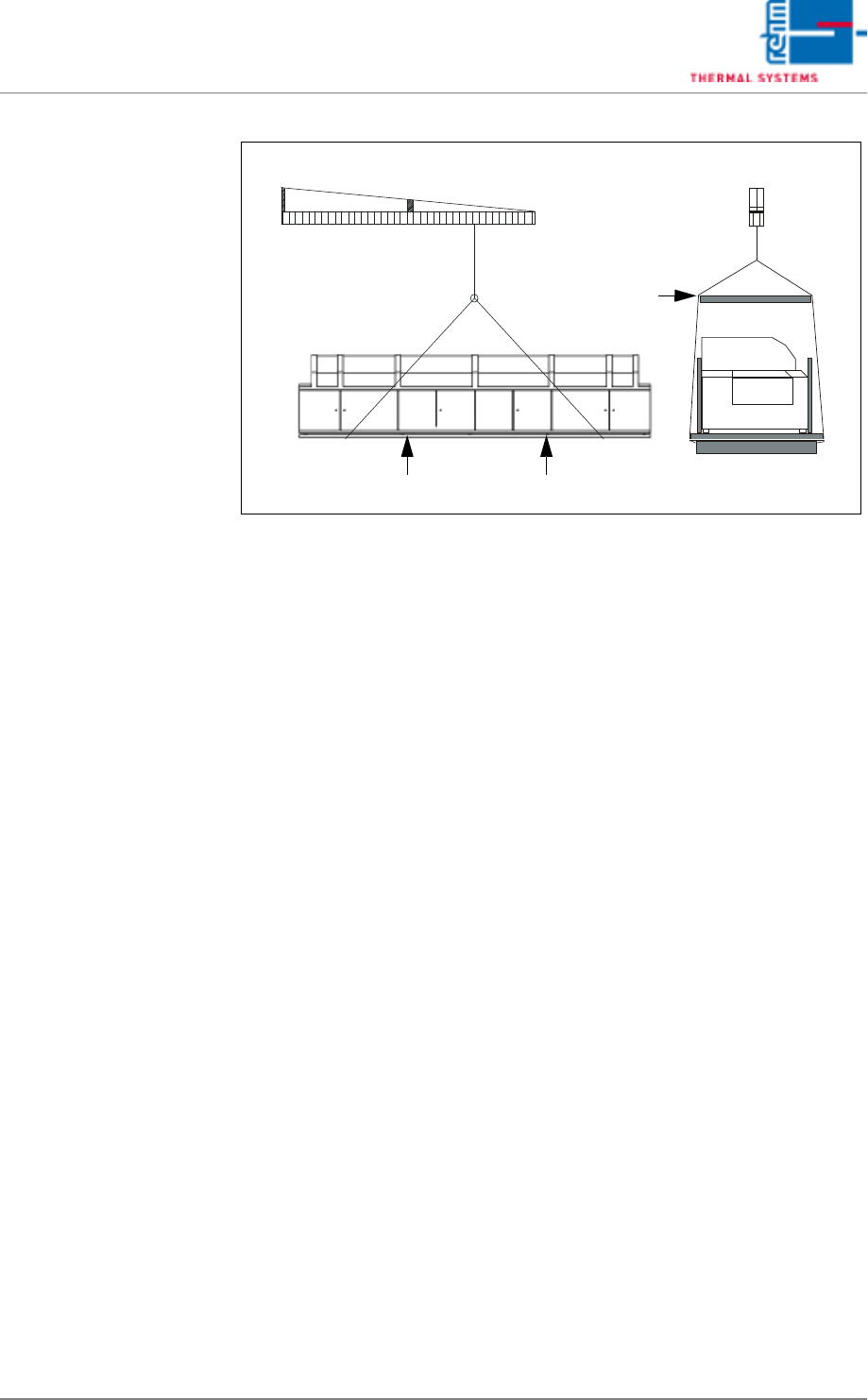
Transport with Crane
Fig. 3-4 Transport with Crane
Girder
Padded Side Panels