SIPLACE S-23 HM - 第122页
3 Introduction and Ba sic Concepts User M anual SIPLACE S -23 HM 3.3 User Interface - Views and Menus Software Version SR.406.xx 02/00 US E dition 122 Control mode... 3 The cont rol mode determin es how the station i s s…
User Manual SIPLACE S-23 HM 3 Introduction and Basic Concepts
Software Version SR.406.xx 02/00 US Edition 3.3 User Interface - Views and Menus
121
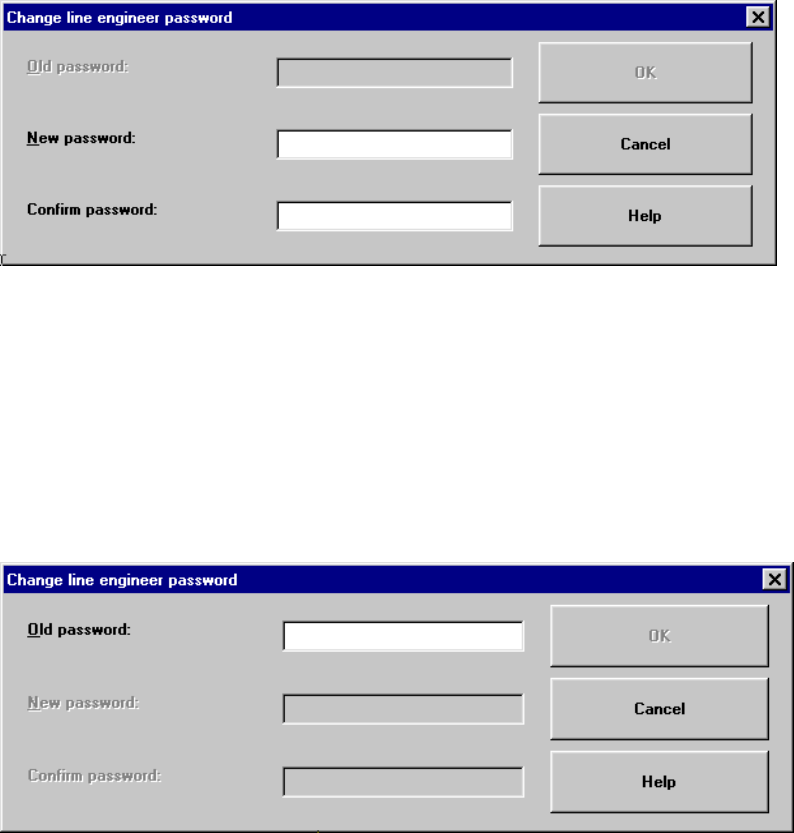
Example of initial password allocation 3
3
Å Click the "New password" text box and enter the required password.
Å Click the "Confirm password" text box and re-enter the password.
Å Click the OK button to confirm the password.
3
Example for the modification of an existing password 3
3
Å Click the "Old password" text box and enter the current password.
The other two text boxes now become active.
Å Click the "New password" text box and enter the new password.
Å Click the "Confirm password" text box and re-enter the new password.
Å Click the OK button to confirm the password.
Å Click OK to close the "Access level" dialog box.
3 Introduction and Basic Concepts User Manual SIPLACE S-23 HM
3.3 User Interface - Views and Menus Software Version SR.406.xx 02/00 US Edition
122
Control mode... 3
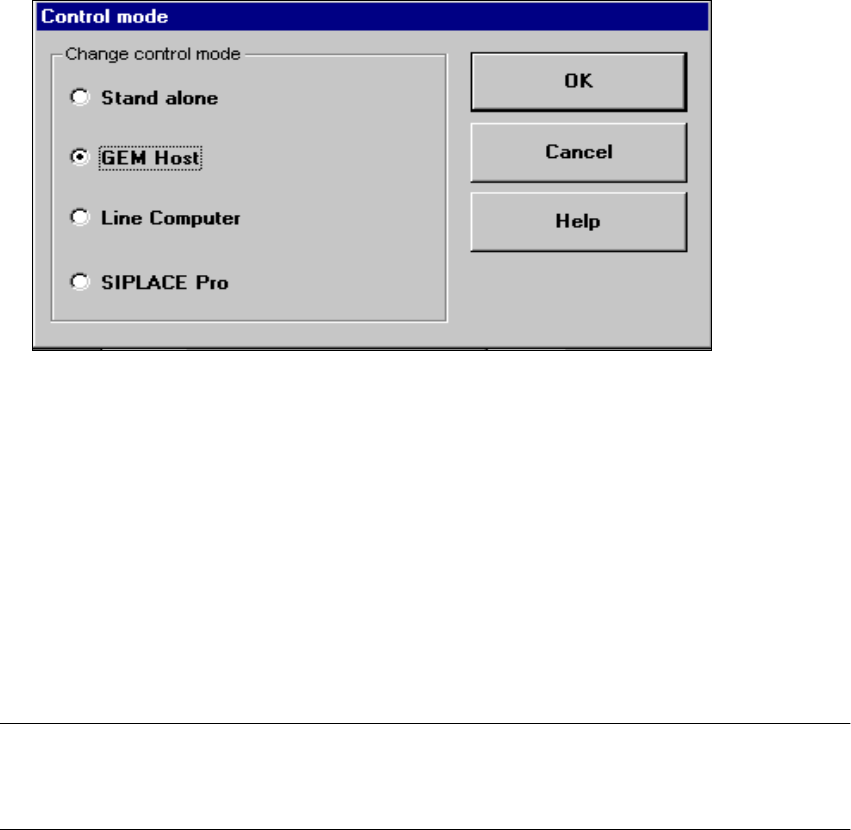
The control mode determines how the station is supplied with the necessary placement data. 3
Å Click the menu item Control mode...
The "Control mode" dialog box is displayed.
3
Control Modes: 3
Stand alone (for test purposes only)
This control mode allows you to load a cluster (placement program) for test and service purposes
from the station computer using the menu item "New cluster..." .
The necessary data must be located on the station computer’s hard disk. 3
GEM Host
In this control mode, clusters can only be specified by the host computer.
The necessary data must be located on the host computer’s hard disk. 3
NOTE
This setting must be activated if you want to download cluster data from the host computer to the
station computer via the GEM interface. The procedure for doing this is described in Chapter. 12.3
Line Computer
If a cluster has been prespecified at the station, all the necessary associated data is loaded from
the line computer. The data must be located on the line computer’s hard disk. 3
User Manual SIPLACE S-23 HM 3 Introduction and Basic Concepts
Software Version SR.406.xx 02/00 US Edition 3.3 User Interface - Views and Menus
123
NOTE
By default, clusters and set-ups should be prespecified by the line computer.
If the line computer is powered down via "Shut down" and then rebooted, all the connected
stations must also be rebooted. 3
SIPLACE Pro
When a cluster is specified at the station, all the data required for this are loaded from the com-
puter specified in the configuration of the SIPLACE Pro connection. The data must be located on
the hard disk of this computer. 3
3
Å Activate the radio button for the required control mode.
Å Click OK to make your settings active.
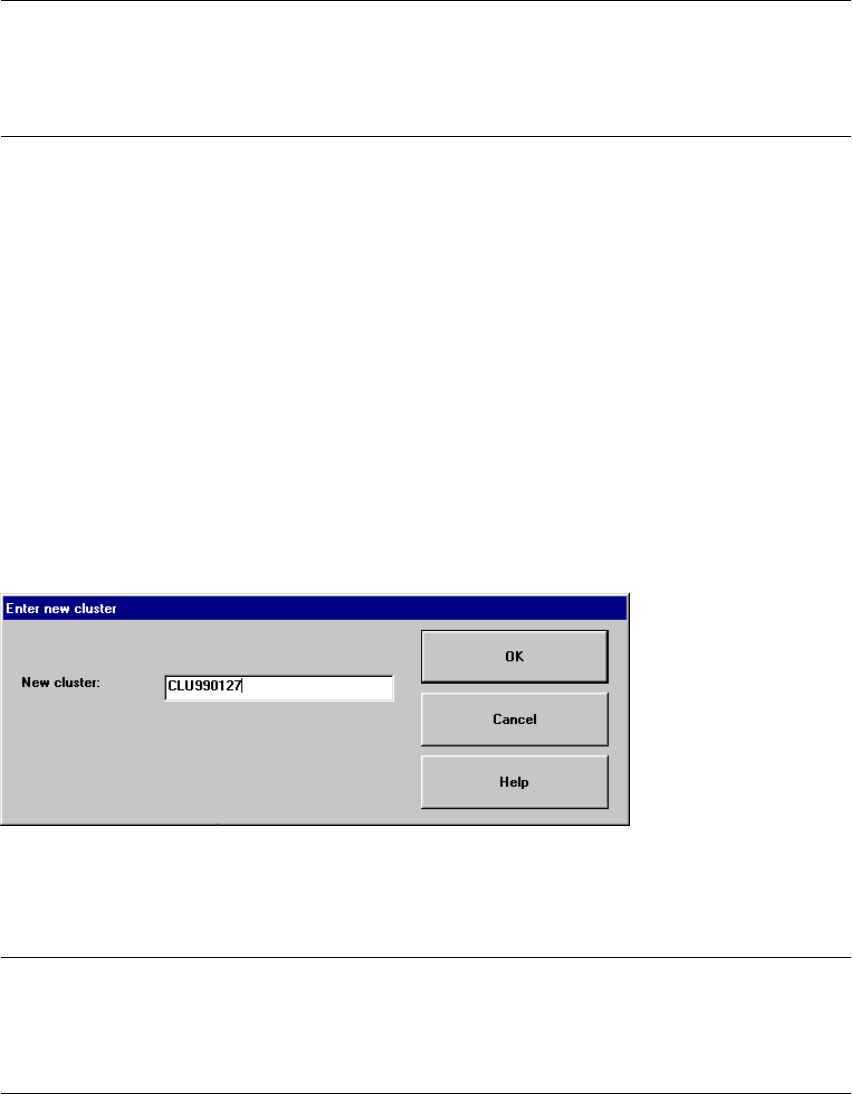
New cluster... 3
In the "Stand alone" control mode, you can load the data for a selected cluster from the station
computer’s hard disk.
Å Click the menu item New cluster...
Å Now enter the name of the required cluster in the displayed text box and click OK to confirm.
The cluster data is now loaded.
NOTE
The data, including the fiducial and package form data, of the last cluster successfully prespecified
by the line computer, is now saved on the station computer’s hard disk under the cluster name
"AKTUELL" and can be loaded by entering this name. 3