SIPLACE S-23 HM - 第231页
User Manual SIPLAC E S-23 HM 6 Vision functions Software Version SR.406.xx 02/00 US Edition 6. 5 Teach Fiducial 231 Setting th e contrast sensitivit y to inte nsify low-con trast fiducials 6 Å Sele ct the foll owing sett…
6 Vision functions User Manual SIPLACE S-23 HM
6.5 Teach Fiducial Software Version SR.406.xx 02/00 US Edition
230
– Once you have programmed your transformation table you can quit the option box by clicking
on Accept or Cancel. If you have not managed to obtain a satisfactory result, click on Default.
Notes on using the transformation tables to set the contrast sensitivity 6
– Select up to 3 sections.
– The range of values for the individual sections should be at least 75.
– Program the ranges so that no jumps occur at the range limits.
Set the contrast sensitivity so that the shape of the curve roughly corresponds to one of the
three following examples:
Setting the contrast sensitivity to suppress defective structures 6
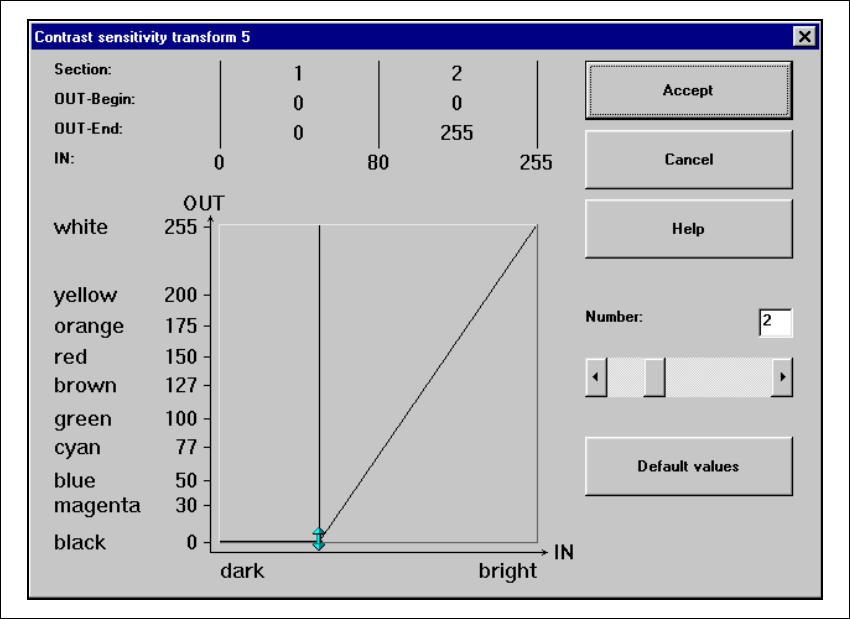
Å Select the following settings for lighter PCBs or fiducials in order to suppress defective struc-
tures.
6
Fig. 6.5 - 20 Setting the contrast sensitivity to suppress defective structures
User Manual SIPLACE S-23 HM 6 Vision functions
Software Version SR.406.xx 02/00 US Edition 6.5 Teach Fiducial
231
Setting the contrast sensitivity to intensify low-contrast fiducials 6
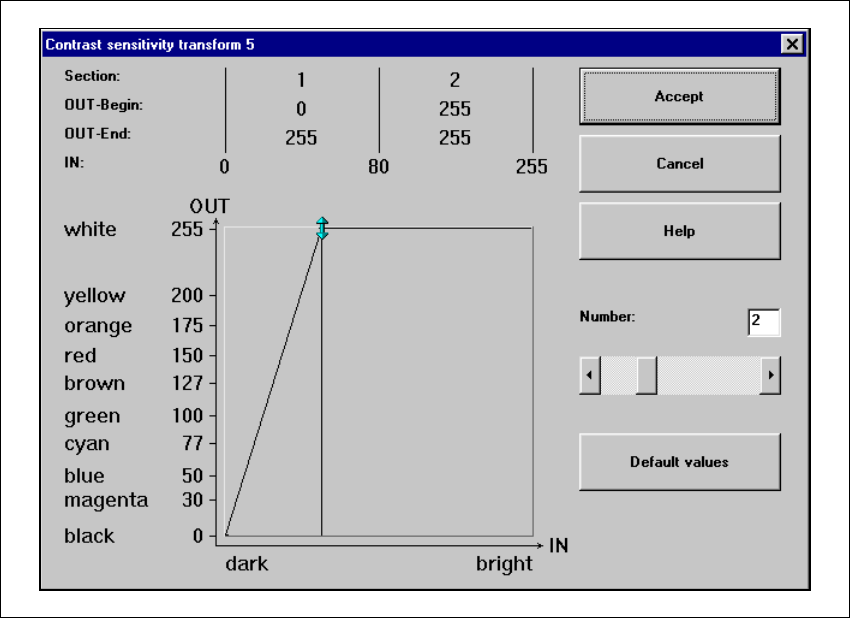
Å Select the following settings for low-contrast fiducials in order to intensify the contrast:
6
Fig. 6.5 - 21 Setting the contrast sensitivity to intensify low-contrast fiducials
6 Vision functions User Manual SIPLACE S-23 HM
6.5 Teach Fiducial Software Version SR.406.xx 02/00 US Edition
232
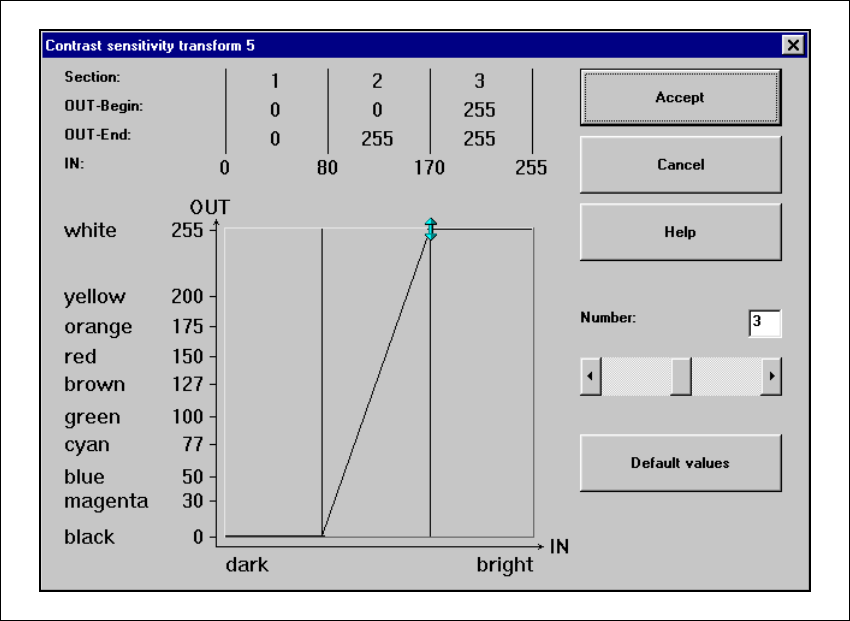
Setting the contrast sensitivity to suppress defective structures and intensify the contrast at
the same time 6
Å Select the following settings to suppress defective structures and at the same time to intensify
the contrast for low-contrast fiducials:
6
Fig. 6.5 - 22 Setting the contrast sensitivity to suppress defective structures and
to intensify the contrast at the same time
6
6