SIPLACE S-23 HM - 第232页
6 Vision functions User M anual SIPLACE S -23 HM 6.5 Teach Fiducial Software Version SR.406.xx 02/00 US E dition 232 Setting t he contrast se nsitivity t o suppress de fective st ructures and intensif y the cont rast at …
User Manual SIPLACE S-23 HM 6 Vision functions
Software Version SR.406.xx 02/00 US Edition 6.5 Teach Fiducial
231
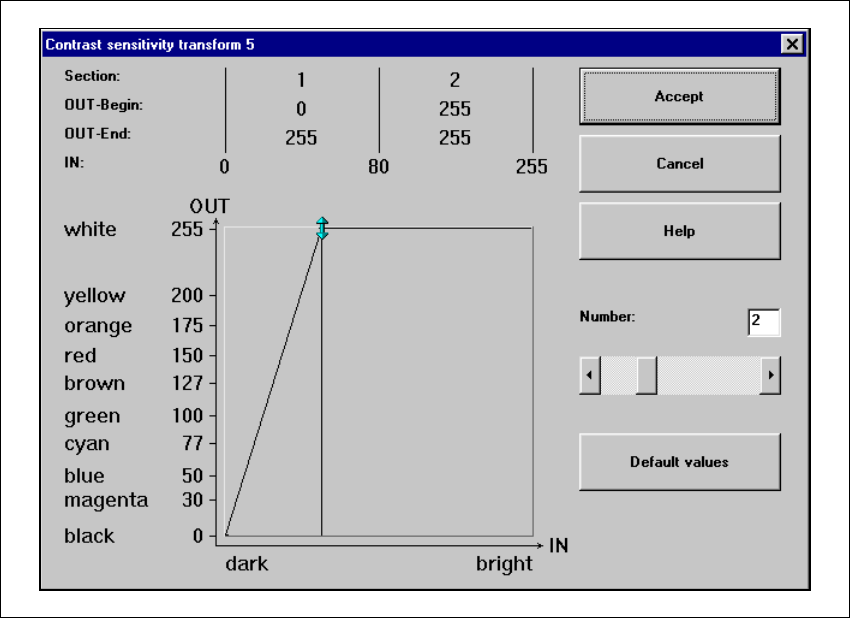
Setting the contrast sensitivity to intensify low-contrast fiducials 6
Å Select the following settings for low-contrast fiducials in order to intensify the contrast:
6
Fig. 6.5 - 21 Setting the contrast sensitivity to intensify low-contrast fiducials
6 Vision functions User Manual SIPLACE S-23 HM
6.5 Teach Fiducial Software Version SR.406.xx 02/00 US Edition
232
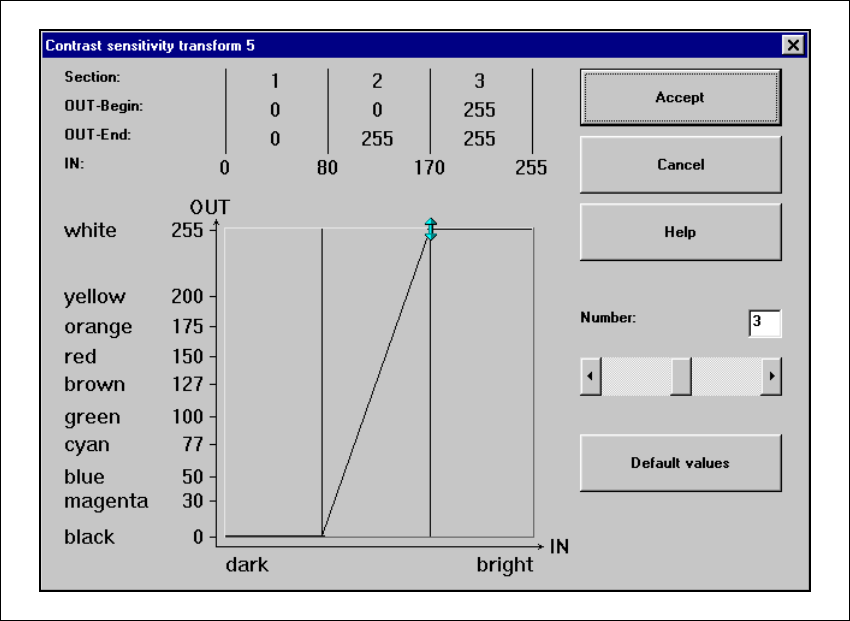
Setting the contrast sensitivity to suppress defective structures and intensify the contrast at
the same time 6
Å Select the following settings to suppress defective structures and at the same time to intensify
the contrast for low-contrast fiducials:
6
Fig. 6.5 - 22 Setting the contrast sensitivity to suppress defective structures and
to intensify the contrast at the same time
6
6
User Manual SIPLACE S-23 HM 6 Vision functions
Software Version SR.406.xx 02/00 US Edition 6.5 Teach Fiducial
233
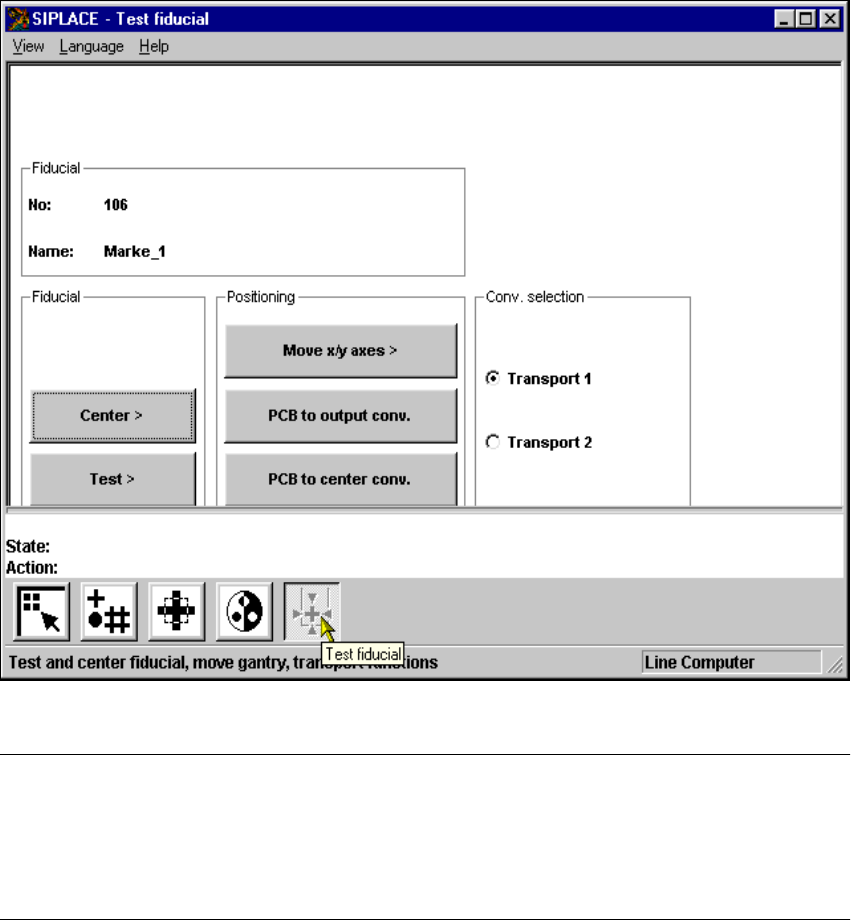
6.5.6 Test Fiducial Menu
In the Test fiducial menu the following options are available: 6
– Centering the fiducial (Center)
– Testing the fiducial (Test)
– Positioning the teaching gantry (x/y movement) (move X/Y axes)
– Transporting the board onto the output conveyor (PCB to output conveyor)
– Transporting the board onto the center conveyor (PCB to center conveyor)
6
Fig. 6.5 - 23 Test fiducial menu, options
NOTE 6
Buttons are active when the text on the button is black (rather than gray). This means that you can
launch the associated function by clicking on the button with the mouse.
The Center and Test options will only be available if you have already loaded a fiducial and a
model already exists for this fiducial. 6