SIPLACE S-23 HM - 第359页
User Manual SIPLAC E S-23 HM 9 Online Help System Software Version SR.406.xx 02/00 US Edition 9.1 General 359
9 Online Help System User Manual SIPLACE S-23 HM
9.1 General Software Version SR.406.xx 02/00 US Edition
358
'LVSOD\LQJKHOSRQWKHF XUUHQWYLHZ
Å In the +HOS menu, click the +HOS item or press the key combination $OW+ ).
The main help system window is opened.
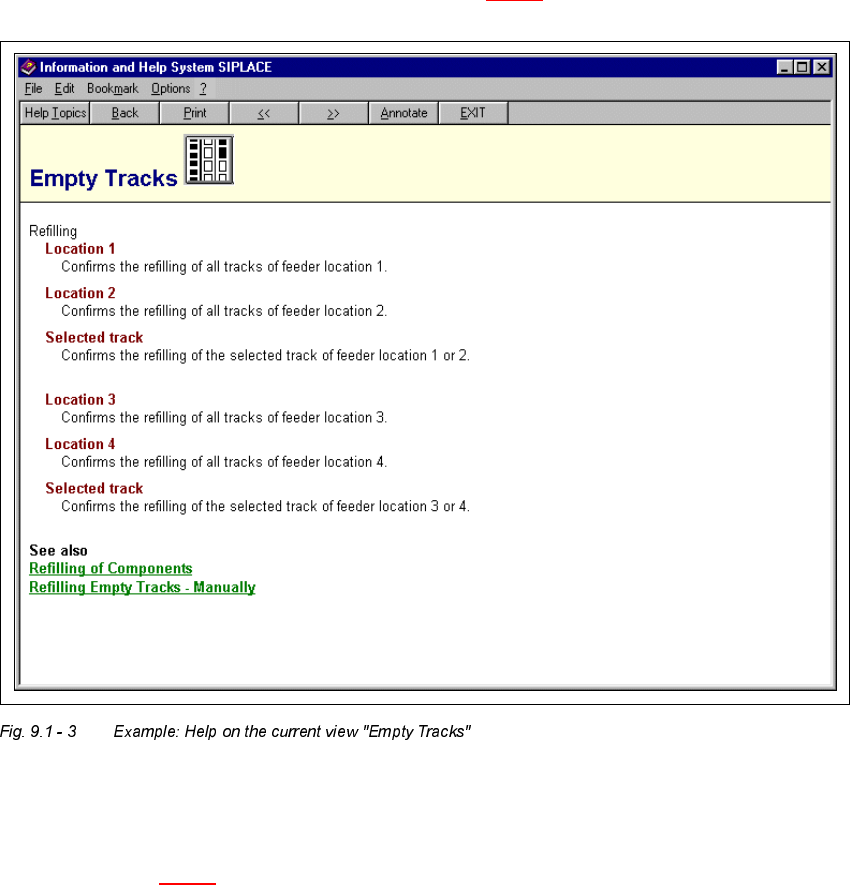
The display area now displays help information on the functions of the view which is currently
active in the SC user interface (see example in Fig. 9.1 - 3
).
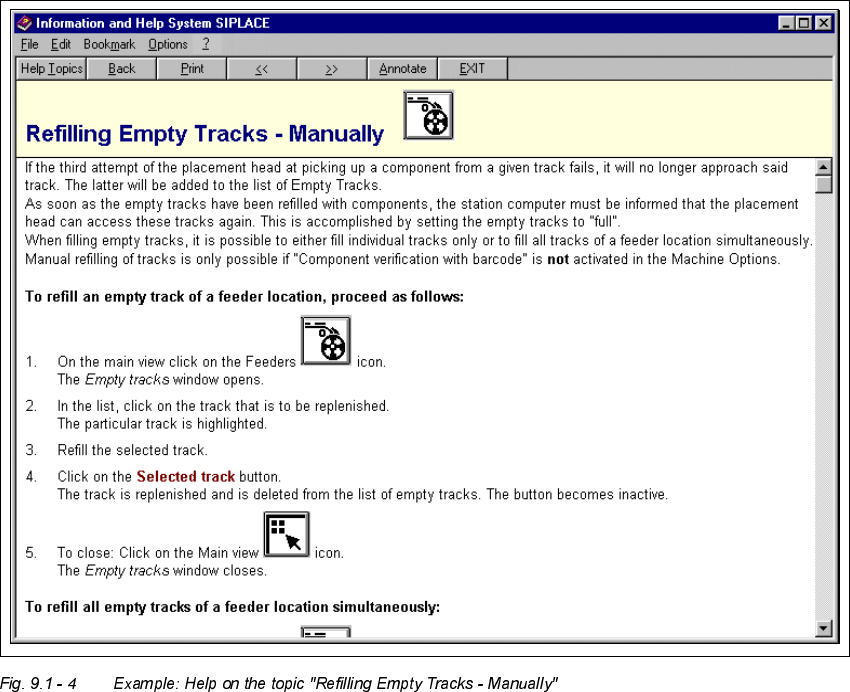
Any entry which is linked to supplementary help information is displayed in green and under-
lined. When you click on such an entry, the display area switches to help on the corresponding
topic (see Fig. 9.1 - 4
).
User Manual SIPLACE S-23 HM 9 Online Help System
Software Version SR.406.xx 02/00 US Edition 9.1 General
359

9 Online Help System User Manual SIPLACE S-23 HM
9.1 General Software Version SR.406.xx 02/00 US Edition
360
&DOOLQJ KHOSRQXVH RIWKH:LQGRZVKHOSV\VWHP
Å In the +HOS menu, click the +HOS$ERXW+HOS item.
The Windows help window is now displayed with the three tabs "Contents", "Index" and "Find".
– &RQWHQWVtab The help topics are displayed sorted by category.
– ,QGH[tab A list of the index entries for the help topics is displayed.
– )LQGtab You can search for words or expressions which are present in the
help topics.
Å For example, click the ,QGH[tab.
The topics relating to the use of the help system are displayed.
Å Select the required topic from the list (e.g. "Bookmark Define") or enter the first few characters
of the required topic name in the edit field (e.g. "Bookm"). The topic is now selected in the list.
Å Click the 'LVSOD\ button.
Help on the selected topic is displayed in a separate window.
NOTE
For a detailed description of the functions of the Windows help system and how to use them, please
refer to the corresponding Windows manual or Windows online help.