SIPLACE S-23 HM - 第422页
12 Station Extensions / S oftware User M anual SIPLACE S -23 HM 12.2 GEM Interface Software Version SR.406.xx 02/00 US Edition 422 12.2 GEM In terface 12. 2.1 Ge ne ral Explanation of T e rms: GEM => G eneric E quip m…
User Manual SIPLACE S-23 HM 12 Station Extensions / Software
Software Version SR.406.xx 02/00 US Edition 12.1 Remote Support
421
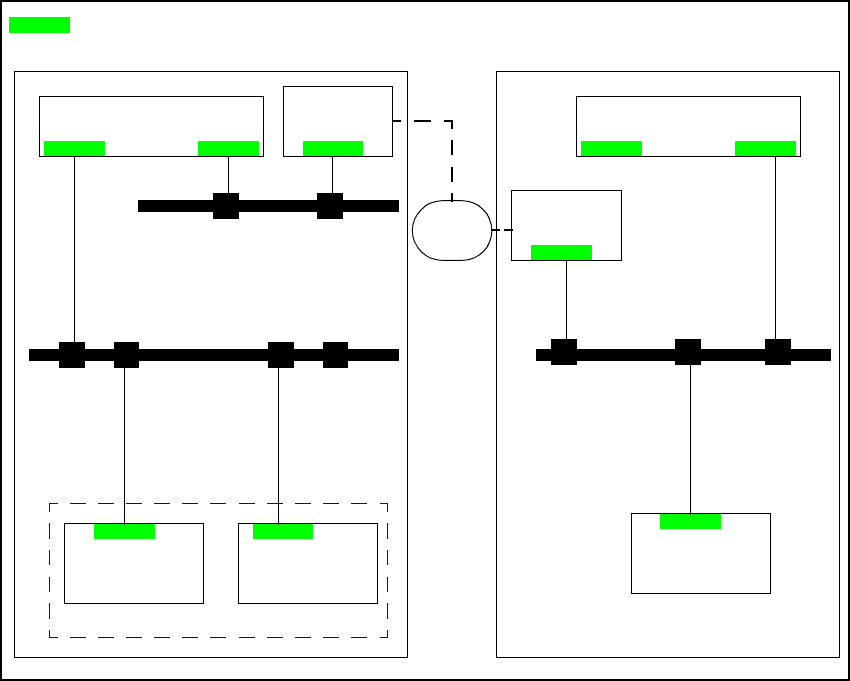
12.1.5.2 Connecting the ISDN router to the customer’s site LAN
The advantage of this alternative is that several placement lines can be addressed via a single
router. 12
12
Fig. 12.1 - 2 Connection to the customer’s site LAN
12.1.6 Procedure and Operation
Å Contact our service center (Munich, Norcross or Singapore).
Å Follow the instructions given by the engineer.
12
Line computer
(LC)
Router
Station
computer
Machine
controller
SIPLACE
LAN
Router
Station
computer
LAN
Line computer
(LC)
Service center
Customer‘s central site network
= LAN card
ISDN
network
Customer‘s placement line
12 Station Extensions / Software User Manual SIPLACE S-23 HM
12.2 GEM Interface Software Version SR.406.xx 02/00 US Edition
422
12.2 GEM Interface
12.2.1 General
Explanation of Terms:
GEM => Generic Equipment Model 12
SECS-II => Semiconductor Equipment Communication Standard, Part 2 12
Host computer => Communications computer 12
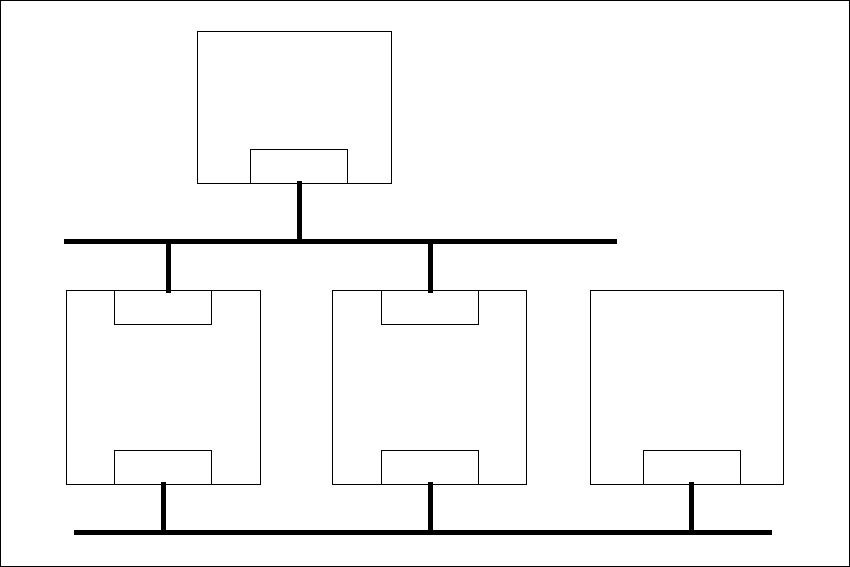
WIth the GEM/SECS-II interface, it is possible to control a SIPLACE station using any host com-
puter which is compatible with GEM. However, the station computer at the SIPLACE station must
be left connected to the line computer to allow the machine, set-up and cluster data to be pro-
grammed and loaded into the station computer. The station computer packs this data in a place-
ment program and makes this available to the host computer for uploading. During operation, and
depending on the control mode, the host or line computer provides the SIPLACE station with the
necessary machine, set-up and cluster data or with the placement program. 12
12
Fig. 12.2 - 1 Overall structure
12
Host
GEM
Line computer
LAN
SIPLACE S-23 HM
GEM
LAN
SIPLACE 80 F
4
SIPLACE 80 F
5
/
F
5
HM
GEM
LAN
SIPLACE LAN
Customer‘s LAN
User Manual SIPLACE S-23 HM 12 Station Extensions / Software
Software Version SR.406.xx 02/00 US Edition 12.2 GEM Interface
423
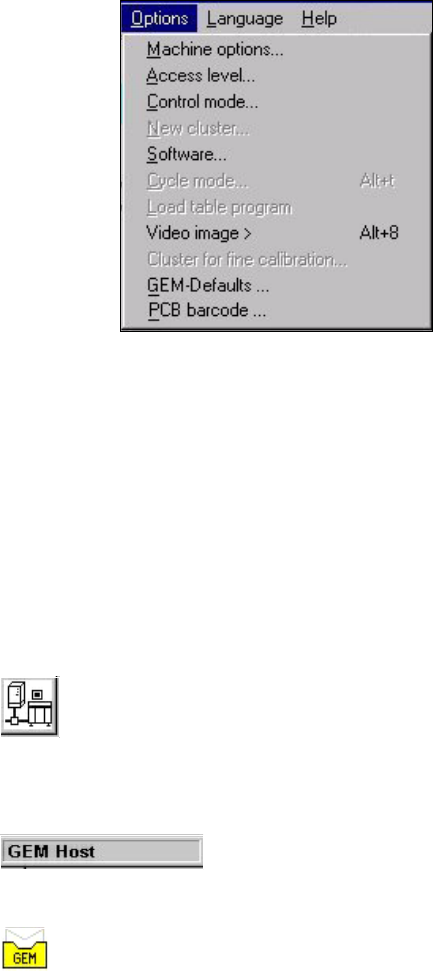
The figure below presents the "Options" menu which is present in the menu bar of the user inter-
face. This menu contains the options for the GEM interface settings. 12
12
Menu Options for the GEM Interface: 12
– Control mode...
This opens a dialog box which is used to set the control mode at the GEM computer.
– GEM-Defaults ...
This opens the window used to specify the default settings for the GEM interface.
Controls and Indicators in the GEM Interface 12
12
12
This button switches the user interface to "State view" mode. (Load placement program, send/re-
ceive message) 12
12
The current control mode is displayed in a separate area in the user interface’s information bar.12
12
The icon displayed in the user interface’s status area (on the right-hand side) indicates the current
status of the connection to the GEM computer. 12
12