Nordson_EFD_GV_Series_Operating_Manual - 第109页
GV Series Automated Dispensing Systems 109 www.nordsonefd.com info@nordsonefd.com +1-401-431-7000 Sales and service of Nordson EFD dispensing systems are available worldwide. Fill Area: 4. Rectangle Band This command fill…
GV Series Automated Dispensing Systems
108 www.nordsonefd.com info@nordsonefd.com +1-401-431-7000 Sales and service of Nordson EFD dispensing systems are available worldwide.
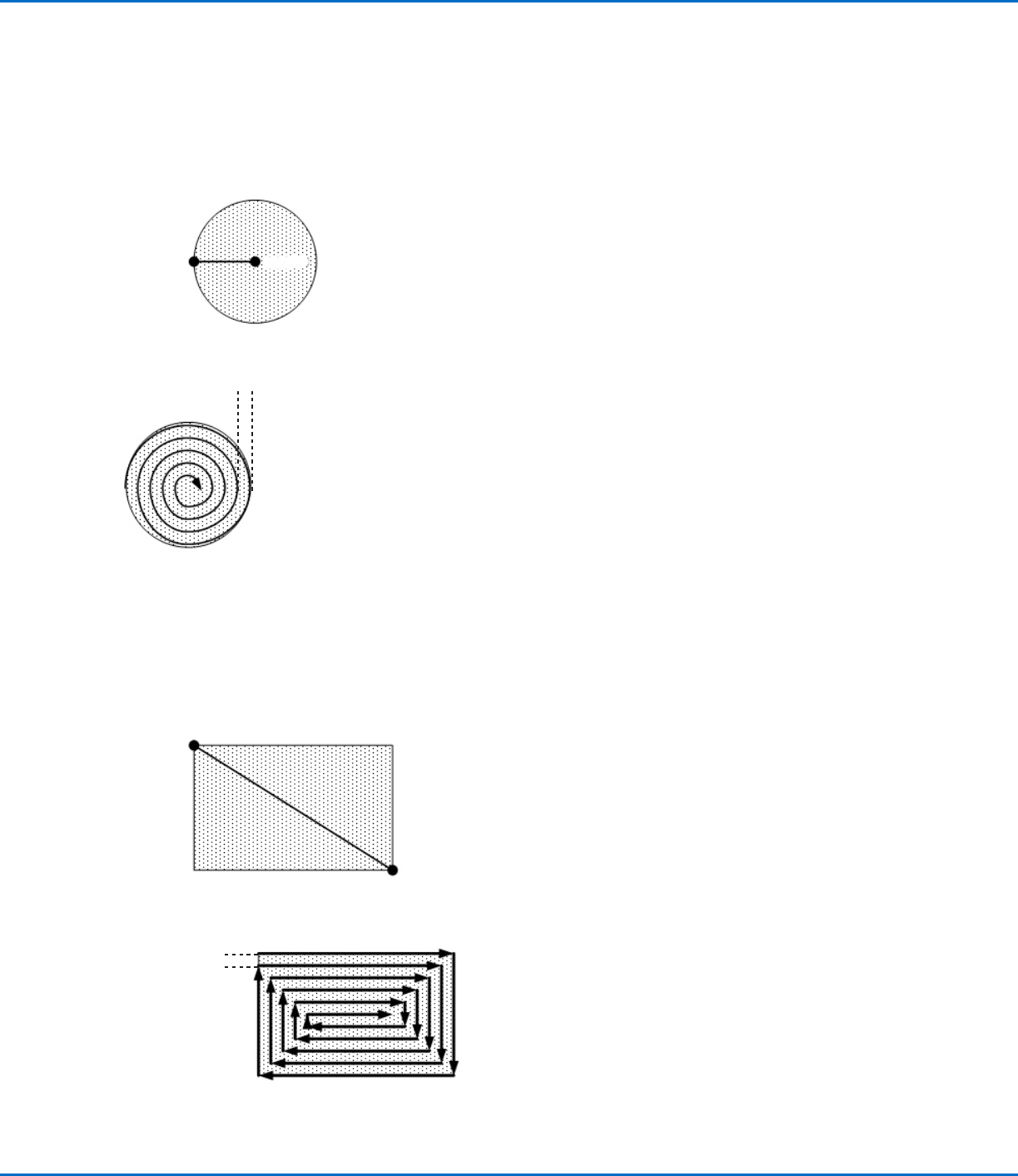
Fill Area: 2. Circle (Outer to Inner)
This command fills the defined area by moving the tip along a spiral path from the outside of the circle to the center. After entering
a Fill Area Circle command, jog the tip to a point on the outside limit of the circle to be filled and enter that location as a Line Start
point. Then jog the tip directly across to the center of the circle and enter that location as a Line End point.
Line End
Line Start
Fill Area
EXAMPLE: if a Width of 5 mm is entered, the tip makes the following path:
Width = 5 mm
Fill Area: 3. Rectangle (Outer to Inner)
This command fills the defined area by moving the tip along a square, spiral-shaped path from the outside of the rectangle to the
center. After entering a Fill Area Rectangle command, enter a Line Start point at the top left corner of the area to be filled and a
Line End point at the bottom right corner of that area.
Line Start
Line End
Fill Area
EXAMPLE: If a Width of 5 mm is entered, the tip makes the following path:
Width = 5 mm
Appendix A, Command Function Reference
(continued)
GV Series Automated Dispensing Systems
109www.nordsonefd.com info@nordsonefd.com +1-401-431-7000 Sales and service of Nordson EFD dispensing systems are available worldwide.
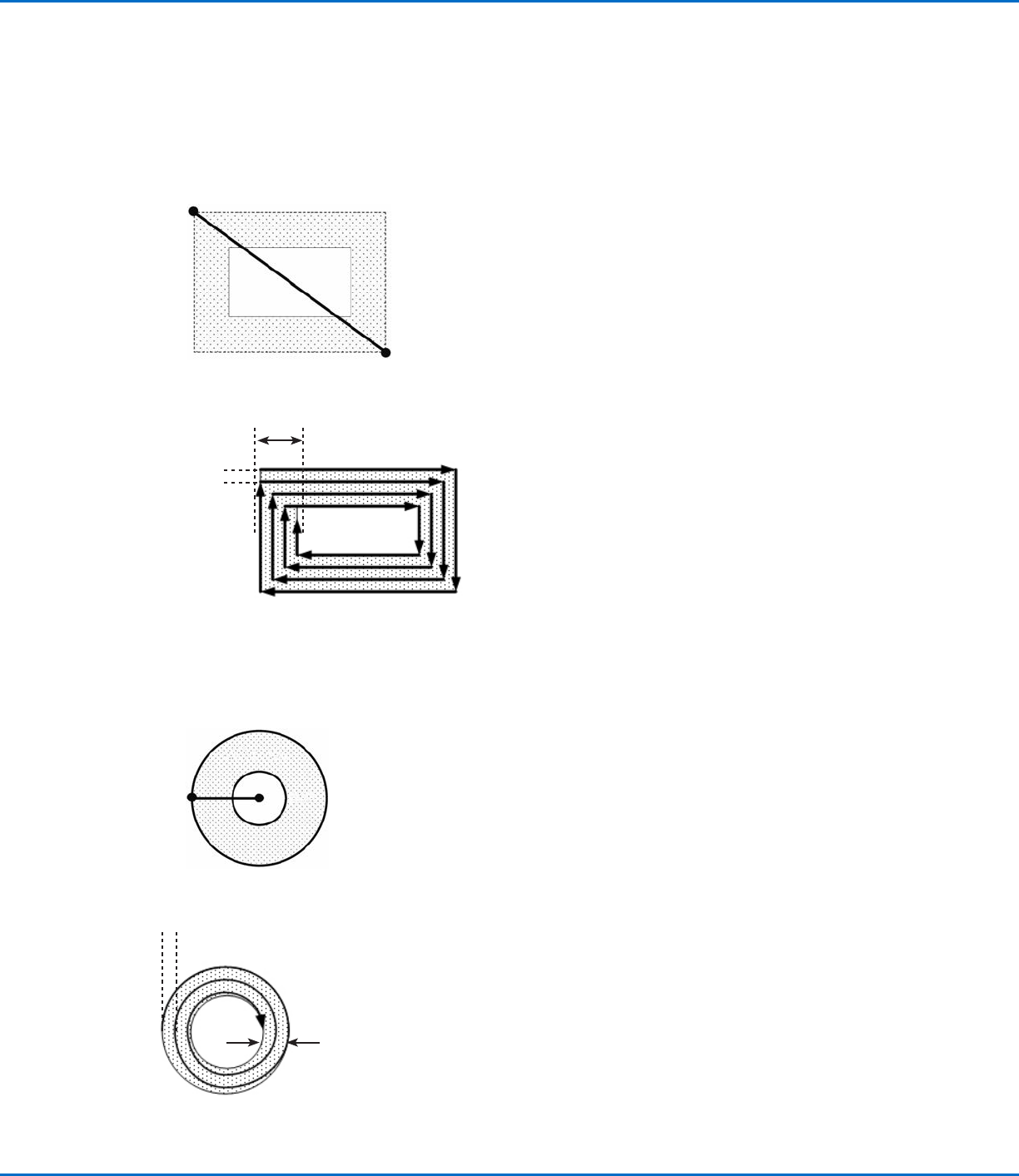
Fill Area: 4. Rectangle Band
This command fills a rectangular band area by moving the tip along a square, spiral-shaped path from the outside of the rectangle
to the center. After entering a Fill Area Rectangle Band command, enter a Line Start point at the top left corner of the area to be
filled and a Line End point at the bottom right corner of that area.
Line Start
Line End
EXAMPLE: If a Width of 5 mm and a Band of 15 mm are entered, the tip makes the following path:
Band = 15 mm
Width = 5 mm
Fill Area: 5. Circle Band
This command fills a defined circular band area by moving the tip along a spiral path from the outside of the circle to the center.
After entering a Fill Area Circle Band command, jog the tip to a point on the outside limit of the circle to be filled and enter that
location as a Line Start point. Then jog the tip directly across to the center of the circle and enter that location as a Line End point.
Line EndLine Start
Fill Area
EXAMPLE: If a Width of 5 mm and a Band of 10 mm are entered, the tip makes the following path:
Band = 10 mm
Width = 5 mm
Appendix A, Command Function Reference
(continued)
GV Series Automated Dispensing Systems
110 www.nordsonefd.com info@nordsonefd.com +1-401-431-7000 Sales and service of Nordson EFD dispensing systems are available worldwide.
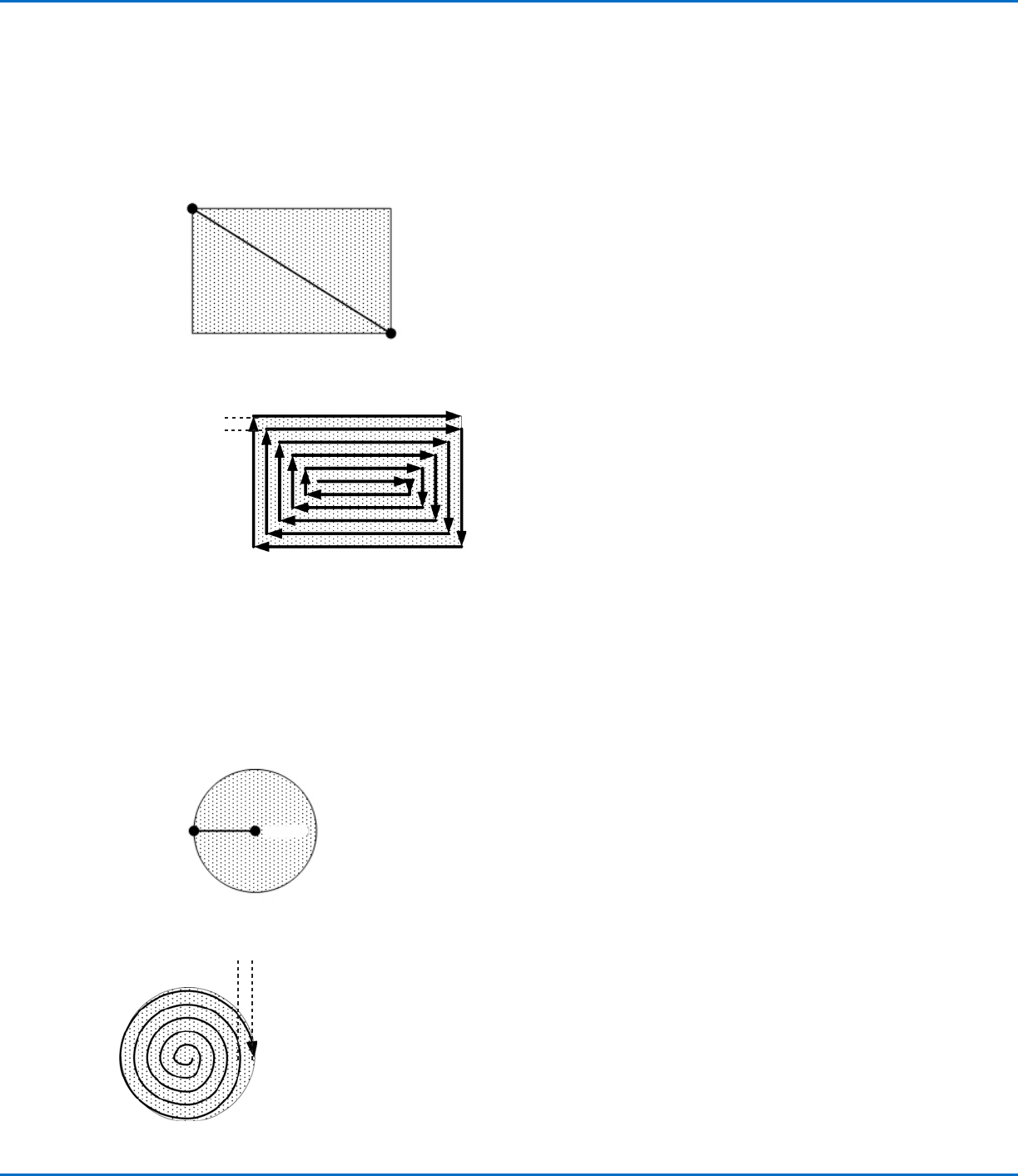
Fill Area: 6. Rectangle (Inner to Outer)
This command fills the defined area by moving the tip along a square, spiral-shaped path from the center of the rectangle to the
outside edge. After entering a Fill Area Rectangle command, enter a Line Start point at the top left corner of the area to be filled
and a Line End point at the bottom right corner of that area.
Line Start
Line End
Fill Area
EXAMPLE: If a Width of 5 mm is entered, the tip makes the following path:
Width = 5 mm
Fill Area: 7. Circle (Inner to Outer)
This command fills the defined area by moving the tip along a spiral path from the center of the circle to the outside edge. After
entering a Fill Area Circle command, jog the tip to a point on the center of the circle to be filled and enter that location as a Line
Start point. Then jog the tip directly across to the outside of the circle and enter that location as a Line End point.
Line End
Line Start
Fill Area
EXAMPLE: If a Width of 5 mm is entered, the tip makes the following path:
Width = 5 mm
Appendix A, Command Function Reference
(continued)