Nordson_EFD_GV_Series_Operating_Manual - 第22页
GV Series Automated Dispensing Systems 22 www.nordsonefd.com info@nordsonefd.com +1-401-431-7000 Sales and service of Nordson EFD dispensing systems are available worldwide. Check the Camera and Dispenser Installation To…
GV Series Automated Dispensing Systems
21www.nordsonefd.com info@nordsonefd.com +1-401-431-7000 Sales and service of Nordson EFD dispensing systems are available worldwide.
Position the Robot and Install and Connect Components (continued)
Applicability Item
Components to Install
or Connect
Installation Tasks
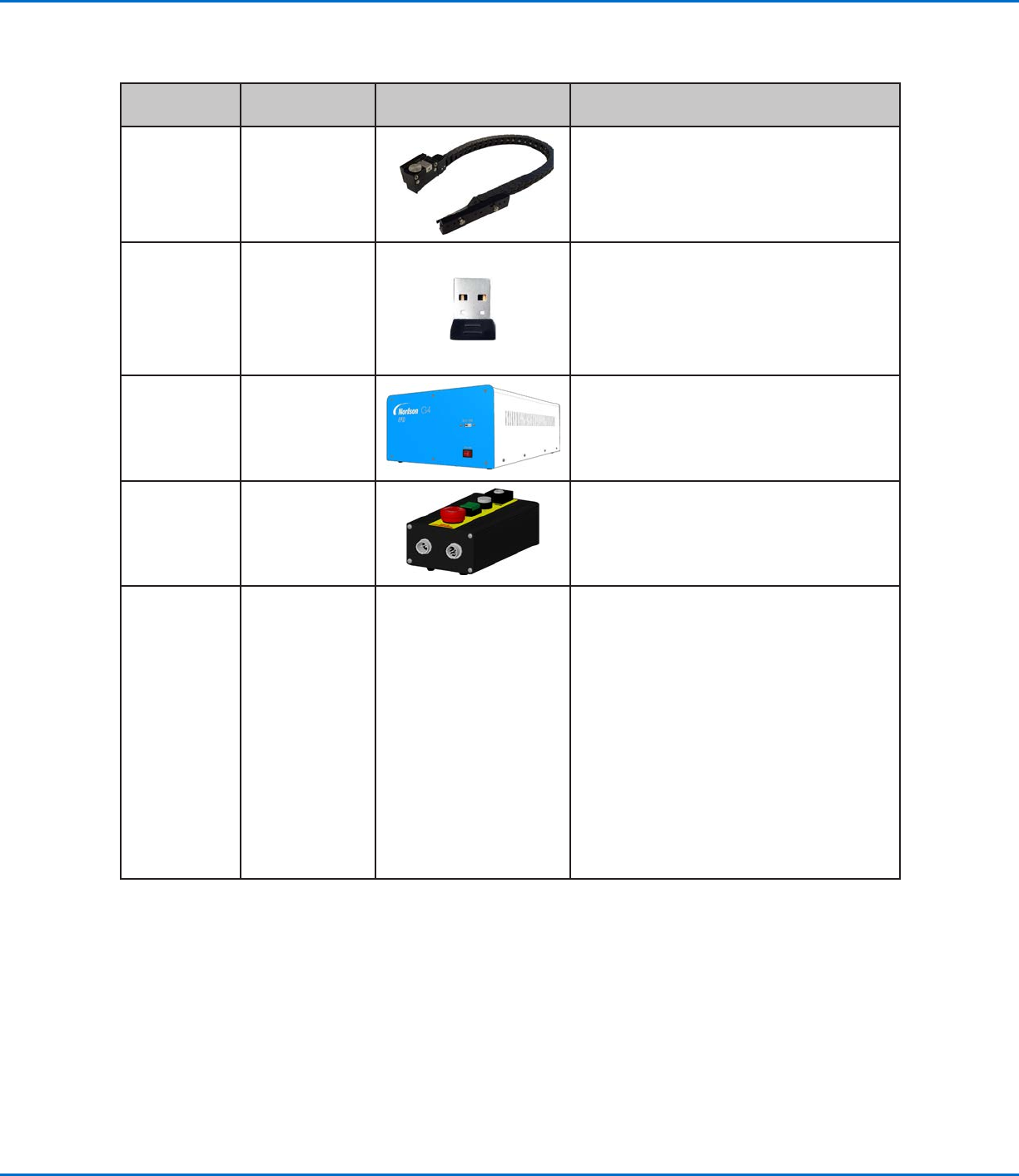
All models Tip detector
(optional)
Install the tip detector.
Connect the cable to the Tactile port on the
back of the robot.
All models Monitor,
keyboard, and
mouse (not
shown); dongle
for wireless
keyboard and
mouse
Connect the monitor.
Connect the wireless keyboard and mouse
dongle to USB 4 on the DispenseMotion
controller.
All models GV operation box Position the GV operation box such that
(1) cables can be easily connected and
(2)operators can access the front panel.
Make the connections shown on the Quick
Start Guide.
All models Start / stop box
Position the start / stop box such that
(1)cables can be easily connected and
(2)operators can access the controls.
Make the connections shown on the Quick
Start Guide.
All models Dispenser
components
As applicable
Mount the syringe barrel or dispensing
valve holder (as applicable) on the Zaxis;
choose mounting holes that allow a
maximum workpiece clearance but also
allow the dispensing tip to reach all areas
on the workpiece where dispensing is
required.
To prevent damage to the camera,
make sure the dispensing tip position is
lower than bottom of the camera. Refer
to “Check the Camera and Dispenser
Installation” on page22.
Refer to the dispensing equipment manuals
for all other dispensing system installation
steps.
GV Series Automated Dispensing Systems
22 www.nordsonefd.com info@nordsonefd.com +1-401-431-7000 Sales and service of Nordson EFD dispensing systems are available worldwide.
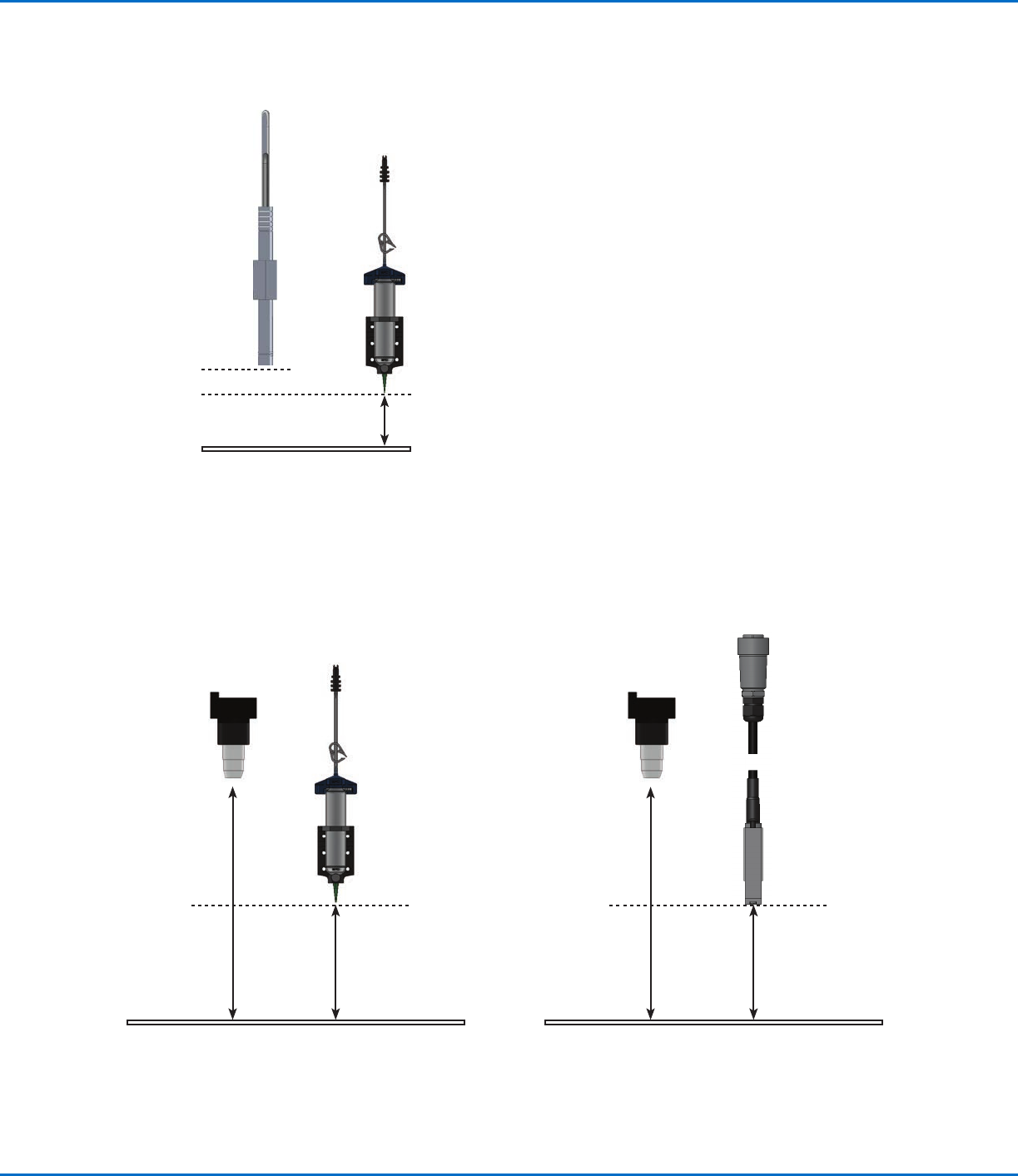
Check the Camera and Dispenser Installation
To prevent damage to the camera, make sure the dispensing tip position is lower than bottom of the camera.
Example of correct pencil camera installation (dispensing tip lower than the bottom of the camera)
Tip bottom
Camera bottom
Work surface
Example of correct CCD camera installation (dispensing tip
lower than the bottom of the camera)
Example of correct CCD camera installation (higher than the
bottom of the tip) for a PICO
®
valve installation
Camera
focal
distance
Tip distance
from robot
work surface
(lower than
camera)
Tip bottom
Camera
focal
distance
Tip distance
from robot
work surface
(lower than
camera)
Tip bottom
GV Series Automated Dispensing Systems
23www.nordsonefd.com info@nordsonefd.com +1-401-431-7000 Sales and service of Nordson EFD dispensing systems are available worldwide.
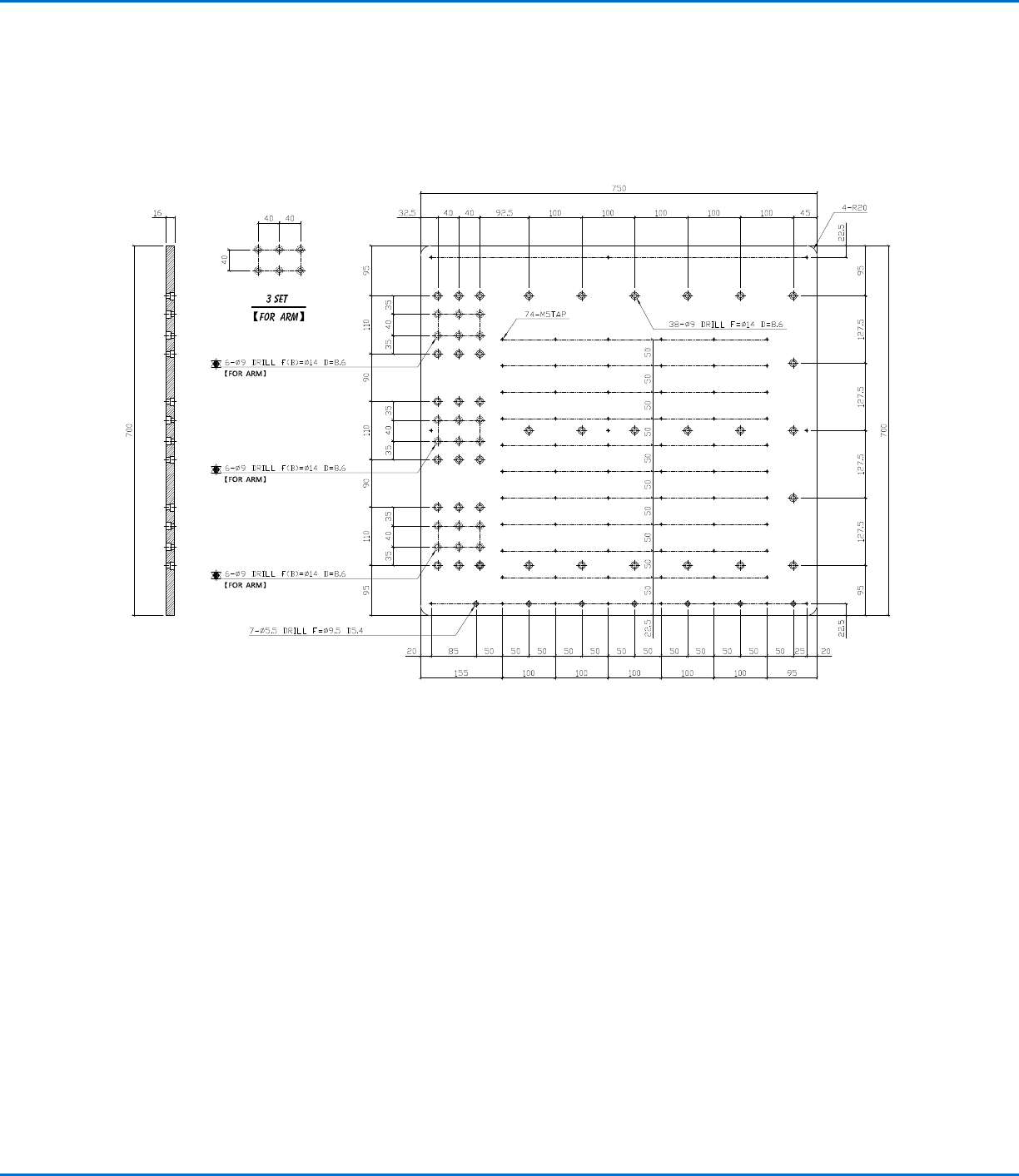
Prepare the Work Surface
Prepare the robot work surface for secure placement of the workpiece. You can place the substrate directly on the
work surface or mount a customized fixture plate on the work surface. Mounting hole templates are provided below.
G4V Fixture Plate Mounting Hole Template
NOTE: All dimensions are in mm.