00198168-02_Technical_Training_TX-Series_EN.pdf - 第108页
5 Placement Heads 5.2 C&P20 P/M2 Head 108 Technical Training SIPLACE TX-Series 10/2016 1. Click on Check sensor and functions menu. 2. Click on Check vacuum functions menu. 3. In the Vacuum senor field the current va…
5 Placement Heads
5.2 C&P20 P/M2 Head
Technical Training SIPLACE TX-Series 10/2016 107
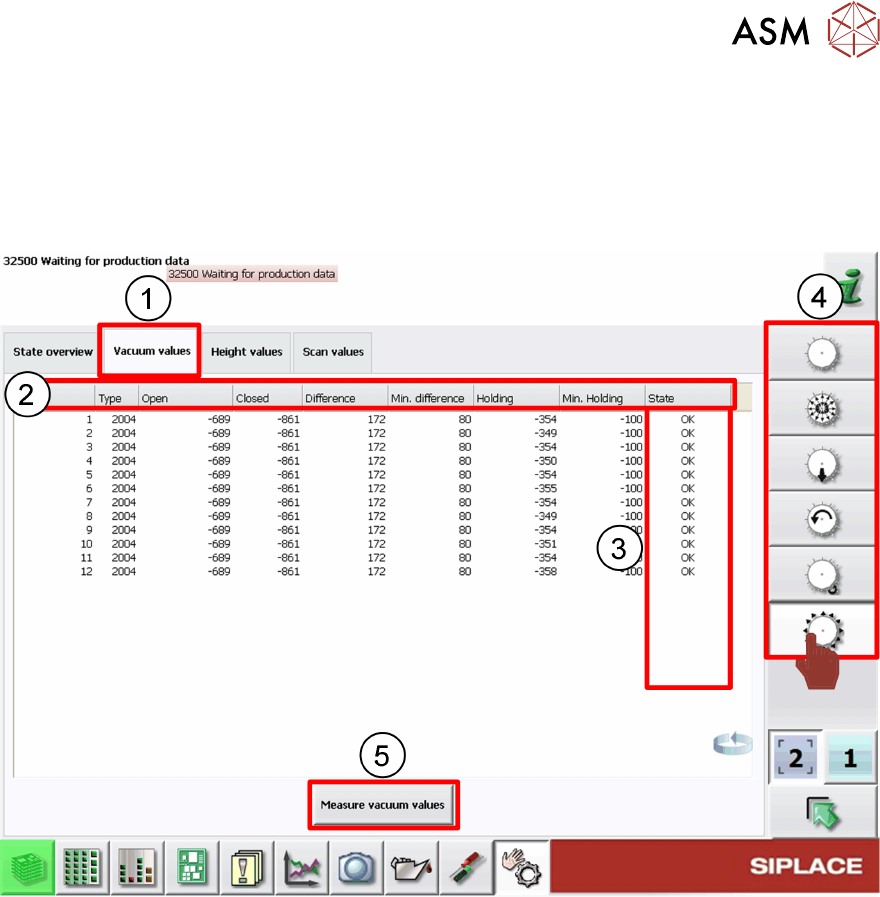
5.2.4.3 GUI – How to Perform a Vacuum Check
In the case of vacuum errors the vacuum system can be tested using the station software.
For the pickup/placement circuit the differences between open and closed values are evaluated,
for the holding circuit the absolute value is measured.
1. Check Vacuum values tab
2. Nozzle vacuum detailed results
3. Nozzle vacuum check status
4. Head function menus
5. Click Measure vacuum values to start new check.
When vacuum results are bad the segment/segments affected are highlighted.
Example: Error occur on segment 3
5 Placement Heads
5.2 C&P20 P/M2 Head
108 Technical Training SIPLACE TX-Series 10/2016
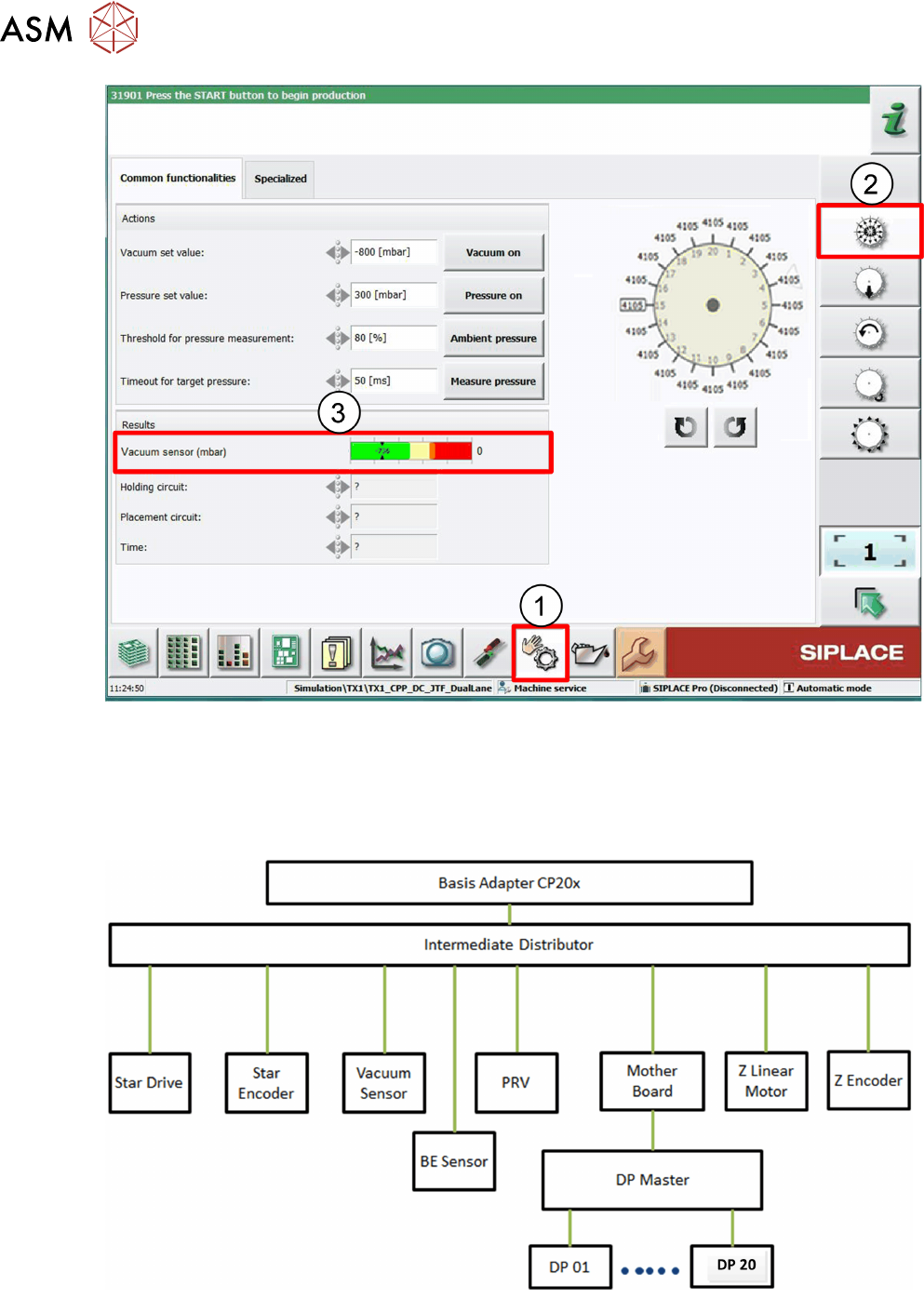
1. Click on Check sensor and functions menu.
2. Click on Check vacuum functions menu.
3. In the Vacuum senor field the current vacuum values are displayed.
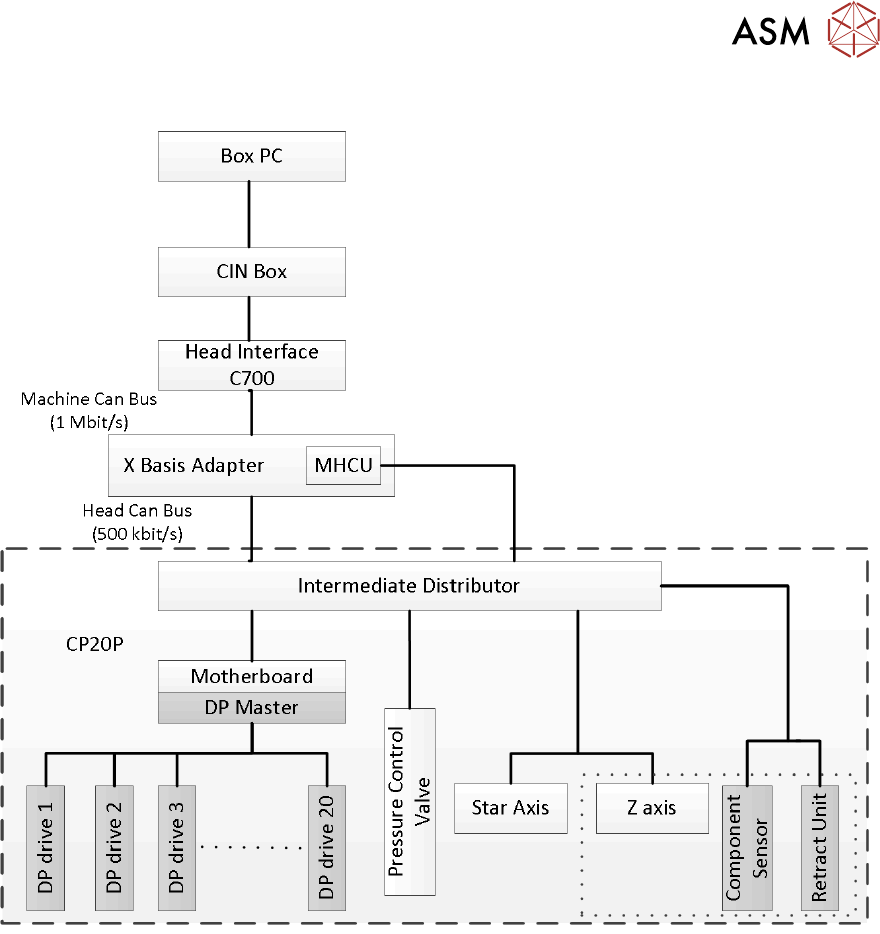
5.2.5 Power Control and Communication
5 Placement Heads
5.2 C&P20 P/M2 Head
Technical Training SIPLACE TX-Series 10/2016 109
5.2.5.1 CAN Bus Overview