00198168-02_Technical_Training_TX-Series_EN.pdf - 第116页
5 Placement Heads 5.2 C&P20 P/M2 Head 116 Technical Training SIPLACE TX-Series 10/2016 5.2.7.2 Calibration Steps 1. Log on as Machine service (1-3). 2. Click Calibration (1). Click Automatic calibration (2). 3. Under…
5 Placement Heads
5.2 C&P20 P/M2 Head
Technical Training SIPLACE TX-Series 10/2016 115
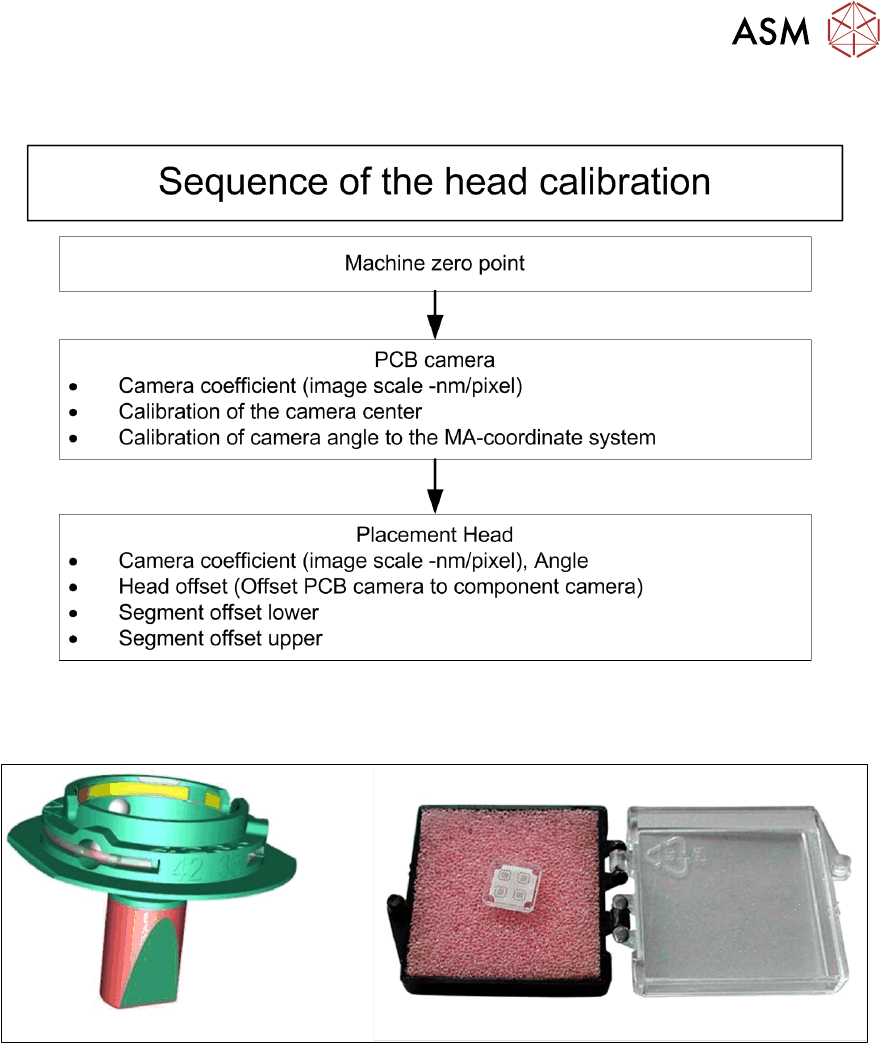
Calibration – Procedure
For calibrating the C&P20 P and the C&P20 M2 head the calibration tool [03034148-xx] and nozzle
4235 [03098748-xx] have to be used.
5 Placement Heads
5.2 C&P20 P/M2 Head
116 Technical Training SIPLACE TX-Series 10/2016
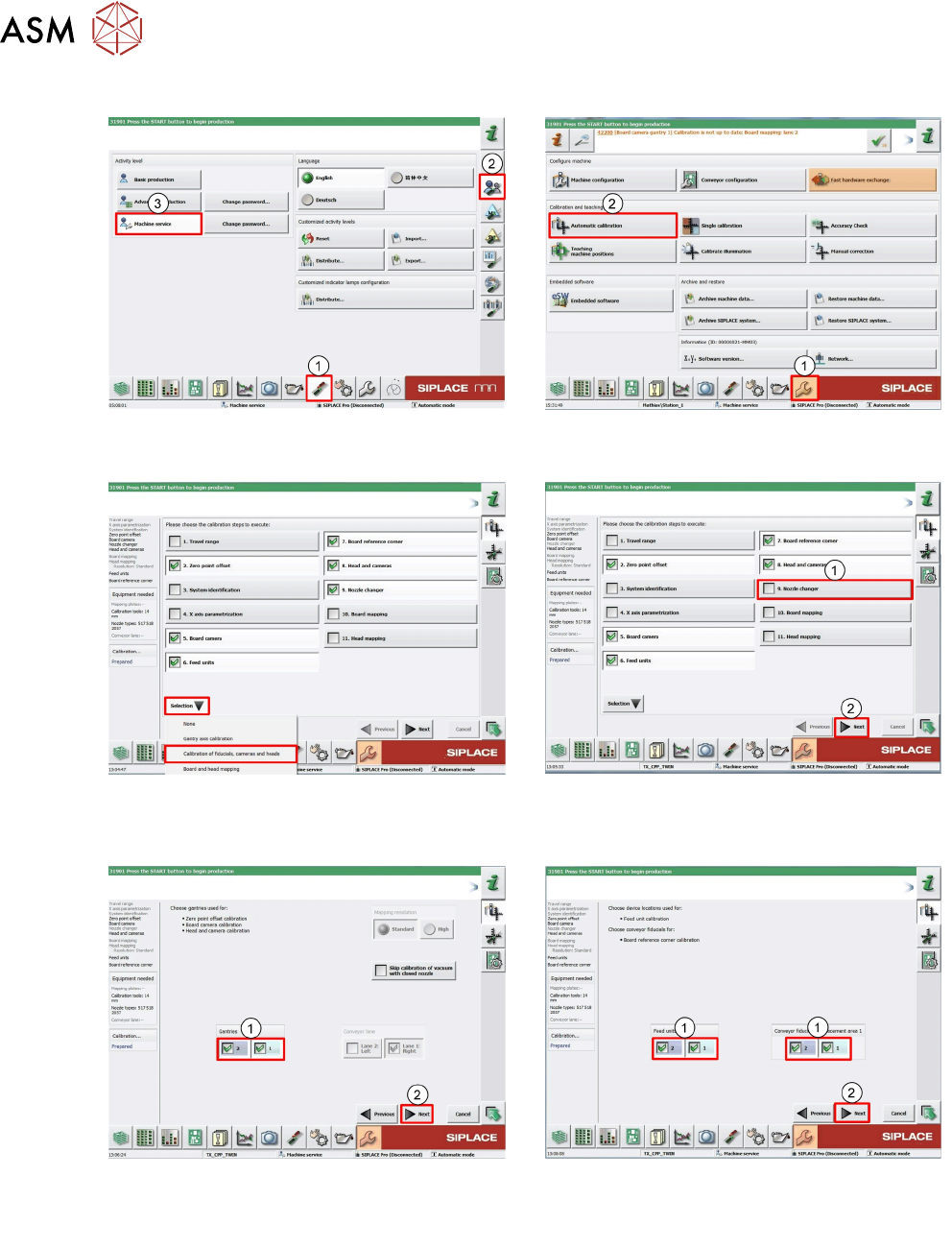
5.2.7.2 Calibration Steps
1. Log on as Machine service (1-3). 2. Click Calibration (1).
Click Automatic calibration (2).
3. Under pull down menu Selection select
Calibration of fiducials, cameras and
heads.
4. Deselect Nozzle changer (1).
Click Next (2).
5. Select Gantry which you want to calib-
rate(1).
Click Next (2).
6. Select Locations and Placements areas
you want to calibrate (1).
Click Next (2).
5 Placement Heads
5.2 C&P20 P/M2 Head
Technical Training SIPLACE TX-Series 10/2016 117
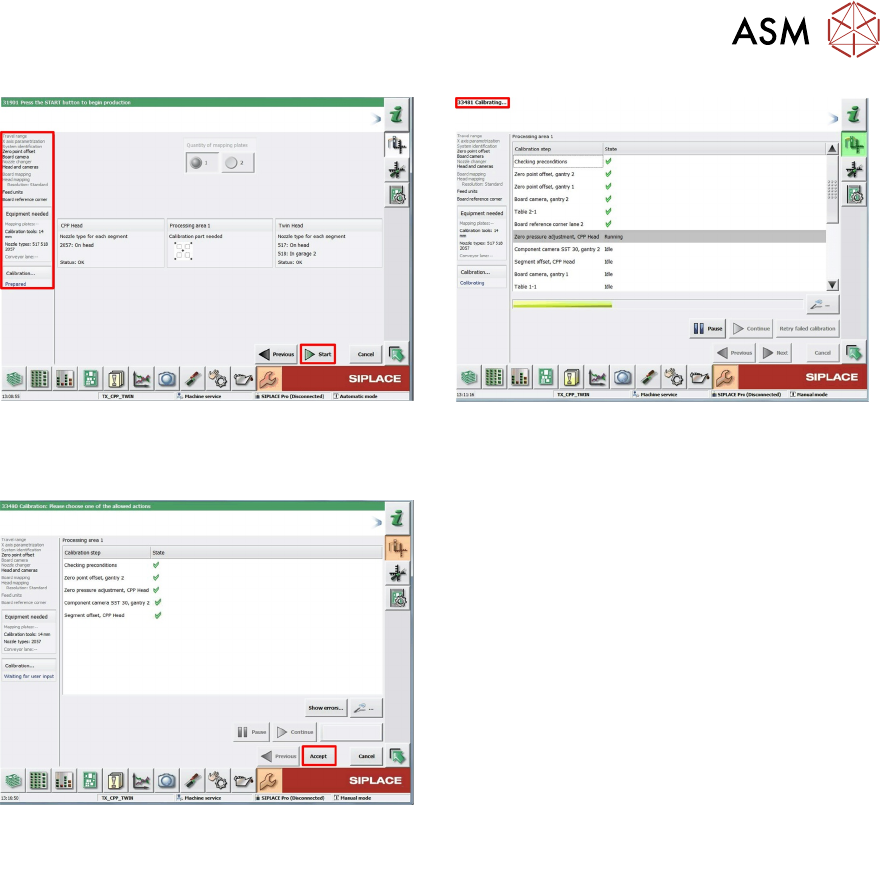
7. Software checks preconditions and displays
status of necessary tools.
Click Start to continue.
8. Calibration has started.
9. Calibration has finished.
Click Accept to approve measurement.