00198168-02_Technical_Training_TX-Series_EN.pdf - 第147页
5 Placement Heads 5.3 Twin Head Technical Training SIPLACE TX-Series 10/2016 147 5. Click on Execute single calibration . 6. The calibration will be automatically per- formed. It takes approx. 5 minutes then click on Acc…
5 Placement Heads
5.3 Twin Head
146 Technical Training SIPLACE TX-Series 10/2016
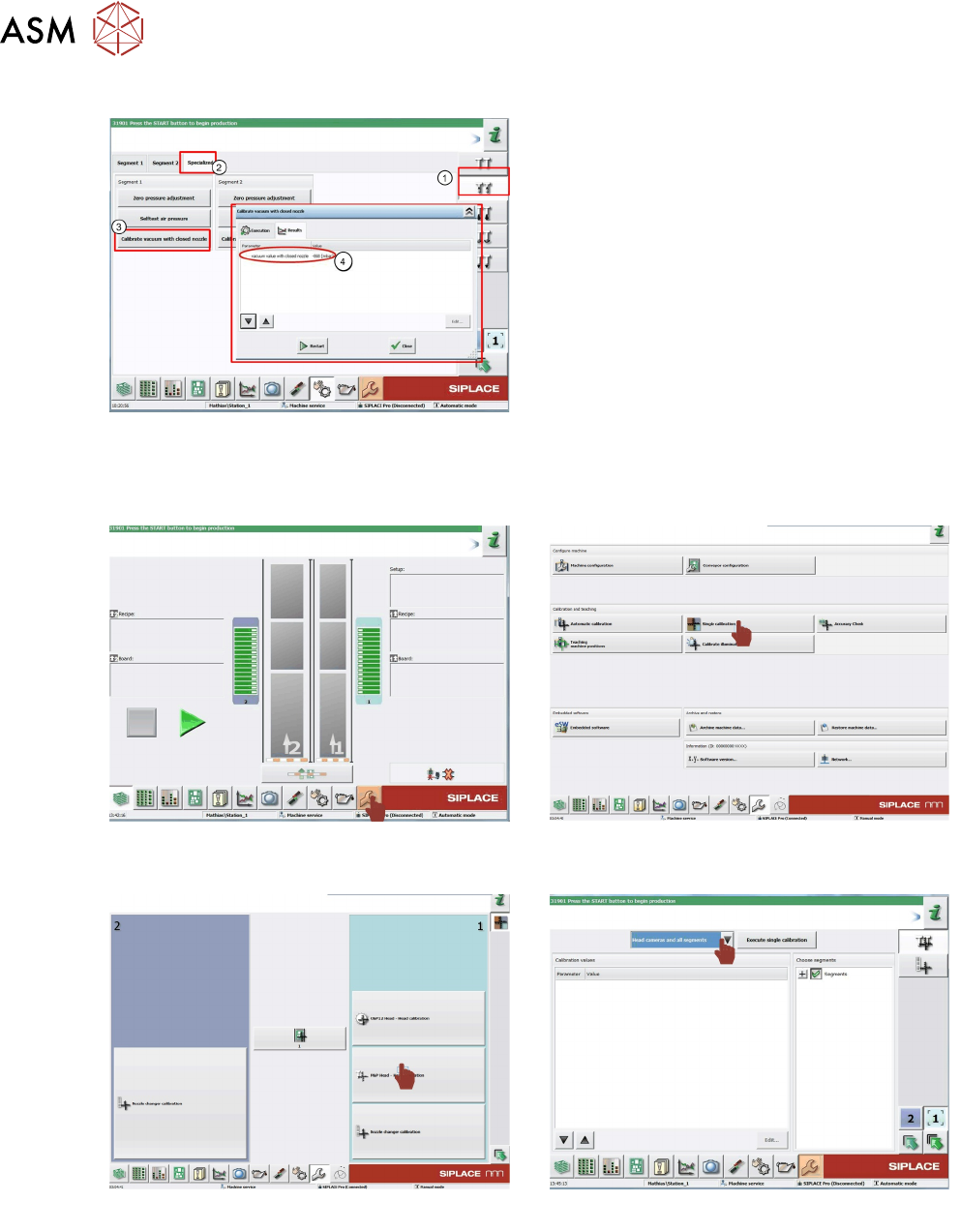
Calibrating the Closed Vacuum
You need a 518 nozzle for this function.
1. Select Vacuum functions
2. Click Specialized tab.
3. Click Calibrate vacuum with closed
nozzle.
4. The gantry moves over the fixed conveyor
rail and moves the Z Axis downwards. When
the nozzle touches the conveyor rail, the
closed nozzle vacuum will be measured. The
vacuum value in mbar will be displayed.
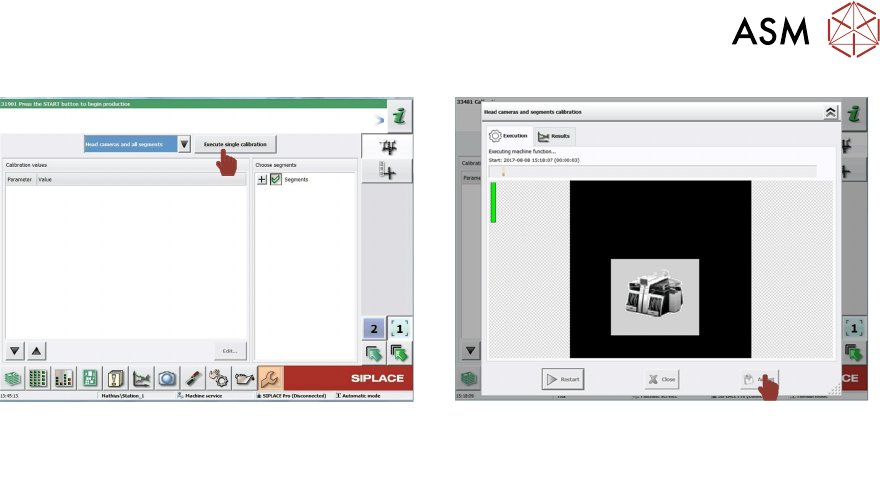
5.3.7.2 Calibration Steps
A 517 nozzle should be in the nozzle changer or on the segments and the calibration tool should
be placed in the pocket on the conveyor rail.
1. Log on as Machine service.
Go to calibration menu.
2. Click on Single calibration.
3. Click on P&P Head - Head calibration. 4. Select Head camera and all segments.
5 Placement Heads
5.3 Twin Head
Technical Training SIPLACE TX-Series 10/2016 147
5. Click on Execute single calibration. 6. The calibration will be automatically per-
formed. It takes approx. 5 minutes then click
on Accept.
5 Placement Heads
5.3 Twin Head
148 Technical Training SIPLACE TX-Series 10/2016
5.3.8 Analyse
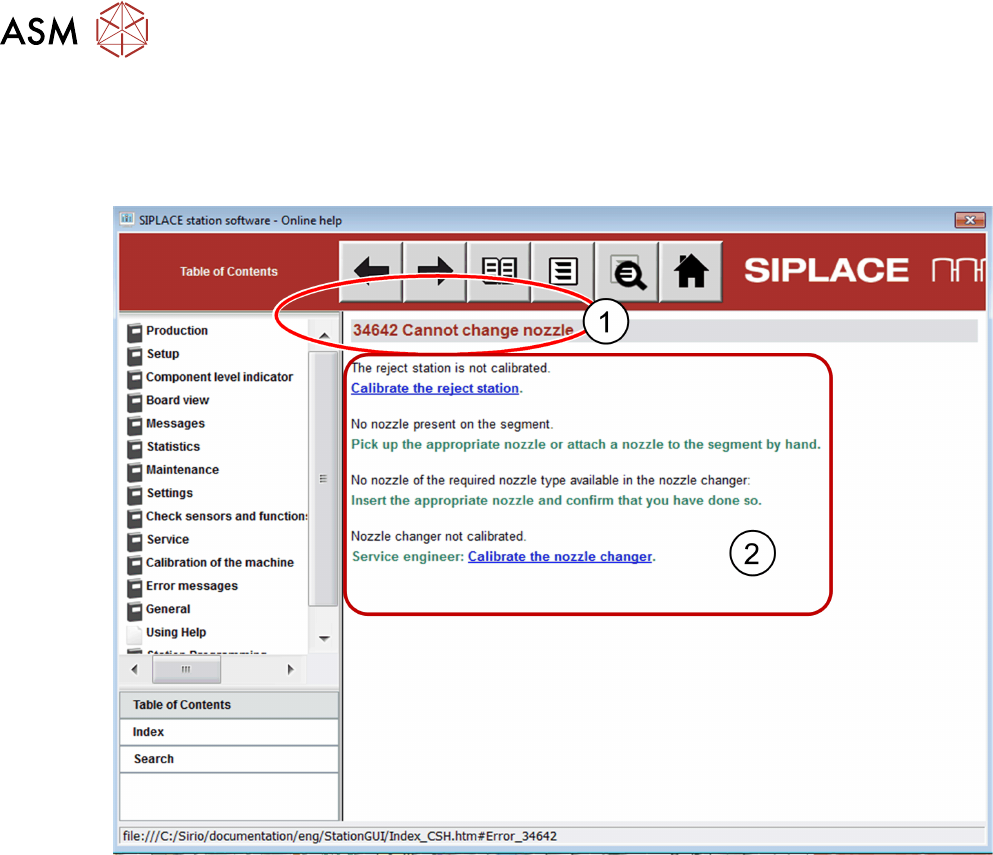
5.3.8.1 Error General Information
Check Error Information from "Help", to define which kind of problem has occurred.
1. Error Number
2. Possible cause and solution
The main causes of error during production are:
●
Vacuum error
●
Z Axis problem
●
DP Axis problem
●
Nozzle change pick up/reject problem
●
Placement quality issue
Use the charts below during the training to assist with trouble shooting.