00198168-02_Technical_Training_TX-Series_EN.pdf - 第185页
7 Conveyor System 7.5 Parts Exchange / Settings / Calibration Technical Training SIPLACE TX-Series 10/2016 185 7.5.2.6 Adjust Shuttle 1. Log on as Machine service (1-3). 2. Click on Calibration (1) menu. Select Single ca…
7 Conveyor System
7.5 Parts Exchange / Settings / Calibration
184 Technical Training SIPLACE TX-Series 10/2016
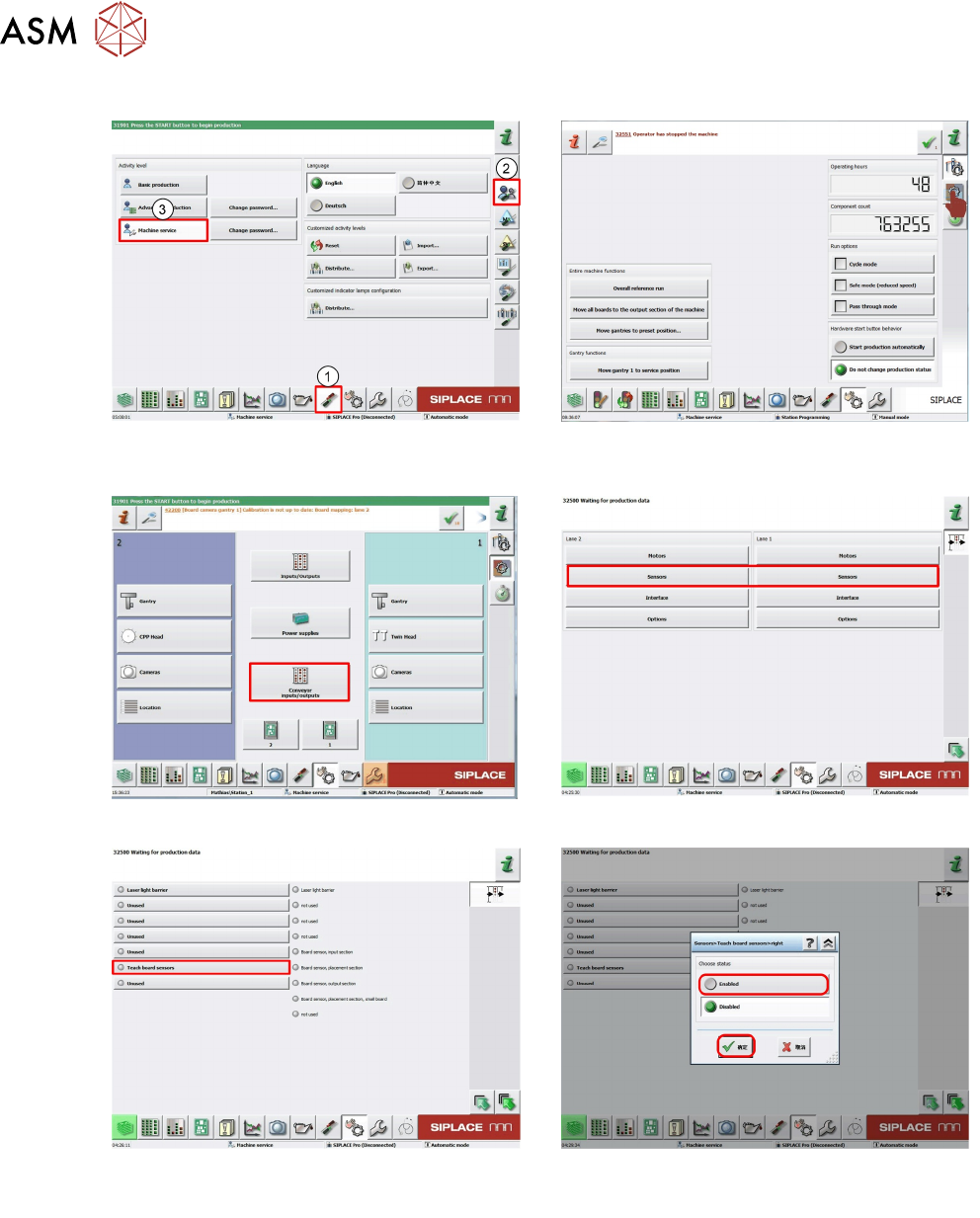
7.5.2.5 Teaching the sensor
1. Log on as Machine service (1-3). 2. Click on Check sensors icon (1).
Select Specific functions (2).
3. Click Conveyor Input/output. 4. Click on Sensor.
5. Click on red box Teach board sensor. 6. Click Select enable.
Click OK.
7 Conveyor System
7.5 Parts Exchange / Settings / Calibration
Technical Training SIPLACE TX-Series 10/2016 185
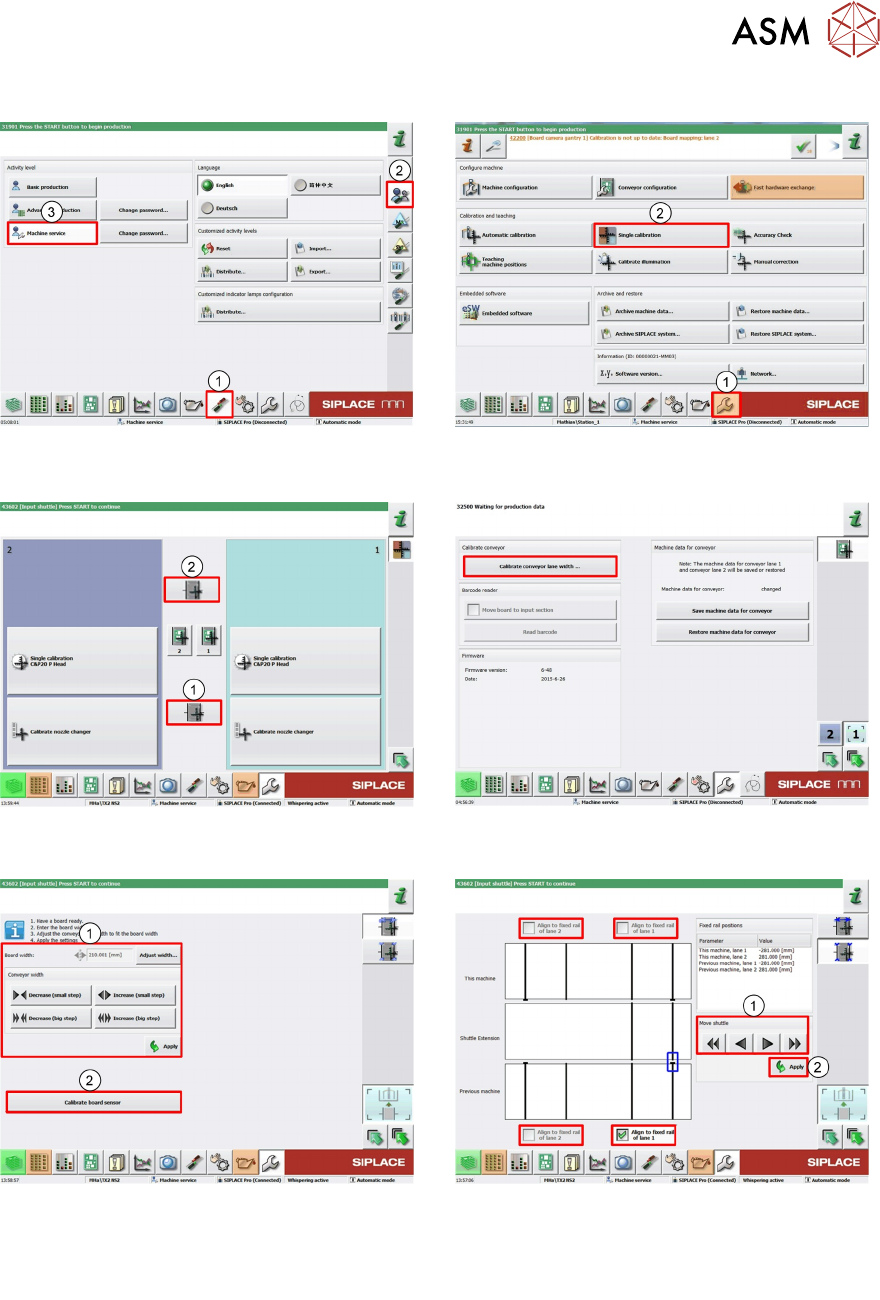
7.5.2.6 Adjust Shuttle
1. Log on as Machine service (1-3). 2. Click on Calibration (1) menu.
Select Single calibration (2).
3. Click Input shuttle (1) or Outputshuttle
(2).
4. Click Calibrate conveyor lane width.
5. Click Increase or Decrease (1) to adjust
the conveyor to the value.
Click Calibration board sensor (2) for the
sensor in the shuttle.
6. Choose each transfer position 1-4. Use the
arrows (1).
Click Apply (2) to confirm.
7 Conveyor System
7.5 Parts Exchange / Settings / Calibration
186 Technical Training SIPLACE TX-Series 10/2016
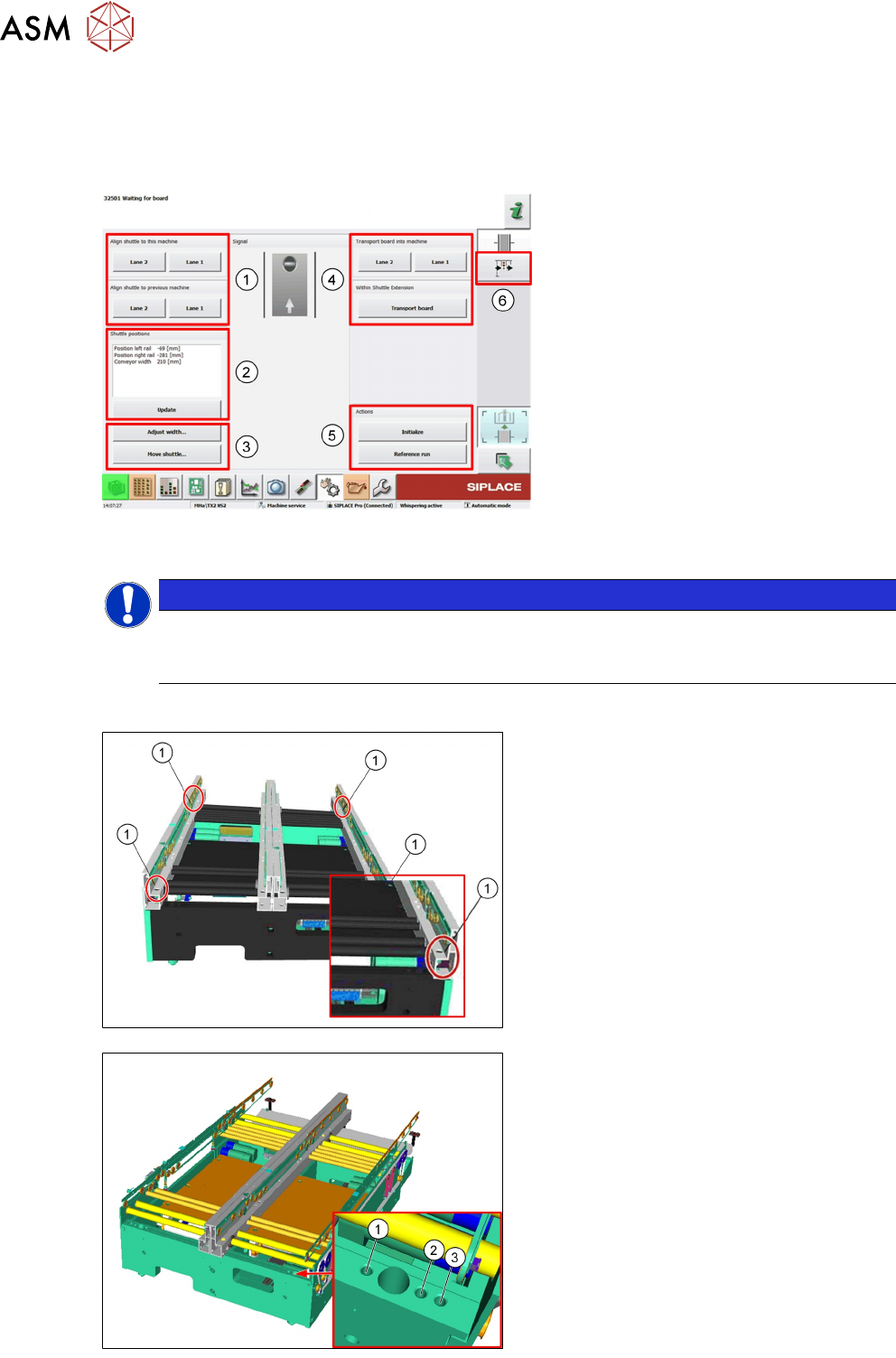
TX shuttle single function and test function menu
► Click on Check Sensors and Functions menu.
► Click on Sensor and Functions of specific Components menu.
► Click on Output shuttle or Input shuttle.
1. Aligment shuttle to the machine
2. Actual shuttle positions
3. Adjust width or move shuttle
4. PCB transportation
5. Actions: Initialize or Reference run
6. Shuttle Input / Output menu
7.5.3 Changing the Conveyor Configuration
NOTICE
Not for micron machines
Micron machines fixed rails are always outer, so it is not possible to reconfigure micron ma-
chines.
7.5.3.1 Changing the fixed conveyor rail width positions
Each fixed rail is mechanical fixed in place by
2 screws.
Fixed rail position change is done by re posi-
tioning of the screws (1).
Move fixed rail to position required.
There are 3 fixed positions:
1. 281mm
2. 268mm
3. 231mm
Tighten the 4 fixing screws.
Modify setting in SIPLACE Pro and GUI.